
Computer performance optimization giants like CCleaner, Advanced SystemCare, and Microsoft PC Manager are among the best 10 free PC speed booster programs. They tackle system slowness at its root by cleaning browsing leftovers, fixing registry errors, stopping RAM-hungry background apps, and optimizing game settings to raise frame rates, giving you a faster, more responsive device with better stability for daily tasks and gaming. Here is our selected elite list for 2026, with official download links via Rumman Net Rumman to boost the efficiency of games and heavy software.
What are the best 10 free PC speed booster programs for Windows?
The following list includes a set of the strongest free programs currently available to improve PC performance and clean Windows effectively. These tools were carefully selected based on their speed, ease of use, and reliability in resolving device slowness without affecting stability, ensuring a faster and smoother experience.
- CCleaner.
- Advanced SystemCare.
- BleachBit.
- Microsoft PC Manager.
- Glary Utilities.
- Wise Disk Cleaner
- Razer Cortex.
- Wise Care 365.
- PrivaZer.
- Ashampoo WinOptimizer.
CCleaner
CCleaner is one of the most famous PC cleanup and speed-up programs worldwide since its launch in 2004. CCleaner provides comprehensive cleaning for temporary files and the system registry, which noticeably improves PC performance. The program is lightweight and runs efficiently on all Windows versions. CCleaner features a simple interface that suits beginners and professionals.
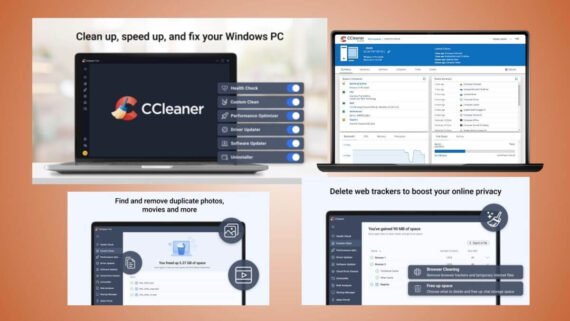
Key CCleaner capabilities:
- Browser cleaning tool: delete temporary browsing files and cookies.
- Registry Cleaner: fix Windows registry errors.
- Startup program manager: disable unnecessary programs at boot.
- Uninstall tool: remove programs completely.
- Software Updater: automatic updates for installed programs.
| Item | Details |
|---|---|
| Program name | CCleaner |
| Main function | Clean temporary files and speed up the system |
| Supported operating systems | Windows / Mac / Android |
| License type and price | Free / Pro version for $29.99 per year |
| Interface difficulty level | Easy for beginners |
| Target audience | Home and personal use |
| Download link | Download CCleaner |
Advanced SystemCare
Advanced SystemCare by IObit provides a comprehensive suite of more than 20 tools to improve PC performance. It features AI Mode technology that analyzes the system and delivers custom optimizations. SystemCare software provides real-time protection against malware, making it an ideal choice for anyone looking for an all-in-one solution. The program is lightweight and runs efficiently even on older computers.
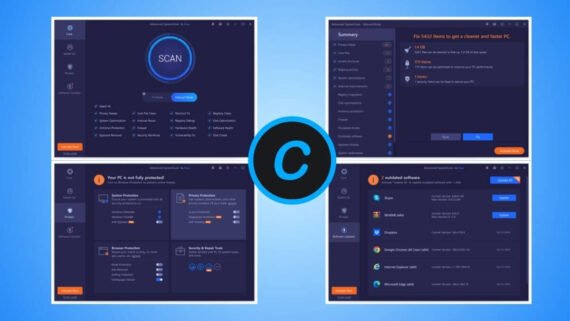
Main tools in Advanced SystemCare:
- One-click cleanup: a full scan to improve performance immediately.
- Internet Booster: improve connection speed.
- Performance Monitor: track CPU and RAM usage.
- Driver Booster: automatic updates for system drivers.
- Malware protection: continuous scanning for protection.
| Item | Details |
|---|---|
| Program name | Advanced SystemCare |
| Main function | Full system optimization with more than 20 tools |
| Supported operating systems | Windows only |
| License type and price | Free / Pro for $19.99 per year |
| Interface difficulty level | Easy for beginners |
| Target audience | Home and office use |
| Download link | Download Advanced SystemCare |
BleachBit
BleachBit is a free, open-source program specialized in privacy protection and PC cleaning. BleachBit stands out because it contains no ads or tracking, making it a trusted choice among the best 10 free PC speed booster programs for privacy-focused users. BleachBit uses secure file wiping technology to prevent recovery. The program supports Windows and Linux, and it provides the CleanerML language to create custom cleaning tools.
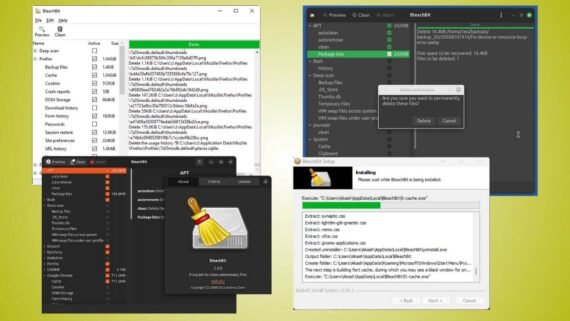
Features available in BleachBit:
- Deep privacy cleaning: permanently delete browsing traces.
- Secure file shredder: prevent recovery of deleted files.
- CleanerML custom cleaning: create your own cleaning tools.
- Multi-system support: works on Windows and Linux.
- No ads or tracking: full transparency for the user.
| Item | Details |
|---|---|
| Program name | BleachBit |
| Main function | Privacy cleanup and temporary file cleaning |
| Supported operating systems | Windows / Linux |
| License type and price | Completely free (open source) |
| Interface difficulty level | Medium |
| Target audience | Privacy-focused users |
| Download link | Download BleachBit |
Microsoft PC Manager
Microsoft PC Manager is an official tool from Microsoft to speed up and clean the PC. PC Manager offers full integration with Windows and Windows Defender protection. Microsoft PC Manager is extremely light on system resources and completely free. The tool provides fast one-click cleanup and effective management of startup programs.
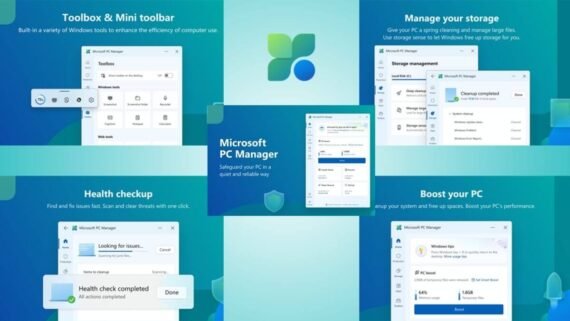
Core features of Microsoft PC Manager:
- Boost: free up memory and improve performance immediately.
- Deep Cleanup: delete large unnecessary files.
- Process manager: stop resource-hungry applications.
- Virus scan: integrated with Windows Defender.
- Popup management: block annoying ads.
| Item | Details |
|---|---|
| Program name | Microsoft PC Manager |
| Main function | Official optimization and cleaning from Microsoft |
| Supported operating systems | Windows 10 / 11 |
| License type and price | Completely free |
| Interface difficulty level | Easy for beginners |
| Target audience | Windows 10 and 11 users |
| Download link | Download Microsoft PC Manager |
Glary Utilities
Glary Utilities provides a comprehensive suite of more than 20 tools to improve PC performance. Glary Utilities is trusted by more than 200 million users worldwide. It features 1-Click Maintenance, which scans and fixes system issues automatically. The program is lightweight and fast, and it includes tools to recover deleted files and find duplicate files.
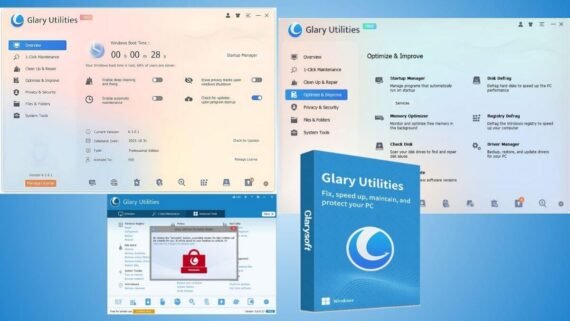
Tools available in Glary Utilities:
- One-click maintenance: fix system issues immediately.
- Disk Defrag: improve hard drive performance.
- File Recovery: restore deleted files.
- Duplicate file remover: free up storage space.
- Uninstall manager: complete program removal.
| Item | Details |
|---|---|
| Program name | Glary Utilities |
| Main function | Comprehensive suite with more than 20 tools |
| Supported operating systems | Windows only |
| License type and price | Free / Pro for $39.95 per year |
| Interface difficulty level | Easy for beginners |
| Target audience | Home and office use |
| Download link | Download Glary Utilities |
Wise Disk Cleaner
Wise Disk Cleaner is a free program specialized in cleaning the PC and freeing up space. Wise Disk Cleaner cleans three times more than CCleaner according to user tests. Wise Cleaner includes a System Slimmer mode to remove unnecessary files from Windows. The program is lightweight and fast, and it supports automatic scheduled cleaning.
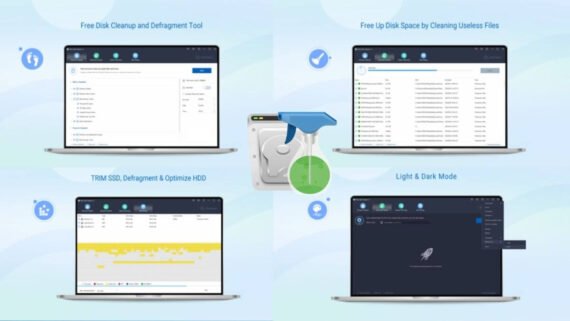
Key features of Wise Disk Cleaner:
- Full cleanup: delete temporary files and browsing traces.
- System Slimmer mode: remove unnecessary Windows components.
- Defragmentation: improve hard drive performance.
- Automatic scheduling: periodic cleaning without intervention.
- Simple interface: easy to use for beginners.
| Item | Details |
|---|---|
| Program name | Wise Disk Cleaner |
| Main function | Deep cleaning and freeing storage space |
| Supported operating systems | Windows only |
| License type and price | Completely free |
| Interface difficulty level | Easy for beginners |
| Target audience | Home use |
| Download link | Download Wise Disk Cleaner |
Razer Cortex
Razer Cortex is a specialized tool to optimize PC performance for gaming. Razer Cortex provides Game Booster to free up system resources during gameplay and improve FPS. The Razer platform includes a unified game launcher and tracking for game deals and offers. The tool provides AI-powered Booster Prime to automatically optimize graphics settings.

Features available in Razer Cortex:
- Game Booster: improve FPS during gameplay.
- Launcher: organize all your games.
- System Booster: full cleanup and optimization.
- AI Booster Prime: optimize graphics settings.
- Rewards program: earn points for playing.
| Item | Details |
|---|---|
| Program name | Razer Cortex |
| Main function | Gaming performance optimization and higher FPS |
| Supported operating systems | Windows only |
| License type and price | Completely free |
| Interface difficulty level | Easy for beginners |
| Target audience | Gamers |
| Download link | Download Razer Cortex |
Wise Care 365
Wise Care 365 is a comprehensive suite that includes more than 30 tools to optimize and speed up the PC. Wise Care 365 provides a full PC Checkup scan that detects problems and fixes them automatically. The Wise toolset includes real-time privacy protection and file encryption. The program is AppEsteem certified and supports dark mode.
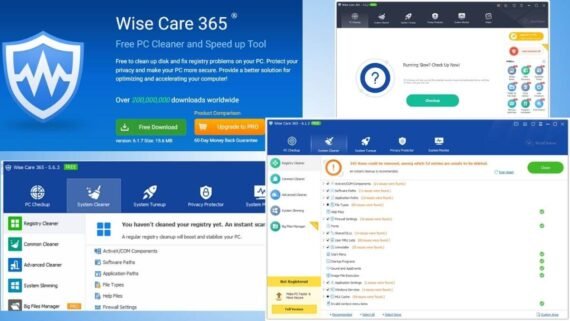
Integrated tools in Wise Care 365:
- PC Checkup: full system analysis.
- Privacy protection: erase browsing traces immediately.
- Defragmentation: for the hard drive and registry.
- File encryption: protect sensitive data.
- System monitoring: track resources in real time.
| Item | Details |
|---|---|
| Program name | Wise Care 365 |
| Main function | Comprehensive suite with more than 30 tools |
| Supported operating systems | Windows only |
| License type and price | Free / Pro for $29.99 per year |
| Interface difficulty level | Easy for beginners |
| Target audience | Home and office use |
| Download link | Download Wise Care 365 |
PrivaZer
PrivaZer is an advanced tool specialized in privacy protection and deep PC cleaning. PrivaZer provides a full system scan and secure deletion with up to 6 overwrite passes. PrivaZer respects TRIM technology for SSD drives and supports automatic cleaning scheduling. The tool provides two interfaces: Basic for beginners and Advanced for professionals.
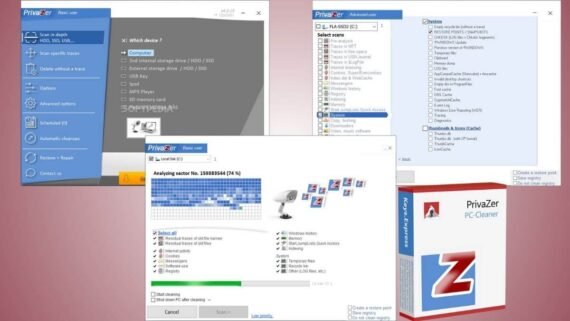
Advanced capabilities of PrivaZer:
- Deep scan: comprehensive analysis of privacy traces.
- Secure deletion Shredder: up to 6 overwrite passes.
- SSD support: respects TRIM technology for drives.
- Automatic scheduling: periodic cleaning without intervention.
- Customizable interface: Basic or Advanced.
| Item | Details |
|---|---|
| Program name | PrivaZer |
| Main function | Privacy protection and deep cleaning |
| Supported operating systems | Windows only |
| License type and price | Free / Pro for $49 per year |
| Interface difficulty level | Medium to professional |
| Target audience | Privacy-focused users |
| Download link | Download PrivaZer |
Ashampoo WinOptimizer 27
Ashampoo WinOptimizer 27 is a professional suite with more than 30 tools designed to improve PC performance on Windows 7, Windows 10, and Windows 11. It focuses on automatic system acceleration, deep cleanup of leftovers, and privacy enhancement.
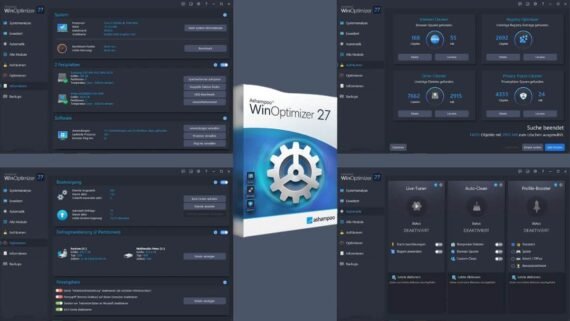
Main tools in Ashampoo WinOptimizer 27:
- One-Click Optimizer: instant, comprehensive cleaning for files and the registry.
- Auto-Clean: instant removal of leftovers after closing any program.
- Live-Tuner: speed up app launches and manage background resources intelligently.
- Profile Booster: customize device performance for gaming or office work.
- Privacy traces cleaner: delete browsing logs and sensitive data to ensure privacy.
- Crash Analyzer: detect reasons for system freezing or app crashes.
- Internet and SSD accelerator: tune network settings and SSD drives for maximum speed.
| Item | Details |
|---|---|
| Program name | Ashampoo WinOptimizer 27 |
| Main function | Integrated professional suite with more than 30 acceleration and cleaning tools |
| Supported operating systems | Windows (7, 10, 11) |
| License type and price | Free (limited edition) / Full version $49.99 (annual subscription or perpetual license) |
| Interface difficulty level | Easy for beginners with settings for professionals |
| Target audience | Users seeking maximum performance, gamers, and businesses |
| Download link | Download Ashampoo WinOptimizer 27 |
Criteria for choosing the right PC speed booster program
Before downloading any program to improve PC performance, consider several factors to ensure you pick what fits your needs:
- If your PC is old, choose lightweight programs like Wise Disk Cleaner or Microsoft PC Manager.
- For gaming use Razer Cortex, and for privacy choose BleachBit or PrivaZer.
- Beginners are suited to CCleaner or Glary Utilities because of their simple interfaces.
- Most of the programs mentioned provide effective free versions.
- Make sure you choose programs that receive regular updates to support the latest Windows releases.
- Operating system compatibility, some programs run on Windows 10 and 11 only.
How do you compare the best 10 free PC performance booster programs?
The comparison between the best 10 free PC speed booster programs shows the main strengths and weaknesses of each program in the previous list, so you can choose the most suitable tool for your device needs and your technical experience level easily, whether you are looking for high gaming performance or maximum privacy.
| Program | Main advantages | Main disadvantages |
|---|---|---|
| CCleaner | Simple interface, automatic program updates, widely used | Frequent upgrade ads, previously exposed to a hack |
| Advanced SystemCare | More than 20 tools, AI, lightweight | Requests upgrades frequently |
| BleachBit | Open source, no ads, privacy protection | Less attractive interface |
| Microsoft PC Manager | Official from Microsoft, free, full integration | Not available in some regions |
| Glary Utilities | 200 million users, one-click maintenance | Interface needs an update |
| Wise Disk Cleaner | Cleans more than CCleaner, free, fast | Lacks some advanced tools |
| Razer Cortex | Gaming-focused, rewards, free | Limited benefit for powerful PCs |
| Wise Care 365 | More than 30 tools, file encryption | Privacy concerns |
| PrivaZer | Best privacy protection, secure deletion | Slower on the initial scan |
| Ashampoo WinOptimizer | More than 30 tools, automatic cleaning (Auto-Clean), live performance optimization (Live-Tuner) | Needs initial setup, full version is paid |
We reviewed the best 10 free PC speed booster programs for Windows in 2026, from the well-known CCleaner to the professional Ashampoo WinOptimizer. These free PC acceleration programs vary between lightweight and all-in-one, letting you choose what fits your device. Do not forget to create a restore point before using any cleaning program to keep your system safe.