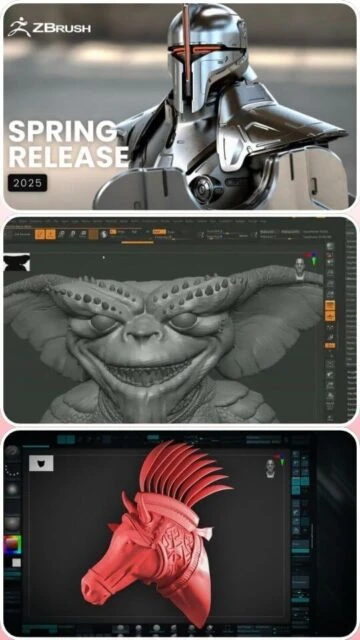
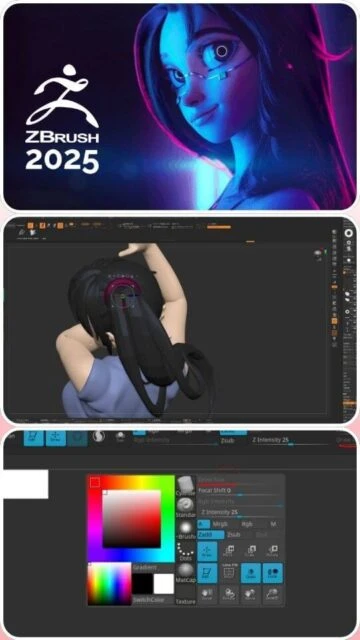
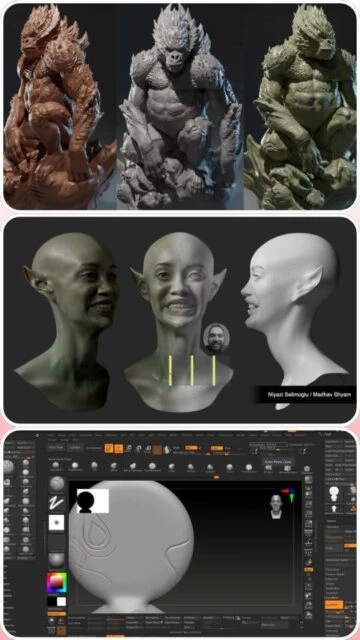
ZBrush 2025 stands as the gold standard for digital character sculpting and high-polygon model creation. This specialized platform enables artists to develop intricate organic forms with intuitive brush-based sculpting tools and real-time viewport feedback. This guide explores ZBrush’s installation, system requirements, and integration workflows essential for character artists, concept sculptors, and VFX specialists creating detailed digital characters.
How to Install ZBrush 2025
ZBrush 2025 installation requires downloading from Pixologic’s official portal and following platform-specific installation procedures. The process includes license activation through the Maxon App ecosystem, enabling seamless integration with Cinema 4D and other Maxon products.
- Access Pixologic Account – Create or login to Pixologic account at pixologic.com for subscription management and download access
- Download Installer – Select Windows or macOS platform and download the complete ZBrush 2025 installation package for your architecture
- Execute Installation – Run the installer and allow wizard to complete full installation including tablet driver initialization
- Activate Subscription – Launch ZBrush and authenticate using Pixologic credentials; license validates through online activation
Who Should Use ZBrush 2025
ZBrush 2025 serves professional character sculptors, concept artists, game character developers, and VFX specialists requiring high-polygon digital sculpting capabilities. The software excels in organic modeling and digital painting workflows.
- Character Sculptors – Create detailed organic characters with intuitive brush-based sculpting and real-time polygon feedback
- Concept Artists – Develop digital character concepts with rapid iteration and visual exploration using specialized sculpting tools
- Game Character Developers – Build high-resolution character models for game asset creation and retopology workflows
- NOT ideal for – Hard-surface modeling and mechanical design may be better served by CAD-oriented software like SolidWorks or Cinema 4D
ZBrush 2025 Platform Compatibility
ZBrush 2025 maintains platform support for Windows and macOS with optimized performance across both desktop environments. The software delivers identical sculpting capabilities with platform-specific hardware acceleration features.
| Platform |
Min. Version |
Unique Features |
Limitations |
| Windows |
Windows 10 or Windows 11 (64-bit) |
DirectX 12 GPU acceleration, WinTab tablet support, Redshift GPU rendering, multi-monitor support |
Requires AVX2 CPU support and compatible pressure-sensitive tablet |
| macOS |
macOS 10.15.7 or newer |
Apple Silicon native support, Metal GPU rendering, Wacom tablet optimization, Retina display support |
Intel Mac performance lower than Apple Silicon native builds |
| iPad |
iOS 14 or newer |
Touch-optimized sculpting, Apple Pencil support, Pro Projects integration, cloud synchronization |
Limited to iPad subscription (separate from desktop) |
| Web |
Not available |
No web-based version available |
Desktop or iPad installation required |
ZBrush 2025 Integrations & Plugins
ZBrush 2025 seamlessly integrates with professional 3D pipelines through GoZ technology enabling direct model exchange with Cinema 4D, Maya, 3ds Max, and other industry tools. Redshift rendering integration provides real-time GPU visualization within ZBrush viewport.
- GoZ Technology – Direct bidirectional model exchange with Cinema 4D, Maya, 3ds Max, Blender enabling seamless sculpt-to-animation workflow
- Redshift Rendering – Integrated GPU renderer providing real-time material preview and high-quality viewport rendering within ZBrush
- KeyShot Integration – Real-time hardware-accelerated rendering engine for interactive material preview and lighting adjustments
- Substance Painter Export – Direct sculpt export to Substance Painter for advanced texturing and material development workflows
Best Alternatives to ZBrush 2025
While ZBrush dominates digital sculpting, alternative platforms offer distinct capabilities for specialized organic modeling and character development. Selection depends on specific workflow requirements and integration needs.
- Nomad Sculpt – Best for iPad-exclusive sculpting with touch-optimized workflows and cloud synchronization
- Blender Sculpting – Best for integrated sculpting within complete 3D suite with free access and animation capabilities
- Autodesk Mudbox – Best for traditional digital painting and texture sculpting within established pipelines
- Cinema 4D Sculpting – Best for hard-surface character sculpting with integrated modeling and animation tools
ZBrush 2025 vs Top Competitors
ZBrush 2025 maintains market dominance in organic character sculpting while competing with integrated sculpting tools in all-in-one 3D suites. Each platform offers distinct advantages across different character development workflows.
| Feature |
ZBrush 2025 |
Blender Sculpting |
Cinema 4D Sculpting |
| Pricing |
Subscription: $39.99/month or annual option |
Free and open-source |
Subscription: $649/year (included) |
| Key Strength |
Industry-leading organic sculpting with unmatched brush tools and digital painting |
Free sculpting within complete 3D suite with full animation capabilities |
Integrated sculpting with seamless modeling and animation workflow |
| Target Users |
Professional character sculptors, game character artists, concept sculptors |
Independent sculptors, students, budget-conscious teams |
Character modelers preferring integrated ecosystem |
| Unique Feature |
ProProjects, Redshift integration, GoZ technology, IMM Brushes, unmatched sculpting precision |
Grease Pencil sculpting, free ecosystem integration, community brushes |
Procedural sculpting, non-destructive workflow, full animation |
| Learning Curve |
Steep |
Moderate |
Moderate to steep |
ZBrush 2025 Keyboard Shortcuts
Mastering ZBrush 2025 keyboard shortcuts dramatically accelerates sculpting workflows. Essential shortcuts for brush selection, viewport navigation, and sculpting functions optimize creative productivity during character development.
| Action |
Windows |
macOS |
| Toggle Brush Size |
Spacebar + drag |
Spacebar + drag |
| Frame Selected Model |
F |
F |
| Undo Sculpting |
Ctrl+Z |
Cmd+Z |
| Fill Brushes |
Shift+click |
Shift+click |
ZBrush 2025 Performance Optimization
Maximizing ZBrush 2025 performance requires hardware configuration, polygon management, and viewport optimization. These techniques maintain smooth sculpting responsiveness while handling million-polygon character models.
- Polygon Count Management – Begin sculpting with lower SubDivision levels and increase dynamically as detail requirements expand
- GPU Memory Allocation – Ensure dedicated GPU with 8+ GB VRAM for smooth real-time sculpting feedback and Redshift rendering preview
- Tablet Performance – Configure WinTab or compatible tablet driver settings for minimum brush lag and responsive pressure feedback
- Render Cache Optimization – Configure render cache on fast SSD storage enabling rapid viewport redraw during sculpting operations
- Brush Customization – Create lightweight custom brushes with minimal geometric operations reducing per-stroke computation overhead
ZBrush 2025 Accessibility Features
ZBrush 2025 incorporates accessibility options supporting diverse sculpting workflows. Keyboard alternatives to tablet input and interface customization enable inclusive creative environments.
- Screen Reader – Limited accessibility with ongoing community requests for enhanced screen reader integration
- Visual – Customizable UI colors, font scaling, high-contrast viewport modes for improved visibility during sculpting
- Motor – Keyboard-only navigation support with customizable hotkey assignment for mouse/tablet-free workflows
- Languages – Interface available in 11 languages with support for Asian character rendering and localization
ZBrush 2025 Support & Documentation
ZBrush 2025 benefits from extensive Pixologic documentation, ZBrushCentral community forums, and professional tutorial libraries. Learning resources span fundamental sculpting through advanced character development techniques.
- Official Documentation – Comprehensive ZBrush documentation covering all sculpting tools, brushes, and workflow techniques with detailed explanations
- ZBrushCentral Forums – Active community forums where professional sculptors share techniques, troubleshoot issues, and showcase sculpting work
- Video Tutorials – Official Pixologic YouTube channel and Gumroad marketplace offering professional sculpting tutorials and advanced techniques
- Contact Support – Direct support through Pixologic support portal for technical issues, subscription management, and feature requests

 5
5