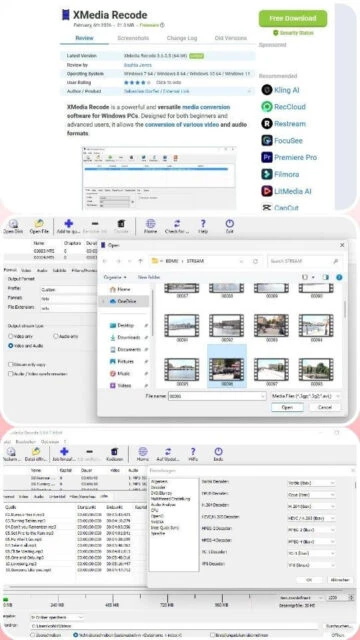
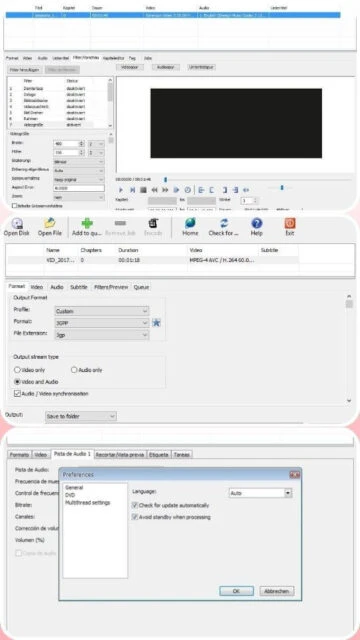
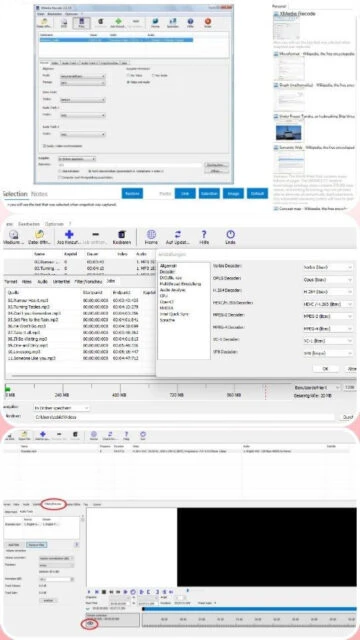
Fast, free, and reliable video and audio converter
Free universal video and audio converter supporting 50+ formats with hardware acceleration, batch processing, and comprehensive editing tools for Windows.
XMedia Recode is a free, comprehensive media converter supporting over 50 audio and video formats including MP4, MKV, AVI, MOV, H.264, H.265, SVT-AV1, and more. The software features NVIDIA CUDA GPU acceleration for significantly faster encoding, built-in video editing tools for cropping and rotation, and batch processing capabilities. It includes DVD and Blu-ray ripping functionality for unprotected discs and offers bitrate calculation tools for optimizing file sizes.
System Requirements
Operating System:Windows 7 64-bit or Windows 8/10/11
Processor:Intel or AMD compatible 1 GHz or higher
RAM:1 GB
Disk Space:200 MB
Additional Requirements:DirectX 9, NVIDIA GPU driver 347.09+ (optional), Microsoft Visual C++ Redistributable 2022
Features Of XMedia Recode
Support for 50+ audio and video formats including MP4, MKV, AVI, MOV, WAV, FLAC, MP3
H.264, H.265, SVT-AV1 video codec encoding options
NVIDIA CUDA GPU acceleration for hardware-accelerated encoding
Video cropping, rotating, and aspect ratio adjustment
External subtitle import and embedded subtitle support
Built-in bitrate calculator for target file size optimization
DVD and Blu-ray disc ripping from unprotected sources
Batch processing with task queue management
Basic metadata editing capabilities
Visual timeline editor for precise trimming and cutting
Multiple audio track handling and audio format conversion
Pros & Cons
Pros
Completely free with no restrictions or limitations
Minimal system resource requirements
GPU acceleration available for NVIDIA graphics cards
Comprehensive format support covering most common media types
Simple, intuitive interface suitable for beginners
Active development with regular updates
No additional codec installations required
Cons
Windows-only platform without Mac or Linux support
GPU acceleration limited to NVIDIA cards
No advanced color correction or image processing tools
Interface can feel dated compared to modern applications
Batch processing features are basic compared to professional software
Changelog
Version 3.6.1.9 (October 19, 2025):
- Updated FFmpeg codec library
- SVT-AV1 Codec: Added GOP Size and Type Options
- Fixed minor bugs and improved stability
Version 3.6.1.8 (September 2025):
- Updated Italian language file
- AOM AV1 Codec: Added Quantization options
- Performance improvements
Version 3.6.1.7 (August 2025):
- Updated Korean language file
- Improved GPU encoding reliability
- Fixed subtitle handling issues
Frequently Asked Questions
Does XMedia Recode support Mac or Linux?
No, XMedia Recode is Windows-only software. For Mac and Linux users, alternative converters like HandBrake or Hybrid (Selur) offer similar functionality across multiple platforms.
What's the difference between CPU and GPU encoding?
GPU encoding using NVIDIA CUDA is significantly faster but requires compatible graphics hardware. CPU encoding is slower but available on any system and sometimes produces marginally better quality output.
Can I convert copy-protected DVDs or Blu-rays?
No, XMedia Recode only processes unprotected discs. Copy-protected content requires specialized software that handles DRM removal, which varies by jurisdiction.
How do I use the bitrate calculator?
Access the bitrate calculator to specify your target file size and media type. The software calculates the optimal bitrate for video and audio to match your desired output file size.
Is batch processing available?
Yes, XMedia Recode includes batch processing through its task queue. Add multiple files, configure settings once, and start the encoding process to convert all files sequentially.
Can XMedia Recode be used commercially?
Yes, XMedia Recode is freeware and can be used for both personal and commercial projects without licensing fees or restrictions.
XMedia Recode is a feature-rich media converter capable of handling virtually all common audio and video formats with professional-grade controls. This guide explains installation procedures, platform compatibility, integration capabilities, comparative analysis, essential shortcuts, and optimization techniques for optimal performance.
Installation & Setup
Download the installer from the official XMedia Recode website
Run XMediaRecode3619_x64_setup.exe and accept the license agreement
Select destination folder for installation
Install Microsoft Visual C++ Redistributable 2022 64-bit if prompted
Complete installation and launch the application
Add media files through Open File button or drag-and-drop interface
Platform Availability
Platform
Support
Features
Windows 11 64-bit
Full Support
GPU acceleration, CUDA support, batch queue
Windows 10 64-bit
Full Support
GPU encoding, DirectX 9, legacy codec support
Windows 7/8.1 64-bit
Full Support
Standard encoding, no GPU features
Integration Ecosystem
FFmpeg – Core encoding engine with latest codec updates
SVT-AV1 – Modern video compression codec support
x264/x265 – H.264 and H.265 encoding libraries
NVIDIA CUDA – GPU-accelerated transcoding when available
DVD/Blu-ray Players – Extracts from unprotected discs
Enable NVIDIA CUDA acceleration if compatible graphics card detected
Use GPU encoding for faster conversion with minimal quality loss
Adjust bitrate using the built-in bitrate calculator for target file sizes
Process multiple files simultaneously using the batch queue feature
Configure output folder for automatic organization of converted files
Use presets for frequently converted formats to save configuration time
User reviews and ratings for XMedia Recode
See what users think about XMedia Recode. Read honest reviews and ratings from real users.
4.4
★★★★★
4 reviews
Powerful free converter with excellent format support
by MediaPro2025
★★★★★
2025-11-10
XMedia Recode handles virtually all media formats I throw at it. The GPU acceleration makes conversions incredibly fast, and the interface is straightforward enough for beginners while offering advanced controls for professionals.
Reliable Windows converter with great speed
by TechReviewer
★★★★★
2025-10-15
For Windows users seeking a no-nonsense converter, XMedia Recode delivers excellent results. The CUDA support is fantastic, though lacking Mac support is a limitation. Very stable over extended batch processing sessions.
Best free format converter available
by VideoEditor
★★★★★
2025-09-22
I've tested numerous converters and XMedia Recode consistently provides the fastest encoding with GPU acceleration and most comprehensive format support. The bitrate calculator is particularly useful for optimizing file sizes.
Good converter but Windows-only limitation
by CasualUser
★★★★★
2025-08-30
As a long-time user, XMedia Recode is reliable and efficient for Windows systems. However, cross-platform support would significantly improve its appeal. The interface feels dated, but functionality is solid.
Write a Review
XMedia Recode Screenshots & Photos
Browse through screenshots and photos of XMedia Recode to see how it looks and works.
XMedia Recode Videos
Watch videos to see how this software works and learn about its features.

 18
18