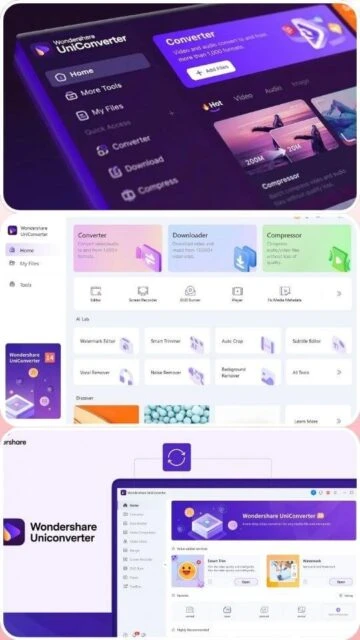
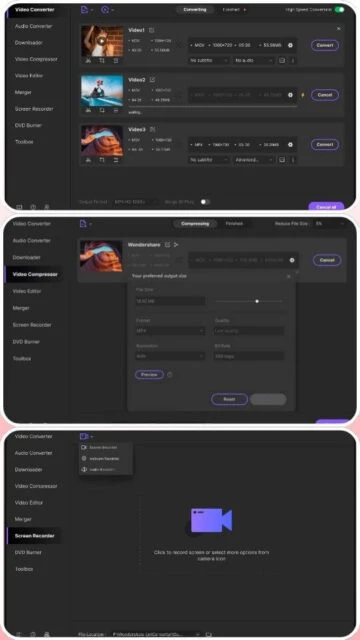
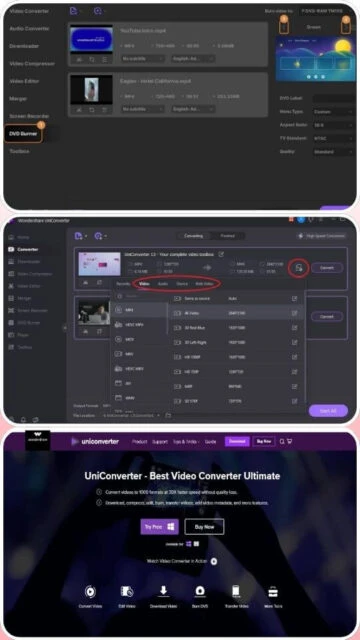
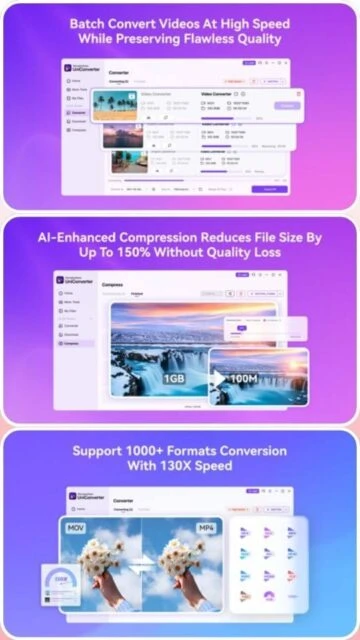
Wondershare UniConverter is a leading all-in-one video conversion platform that transforms how users handle multimedia files. With support for over 1000 video, audio, and image formats, it enables seamless conversion between any format combinations. The software features GPU-accelerated processing delivering conversion speeds up to 130x faster than standard methods. Integrated AI-powered tools provide video enhancement, upscaling, denoising, and subtitle translation for over 130 languages, making it ideal for content creators, video professionals, and casual users. The platform supports 4K and 8K video conversion, direct video downloading from 10,000+ websites, screen recording, DVD burning, batch processing of up to 20 files simultaneously, and comprehensive video editing capabilities.
System Requirements
Operating System:Windows 10/11 64-bit or macOS 10.10 or later
Processor:Multi-core processor 1 GHz or higher
RAM:4 GB (8 GB recommended)
Disk Space:1 GB available disk space
Additional Requirements:GPU acceleration requires NVIDIA or AMD dedicated graphics card
Features Of Wondershare UniConverter
Format Conversion: Convert between 1000+ video, audio, and image formats
AI Upscaling: Enlarge videos up to 8K resolution without quality loss using neural networks
Video Download: Extract videos from 10,000+ websites in multiple resolutions
Batch Processing: Process up to 20 files simultaneously in different formats
Video Compression: Reduce file size up to 90% using advanced AV1 codec technology
Screen Recording: Capture desktop activity with audio and convert to any format
DVD/Blu-ray Burning: Create disc content directly from video files
AI Enhancement Suite: Denoise, colorize, restore old photos, enhance faces automatically
Subtitle Translation: Translate subtitles to 130+ languages with 95% accuracy
Editing Tools: Trim, crop, add effects, watermarks, and apply filters in batch mode
Pros & Cons
Pros
Exceptional format coverage with support for over 1000 formats eliminates compatibility issues
Industry-leading GPU acceleration delivers conversion speeds up to 130x faster with optimal hardware
Integrated AI tools provide professional-quality enhancement without requiring separate software
Comprehensive feature set combines conversion, downloading, recording, editing, and burning in one platform
Batch processing capability allowing simultaneous conversion of up to 20 files dramatically improves productivity
Full 4K and 8K support with optimized presets for modern display technologies
Advanced subtitle translation for global content reach across multiple languages
Free 7-day trial available to test all features before purchase
Cons
Subscription-based pricing model without perpetual license option available
Limited AI credits allocated monthly with additional cost for extended usage
Large file size of 493 MB requires significant storage space for installation
Steep learning curve for beginners with complex advanced feature interface
GPU acceleration performance varies significantly based on graphics card model and driver updates
Some advanced AI features consume considerable system resources during processing
Limited live customer support outside business hours in certain regions
Occasional compatibility issues reported with specific older graphics card models
Changelog
Version 16.7.0 (November 2025):
- Enhanced ProRes conversion speed by 200% for professional workflows
- Added Live Photo conversion support for Apple device content
- Added new formats: FFV1 for pro archiving and AMV for device playback
- Improved chapter marker support for video and audio files
Version 16.5.0 (August 2025):
- One-click AI enhancement for automatic upscaling and quality improvement
- Quality Priority mode reduces file size up to 90% using advanced AV1 codec
- 2-pass encoding delivers superior compression quality and file optimization
- Smart reflow subtitle feature improves line breaks and readability
Version 16.0.0 (January 2025):
- Complete architecture redesign optimizing for Intel and AMD graphics acceleration
- Hi-Res Audio conversion up to 24-bit/192 kHz with MP4 studio-quality sound
- AI translation feature for accurate bilingual subtitle generation
- Batch trimming, resizing, and watermarking with parameter presets
Frequently Asked Questions
What formats does UniConverter support?
Wondershare UniConverter supports over 1000 formats including MP4, AVI, MOV, MKV, WebM, FLV, WMV, HEVC, ProRes, and more for both video and audio conversion with full 4K and 8K compatibility.
How much faster is GPU acceleration?
GPU acceleration can deliver conversion speeds up to 130x faster than standard CPU-only processing depending on your graphics card model and the specific video codec being used.
Can I batch convert multiple videos?
Yes, UniConverter supports batch processing of up to 20 files simultaneously with the ability to convert them to different output formats in the same operation.
Does it support video downloading?
Yes, UniConverter can download videos from over 10,000 websites in multiple resolutions including 4K and 8K, with direct format conversion after download.
What subscription plans are available?
Plans include 7-day free trial, Monthly at $9.99, Annual subscription, and Lifetime license options. Each includes different feature access levels and AI credit allocations.
Does it work on Mac?
Yes, UniConverter is fully compatible with macOS 10.10 or later and includes Apple silicon optimization delivering up to 9x faster conversion on newer Macs.
Wondershare UniConverter is a comprehensive video conversion and editing solution that combines format conversion, AI-powered enhancement, video downloading, compression, and recording in one unified platform. This guide covers installation, setup, platform availability, integrations, feature comparisons, keyboard shortcuts, and optimization techniques for maximum productivity.
Installation & Setup
Visit the official Wondershare UniConverter website at videoconverter.wondershare.com
Click the “Free Download” button to download the appropriate installer for your operating system
For Windows: Double-click the downloaded .exe file and follow the on-screen installation wizard
For Mac: Extract the .zip file and click the Install button to install UniConverter
Launch the application from your desktop or applications folder
Optionally activate your license key to unlock all premium features and AI credits
Platform Availability
Platform
Support
Features
Windows 10/11
Full Support
GPU acceleration, all editing tools, batch processing
macOS 10.10+
Full Support
Apple silicon optimization, 9x faster conversion
Web Version
Limited
Basic online conversion without installation
Integration Ecosystem
Cloud Storage – Direct upload to Google Drive, Dropbox, and OneDrive after conversion
Video Platforms – Automatic preset optimization for YouTube, Vimeo, and TikTok uploads
Device Compatibility – Preset profiles for iPhone, iPad, Android, gaming consoles, and smart TVs
AI Tools – Integrated AI upscaler, denoiser, subtitle translator for 130+ languages, and face enhancer
DVD/Blu-ray – Direct burning capability without external software
Enable GPU acceleration in settings for conversion speeds up to 130x faster on compatible systems
Use batch processing to convert multiple files simultaneously, processing up to 20 files in parallel
Select “High-Speed” conversion mode for priority performance over maximum quality
Close other applications to allocate more RAM to UniConverter for faster processing
Use “Quality Priority” mode with AV1 codec for up to 90% file size reduction
Create and save custom presets for frequently used settings to streamline repetitive tasks
For Mac users, enable Apple silicon optimization to achieve up to 9x faster conversion speeds
Utilize the AI enhancement features selectively to preserve computing resources
User reviews and ratings for Wondershare UniConverter
See what users think about Wondershare UniConverter. Read honest reviews and ratings from real users.
4.7
★★★★★
4 reviews
Professional-Grade Conversion Tool
by Marcus Chen
★★★★★
2025-11-20
UniConverter transformed my video workflow. The GPU acceleration is genuinely fast, batch processing saves hours, and the AI upscaling quality is exceptional. Worth every penny for serious creators.
Excellent Features But Steep Learning Curve
by Sarah Williams
★★★★★
2025-10-15
Powerful software with impressive format support and AI tools. Performance is outstanding but the interface feels overwhelming for beginners. Great once you learn the layout and features.
Best Video Converter Available
by James Rodriguez
★★★★★
2025-09-08
Tested multiple converters and UniConverter outperforms competitors significantly. Speed is incredible with my GPU, the downloader works flawlessly, and customer support is responsive and helpful.
Great Tool with Premium Pricing
by Emily Thompson
★★★★★
2025-08-22
UniConverter delivers excellent results and impressive speeds. Subscription model is convenient but pricing feels high compared to lifetime options. 7-day trial is helpful for evaluation.
Write a Review
Wondershare UniConverter Screenshots & Photos
Browse through screenshots and photos of Wondershare UniConverter to see how it looks and works.
Wondershare UniConverter Videos
Watch videos to see how this software works and learn about its features.

 18
18