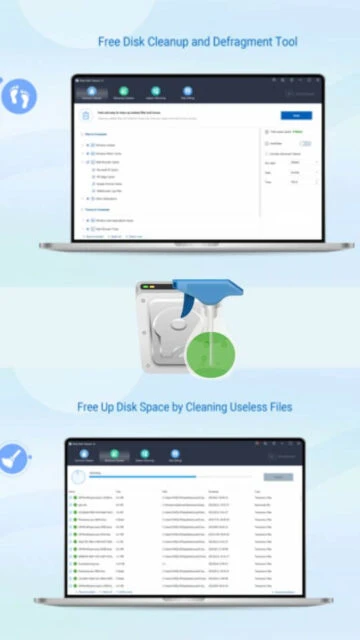
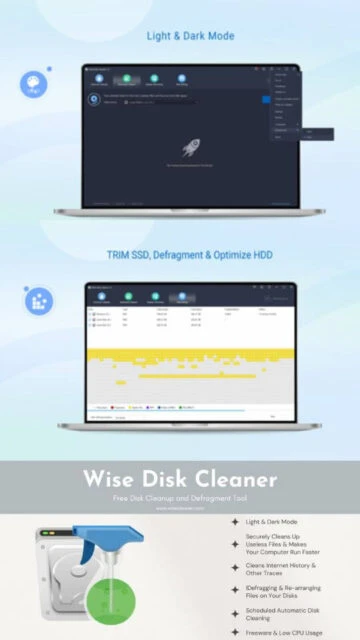
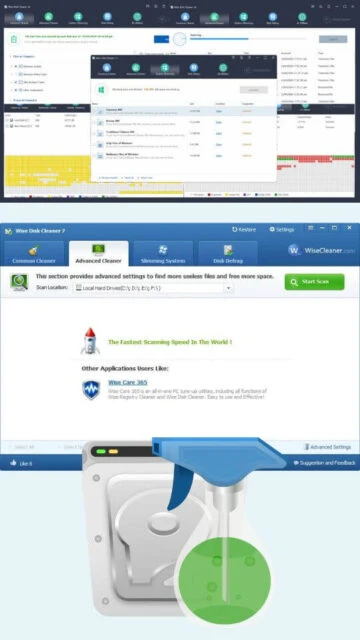
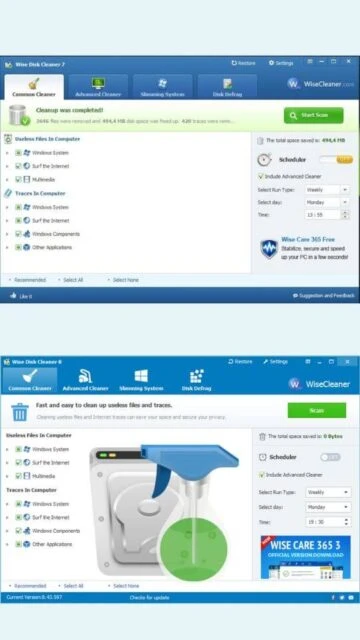
Wise Disk Cleaner provides efficient junk file removal and disk optimization for Windows systems. The software identifies and removes temporary files, system cache, browser history, cookies, and other accumulated digital debris consuming storage space. Common Cleaner handles basic cleanup operations targeting frequently accumulated files, while Advanced Cleaner enables users to specify custom file types for deletion. System Slimming functionality relocates unnecessary files from system drives to reclaim critical space. Disk defragmentation features optimize file arrangement on hard drives for improved access speed. Portable version availability allows usage on systems without installation requirements.
System Requirements
Operating System:Windows 11, 10, 8, 7 (32-bit and 64-bit)
Processor:Compatible with any standard processor
RAM:128 MB
Disk Space:20 MB
Additional Requirements:Portable version available for Vista and XP systems
Features Of Wise Disk Cleaner
Common Cleaner: Removes junk files, temporary data, and system debris with single-click operation
Advanced Cleaner: Enables selective deletion of specific file types with customizable scanning parameters
Disk Defragmentation: Optimizes hard drive file arrangement for faster data access and improved performance
System Slimming: Reclaims disk space from system drive through file relocation and removal
Scheduled Cleanup: Enables automatic scheduled disk cleaning operations at specified intervals
Browser History Cleaning: Removes browsing history, cache, and cookies from major web browsers
Customizable Scanning: Allows users to select specific file types and folders for cleanup operations
Preview Capability: Shows detailed list of files before deletion enabling safe selective removal
Portable Version: Available for use without installation on systems without admin privileges
Recycle Bin Cleanup: Empties recycle bin contents as part of cleanup process
Registry Cleaner Integration: Complements registry optimization in WiseCleaner suite
Minimal Resource Usage: Operates efficiently using minimal system resources during scanning
Pros & Cons
Pros
Completely free with no premium subscription required
Very lightweight at 11.3 MB with minimal system resource demands
Portable version available for USB drives and network usage
Straightforward user interface suitable for novice users
Comprehensive junk file detection superior to many competitors
Multiple language support for international users
Frequent updates with support for newest applications
Regular improvements and bug fixes
No unwanted bundled toolbars or adware
Cons
Does not support Windows Vista and XP installation (portable version available for these)
Limited advanced optimization features compared to comprehensive suites
No scheduled maintenance in free version
Registry cleaning features limited compared to dedicated registry tools
Portable version requires manual updates
No priority technical support
Lacks some privacy protection features of premium alternatives
Changelog
Version 11.3.0 (Nov 28, 2025):
- Newly supports cleaning Zen Browser and Floorp Browser
- Added support for MAGIX Video Pro and MAGIX Installation Manager
- Improved cleaning rules for Mixed In Key
- Enhanced compatibility with latest Windows builds
Version 11.2.7 (Sep 28, 2025):
- Added support for Zen Browser and Floorp Browser
- Improved cleaning for MAGIX Video Pro and Installation Manager
- Enhanced rules for OpenOffice, Photoshop, Premiere Pro, and Microsoft Office
- Fixed minor bugs in scanning algorithm
Version 11.2.2 (Apr 3, 2025):
- Improved cleaning rules for multiple applications
- Enhanced scanning speed and reliability
- Added support for additional application types
Frequently Asked Questions
Is Wise Disk Cleaner completely free?
Yes, Wise Disk Cleaner is completely free software with no hidden fees, premium versions, or subscription requirements. All cleaning and defragmentation features are available without any cost.
Can I use the portable version?
Yes, Wise Disk Cleaner offers a portable version that runs without installation, making it ideal for Windows Vista, XP, systems without admin privileges, or usage on portable drives.
How much disk space can I recover?
Space recovery depends on system usage. Users typically recover hundreds of megabytes to several gigabytes of disk space from junk files, temporary data, and cache files accumulated over time.
Is it safe to use Wise Disk Cleaner?
Yes, Wise Disk Cleaner is safe when used correctly. The software shows a preview of files before deletion and uses conservative defaults. Always review detected files before deleting to ensure no important data is removed.
Does it work with Windows 11?
Yes, Wise Disk Cleaner fully supports Windows 11 along with Windows 10, 8, and 7 in both 32-bit and 64-bit versions. The software receives regular updates for compatibility.
How often should I run the cleanup?
Running cleanup weekly or bi-weekly maintains optimal disk performance. Users with heavy browsing or software installations may benefit from more frequent cleaning schedules.
What is Wise Disk Cleaner?
Wise Disk Cleaner is a free system utility designed for Windows that specializes in disk cleanup, defragmentation, and system optimization. The software removes junk files, temporary data, and system debris that accumulate during normal computer usage, helping users recover disk space and improve system performance. Available in both regular and portable versions, it provides straightforward functionality without requiring payment or subscription costs.
Unmatched Power
The software delivers powerful disk management capabilities through Common Cleaner for basic junk file removal, Advanced Cleaner for specific file type deletion, System Slimming to reclaim system drive space, and built-in disk defragmentation. Users benefit from scheduled automatic cleanup operations, customizable cleaning options allowing selective file type removal, and detailed scanning reports showing recoverable space. The lightweight design ensures minimal system resource consumption during operation while maintaining effectiveness across multiple Windows versions.
Who Should Use It?
Wise Disk Cleaner serves Windows users seeking free disk space recovery without complex configuration. Home users benefit from simple automatic cleanup to maintain system health. Budget-conscious users appreciate complete functionality without premium subscriptions. Power users value the portable version for use across systems without installation requirements. Small organizations can deploy the tool across multiple machines without licensing concerns.
User reviews and ratings for Wise Disk Cleaner
See what users think about Wise Disk Cleaner. Read honest reviews and ratings from real users.
4.4
★★★★★
5 reviews
Best Free Disk Cleaner Available
by FreewareEnthusiast
★★★★★
2025-11-18
I prefer Wise Disk Cleaner to paid alternatives like CCleaner. It finds significantly more junk files, operates cleanly without intrusive advertisements, and offers reliable performance. The portable version adds tremendous convenience.
Effective and User-Friendly Solution
by SystemOptimizer
★★★★★
2025-10-25
Wise Disk Cleaner consistently delivers excellent results with its comprehensive scanning and user-friendly interface. The software is fast, reliable, and requires minimal system resources during operation.
Works Well But Limited Advanced Features
by CasualUser
★★★★★
2025-09-14
The basic cleanup functions work well and the free price is excellent. However, it lacks some advanced optimization features found in premium alternatives. Still recommended for straightforward disk cleaning needs.
Great Alternative to Commercial Products
by BudgetMinded
★★★★★
2025-08-09
Wise Disk Cleaner provides solid disk space recovery without the subscription fees demanded by competitors. Performance improvements are noticeable after cleanup operations. Minor limitation is lack of scheduling features.
Reliable and Consistent Performance
by ITSpecialist
★★★★★
2025-07-22
I have deployed Wise Disk Cleaner across multiple computers for both personal and professional use. The software consistently performs reliably, detects comprehensive junk files, and requires no technical expertise.
Write a Review
Wise Disk Cleaner Screenshots & Photos
Browse through screenshots and photos of Wise Disk Cleaner to see how it looks and works.
Wise Disk Cleaner Videos
Watch videos to see how this software works and learn about its features.

 42
42