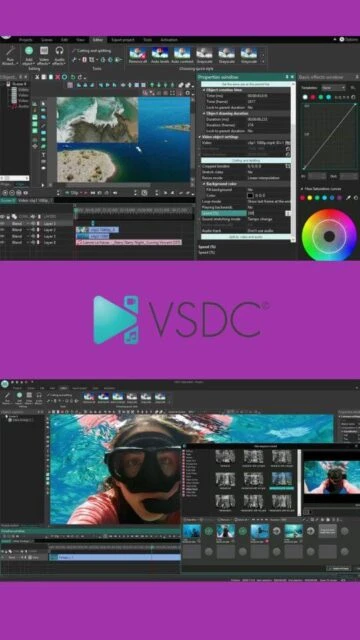
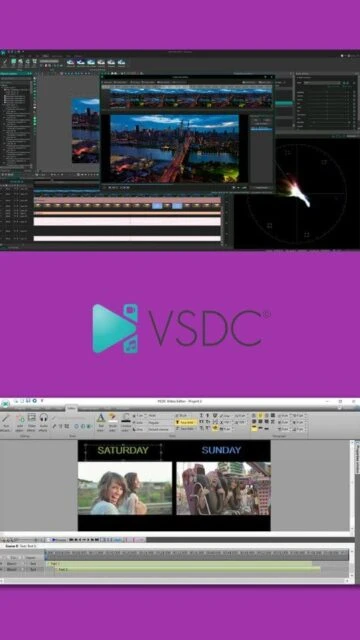
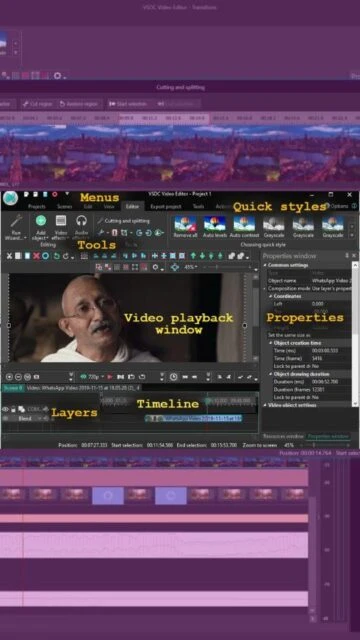
VSDC stands for Video Software Development Company and has become the go-to solution for Windows users seeking professional video editing without expensive subscriptions. The software serves over five million users worldwide who trust its stable, feature-rich platform. Originally designed for format conversion, VSDC evolved into a complete multimedia suite combining editing, audio enhancement, desktop capture, and voice recording capabilities. The free version includes no watermarks and no adware, making it genuinely free unlike many competitors. VSDC Pro ($29.99) adds enhanced codec support, GPU acceleration, and extended masking capabilities for professionals needing faster exports.
System Requirements
Operating System:Windows XP SP3 or later, Windows 10 64-bit or Windows 11
Processor:Intel, AMD Ryzen, or x86/x64 compatible processor at 1.5 GHz or higher
RAM:2 GB
Disk Space:42.4 MB
Additional Requirements:Dual-channel memory recommended; hardware acceleration requires Intel 7th Gen or AMD Ryzen 3000 Series
Features Of VSDC Free Video Editor
Non-linear multi-layer video editing with unlimited tracks
Multi-color Chroma Key for professional green screen effects
Advanced color correction with LUT Editor and RGB Curves
Motion tracking and object tracking for dynamic videos
GPS telemetry widgets for speed, altitude, and compass overlays
Hardware acceleration for AV1, MJPEG, Intel VP9 codecs
Support for professional codecs: ProRes, DnxHD, CineForm, FFV1
Desktop screen capture and voice-over recording
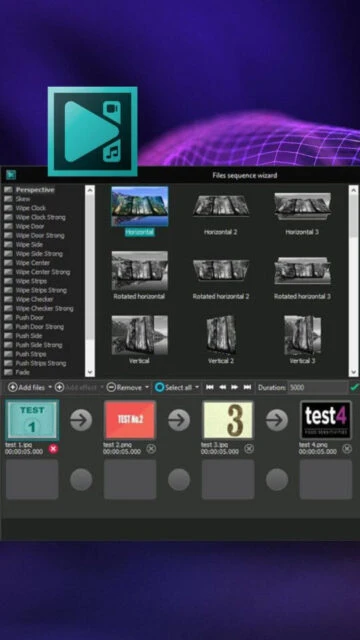
Slideshow creation with customizable transitions
Picture-in-picture and split-screen effects
Support for BRAW, ProRes RAW, and high-resolution raw formats
Individual scene export with snapshot capability
Pros & Cons
Pros
Completely free with no watermarks or hidden costs
Comprehensive feature set rivaling paid professional software
Lightweight installation requiring minimal storage space
Intuitive interface that beginners can learn quickly
Excellent support for high-resolution and raw video formats
Active development with regular updates and new features
Multiple language interface options for global users
Powerful chroma key and color grading tools
Cons
Windows-only availability, no macOS or Linux support
Steeper learning curve for advanced non-linear techniques
GPU acceleration limited to specific processor models
Older versions of Windows may have compatibility issues
Freemium model requires Pro upgrade for fastest performance
Less extensive template library compared to subscription alternatives
Changelog
Version 10.2 (2025):
- GPS telemetry widgets with speed, altitude, compass overlays
- Map loading for GPS path visualization
- Professional codec expansion in AV1, CineForm, ProRes
- Hardware-accelerated Intel Motion JPEG and VP9 support
- Individual scene export and snapshot features
- Arabic language interface support
Version 9.2 (June 2024):
- AI-powered Segmentation tool for object removal
- 300+ new transitions and wedding templates
- Queued export feature for batch processing
- Improved Resample effect and cutting tools
Frequently Asked Questions
Is VSDC truly free or does it have watermarks?
VSDC Free Video Editor is completely free with zero watermarks or ads in the final output. The Pro version ($29.99) adds enhanced features but the free version exports full-quality videos without any restrictions on output quality or embedded watermarks.
Can I use VSDC for professional YouTube content?
Yes, VSDC is professional-grade software used by many YouTube creators. It offers chroma keying, color grading, motion tracking, and supports 4K+ resolutions without quality limitations, making it suitable for monetized content production.
What's the difference between VSDC Free and VSDC Pro?
VSDC Pro ($29.99) provides hardware GPU acceleration for faster exports, enhanced codec support, priority customer support, and advanced masking tools. The free version has all core features but processes exports on CPU, making it slower on complex projects.
Does VSDC support 4K video editing?
Yes, VSDC fully supports 4K and higher resolutions including 8K. It uses proxy technology to maintain smooth editing performance on 4K footage. Recommended 16GB RAM or higher for seamless 4K workflow.
Can I edit RAW video formats in VSDC?
VSDC supports professional RAW formats including BRAW from Blackmagic and ProRes RAW. This makes it suitable for advanced cinematography workflows, though editing RAW requires significant system resources.
What video formats can VSDC export to?
VSDC exports to AVI, DVD, VCD, MPEG, MP4, M4V, MOV, 3GP, WMV, MKV, RM/RMVB, FLV, SWF, and AMV formats with customizable codec settings. Audio exports include MP3, M4A, AAC, OGG, AMR, and WAV formats.
What is VSDC?
VSDC Free Video Editor is a professional-grade non-linear video editing application developed by Flash-Integro LLC for Windows. It provides comprehensive video creation and editing capabilities without requiring payment, supporting HD, 4K, and even 8K video formats. VSDC combines ease of use with advanced professional tools for content creators at all skill levels.
Unmatched Power
VSDC delivers impressive capabilities including multi-color chroma keying for green screen effects, advanced color correction with LUT editing and RGB curves, motion tracking, and hardware acceleration for faster rendering. The software supports hardware-accelerated decoding for AV1 and MJPEG codecs, enabling professional-quality outputs. Non-linear editing allows layering footage and creating complex compositions, while support for professional codecs like ProRes, DnxHD, and CineForm makes it suitable for serious productions without watermarks.
Who Should Use It?
VSDC serves YouTube creators, filmmakers, educators, and professionals needing budget-friendly video production. Its intuitive interface makes it accessible for beginners, while advanced features satisfy experienced editors. Users can create slideshows, capture desktop content, record voice-overs, and export to multiple formats for social media or professional distribution.
User reviews and ratings for VSDC Free Video Editor
See what users think about VSDC Free Video Editor. Read honest reviews and ratings from real users.
4.5
★★★★★
4 reviews
Game-changing video editor for creators
by Michael Torres
★★★★★
2025-11-28
VSDC transformed my YouTube production workflow with professional chroma key and color grading tools. Zero watermarks and free updates make this an incredible value compared to competitors charging monthly subscriptions.
Powerful but steep learning curve
by Sarah Chen
★★★★★
2025-11-15
The non-linear editing features are excellent for advanced projects, but beginners might struggle initially. Once you master the interface, VSDC delivers professional results matching paid software costing hundreds more annually.
Fast rendering with GPU acceleration
by James Rivera
★★★★★
2025-10-22
The hardware acceleration in VSDC Pro cut my 4K export times in half. The GPS telemetry widgets for action camera footage are a unique feature I haven't found in any other free editor.
Excellent for educational content
by Elena Martinez
★★★★★
2025-09-30
We use VSDC to create training videos with screen capture and voice-over features. The variety of export formats for different platforms saves us significant production time and expense.
Write a Review
VSDC Free Video Editor Screenshots & Photos
Browse through screenshots and photos of VSDC Free Video Editor to see how it looks and works.
VSDC Free Video Editor Videos
Watch videos to see how this software works and learn about its features.