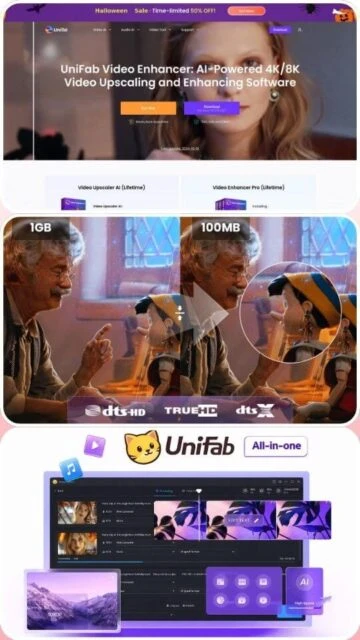
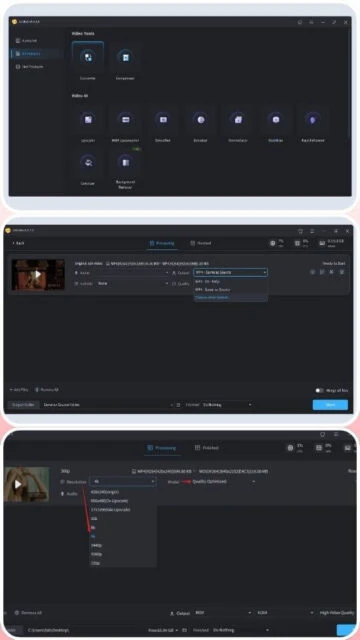
UniFab Video Converter is an advanced multimedia tool that distinguishes itself by integrating artificial intelligence into the conversion pipeline. Unlike standard converters that merely change file containers, UniFab can actively improve video quality during the process. Its core engine supports upscaling low-resolution footage to 4K, removing digital noise, and even upgrading standard dynamic range (SDR) videos to HDR10 or Dolby Vision standards.
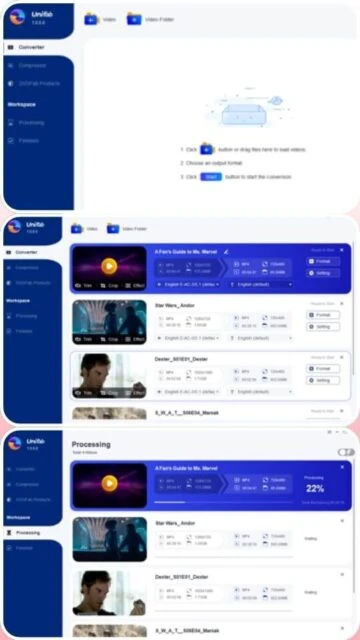
The software is built on a modular architecture, meaning users can access specific capabilities like audio upmixing or vocal removal depending on their subscription level. It is designed for the modern content creator who needs to repurpose older footage for high-definition displays. The interface is sleek and dark-themed, focusing on batch processing workflows where multiple enhancements can be applied sequentially.
System Requirements
Operating System:Windows 11/10 (64-bit) or macOS 10.13+
Processor:Intel/AMD 2GHz Quad-core or Apple Silicon
RAM:16 GB (32 GB recommended for 4K AI)
Disk Space:20 GB free space (for temp AI models)
Additional Requirements:NVIDIA RTX 30 series (8GB VRAM) recommended for AI features
Features Of UniFab Video Converter
AI Upscaling: Enlarge video resolution up to 4K with detail recovery
SDR to HDR: Convert standard footage to HDR10/Dolby Vision
Noise Reduction: AI-driven removal of grain and compression artifacts
Audio Upmix: Expand stereo tracks to EAC3 5.1 surround sound
Video Background Removal: Isolate subjects without a green screen
Hardware Acceleration: 50x faster speed using NVIDIA CUDA / AMD
Trim & Crop: Basic non-linear editing tools included
Deinterlacing: AI methods to fix old broadcast footage
Pros & Cons
Pros
Exceptional quality improvement on old 480p/720p sources
Comprehensive support for modern NVENC and AMF encoding
Unified interface for downloading, converting, and editing
Native support for Apple Silicon neural engines
Regular weekly updates with new AI models
Clean, modern UI that is easy to navigate
Cons
Requires high-end hardware for reasonable render times
Full suite is significantly more expensive than competitors
Large disk space required for AI model caching
Free trial is limited to 3 videos only
Changelog
Version 3.0.3.3 (Dec 05, 2025):
- Optimized memory usage for 8K video processing
- Added support for new NVIDIA 50-series drivers
- Fixed audio sync issues in MKV passthrough
- Improved vocal removal accuracy
Frequently Asked Questions
Does UniFab support Dolby Vision?
Yes, UniFab can generate Dolby Vision metadata when converting from compatible SDR or HDR sources.
Is the license lifetime?
UniFab offers both annual subscriptions and lifetime licenses, though AI features may require cloud credits in some plans.
UniFab represents the intersection of traditional transcoding and modern AI enhancement. This overview covers its unique ability to upscale 1080p footage to 4K while maintaining visual fidelity. We will also discuss how to leverage its specific AI modules for noise reduction and frame interpolation.
Installation & Setup
Download the online installer from the UniFab website.
Launch the installer; it will download the core components (approx. 400MB).
Upon first launch, allow the software to scan your hardware for AI compatibility.
Download additional AI models as needed for specific tasks.
Platform Availability
Platform
Support
AI Performance
Windows 10/11
Full
NVIDIA RTX Optimized
macOS (M-Series)
Full
Neural Engine Supported
macOS (Intel)
Limited
Slower Processing
Integration Ecosystem
StreamFab – Directly import downloaded streams for enhancement.
DVDFab – Seamless workflow for ripped disc content.

 84
84