TiviMate IPTV Player – Advanced IPTV big-screen experience
Cut the cords, not the experience
Powerful Android TV IPTV client that organizes provider playlists into a modern, configurable live TV interface with EPG, recording and premium multi-device support.
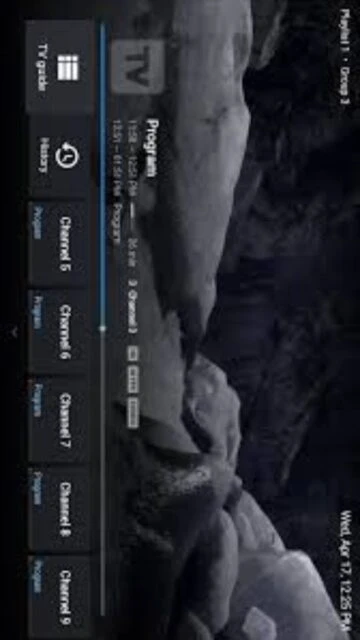
TiviMate IPTV Player focuses purely on playback and interface rather than providing channels itself. Users must supply their own legal IPTV subscription or playlist and then let the app handle presentation, navigation and guide data. The layout is optimized for remote control input, with clear channel lists, information panels and an EPG covering current and upcoming programs.
Beyond the basics, TiviMate supports features like catch-up TV, per-channel logos, favorites lists, recording and optional multi-view depending on provider capabilities. Premium licensing is handled through the separate TiviMate Companion app or the official website, allowing activation on multiple Android TV devices under one account and keeping subscriptions tied to the user rather than a single box.
System Requirements
Operating System:Android 5.0 or later (Android TV)
Processor:Not specified by developer; modern Android TV chipset recommended
RAM:Not specified by developer
Disk Space:Not specified; additional storage required for recordings
Additional Requirements:Broadband internet, compatible Android TV or Google TV device, and a valid IPTV playlist from a legal provider
Features Of TiviMate IPTV Player
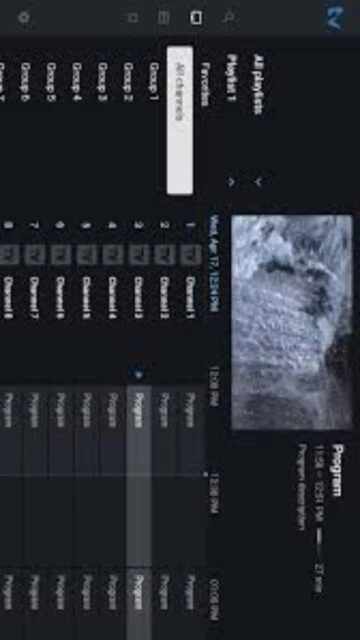
Modern TV guide: Grid-style electronic program guide tailored for remote navigation on big screens
Multiple playlists: Load several IPTV playlists and switch between them while keeping categories organized
Catch-up support: Access replay streams from compatible IPTV providers directly through the channel guide
Recording functionality: Record live channels to local or external storage when supported by device and provider
Favorites and groups: Mark preferred channels and arrange them into custom lists for faster access
Advanced EPG options: Scheduled guide updates, multiple sources and fine-tuning of time offsets
UI customization: Adjust themes, panel transparency, channel logos and many visual details for a personalized layout
Multi-view mode: Watch more than one channel simultaneously on supported hardware with Premium
Premium multi-device licensing: One paid license can unlock Premium features on several Android TV devices
Pros & Cons
Pros
Highly polished IPTV interface optimized for Android TV remotes
Flexible playlist handling suitable for complex IPTV setups
Rich configuration options for guide behavior and channel organization
Premium features like recording and multi-view extend functionality
Does not bundle questionable streams; relies on user-supplied playlists
Regular updates addressing fixes and incremental improvements
Lightweight app that runs well on mainstream Android TV hardware
Companion licensing keeps Premium tied to user rather than device
Cons
No built-in channels or content catalogs provided
Initial configuration can be daunting for new IPTV users
Some advanced features require a separate Premium purchase
App is not optimized for phones or small touchscreens
Recording success can depend heavily on provider and device
Support is primarily via email and community discussions
Changelog
Version 5.2.0 (2025-08-30):
- General fixes and refinements for Android TV playback stability
- Internal improvements preparing the interface for future enhancements
Version 5.1.6 (2025-01-21):
- Performance optimizations for large playlists and EPG data
- Reliability improvements when loading catch-up streams from providers
Version 5.1.5 (2024-11-29):
- Minor bug fixes and UI polish in channel list and guide views
- Better handling of edge cases when playlists fail to load
Version 5.1.0 (2024-08-30):
- Enhancements to favorites management and category handling
- Small visual tweaks to keep layout consistent across devices
Frequently Asked Questions
Does TiviMate include any TV channels by default?
No. TiviMate is strictly an IPTV player and ships without built-in streams. To watch television, you must add a playlist or portal from a legitimate IPTV provider. Once configured, the app organizes those channels into its guide and interface.
How do I activate TiviMate Premium features?
Premium is purchased and managed via the separate TiviMate Companion app or the official website. After buying a license, you sign in with the same account on your Android TV devices to unlock features like multi-view, recording, extended EPG and deeper customization.
Can I use TiviMate on phones or tablets?
The developer targets Android TV and Google TV, and the interface is optimized for big screens and remote controls. While installation may be possible on some non-TV devices, the layout and navigation are not tailored for touch use, so performance and usability may suffer.
What kind of IPTV playlists does TiviMate support?
TiviMate is designed for common IPTV formats such as M3U or similar playlist URLs offered by providers. Many services that expose channels via compatible portals can work, but reliability depends on the provideru2019s infrastructure and whether they fully support time-shift and catch-up features.
Is recording supported on every channel?
Recording requires adequate device storage, proper write permissions and cooperation from the IPTV provider stream. Some channels, particularly those with DRM or special protections, may not record reliably. Users should test a few channels and ensure local or external drives have sufficient space.
Can one Premium license cover multiple televisions?
Yes. TiviMate Premium is designed to cover several Android TV devices under a single account, up to the limit defined by the developer. This is managed either through TiviMate Companion or the website, letting households activate multiple screens without separate purchases for each.
What happens if my IPTV provider changes URLs?
If your provider updates playlist addresses or portal details, you must edit the configuration inside TiviMate to reflect the new information. The app will then reload channel and guide data from the updated source, preserving your custom groups and favorites where possible.
TiviMate IPTV Player is an Android TV application for watching live channels provided by IPTV services through M3U or similar playlists. It focuses on delivering a set-top-box style interface with an electronic program guide, category organization and remote-friendly navigation tailored for big-screen televisions and streaming boxes.
Unmatched Power
TiviMate offers advanced playlist management that supports multiple sources, channel groups and catch-up streams while keeping browsing fast and intuitive. A modern grid guide, rich program metadata and flexible sorting options help users tame large IPTV line-ups. Premium features add multi-screen viewing, recording, scheduled EPG updates and powerful customization tools, turning Android TV devices into full-featured IPTV set-top boxes for enthusiasts.
Who Should Use It?
TiviMate suits experienced IPTV users who subscribe to reputable providers and want a polished living-room experience on Android TV or Google TV. It is ideal for power users managing several playlists, households replacing cable boxes, and enthusiasts who value granular control over channel order, categories and appearance.
User reviews and ratings for TiviMate IPTV Player
See what users think about TiviMate IPTV Player. Read honest reviews and ratings from real users.
3.9
★★★★★
3 reviews
Best IPTV app for Android TV
by Daniel Roberts
★★★★★
2025-10-20
After trying several players, TiviMate is the only one that feels like a real cable box replacement. The guide is fast, customization options are deep and Premium multi-view makes sports weekends much more enjoyable across our different playlists.
Powerful but needs clearer onboarding
by Marta Kowalska
★★★★★
2025-09-05
Once configured with a good provider, TiviMate works brilliantly. However, initial setup is intimidating, and the documentation assumes prior IPTV knowledge. A guided wizard or presets for common playlist types would really help less technical users get started smoothly.
Great interface, occasional glitches
by Chris Bennett
★★★★★
2025-06-12
Interface and EPG are top-notch on our Google TV, but large playlist updates sometimes freeze for a few seconds. Recording works fine on most channels, though some streams simply refuse to capture. Still my favorite IPTV player despite these minor annoyances.
Write a Review
TiviMate IPTV Player Screenshots & Photos
Browse through screenshots and photos of TiviMate IPTV Player to see how it looks and works.
TiviMate IPTV Player Videos
Watch videos to see how this software works and learn about its features.