Ryujinx represents the pinnacle of Nintendo Switch emulation, combining exceptional accuracy with impressive performance on PC, macOS, and Linux platforms. Written in C# and developed as open-source software, Ryujinx achieves playability for over 4,100 Nintendo Switch games, with approximately 3,550 titles considered fully playable. The emulator’s sophisticated CPU emulation via ARMeilleure and advanced GPU support through OpenGL, Vulkan, and Metal provide seamless gameplay experiences rivaling genuine hardware, while native controller support and motion control handling ensure authentic input feedback. Ryujinx’s extensive compatibility database, user-friendly setup wizard, and continuous development distinguish it as the preferred alternative to other Switch emulators, offering superior accuracy and accessibility.
How to Install Ryujinx
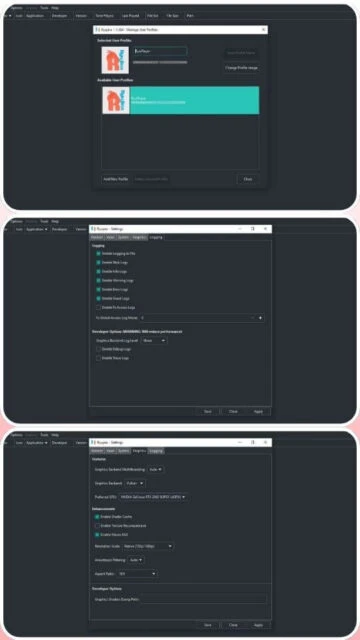
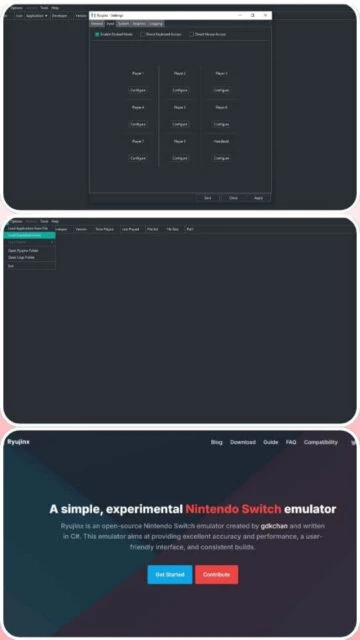
Ryujinx installation follows a streamlined process requiring minimal configuration before gameplay begins. The emulator operates as portable software without requiring administrative privileges or system-wide installation, allowing users to execute it directly from extracted folders. A comprehensive setup wizard guides users through firmware configuration (requiring dumped Switch firmware), controller mapping, and graphics settings optimization. Total installation size remains modest at approximately 33-40 MB, leaving abundant storage for game libraries and persistent translation cache files essential for optimized performance.
- Download Latest Release – Visit github.com/Ryujinx/Ryujinx/releases or ryujinx.io/download and download the latest stable build for your platform (Windows v1.1.1403+, macOS, Linux)
- Extract to Program Directory – Unzip the downloaded archive to a dedicated folder, creating a portable installation independent of system directories
- Launch Ryujinx Executable – Run Ryujinx.exe (Windows), Ryujinx (macOS), or the Linux binary; the setup wizard automatically launches for first-time configuration
- Configure Firmware and Keys – Dump Nintendo Switch firmware files and prod/dev keys from your own console, then import through the setup wizard’s configuration panel
Who Should Use Ryujinx
Ryujinx caters to diverse player demographics from casual Nintendo fans seeking enhanced visuals to technical enthusiasts pursuing maximum emulation accuracy. The emulator’s intuitive interface and automatic compatibility detection minimize configuration burden, while advanced options satisfy perfectionists tuning per-game settings. Cross-platform availability ensures accessibility regardless of operating system preference, though Windows remains the performance-optimal platform for demanding titles.
- Nintendo Enthusiasts – Players owning physical Switch games seeking enhanced visuals, faster load times via SSD optimization, and access to exclusive community mods and cheat databases
- Performance Seekers – Gamers with powerful PCs wanting 4K upscaling, 60 FPS+ gameplay on titles capped to 30 FPS on original hardware, and reduced load times via Profiled Persistent Translation Cache
- Modding Communities – Enthusiasts creating and sharing texture packs, gameplay modifications, and graphical enhancements impossible on genuine hardware
- NOT ideal for – Plug-and-play casual users; Ryujinx requires firmware dumping, controller configuration, and initial setup exceeding mainstream user expectations
Ryujinx Platform Compatibility
Ryujinx maintains multi-platform excellence through dedicated optimizations for Windows, macOS, and Linux ecosystems. Windows provides maximum performance and compatibility through native Visual C++ compilation and DirectX support integration, while macOS benefits from Apple Silicon native compilation and Metal GPU acceleration. Linux users receive full feature parity through comprehensive Vulkan support and minimal dependency overhead. Each platform variant features equivalent game compatibility despite architectural differences, with performance variations dependent primarily on GPU capability rather than platform selection.
| Platform |
Min. Version |
Unique Features |
Limitations |
| Windows |
Windows 10/11 64-bit |
DirectX 11 fallback, NVIDIA DLSS support, optimal controller driver compatibility |
Older Windows versions require alternative emulators; Intel integrated GPUs may struggle |
| macOS |
macOS 11.0+ Big Sur |
Metal API native acceleration, ARM64 Apple Silicon optimization, universal binary |
Intel Mac GPU drivers sometimes unstable; Metal API less mature than Vulkan |
| Linux |
Ubuntu 20.04+ equivalent |
Full Vulkan support, minimal system dependencies, native wayland support |
OpenGL fallback significantly slower; proprietary GPU drivers required for optimal performance |
| Web |
Chrome/Firefox 2025+ |
No installation required, browser-based gameplay streaming |
Requires high-bandwidth connection; latency may impair gameplay; limited game compatibility |
Ryujinx Integrations & Plugins
Ryujinx’s plugin ecosystem extends core emulation through community-created modifications, graphical enhancements, and gameplay expansions. Mod support permits texture replacement, shader modifications, and code-level game patches without source modification. The emulator integrates with custom controller profiles enabling specialized input handling for games with unique requirements. Cheat engine integration allows community-authored save modifications, speedrun practice tools, and accessibility improvements for players with diverse needs.
- Texture Replacement – Community-created HD texture packs replacing low-resolution Switch assets with 4K-quality alternatives, enabling visual modernization for ancient ports
- Shader Modification – Custom visual filters including CRT simulation, bloom effects, and color grading transforming gameplay aesthetics without altering game logic
- Cheat Database – Community-maintained cheat engine with infinite health, resource modification, and progression boosters for accessibility-challenged players
- Controller Profiles – Customizable input mapping supporting arcade sticks, racing wheels, and specialized controllers for genre-specific optimization
Best Alternatives to Ryujinx
While Ryujinx dominates Switch emulation, alternative emulators serve specific preferences and compatibility requirements. Yuzu prioritizes accuracy through meticulous CPU/GPU implementation but faces legal uncertainty. Suyu represents a community fork continuing Yuzu development independently. MelonDS offers dual-screen handheld emulation for Nintendo DS and DSi libraries. RetroArch provides unified multi-console emulation interface at the expense of per-console sophistication. Each alternative presents distinct tradeoffs warranting evaluation based on target game library and performance priorities.
- Yuzu – Best for maximum accuracy and per-game settings, though legal concerns impact long-term viability and official support availability
- Suyu – Best for Yuzu users valuing continued community development, identical compatibility with added features independent of corporate pressures
- MelonDS – Best for Nintendo DS library access with superior accuracy; Switch-exclusive franchises require Ryujinx or alternative Switch emulators
- RetroArch – Best for unified console emulation interface supporting dozens of systems; less sophisticated GPU rendering than dedicated Switch emulators
Ryujinx vs Top Competitors
Ryujinx’s competitive advantage stems from superior user experience design, transparent open-source development, and consistent API support across platforms. Compared to Yuzu’s technical sophistication, Ryujinx emphasizes accessibility through intuitive configuration and automatic setting optimization. The emulator’s C# implementation enables rapid feature development and community contribution compared to C++ projects requiring specialized expertise. Active development trajectory and forthcoming features position Ryujinx as the long-term Switch emulation standard, independent of legal or corporate constraints affecting legacy alternatives.
| Feature |
Ryujinx |
Yuzu |
Suyu |
| Pricing |
Free/Open-source (MIT License) |
Free/Open-source (GPLv2) – Development Ceased |
Free/Open-source (GPLv2) – Community Continuation |
| Key Strength |
User-friendly interface, active development, extensive compatibility |
Maximum accuracy through precise CPU timing, legacy stability |
Yuzu codebase continuation, community-driven features |
| Target Users |
Casual to experienced Switch emulators seeking ease-of-use |
Accuracy-first enthusiasts (legacy use cases) |
Yuzu users preferring community-managed development |
| Unique Feature |
Profiled Persistent Translation Cache (PPTC) reducing load times 50-75% |
Comprehensive per-game settings database exceeding 15,000 titles |
Identical to Yuzu with ongoing community patches |
| Learning Curve |
Easy – Setup wizard, automatic game detection, minimal configuration |
Moderate – Requires firmware understanding, per-game tuning beneficial |
Moderate – Yuzu knowledge required for optimization |
Ryujinx Keyboard Shortcuts
Ryujinx’s keyboard shortcut system facilitates rapid emulation control without controller interaction, essential for troubleshooting, content creation, and accessibility-focused gameplay. Default bindings remain fully customizable through the controller configuration interface, enabling personalized control schemes matching player preferences and accessibility requirements. Advanced shortcuts support frame-advance debugging, screenshot capture, and performance monitoring—critical tools for speedrunners, content creators, and technical enthusiasts seeking granular emulation manipulation.
| Action |
Windows |
macOS |
| Pause/Resume Emulation |
Escape |
Escape |
| Toggle Fullscreen |
F11 |
Fn+F11 |
| Take Screenshot |
F8 |
Fn+F8 |
| Frame Advance |
Ctrl+Shift+F |
Cmd+Shift+F |
| Volume Up |
Ctrl+Plus |
Cmd+Plus |
| Volume Down |
Ctrl+Minus |
Cmd+Minus |
| Toggle Speed Limiter |
Tab |
Tab |
| Reset Controller |
Ctrl+R |
Cmd+R |
Ryujinx Performance Optimization
Maximizing Ryujinx performance requires understanding GPU scaling, CPU instruction caching, and game-specific GPU acceleration settings. The Profiled Persistent Translation Cache (PPTC) dramatically reduces first-launch load times by caching compiled CPU translations, with benefits accumulating across multiple game sessions. Resolution upscaling through internal resolution multipliers (1.5x-4x) improves visual fidelity without compromising frame rates on capable hardware. Advanced users benefit from per-game graphics profile tuning, identifying optimal shader accuracy settings balancing visual correctness against raw performance throughput.
- Enable Profiled Persistent Translation Cache (PPTC) – Cache compiled ARM translations for dramatic load time reduction (50-75% improvement); benefits accumulate across gaming sessions automatically
- Configure Resolution Scaling – Increase internal resolution 1.5x-4x depending on GPU capability; most modern GPUs sustain 1440p-4K at 60 FPS+ for demanding titles
- GPU Shader Cache Optimization – Allow initial shader compilation during first gameplay; subsequent sessions load pre-compiled shaders avoiding stuttering
- CPU Affinity Tuning – Pin threads to specific cores on high-core-count CPUs; Ryujinx performs better with fewer physical cores than high core counts with SMT
- Audio Latency Reduction – Configure audio buffer size through advanced settings; smaller buffers reduce latency but increase dropout risk on unstable systems
Ryujinx Accessibility Features
Ryujinx prioritizes inclusive gaming through thoughtful accessibility implementation across multiple user categories. Screen reader compatibility enables menu navigation for visually impaired players, high-contrast UI themes improve visibility for low-vision users, and completely remappable controls accommodate diverse input methods. Native support for motion controls, vibration feedback customization, and headphone-compatible audio options ensure accessibility regardless of physical ability or sensory capability. Multi-language UI support spanning 30+ locales including right-to-left rendering ensures global player accessibility beyond English-speaking communities.
- Screen Reader – NVDA/JAWS basic compatibility for menu items; full text-to-speech support available through OS-level accessibility features
- Visual – High-contrast UI theme improving visibility for low-vision users; configurable font scaling and colorblind-friendly color schemes
- Motor – Fully remappable controls supporting single-handed gameplay, arcade sticks, and specialized input devices; motion control disable option for accessibility
- Languages – 30+ UI languages including CJK, Arabic, and Hebrew with proper RTL rendering; community translations improving localization constantly
Ryujinx Support & Documentation
Comprehensive support infrastructure ensures user success from initial firmware configuration through advanced optimization. Official GitHub documentation covers installation, firmware dumping, controller configuration, and per-game settings across all platforms. The thriving Ryujinx Discord server features 100,000+ members providing real-time technical assistance, game-specific guidance, and community recommendations. Extensive YouTube tutorial library demonstrates optimal settings for popular titles, while the official compatibility database documents known issues and workarounds for individual games. RetroAchievements integration provides additional community engagement and progression tracking.
- Official Documentation – GitHub wiki covering installation, firmware setup, controller configuration, and GPU/CPU settings; searchable game compatibility database documenting 4,100+ titles
- Community Forum – Discord server with 100,000+ members discussing optimization, troubleshooting, and game-specific compatibility in real-time channels
- Video Tutorials – Official YouTube channel demonstrating setup procedures; extensive community creator library publishing optimization guides for popular titles
- Contact Support – GitHub issues with active developer triage; direct Discord communication with development team for complex technical problems and feature requests