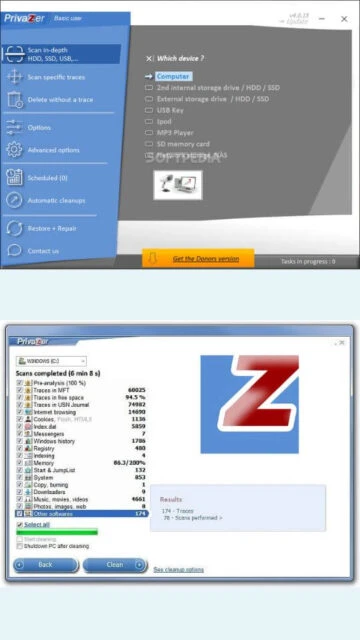
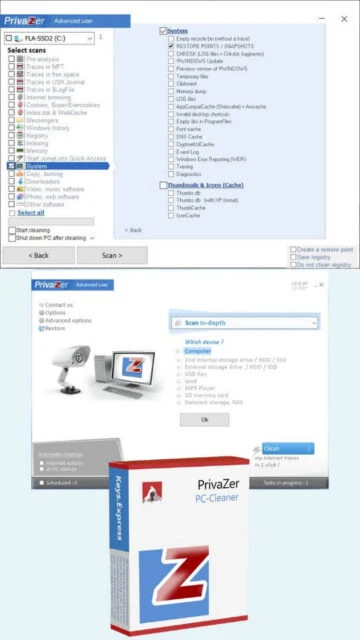
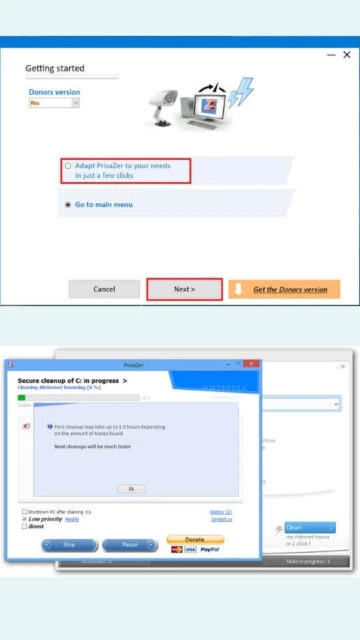
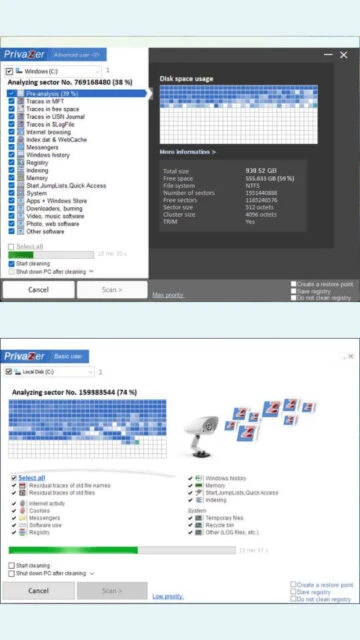
PrivaZer is an independent privacy cleaner that serves as a powerful CCleaner alternative. Developed by Goversoft since 2012, it has established itself as a trusted solution with over 400,000 PCs cleaned monthly. The software operates on a freemium model with a free version for basic cleaning and a donor edition supporting additional features. PrivaZer employs advanced overwriting techniques that intelligently adapt to storage device types, ensuring secure deletion beyond recovery. Users appreciate its zero-tracking philosophy and comprehensive privacy protection capabilities.
Internet browser history and cookie removal from multiple browsers
Registry cleaning and optimization
Secure file shredding with smart overwriting
RAM memory cleanup and optimization
Pagefile and Hibernation file scanning
Jump list and prefetch cleanup
External device and USB history cleanup
Residual trace visualization in free space
Scheduled automatic cleanup profiles
Customizable scan parameters and exclusion lists
Detailed scan reports and cleanup statistics
Support for HDD and SSD optimization
FAT, NTFS, exFAT file system compatibility
Pros & Cons
Pros
Comprehensive privacy protection with advanced overwriting algorithms
Smartly adapts erasure methods to storage device type
Portable version available for USB deployment
User-friendly interface with clear navigation
Free version includes substantial cleaning features
Responsive customer support with quick resolution
Comprehensive scan reporting for transparency
Extends to external drives and USB devices
Cons
Deep cleaning operations consume significant CPU resources
Slower performance on older computer systems
Learning curve for advanced configuration options
Donor edition lacks some professional-grade features
Less marketing visibility compared to established competitors
Changelog
Version 4.0.114 (October 29, 2025):
- Improved support for importing CCleaner cookies
- Added support for importing cookies from text files
- Enhanced automatic cleanup functionality
- Optimized Chrome cleanup routines
- Improved Opera and Opera GX support
- JDownloader integration enhancement
- User interface improvements
- Performance optimization for system efficiency
Frequently Asked Questions
Is PrivaZer completely free to use?
PrivaZer offers a free version with comprehensive cleaning features. The donor edition provides additional benefits through voluntary donation, with contributions supporting development and updates.
Can PrivaZer recover deleted files?
No, PrivaZer uses irreversible overwriting techniques to ensure deleted data cannot be recovered. It applies smart algorithms appropriate for your storage device type.
Does PrivaZer support automatic scheduling?
Yes, users can create and schedule automatic cleanup profiles to run at specific intervals, enabling hands-off privacy protection.
What storage devices does PrivaZer support?
PrivaZer works with HDDs, SSDs, and external drives, optimizing deletion methods based on device type for maximum effectiveness.
How frequently should I run PrivaZer?
Monthly scans provide adequate privacy protection for typical users, though automatic weekly scheduling offers enhanced continuous protection.
Does PrivaZer track user activity?
No, PrivaZer operates with zero tracking and zero telemetry, respecting complete user privacy without data collection.
What is PrivaZer?
PrivaZer is a free privacy cleaner and system optimization tool designed to protect your digital privacy. It removes unwanted traces from your computer including browsing history, temporary files, registry entries, and other sensitive data. With support for multiple storage types including HDDs and SSDs, PrivaZer offers intelligent cleaning algorithms tailored to your hardware configuration.
Unmatched Power
PrivaZer delivers advanced privacy protection through smart overwriting techniques that adapt to your storage device type. It removes internet traces from browsers and plugins, cleans registry entries, securely deletes files beyond recovery, optimizes free space, and eliminates software usage traces. The software includes real-time monitoring capabilities and supports scheduled automatic cleanups. With comprehensive scan reports and detailed residual trace visualization, PrivaZer gives you complete control over your system’s privacy footprint.
Who Should Use It?
PrivaZer is ideal for privacy-conscious users, remote workers, and anyone concerned about data recovery. It serves security professionals, corporate IT departments managing multiple systems, and individuals protecting sensitive information. The software accommodates both casual users seeking simple one-click cleaning and advanced users requiring granular customization of scan and cleanup parameters.
User reviews and ratings for PrivaZer
See what users think about PrivaZer. Read honest reviews and ratings from real users.
4.8
★★★★★
4 reviews
Excellent long-term reliability
by David Chen
★★★★★
2025-11-28
Using PrivaZer for nearly eight years without issues. Comprehensive cleaning and fast support team. Highly recommend this excellent product for privacy protection.
Best free alternative to CCleaner
by Sarah Mitchell
★★★★★
2025-10-15
PrivaZer offers superior privacy protection compared to CCleaner. Customizable cleaning, regular updates, and responsive customer support make it invaluable.
Thorough cleaning with minor performance impact
by Robert Williams
★★★★★
2025-09-22
Excellent cleaning capabilities and detailed scan reports. Deep scans consume CPU resources on older machines, but results justify performance impact.
Powerful and user-friendly privacy tool
by Emma Rodriguez
★★★★★
2025-08-10
Intuitive interface hides powerful features. Secure deletion capabilities exceed expectations. Fantastic value for money, even better with donation support.
Write a Review
PrivaZer Screenshots & Photos
Browse through screenshots and photos of PrivaZer to see how it looks and works.
PrivaZer Videos
Watch videos to see how this software works and learn about its features.

 42
42