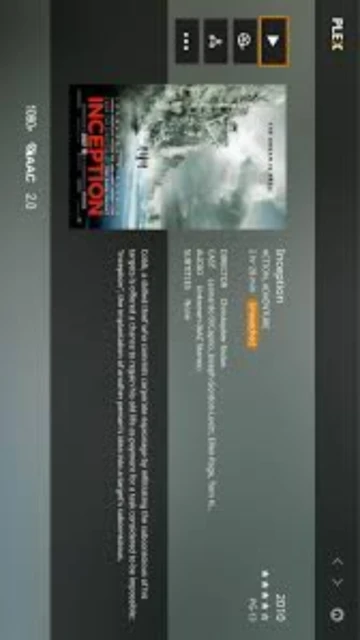
Plex Media Server stands as the leading personal media streaming solution for organizing and distributing digital content across multiple devices and platforms. Launched in 2008, Plex has evolved into a comprehensive ecosystem combining server software, streaming apps, and cloud features. With version 1.42.2 released in December 2025, Plex delivers advanced transcoding, AI-powered features, and seamless remote access. This guide explores Plex’s setup, capabilities, integrations, and how it compares to alternatives like Jellyfin and Emby for home media enthusiasts.
How to Install Plex Media Server
Installing Plex Media Server requires downloading the appropriate installer from the official website, choosing between Windows, macOS, or Linux versions. The installation process is straightforward, typically taking 5-10 minutes with automatic system integration and background service setup.
- Download the Installer – Visit plex.tv and select your operating system (Windows 64-bit, macOS, or Linux). The installer file is approximately 97-100 MB. Save it to your Downloads folder.
- Run the Installation Wizard – Double-click the installer executable. Windows may prompt you with User Account Control; click Yes to proceed. Follow the setup wizard, accepting the license agreement and selecting your preferred installation directory.
- Complete Initial Setup – After installation completes, Plex automatically launches. Create or sign in with your Plex account through the setup wizard. Select your library locations for movies, TV shows, music, and photos. This step scans and catalogs your media files.
- Configure Remote Access and Launch – Enable remote access in Settings > Remote Access to stream outside your home network. Finalize server name and Plex Pass subscription preferences. Your server is now ready for streaming to all compatible devices.
Who Should Use Plex Media Server
Plex Media Server caters to users with significant personal media collections seeking organized, accessible streaming without subscription limitations. It combines professional features with user-friendly interfaces suitable for both technical and non-technical users.
- Home Media Enthusiasts – Users with large video, audio, and photo libraries who want centralized streaming across family devices without relying on commercial streaming services.
- Cord-Cutters – Those seeking alternatives to expensive cable or streaming subscriptions, enabling personal content management combined with Plex’s free and premium channel offerings.
- Tech-Savvy Power Users – Individuals comfortable with server configuration, transcoding settings, remote access setup, and system optimization for maximum streaming performance.
- NOT Ideal For – Users seeking Netflix-like licensed content libraries without personal media or those preferring zero-configuration cloud solutions; lightweight streaming seekers better served by cloud-only platforms.
Plex Media Server Platform Compatibility
Plex Media Server maintains extensive cross-platform compatibility, running on Windows, macOS, Linux distributions, and specialized hardware like NAS devices. Each platform offers consistent core functionality with platform-specific optimizations and performance characteristics.
| Platform |
Min. Version |
Unique Features |
Limitations |
| Windows |
Windows 10/11 64-bit |
Native Windows service, GPU-accelerated transcoding with NVIDIA/Intel |
Requires adequate SSD space; resource-intensive with many concurrent streams |
| macOS |
macOS 11.0+ |
Mac-native interface, Spotlight integration, M1/M2 optimization |
Limited to Apple ecosystem hardware; GPU transcoding less versatile than Windows |
| Linux |
Ubuntu 18.04+, CentOS 7+ |
Lightweight footprint, container support (Docker), maximum customization |
Requires command-line familiarity; no official GUI installer |
| NAS/Hardware |
Synology, QNAP, Drobo |
Native apps reduce external hardware needs, 24/7 operation efficiency |
Transcode capabilities depend on NAS CPU; limited to manufacturer updates |
Plex Media Server Integrations & Plugins
Plex integrates with numerous external services and supports plugins that extend functionality. These integrations enhance automation, metadata management, and content discovery, enabling users to expand Plex capabilities beyond core streaming features.
- Tautuli (Plex Activity Monitoring) – Tracks viewing history, user statistics, and library activity with customizable dashboards and notifications for comprehensive household media insights.
- Sonarr and Radarr Integration – Automatically downloads and organizes TV shows and movies, then imports them into Plex libraries for seamless content availability immediately after acquisition.
- Webhook and Automation – Connect with IFTTT, Discord, and notification systems to trigger alerts when new media arrives or viewing events occur across the Plex ecosystem.
- Plex Webhooks API – Custom integrations enable developers to build workflows that sync Plex events with home automation systems, data analytics platforms, and third-party applications.
Best Alternatives to Plex Media Server
While Plex dominates personal media streaming, several alternatives offer distinct advantages depending on user priorities. These options provide varying balances between ease of use, customization, cost, and privacy considerations for diverse user needs.
- Jellyfin – Best for privacy-focused users, completely open-source and self-hosted with zero cloud dependencies, no subscription required, though transcoding and interface refinement lag behind Plex.
- Emby – Best for customization seekers, offering flexible interface theming, robust parental controls, and optional Premiere subscription for advanced features while maintaining excellent 4K streaming.
- Kaleidescape – Best for 4K enthusiasts willing to invest premium pricing; delivers flawless 4K UHD streaming with automatic metadata and theatrical-grade presentation without compression.
- Synology DSM Media Server – Best for NAS owners, integrates natively with Synology devices, lightweight resource usage, and simplified setup through dedicated NAS platforms.
Plex Media Server vs Top Competitors
Plex’s competitive position reflects its balance between consumer-friendly features and professional-grade streaming capabilities. Comparing core attributes reveals distinct strengths and trade-offs across leading media server solutions.
| Feature |
Plex |
Jellyfin |
Emby |
| Pricing |
Freemium ($6.99/mo, $69.99/yr, $249.99 lifetime) |
Free open-source |
Free or Premiere ($139.99 lifetime) |
| Key Strength |
Polished interface, cloud features, AI enhancement |
Complete privacy, no vendor lock-in, community-driven |
Customization flexibility, advanced parental controls |
| Target Users |
Mainstream consumers, families, casual streamers |
Privacy advocates, Linux enthusiasts, developers |
Power users, custom interface seekers, enthusiasts |
| Unique Feature |
AI-powered intro/outro detection, Plex Pass channels, remote sync |
Themeable frontend, native codec support, REST API |
Advanced scheduling, custom plugins, granular permissions |
| Learning Curve |
Easy – intuitive interface, guided setup wizard |
Moderate – requires some technical knowledge for optimization |
Moderate – more configuration options but well-documented |
Plex Media Server Keyboard Shortcuts
Mastering Plex keyboard shortcuts accelerates navigation and playback control across all devices and interfaces. Essential shortcuts significantly improve user efficiency when managing libraries and streaming content.
| Action |
Windows |
macOS |
| Play/Pause Media |
Spacebar or P |
Spacebar or P |
| Stop Playback |
X |
X |
| Forward 30 Seconds |
Right Arrow or . |
Right Arrow or . |
| Rewind 30 Seconds |
Left Arrow or , |
Left Arrow or , |
| Cycle Subtitles On/Off |
L |
L |
| Cycle Audio Tracks |
A |
A |
| Toggle Fullscreen |
F or Double-click |
F or Double-click |
| Open Menu/Exit |
Esc |
Esc |
Plex Media Server Performance Optimization
Optimizing Plex performance ensures smooth streaming, particularly for multiple concurrent users and remote connections. Strategic configuration adjustments significantly enhance responsiveness and reduce transcoding bottlenecks.
- Enable Hardware Transcoding – Configure GPU acceleration in Settings > Transcoder for NVIDIA NVENC, Intel QuickSync, or AMD VCE capabilities, dramatically reducing CPU load and enabling simultaneous 4K streams.
- Adjust Quality Preferences by Client – Set remote quality limits in Settings > Remote Access > Bandwidth to 6 Mbps for cellular and 20 Mbps for WiFi, reducing unnecessary transcoding for mobile viewing.
- Optimize Metadata Gathering – Disable automatic artwork fetching for TV shows in Settings > Library > TV Shows, speeding up library scans and metadata updates on slower systems.
- Configure Temporary Directory – Specify an SSD location for transcoding cache in Settings > Transcoder to prevent disk I/O bottlenecks when processing multiple simultaneous streams.
- Monitor Bandwidth and Throttle Streams – Use Settings > Remote Access > Remote Streams limit to prevent individual users from consuming all available bandwidth, maintaining consistent performance.
Plex Media Server Accessibility Features
Plex prioritizes accessibility through comprehensive screen reader support, visual customization options, and keyboard-only navigation capabilities. These features ensure inclusive media streaming for users with diverse accessibility needs.
- Screen Reader Support – NVDA and JAWS compatible interface with semantic HTML structure; Plex web and desktop apps provide full navigation through keyboard controls and labeled interface elements.
- Visual Customization – High contrast themes, adjustable font sizes, and color-blind modes available through Settings > Interface. Users can customize background brightness and text contrast ratios.
- Keyboard Navigation – Complete keyboard-only operation possible; Tab key navigation through all interface elements, Enter for selection, Arrow keys for menu movement without mouse dependency.
- Multi-Language Support – UI available in 50+ languages including RTL languages (Arabic, Hebrew); closed captions and transcripts supported across streaming content with timing adjustment options.
Plex Media Server Support & Documentation
Plex offers comprehensive support resources including official documentation, active community forums, video tutorials, and direct developer contact options. These resources enable users to resolve issues and master advanced features.
- Official Documentation – Plex support portal covers setup, troubleshooting, advanced features, and API documentation; regularly updated with version-specific guidance and best practices for optimal configuration.
- Community Forum – Active r/PleX subreddit and official Plex forums where thousands of users share tips, troubleshooting solutions, and discuss updates; experienced community members provide rapid responses.
- Video Tutorials – Official Plex YouTube channel and community channels provide setup guides, feature walkthroughs, and advanced configuration tutorials; growing library of content for visual learners.
- Contact Support – Plex Pass subscribers receive priority email support; free users access community support and extensive knowledge base; response times typically within 24-48 hours for account issues.