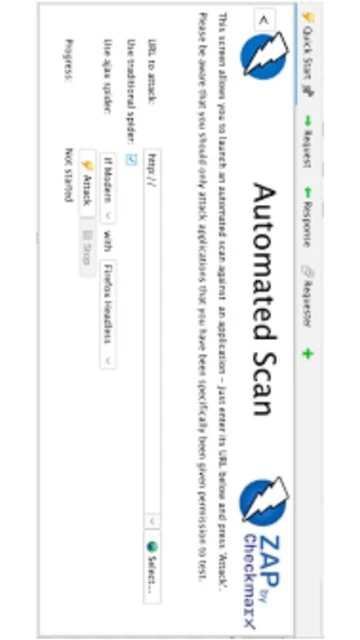
OWASP ZAP (Zed Attack Proxy) stands as the leading open-source web application security scanner, trusted by cybersecurity professionals worldwide for comprehensive DAST (Dynamic Application Security Testing). Unlike proprietary solutions, ZAP offers complete transparency, extensive customization, and powerful detection capabilities for identifying vulnerabilities including SQL injection, cross-site scripting (XSS), and authentication flaws. This guide explores ZAP’s installation, features, integration capabilities, and optimization techniques for maximum effectiveness.
How to Install OWASP ZAP
Installing OWASP ZAP requires downloading the appropriate installer for your operating system and ensuring Java 17+ is available. The installation wizard provides straightforward configuration options for both standard and custom deployments, taking approximately five minutes.
- Download Installer Package – Visit https://www.zaproxy.org/download and select the Windows 64-bit, macOS, or Linux installer matching your system architecture. macOS includes Java 17 bundled, while Windows and Linux require separate Java 17+ installation.
- Execute Installation Wizard – Double-click the downloaded executable file, review and accept the license agreement, then proceed through the installation screens selecting Standard or Custom installation mode.
- Configure Java Environment – Verify Java 17+ is installed and properly configured in your system PATH. For Windows/Linux users, download Java from Oracle if not already present before launching ZAP.
- Launch Application – Complete the installer and double-click the ZAP application icon to launch. The first launch initializes the workspace and displays the main interface with the Quick Start tab.
Who Should Use OWASP ZAP
OWASP ZAP serves security professionals ranging from beginners learning application security to experienced penetration testers performing comprehensive vulnerability assessments. Its dual interface supports both automated and manual testing approaches, accommodating diverse skill levels and testing methodologies across organizations.
- Security Professionals – Penetration testers and ethical hackers performing comprehensive web application security assessments and compliance testing for authentication mechanisms and API endpoints.
- Development Teams – Developers integrating security testing into CI/CD pipelines to identify vulnerabilities during development phases before production deployment occurs.
- Security Researchers – Academic and professional researchers studying application vulnerabilities, developing new attack payloads, and contributing plugins to the ZAP ecosystem.
- NOT ideal for – Users requiring only simple vulnerability scanning without manual testing or those needing specialized testing for mobile applications should evaluate alternative tools like Burp Suite Community Edition.
OWASP ZAP Platform Compatibility
OWASP ZAP delivers consistent functionality across Windows, macOS, and Linux platforms while supporting Docker deployment for continuous integration environments. Platform-specific installers include bundled Java on macOS, while Windows and Linux require separate Java installation. All platforms support identical core features with minor interface variations.
| Platform |
Min. Version |
Unique Features |
Limitations |
| Windows |
Windows 10 64-bit |
Native Windows integration, System tray support, Windows Defender SmartScreen bypass instructions |
Requires separate Java 17+ installation, unsigned executable warnings |
| macOS |
macOS 11 (Big Sur) |
Bundled Java 17, Apple Silicon native support, Homebrew installation, Native dock integration |
Developer verification dialog on first launch, aarch64 architecture added in 2.17.0 |
| Linux |
Ubuntu 20.04 LTS equivalent |
Native package managers support (Snap, Flatpak), Docker deployment, Headless mode for automation |
Requires separate Java 17+ installation, GTK dependencies for GUI |
| Web |
Modern browsers |
Docker-based web interface access, Cloud deployment options, Container orchestration support |
Limited to read-only access for some features, network latency affects performance |
OWASP ZAP Integrations & Plugins
OWASP ZAP’s extensibility through add-ons enables integration with existing security tools, CI/CD platforms, and development frameworks. The marketplace hosts community-developed plugins for specialized testing scenarios including API security, authentication bypass detection, and compliance reporting enhancements.
- Jenkins Integration – Automate ZAP scans within Jenkins pipelines using the ZAP plugin, generating SARIF reports for integration with GitHub Security tabs and security dashboards.
- OWASP DefectDojo – Import ZAP scan results directly into DefectDojo for centralized vulnerability management, tracking remediation progress, and generating executive reports.
- GitHub Actions – Execute automated ZAP scans on pull requests and commits using community-maintained GitHub Actions, failing builds when critical vulnerabilities are detected.
- Docker & Kubernetes – Deploy ZAP as containerized service within Kubernetes clusters for cloud-native application scanning with horizontal scalability and persistent result storage.
Best Alternatives to OWASP ZAP
While OWASP ZAP dominates the open-source DAST landscape, alternative tools offer specialized capabilities for specific testing scenarios. Consider alternatives when requiring advanced authentication handling, API-first approaches, or commercial support availability for mission-critical assessments.
- Burp Suite Community – Best for comprehensive manual testing with superior XSS detection, advanced scanner rules, and intuitive workflow management, limited to single-user community edition.
- Nikto – Best for quick web server vulnerability scanning, legacy application assessment, and command-line automation without extensive configuration overhead.
- OWASP WebGoat – Best for security training and educational purposes, teaching web application vulnerabilities through intentionally vulnerable applications and interactive lessons.
- Acunetix – Best for enterprise-grade scanning with superior accuracy, automated remediation guidance, and comprehensive reporting for large-scale compliance initiatives.
OWASP ZAP vs Top Competitors
OWASP ZAP’s open-source nature provides cost advantages and community-driven development, while commercial competitors like Burp Suite offer enhanced scalability and specialized features. Penetration testers often combine multiple tools to maximize detection coverage and efficiency across different testing phases.
| Feature |
OWASP ZAP |
Burp Suite Community |
Nikto |
| Pricing |
Free, open-source, Apache 2.0 license |
Free community edition, paid professional version available |
Free, open-source, GPLv2 license |
| Key Strength |
Balanced automated and manual testing with extensive plugin ecosystem for customization |
Superior passive scanning, intuitive burp repeater for manual testing, best-in-class proxy |
Lightweight command-line utility, excellent legacy web server detection capabilities |
| Target Users |
Security professionals, development teams, educational institutions seeking comprehensive assessment platform |
Professional penetration testers and security consultants requiring advanced reporting and workflow |
System administrators, quick assessment needs, headless server vulnerability scanning |
| Unique Feature |
Extensive add-on marketplace, authentication report generation, browser-based authentication recording |
Professional passive scan rules, active scan accuracy, macro recording for complex workflows |
CGI scanner, command injection detection, MS Windows-specific vulnerability checks |
| Learning Curve |
Moderate for beginners, steeper for advanced features like authentication scripts and policy customization |
Moderate learning curve, excellent for burp repeater users with networking background |
Easy for command-line users, minimal configuration needed for basic scans |
OWASP ZAP Keyboard Shortcuts
OWASP ZAP keyboard shortcuts accelerate vulnerability assessment workflows by enabling rapid navigation, quick scanning, and efficient report generation. Customizable shortcuts adapt to individual preferences while standard mappings follow Windows and macOS conventions for cross-platform consistency.
| Action |
Windows |
macOS |
| New Session |
Ctrl+N |
Cmd+N |
| Open Session |
Ctrl+O |
Cmd+O |
| Start Spider |
Ctrl+Alt+S |
Cmd+Option+S |
| Start Active Scan |
Ctrl+Alt+A |
Cmd+Option+A |
| Generate Report |
Ctrl+Shift+R |
Cmd+Shift+R |
| Toggle Sites Window |
Ctrl+1 |
Cmd+1 |
| Toggle History Window |
Ctrl+2 |
Cmd+2 |
OWASP ZAP Performance Optimization
Optimizing OWASP ZAP performance prevents scan timeouts, reduces memory consumption, and accelerates vulnerability detection on large applications. Strategic configuration adjustments address resource constraints while maintaining detection accuracy across different target application architectures.
- Increase Memory Allocation – Modify zaproxy.sh or zaproxy.bat startup scripts to allocate 2-4GB RAM using -Xmx4g flag, preventing out-of-memory errors during extensive site crawling and active scanning phases.
- Configure Thread Settings – Adjust active scan thread count based on target server capacity, using 8-16 threads for robust servers while limiting to 2-4 threads for resource-constrained applications to prevent denial-of-service.
- Enable Request Caching – Utilize ZAP’s response caching to reduce redundant requests to target servers, accelerating scan operations by 30-40 percent when scanning applications with predictable static content.
- Optimize Passive Scanner Rules – Disable unnecessary passive scan plugins targeting technologies not present in target applications, reducing CPU overhead and accelerating passive analysis of HTTP traffic.
- Database Maintenance – Regularly clean ZAP database files using the built-in cleanup utilities, removing obsolete records and fragmented indexes that accumulate during extended scanning sessions.
OWASP ZAP Accessibility Features
OWASP ZAP demonstrates strong commitment to accessibility through screen reader support, keyboard navigation, and visual customization options. The platform ensures security professionals with disabilities can conduct comprehensive vulnerability assessments without compromising assessment quality or efficiency.
- Screen Reader – Full NVDA and JAWS support with proper label association, table headers, and dialog accessibility enabling blind users to navigate interface and interpret scan results independently.
- Visual – High contrast theme options, configurable font sizes up to 24pt, color-blind friendly color schemes distinguishing vulnerability severity levels using patterns and text labels.
- Motor – Complete keyboard navigation without mouse dependency, customizable keyboard shortcuts adapted to user preferences, tab order optimization for efficient workflow navigation.
- Languages – Full interface localization in 20+ languages including Chinese, Japanese, and Arabic, right-to-left (RTL) layout support for Farsi and Hebrew-speaking users worldwide.
OWASP ZAP Support & Documentation
OWASP ZAP benefits from comprehensive official documentation, active community forums, and professional consulting options for complex deployment scenarios. Multiple support channels ensure users receive timely assistance regardless of experience level or technical complexity.
- Official Documentation – Complete user manual covering all features with detailed screenshots, configuration examples, and troubleshooting sections updated quarterly for recent releases and emerging threats.
- Community Forum – zaproxy-users Google Group with thousands of members, providing peer support, advanced technique discussions, and plugin recommendations from experienced security professionals.
- Video Tutorials – Official OWASP ZAP YouTube channel hosting installation walkthroughs, feature demonstrations, and advanced technique videos updated monthly with new content.
- Contact Support – Professional consulting available through OWASP partners for custom integrations, policy development, and training programs tailored to organizational security requirements.