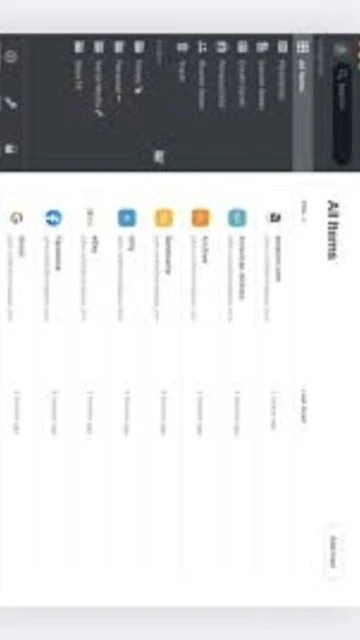
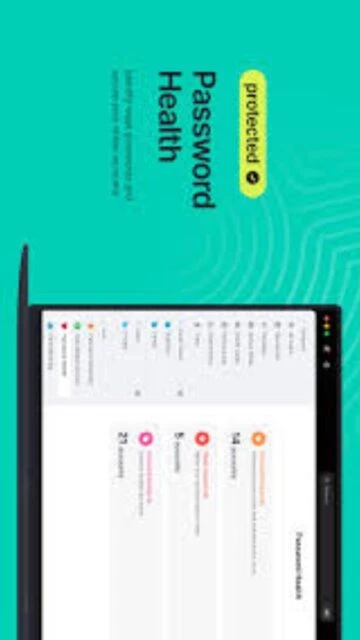
NordPass represents a modern approach to password management by combining strong security with convenient cloud accessibility. Created by the privacy-focused team behind NordVPN, NordPass uses military-grade XChaCha20 encryption with zero-knowledge architecture ensuring not even NordPass staff can access your vault contents. Boasting 4.5 ratings on both G2 and Capterra with strong enterprise adoption, NordPass appeals to users prioritizing seamless multi-device synchronization over offline-first approaches. This guide explores NordPass capabilities, deployment scenarios, and how its approach compares to privacy-first alternatives.
How to Install NordPass
NordPass installation is remarkably quick with native applications for Windows, macOS, Linux, iOS, and Android. The desktop setup completes in under three minutes with minimal configuration required. Users immediately access the application and can begin storing passwords without complex setup procedures or cloud account linking before use.
- Download from Official Website – Visit https://nordpass.com and click download for your operating system; NordPass automatically detects your platform
- Run Installer and Follow Setup – Execute the downloaded file, accept license terms, and complete installation; browser extension installation prompts appear automatically
- Create NordPass Account – Register with email address, set a strong master password, and complete optional email verification for account recovery
- Add Browser Extension – Install extension for your primary browser from Chrome Web Store or equivalent; autofill functionality activates once installed
Who Should Use NordPass
NordPass serves users valuing convenience and automatic multi-device synchronization, families requiring shared vaults, businesses needing centralized credential management, and individuals wanting built-in breach monitoring. Its cloud-based architecture suits those with consistent internet access and willingness to trust a reputable third party with encrypted storage.
- Busy Professionals – Automatic synchronization across unlimited devices with zero configuration; passwords available instantly anywhere without manual setup
- Families and Teams – Family plans support six users with shared password vaults; business plans provide admin controls, audit logs, and identity management integration
- Security-Conscious Users – Dark web monitoring alerts users immediately if credentials appear in breaches; password health reports identify weak or reused passwords
- NOT Ideal For – Users requiring offline access without internet, those prioritizing data sovereignty over convenience, or individuals uncomfortable storing data on cloud servers
NordPass Platform Compatibility
NordPass maintains consistent feature parity across all platforms through synchronized cloud architecture. The desktop application, mobile apps, and browser extensions all access the same encrypted vault with real-time updates. Platform-specific optimizations ensure native performance and integration with each operating system’s security frameworks and biometric authentication.
| Platform |
Min. Version |
Unique Features |
Limitations |
| Windows |
Windows 10 and later |
Windows Hello biometric unlock, native taskbar integration, one-click autofill in desktop applications |
32-bit systems not supported; ARM processors not compatible |
| macOS |
macOS 11 or later |
Touch ID and Face ID biometric support, Keychain integration, native menu bar access |
Intel and Apple Silicon supported but older macOS versions incompatible |
| Linux |
Any distribution with snap support 64-bit |
Snap package installation, GNOME/KDE integration, command-line password access tools |
Requires snap support; traditional package managers not available |
| Web |
Chrome, Firefox, Edge, Safari (latest 2 versions) |
Browser extension autofill, password generator, breach scanner alerts integrated into browser |
Web vault access limited compared to desktop; requires active internet |
NordPass Integrations & Plugins
NordPass integrates seamlessly with modern browsers and identity management platforms through extensions and API connections. Cloud-native architecture enables automatic synchronization across integrations without manual configuration. Business deployments can connect to Azure AD, Okta, and other identity providers for automated provisioning and single sign-on workflows.
- Browser Extensions – Available for Chrome, Firefox, Edge, Opera, Brave, and Safari; autofill works on login forms across websites with optional password save prompts
- Identity Management – OIDC integration with Google Workspace SSO and Azure AD for business deployments; SCIM provisioning for automated user lifecycle management
- Email Masking – Built-in email alias generation reduces spam and phishing risk during website registrations; aliases forward to primary email
- Authenticator Integration – TOTP generation embedded in vault eliminates need for separate authenticator apps; biometric-verified TOTP autofill supported
Best Alternatives to NordPass
While NordPass excels at cloud convenience and breach monitoring, alternatives emphasize different strengths. Some provide offline-first privacy, others offer lower pricing or self-hosting options. Choosing alternatives depends on prioritizing offline access, pricing considerations, or specific business feature requirements.
- Bitwarden – Best for budget-conscious users and self-hosting advocates; open-source with optional cloud synchronization and self-hosting capability from $10/year
- 1Password – Best for Apple users wanting seamless ecosystem integration; superior macOS/iOS experience with family plans and travel mode security features
- LastPass – Best for established enterprise adoption and advanced business controls; larger admin feature set though recent security concerns diminished reputation
- Enpass – Best for privacy advocates requiring offline functionality; offline-first architecture stores data locally with optional cloud sync through personal accounts
NordPass vs Top Competitors
NordPass differentiates through modern encryption (XChaCha20), Panama jurisdiction privacy benefits, and strong breach monitoring integration. While competitors emphasize offline capabilities or lower pricing, NordPass optimizes for convenience and automatic multi-device synchronization. This comparison highlights architectural and strategic differences across leading password managers.
| Feature |
NordPass |
LastPass |
Bitwarden |
| Pricing |
$1.39-$2.99/month ($0.95/month promo); free unlimited items; family $2.29-$3.69/month |
$3.00/month ($36/year) premium; $4.00/month families; $4.25+ business |
$10/year or free freemium; self-hosting free; family $3.33/month |
| Key Strength |
Modern XChaCha20 encryption, unlimited free storage, dark web monitoring, Panama jurisdiction privacy |
Established enterprise features, advanced admin controls, broad legacy support |
Open-source transparency, self-hosting available, lowest cost option |
| Target Users |
Privacy-conscious users, families, businesses wanting managed cloud solution |
Large enterprises with complex admin requirements |
Technical users, self-hosting capable, budget-conscious individuals |
| Unique Feature |
Email masking, XChaCha20 encryption, data breach scanner with dark web monitoring |
Advanced sharing groups, passwordless login infrastructure, team functions |
Source code auditable, community-driven, self-hosting option eliminates vendor dependency |
| Learning Curve |
Easy; cloud-based convenience requires minimal technical understanding |
Easy; established UI design with broader feature complexity |
Moderate; self-hosting requires technical skills; cloud version intuitive |
NordPass Keyboard Shortcuts
NordPass keyboard shortcuts accelerate password management workflows and reduce dependency on mouse navigation. These shortcuts work consistently across Windows and macOS platforms with platform-appropriate modifier keys. Quick autofill access and vault locking enable efficient password management throughout the workday.
| Action |
Windows |
macOS |
| Trigger Autofill |
Ctrl+Shift+X |
Cmd+Shift+X |
| Create New Item |
Ctrl+N |
Cmd+N |
| Search Vault |
Ctrl+F |
Cmd+F |
| Lock Vault |
Ctrl+L |
Cmd+L |
| Autosave Detected Credentials |
Ctrl+Shift+C |
Cmd+Shift+C |
NordPass Performance Optimization
Optimizing NordPass performance requires understanding cloud synchronization mechanics, device management, and browser extension configuration. Cloud-based architecture provides inherent scalability but optimization focuses on reducing synchronization overhead and browser extension resource consumption. Even older devices maintain smooth performance through efficient cloud communication.
- Limit Active Devices – Remove unused devices from account dashboard to reduce synchronization traffic; fewer active devices equals faster real-time updates
- Disable Autosave Prompts on Unneeded Sites – Browser extension autosave feature triggers for every new password; disable on frequently-visited development or test sites
- Browser Extension Resource Usage – Disable extension on unnecessary tabs or use “don’t autofill” settings for high-traffic pages to reduce memory consumption
- Organize with Folders and Categories – Structured vault organization improves search performance and reduces cognitive load when accessing specific credentials
- Enable Password Health Auto-Check Only When Needed – Continuous password health scanning adds slight performance overhead; disable and run manually on schedule
NordPass Accessibility Features
NordPass demonstrates accessibility commitment through keyboard navigation support, screen reader compatibility, and visual accommodation options. Biometric authentication options provide frictionless access for users unable to reliably type complex master passwords. Cross-platform accessibility ensures users with disabilities can manage credentials on any device independently.
- Screen Reader Compatibility – JAWS and NVDA full compatibility on Windows; VoiceOver support on macOS enables blind users independent vault navigation
- Visual Accommodation – High contrast theme, adjustable font sizes, color-blind friendly indicators, and high-saturation UI element options for low-vision users
- Biometric Authentication – Windows Hello, Touch ID, and Face ID support eliminate repeated typing of master password; one-time setup provides ongoing accessibility
- Multilingual Support – 40+ languages including RTL support for Arabic, Hebrew, and Farsi; accessibility features function identically across all languages
NordPass Support & Documentation
NordPass provides comprehensive support through documentation, video tutorials, community forums, and direct support channels. Cloud-based architecture means most issues resolve through web troubleshooting guides. Active community forums provide peer support for integration questions and advanced features. Business customers receive priority support with dedicated resources.
- Official Documentation – Complete knowledge base covering installation, vault management, browser integration, mobile setup, and business deployment with video walkthroughs
- Community Forums – Active user community discussing advanced features, troubleshooting synchronization issues, and sharing browser integration solutions
- Video Tutorial Library – Official YouTube channel with guides for feature overviews, setup walkthrough, business deployment, and advanced password management techniques
- Direct Support Access – Contact form available at https://support.nordpass.com with email support; business accounts receive priority response times