Nikto Web Scanner stands out as the industry’s most widely-used open-source web server vulnerability assessment tool, trusted by cybersecurity professionals, penetration testers, and system administrators globally. It performs comprehensive tests against web servers, checking for over 7,000 potentially dangerous or interesting files, outdated server components, and common misconfigurations. Unlike enterprise-grade competitors that require substantial licensing investments, Nikto delivers professional-grade vulnerability scanning at zero cost. This guide covers installation, configuration, target audience, platform compatibility, integrations, and optimization strategies for maximizing scan effectiveness and accuracy.
How to Install Nikto Web Scanner
Nikto installation varies slightly between platforms but maintains a straightforward, portable approach. The software runs from a self-contained directory without requiring system-wide file distribution. Whether deploying on Linux, macOS, or Windows, users benefit from quick setup and immediate operational readiness without complex dependencies.
- Download Source Code – Clone the GitHub repository using git clone https://github.com/sullo/nikto.git, or download the latest zip file from https://github.com/sullo/nikto/releases. Extract to your desired directory, such as /opt/nikto or C:nikto on Windows.
- Install Perl Dependencies – Ensure Perl 5 is installed (pre-installed on Linux/macOS). Windows users download ActiveState Perl from activestate.com and add C:Perlbin to system PATH. Verify with perl -v command.
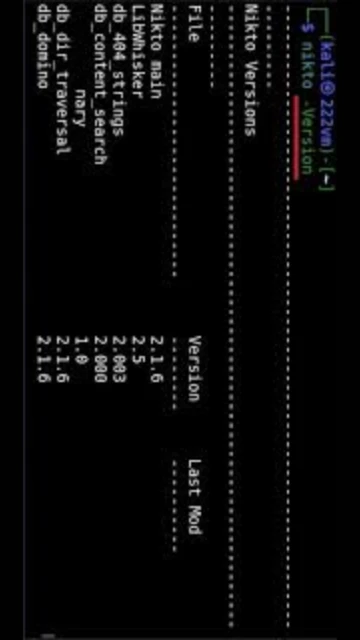
- Install SSL/TLS Support – For HTTPS scanning capability, Linux users install Net::SSLeay module via package manager. Windows users activate Perl NetSSL during ActiveState installation. Verify with nikto -Version command.
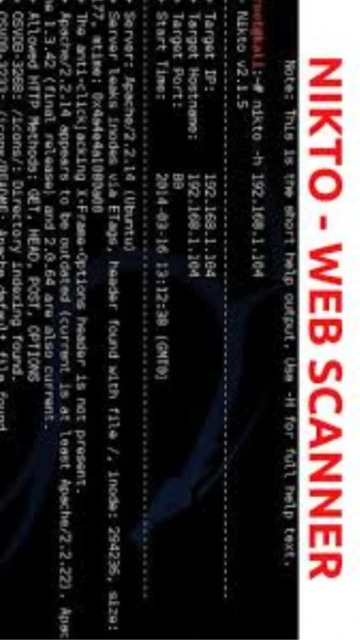
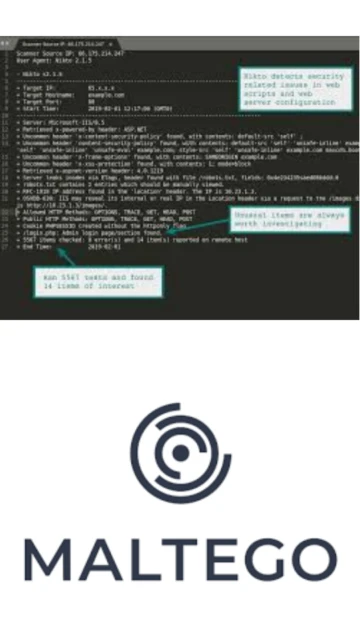
- Launch First Scan – Navigate to nikto directory and run ./nikto.pl -h example.com (Linux/macOS) or perl nikto.pl -h example.com (Windows). Output appears in terminal, with results saved to specified output file using -o parameter.
Who Should Use Nikto Web Scanner
Nikto serves diverse cybersecurity professionals seeking rapid, free vulnerability reconnaissance. Its command-line interface and comprehensive database make it ideal for both beginners learning vulnerability assessment and experienced penetration testers conducting routine security audits on web-facing infrastructure and applications.
- Penetration Testers – Conduct authorized security assessments and vulnerability research on web servers, identifying configuration weaknesses and outdated components for client reporting and remediation planning.
- System Administrators – Monitor organizational web servers for security misconfigurations, outdated software versions, and unusual header responses that indicate potential compromise or misconfiguration.
- Security Researchers – Investigate emerging vulnerabilities, test detection bypass techniques, and analyze web server behavior patterns for academic research and vulnerability disclosure initiatives.
- NOT Ideal For – Organizations requiring comprehensive GUI interfaces, enterprise support contracts, or advanced authenticated web application scanning should evaluate commercial alternatives like Burp Suite Professional or Acunetix.
Nikto Web Scanner Platform Compatibility
Nikto maintains exceptional cross-platform compatibility through pure Perl implementation, running identically on Linux, macOS, Windows, and BSD systems. Platform-specific variations primarily involve Perl installation methods and SSL library availability, while core functionality remains consistent across all supported operating systems.
| Platform |
Min. Version |
Unique Features |
Limitations |
| Linux |
Any modern distro with Perl 5.10+ |
Native OpenSSL integration, pre-installed on most systems, optimal performance, integrated in Kali Linux and Parrot Security |
Requires manual PATH configuration for non-standard Perl installations |
| macOS |
10.12+ with Perl 5 |
Native Perl support, OpenSSL via Homebrew, runs identically to Linux, excellent for pentesting labs |
Requires Net::SSLeay installation via Homebrew for HTTPS scanning capability |
| Windows |
Windows 10/11 with Perl installed |
Full compatibility via ActiveState Perl, supports all scanning features, GUI optional through third-party wrappers |
Requires ActiveState Perl or Strawberry Perl installation, slower performance than native Unix environments |
| Docker |
Docker 20.10+ |
Containerized deployment, consistent environment across systems, ideal for CI/CD pipelines and automated scanning |
Requires Docker knowledge, minimal documentation for official container images |
Nikto Web Scanner Integrations & Plugins
Nikto’s plugin architecture and integration capabilities extend its functionality within professional security workflows. Integration with popular penetration testing frameworks, vulnerability management platforms, and CI/CD pipelines enables seamless incorporation into comprehensive security assessment processes and automated vulnerability management pipelines.
- Metasploit Framework Integration – Import Nikto scan results directly into Metasploit for correlation with exploit modules, streamlining workflow from vulnerability detection to exploitation assessment and enhancing overall penetration test efficiency.
- Nmap Output Compatibility – Process nmap scan results as input targets for coordinated network and web application scanning, enabling combined infrastructure reconnaissance and web vulnerability assessment from unified command.
- JIRA/Issue Tracker Integration – Export scan findings to JIRA, GitHub Issues, or Bugzilla for automated ticket creation, enabling development teams to track remediation progress and maintain audit-compliant vulnerability lifecycle management.
- CI/CD Pipeline Integration – Incorporate Nikto into Jenkins, GitLab CI, or GitHub Actions for continuous security scanning during development pipelines, automating vulnerability detection in pre-deployment stages and enforcing security gates.
Best Alternatives to Nikto Web Scanner
While Nikto excels at rapid, lightweight web server scanning, alternative tools address specific enterprise requirements. Organizations prioritizing GUI interfaces, comprehensive authenticated application testing, automated remediation, or managed vulnerability platforms should evaluate purpose-built commercial solutions and advanced open-source frameworks.
- OWASP ZAP – Best for developers and security teams preferring interactive GUI testing, automated and manual scanning combined with request interception, and DevSecOps pipeline integration without licensing costs.
- Burp Suite Community/Professional – Best for comprehensive web application testing with advanced features like web proxy, intruder tool, and authenticated scanning capabilities, ideal for in-depth vulnerability research and professional pentesting.
- Acunetix – Best for enterprises requiring automated vulnerability scanning at scale, sophisticated crawling capabilities, comprehensive reporting, and integration with existing vulnerability management ecosystems.
- Qualys Web Application Scanning (WAS) – Best for large organizations requiring cloud-based vulnerability management, continuous monitoring compliance, and enterprise-grade support with API-driven automation.
Nikto Web Scanner vs Top Competitors
Nikto competes directly with commercial and open-source vulnerability scanners across different market segments. Understanding competitive differentiation assists security professionals in selecting appropriate tools based on organizational requirements, budget constraints, and technical infrastructure preferences.
| Feature |
Nikto Web Scanner |
OWASP ZAP |
Burp Suite Pro |
| Pricing Model |
Free, open-source (GPLv2) |
Free, open-source (Apache 2.0) |
Commercial subscription starting $399/year |
| Primary Strength |
Rapid lightweight server scanning, 7,000+ vulnerability checks, minimal resource overhead |
Interactive proxy testing, active/passive scans, developer-friendly with GUI |
Enterprise-grade web app testing, advanced features, professional support |
| Target Audience |
System administrators, penetration testers, rapid reconnaissance, CI/CD integration |
Developers, QA teams, security researchers, educational use |
Professional security firms, large enterprises, compliance-driven organizations |
| Unique Differentiator |
Command-line only, self-contained portable installation, pre-integrated in Kali Linux |
Built-in proxy for request manipulation, community scripting in ZEST, GUI for ease of use |
Automated scanner, intruder tool, collaboration features, enterprise reporting |
| Learning Curve |
Moderate – Command-line interface requires parameter familiarity, documentation community-based |
Easy – Intuitive GUI with helpful tooltips, extensive official documentation, active community |
Steep – Advanced features require cybersecurity knowledge, professional training recommended |
Nikto Web Scanner Keyboard Shortcuts
While Nikto operates primarily through command-line flags rather than traditional keyboard shortcuts, understanding command-line parameters accelerates scan execution and result management. Common parameter combinations enhance productivity for regular users by streamlining syntax and reducing typos during frequent assessments.
| Action |
Command/Syntax |
Alternative Syntax |
| Basic Web Server Scan |
nikto -h example.com |
nikto.pl -h 192.168.1.1 |
| Scan Specific Port |
nikto -h example.com -p 8080 |
nikto -h example.com -p 80,443,8080 |
| HTTPS/SSL Scan |
nikto -h https://example.com -ssl |
nikto -h example.com -p 443 -ssl |
| Save Output Report |
nikto -h example.com -o report.html -F html |
nikto -h example.com -o report.xml -F xml |
| Aggressive Scanning |
nikto -h example.com -Tuning x |
nikto -h example.com -Tuning 123456789 (all checks) |
| Specify Custom Config |
nikto -h example.com -config /path/nikto.conf |
nikto -h example.com -C all (use all plugins) |
| Disable False Positive Reduction |
nikto -h example.com -nointeractive |
nikto -h example.com -Tuning 0 (skip tuning filters) |
| Proxy Through Burp/ZAP |
nikto -h example.com -useproxy -proxyhost 127.0.0.1:8080 |
nikto -h example.com -Plugins @all |
Nikto Web Scanner Performance Optimization
Maximizing Nikto scan efficiency requires strategic configuration adjustments, targeted scan tuning, and resource allocation. Performance optimization techniques balance thoroughness against execution time, enabling rapid vulnerability reconnaissance on large infrastructure or time-constrained assessments.
- Reduce Unnecessary Tests With Tuning – Use -Tuning parameters to disable irrelevant checks (e.g., -Tuning 12 scans only web servers and interesting files), reducing scan duration from hours to minutes while focusing on relevant findings for your assessment scope.
- Increase Scan Speed With Parallelization – Process multiple targets simultaneously using separate Nikto instances in background or creating target lists for batch processing, distributing workload across available CPU cores for faster multi-host assessments.
- Configure Database Caching – Pre-load vulnerability database into memory using -Force parameter and adjust batch parameters in nikto.conf to optimize repeated scans against similar environments, reducing startup overhead significantly.
- Implement Response Timeout Optimization – Adjust -timeout values (default 5 seconds) based on target response characteristics; increase for slow servers to avoid false negatives, decrease for responsive servers to accelerate overall scan completion.
- Monitor Resource Utilization – Track CPU and memory usage with system monitoring tools during scans; adjust Perl process priority using nice/renice commands on Linux to prevent resource starvation for critical infrastructure during business hours.
Nikto Web Scanner Accessibility Features
Nikto’s command-line interface demonstrates fundamental accessibility through text-based operation and customizable output formats. While not featuring modern GUI accessibility standards, Nikto’s simplicity inherently supports various accessibility needs common to security professionals with diverse technical requirements.
- Text Output Modes – Generate reports in plain text, XML, HTML, JSON, or CSV formats enabling screen reader compatibility and integration with accessibility-focused analysis tools for security professionals with visual impairments.
- Command-Line Accessibility – Pure text-based interface supports terminal emulators with accessibility features, compatible with screen readers and speech recognition tools, enabling keyboard-only operation without graphical dependencies.
- Output Customization – Configure verbose output levels (-v flag), disable interactive prompts (-nointeractive), and specify report templates to accommodate users requiring simplified, high-contrast, or simplified output presentation.
- Language Support – Interface operates in English with configurable output languages; vulnerability database descriptions support multiple languages enabling non-English speakers to interpret findings through translation tools.
Nikto Web Scanner Support & Documentation
Community-driven support and comprehensive official documentation ensure users access current information, practical examples, and troubleshooting guidance. Multiple support channels including GitHub, wikis, and community forums facilitate rapid problem resolution and knowledge sharing.
- Official GitHub Wiki – Comprehensive wiki at https://github.com/sullo/nikto/wiki covers installation, configuration, scan tuning, plugin development, and integration guides with regularly updated technical documentation maintained by core developers.
- GitHub Issues & Discussions – Active issue tracking and discussion forums enable users to report bugs, request features, and discuss technical questions directly with developers; official support channel monitored within business days.
- Community Resources – Established tutorials on platforms like Infosec Train, HackerOne, and security blogs provide practical scanning examples, command references, and real-world vulnerability case studies demonstrating Nikto capabilities.
- Inline Help & Man Pages – Built-in help accessible via nikto.pl -Help displays all available parameters, while nikto.conf configuration file includes extensively commented examples for customization without external documentation references.