Movavi Video Converter – Fast Format Conversion Tool
Fast Video, Audio & Image Format Converter
High-speed video converter supporting 180+ formats with GPU acceleration, editing tools, AI upscaling, and subtitle management for seamless conversion.
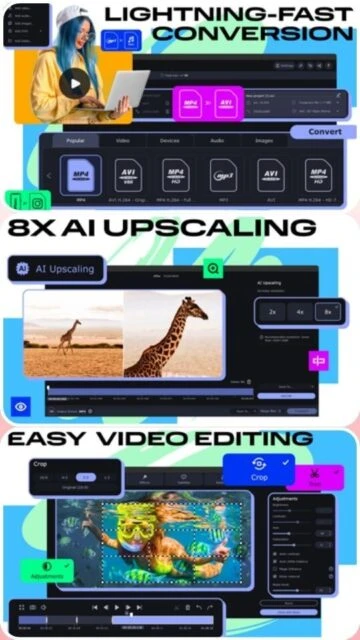
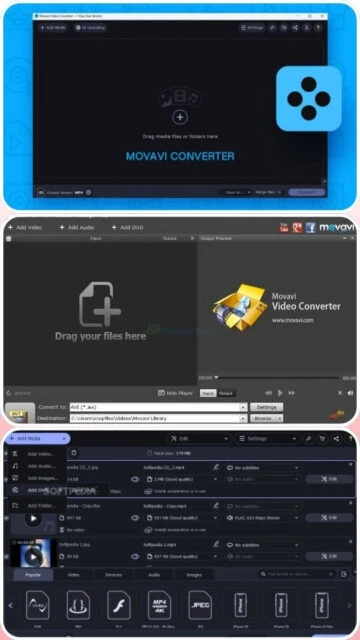
Movavi Video Converter is a streamlined multimedia conversion platform designed for users seeking simplicity without sacrificing power. The software supports conversion of 180+ video, audio, and image formats with hardware-accelerated GPU processing from NVIDIA, AMD, and Intel. It features built-in video editing capabilities including cropping, rotation, filtering, and subtitle synchronization. The software includes AI upscaling for resolution enhancement, automatic noise reduction for improved quality, and intelligent device detection for optimized preset selection. Free trial version is limited to 5-minute video conversion, while paid licenses offer unlimited processing with full feature access including advanced editing tools and priority customer support.
System Requirements
Operating System:Windows 7/8/10/11 64-bit or macOS 10.15 or higher
Processor:Intel or AMD 1 GHz processor or compatible
RAM:2 GB minimum, 4 GB recommended
Disk Space:300-600 MB available disk space
Additional Requirements:NVIDIA GeForce 8+, AMD Radeon R600+, or Intel HD Graphics 2000+ for GPU acceleration
Features Of Movavi Video Converter
Format Support: Convert 180+ video, audio, and image formats including 4K and Full HD
GPU Acceleration: Support for NVIDIA CUDA, AMD encoding, Intel Media technologies for fast processing
SuperSpeed Mode: Proprietary fast conversion technology preserving original video quality
Video Editing Tools: Crop, rotate, apply filters, add effects, and adjust colors before conversion
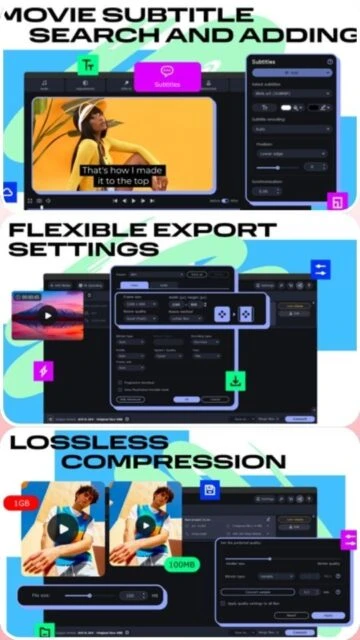
Subtitle Management: Online subtitle search, automatic synchronization, and multi-language support
AI Upscaling: Resolution enhancement technology for improving video quality without quality loss
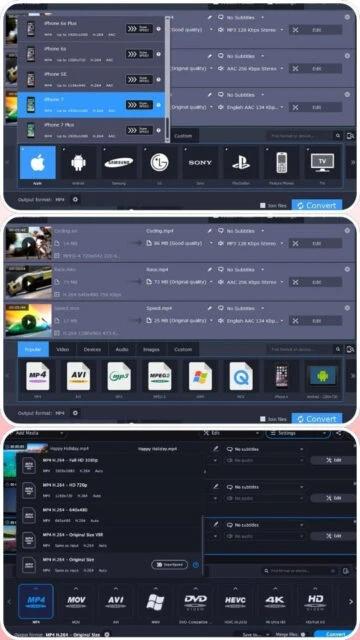
Device Presets: Automatic detection and optimization for iPhone, iPad, Android, and gaming devices
Stabilization: Hardware-accelerated footage stabilization technology for reducing jitter
Batch Processing: Queue multiple files for conversion in sequence or parallel processing
Pros & Cons
Pros
Lightweight installation at only 38.7 MB making it quick to download and install on any system
User-friendly interface specifically designed for beginners without overwhelming advanced options
Genuine GPU acceleration from NVIDIA, AMD, and Intel providing real performance improvements
Fast conversion speeds especially with SuperSpeed mode enabled for standard formats
Built-in editing tools eliminate need for separate video editing software for basic tasks
Excellent format coverage at 180+ formats handling most common multimedia file types
Affordable pricing with reasonable trial limitations allowing proper software evaluation
Responsive customer support team providing timely assistance for technical issues
Cons
Free trial limited to 5-minute video conversion restricting evaluation of full software capabilities
Format support at 180+ formats falls short compared to specialized converters offering 1000+ formats
AI upscaling feature available but less sophisticated than competitors offering multiple enhancement algorithms
Limited batch processing capabilities compared to professional-grade software in same price range
Basic editing tools insufficient for advanced video manipulation requiring professional capabilities
Free version includes watermark overlay on converted videos requiring paid license removal
Subscription pricing model without perpetual license option available for long-term value
Occasional stability issues reported on systems with older or unsupported graphics drivers
Changelog
Version 24.4.0 (December 1, 2025):
- Minor improvements and performance polishes improving workflow efficiency
- Bug fixes addressing reported stability issues in batch conversion mode
Version 24.3.0 (March 10, 2025):
- Fixed critical issue with DVD conversion ensuring smoother digital format transfers
- Improved accuracy of format detection for legacy video codecs
Version 24.2.0 (December 15, 2024):
- Hardware acceleration enhancements for AMD graphics cards expanding GPU support options
- New variable bitrate presets reducing file sizes by 20-40% compared to constant bitrate
Version 24.0.0 (October 11, 2023):
- Complete technical architecture update improving stability and performance
- New creative filters tab with built-in filter library for enhanced video customization
- Advanced subtitle positioning options for better multilingual video support
Frequently Asked Questions
What video formats does Movavi support?
Movavi Video Converter supports 180+ formats including MP4, AVI, MKV, MOV, FLV, WMV, MPEG, and many others for both video and audio with Full HD and 4K compatibility.
How long is the free trial?
The free trial lasts 7 days but is limited to converting videos up to 5 minutes in length. Upgrade to paid license for unlimited video processing.
Does it have video editing features?
Yes, Movavi includes basic editing tools for cropping, rotating, applying filters, adding effects, and adjusting colors before or during video conversion.
Can it upscale videos to higher resolution?
Yes, Movavi includes AI upscaling technology allowing you to enhance video resolution without quality loss using neural network processing.
What GPU acceleration options are available?
Movavi supports NVIDIA CUDA, AMD graphics acceleration, NVENC, Intel Media technologies enabling 2-3x faster conversion on compatible hardware.
Can I add subtitles during conversion?
Yes, Movavi allows you to add, search, and synchronize subtitles during the conversion process without requiring separate subtitling software.
Movavi Video Converter is a user-friendly multimedia conversion solution offering fast, high-quality format conversion for video, audio, and image files. This guide covers setup procedures, platform compatibility, supported integrations, feature comparisons, essential keyboard shortcuts, and performance optimization strategies.
Installation & Setup
Visit the official Movavi website at movavi.com and navigate to the Video Converter product page
Click the download button to obtain the installer suitable for your operating system
For Windows: Execute the .exe installer and follow the installation wizard prompts
For Mac: Open the .dmg file and drag Movavi into your Applications folder
Launch Movavi Video Converter from your desktop or applications menu
Activate your license with a purchased key or continue with free trial features
Platform Availability
Platform
Support
Features
Windows 7/8/10/11
Full Support
All features, GPU acceleration, batch conversion
macOS 10.15+
Full Support
Apple silicon support, native performance optimization
Online Version
Limited
Basic web-based conversion with file size limits
Integration Ecosystem
Device Detection – Automatic recognition of connected devices with preset optimization
Subtitle Management – Online subtitle search and synchronization with video content
Format Presets – Device-specific presets for iPhone, iPad, Android, and gaming consoles
Audio Processing – Multi-channel AAC support and automatic volume level assessment
Video Stabilization – Hardware-accelerated image stabilization for shaky footage
Enable GPU acceleration in preferences for NVIDIA, AMD, or Intel graphics to significantly boost conversion speed
Use SuperSpeed mode for rapid conversion without sacrificing output quality for most file types
Batch convert multiple files to save time by queuing conversions before starting
Close background applications to allocate maximum system resources to Movavi processing
Select appropriate resolution before conversion to reduce processing time for large files
Use hardware-accelerated stabilization selectively as it requires additional processing power
Apply filters and editing before conversion rather than after to streamline workflow
Monitor system temperature during extended batch operations to prevent thermal throttling
User reviews and ratings for Movavi Video Converter
See what users think about Movavi Video Converter. Read honest reviews and ratings from real users.
4.5
★★★★★
4 reviews
Excellent Simplicity and Speed
by Lisa Patterson
★★★★★
2025-11-18
Movavi impressed me with its straightforward interface and fast conversion speeds. Perfect for converting videos without technical complexity. GPU acceleration works great on my system.
Good Tool with Limited Trial
by David Brown
★★★★★
2025-10-22
Movavi Video Converter is reliable and user-friendly. The 5-minute trial limit feels restrictive for proper evaluation, but the paid version delivers excellent value for casual converters.
Fast and Beginner-Friendly
by Jennifer Lee
★★★★★
2025-09-14
I switched from complex converters to Movavi and never looked back. Conversion is incredibly fast, the interface is intuitive, and the built-in editing tools are genuinely helpful.
Decent Converter With Watermark Issue
by Michael Garcia
★★★★★
2025-08-30
Movavi works smoothly and converts most formats without issues. The watermark on free version is annoying, but overall performance and support are solid for the price point.
Write a Review
Movavi Video Converter Screenshots & Photos
Browse through screenshots and photos of Movavi Video Converter to see how it looks and works.
Movavi Video Converter Videos
Watch videos to see how this software works and learn about its features.

 21
21