Live NetTV – Free streaming app with 800+ global TV channels
Free global TV streaming with 800+ channels and no subscription required
Free IPTV streaming application offering 800+ live television channels across sports, news, entertainment, and documentaries from worldwide broadcasters.
Live NetTV is a lightweight yet powerful streaming application that democratizes access to global television programming. The application eliminates traditional barriers of subscription requirements and complex registration, allowing instant access to 800+ international channels. Its efficient design maintains functionality across various Android devices, from budget smartphones to premium tablets and smart TVs. Regular maintenance ensures channel links remain active, with the development team rapidly replacing defunct streams to maintain service continuity and user satisfaction.
System Requirements
Operating System:Android 5.0 or higher, Windows 7 64-bit or later (via emulator)
Processor:Dual-core 1.5 GHz processor or equivalent
RAM:1.5 GB for Android, 2 GB for Windows emulation
Disk Space:35 MB available storage space
Additional Requirements:High-speed internet connection recommended, stable Wi-Fi or 4G/5G for smooth streaming
Features Of Live NetTV
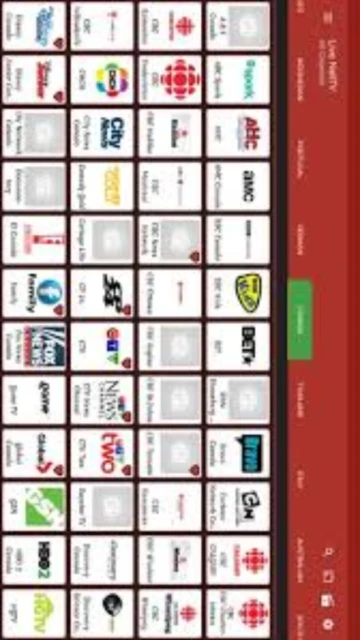
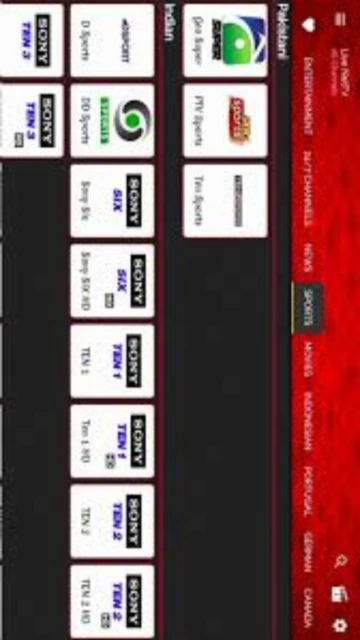
Over 800 live TV channels across nine major categories
SD and HD quality streaming options user-selectable
Chromecast support for casting to smart televisions
Channel request feature for unavailable programming
Regular updates maintaining active streaming links
No subscription or sign-up registration required
User-friendly interface with intuitive navigation
Multiple category filters for easy channel discovery
Built-in media player with streaming controls
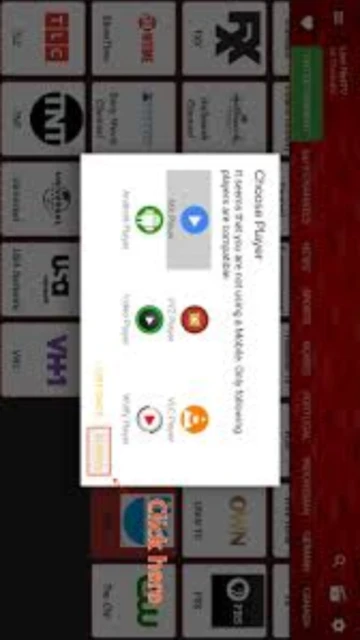
Support for external video players like MX Player and VLC
Pros & Cons
Pros
Completely free with no subscription costs or hidden fees
No registration or sign-up process required for usage
Extensive channel selection covering global broadcasters
Lightweight application using minimal storage space
Chromecast functionality for television viewing
Regular updates maintaining stream functionality
Multiple streaming quality options for flexibility
Works across diverse Android devices and versions
No ads interrupting viewing experience on many channels
Channel request system for missing programming
Cons
Some streams may experience buffering during peak usage
Channel availability varies by geographic location
Geo-restricted content requires VPN usage
Lacking official desktop application for Windows PCs
No content library for offline downloading
Stream quality depends on source broadcaster stability
Limited technical support compared to subscription services
Some channels may have broken or unstable links
Changelog
Version 4.9 (July 2025):
- Expanded channel library to 800+ global broadcasters
- Improved stream stability and link verification system
- Enhanced user interface for category navigation
- Better compatibility with Fire TV devices
Version 4.8 (March 2025):
- Added channel request feature
- Improved Chromecast connectivity
- Fixed buffering issues on slower connections
Frequently Asked Questions
Is Live NetTV completely free?
Yes, Live NetTV is completely free with no subscription requirements, hidden costs, or registration needed. Download the app and instantly access 800+ channels.
How many channels does Live NetTV provide?
Live NetTV offers over 800 live television channels spanning sports, entertainment, news, documentaries, movies, music, kids programming, and religious content from worldwide broadcasters.
Can I use Live NetTV on Windows PC?
Live NetTV is primarily an Android application. Windows users can access it through Android emulators like BlueStacks or Nox Player, which create an Android environment on Windows.
Does Live NetTV support streaming to TV?
Yes, Live NetTV includes Chromecast support allowing you to cast streams to compatible smart televisions for larger viewing experiences.
What video quality options are available?
Live NetTV offers SD and HD streaming quality options. Users can select quality based on their internet speed and device capabilities.
Why are some channels not working?
Streams depend on third-party broadcaster links. Inactive channels are regularly updated with working alternatives. Use channel request feature for missing programming.
Live NetTV is a free streaming application that provides access to over 800 live television channels from broadcasters worldwide. The app aggregates streams from multiple countries and categories including sports, entertainment, news, documentaries, movies, and international programming. Available primarily as an Android APK, Live NetTV delivers instant access to global content without requiring subscriptions or lengthy registration processes.
Unmatched Power
Live NetTV stands out through its comprehensive channel selection spanning international content from Asia, Europe, Americas, and beyond. The application features flexible quality selection allowing users to adjust streaming resolution based on internet speed and device capabilities. Chromecast integration enables casting to smart televisions for larger viewing experiences. Regular updates maintain channel functionality, replacing inactive streams with working alternatives to ensure continuous access to fresh content across all available categories.
Who Should Use It?
Live NetTV caters to cord-cutting enthusiasts, international viewers seeking programming from their home countries, sports fans wanting access to diverse sporting channels, and budget-conscious users avoiding cable subscriptions. The app suits individuals interested in documentaries, news from global perspectives, and entertainment content. It serves both casual viewers seeking occasional streaming and dedicated users building comprehensive entertainment libraries without subscription costs.
User reviews and ratings for Live NetTV
See what users think about Live NetTV. Read honest reviews and ratings from real users.
4.5
★★★★★
4 reviews
Amazing Free Streaming Solution
by Alex P.
★★★★★
2025-11-25
Live NetTV delivers incredible value with 800+ channels completely free. No ads, no registration required. Interface is clean and responsive. Best entertainment app for cord-cutters.
Great Channel Selection and Quality
by Maria L.
★★★★★
2025-11-08
Impressed with the international channel variety and streaming quality. Chromecast works perfectly. Only minor issue is occasional buffering, but nothing major.
Solid App with Some Limitations
by Robert K.
★★★★★
2025-10-14
Live NetTV offers tremendous value as a free app. Some geographic restrictions on certain channels, but workaround available. Regular updates maintain stream functionality.
Perfect for Cord-Cutters
by Jessica W.
★★★★★
2025-09-22
Completely eliminated cable subscription. Interface could be slightly more refined, but functionality is excellent. Fantastic selection of international programming.
Write a Review
Live NetTV Screenshots & Photos
Browse through screenshots and photos of Live NetTV to see how it looks and works.
Live NetTV Videos
Watch videos to see how this software works and learn about its features.

 42
42