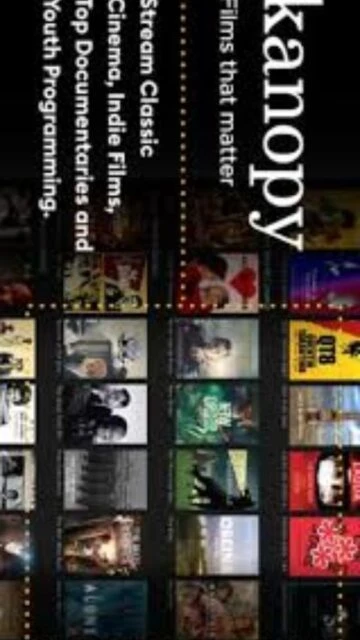
Kanopy revolutionizes library and academic institutional streaming by providing patrons with unlimited access to high-quality educational and entertainment content at no personal cost. Acquired by OverDrive in 2021 and headquartered in San Francisco, Kanopy operates on a library-based model where institutions pay fees enabling free patron access. With comprehensive features including captions, transcripts, clip creation, and playlist functionality, Kanopy serves millions of students, educators, and lifelong learners. This guide explores accessing Kanopy through your library, utilizing advanced features, and understanding how this platform transforms media consumption within educational contexts.
How to Access Kanopy Through Your Library
Accessing Kanopy requires valid enrollment at a participating school or membership at a public library offering the service. The process involves logging through your institution’s authentication system, then streaming content immediately without creating additional accounts.
- Verify Library Participation – Visit kanopy.com and search for your school or public library name. Confirm your institution participates in Kanopy; most major academic and public libraries offer the service.
- Access Through Your Institution’s Portal – Log into your school’s library website or public library portal. Locate the Kanopy link, typically featured under ‘Databases’ or ‘Streaming Media’ sections. Click to proceed.
- Authenticate with Institutional Credentials – Your library’s authentication system (often Shibboleth or similar) verifies your enrollment or membership status. Enter your institutional username and password to confirm eligibility.
- Create Kanopy Account and Begin Streaming – Set up your personal Kanopy profile using your institutional email. Immediately browse millions of titles and begin streaming; optional account creation enables bookmarks, playlists, and personal watchlist management.
Who Should Use Kanopy
Kanopy serves students, educators, researchers, and lifelong learners seeking educational documentaries, foreign cinema, and specialized content. Its institutional model makes it ideal for academic research, classroom supplementation, and cultural enrichment rather than general entertainment.
- Students and Academic Researchers – Access documentaries, educational videos, and critical films supporting coursework, thesis research, and academic projects across humanities, sciences, and social sciences.
- Educators and Instructors – Incorporate curated educational content, create clips for classroom use, and build playlists supporting curriculum development without licensing restrictions.
- Library Patrons and Lifelong Learners – Explore diverse documentary films, foreign cinema, independent documentaries, and specialized educational content reflecting diverse cultural perspectives and artistic expressions.
- NOT Ideal For – Those seeking mainstream commercial entertainment; Kanopy emphasizes educational and artistic content over blockbuster movies and popular television series available through traditional streaming services.
Kanopy Platform Compatibility
Kanopy maintains broad platform compatibility through web-based streaming and native applications for major devices. The service prioritizes accessibility through multiple browsers and platforms, ensuring patrons stream content on their preferred devices.
| Platform |
Min. Version |
Unique Features |
Limitations |
| Web Browser |
Chrome, Firefox, Safari, Edge (current) |
Full feature access, no installation required, immediate streaming |
Streaming quality dependent on internet bandwidth |
| iOS App |
iOS 12.0 or later |
Offline download capability, background playback, Apple TV integration |
Limited to 15 downloads per account; must renew monthly |
| Android App |
Android 6.0 or later |
Offline downloads, Chromecast support, background playback |
Limited to 15 downloads per account; must renew monthly |
| AppleTV / Roku |
Current firmware versions |
Seamless big-screen streaming, account linking, curated collections |
Limited metadata display; playlist creation only through web |
Kanopy Integrations & Features
Kanopy provides robust integrations with institutional systems and learning management platforms. These features enhance institutional adoption, enabling educators and administrators to seamlessly embed educational content within academic workflows.
- LMS Integration (Canvas, Blackboard, D2L) – Embed Kanopy videos directly into course modules, enabling instructors to assign specific content with embedded player controls and analytics tracking.
- Institutional SSO Integration – Seamless single sign-on through Shibboleth, Azure AD, and campus authentication systems; eliminates separate credentials, improving patron access rates.
- Clip Creation and Sharing Tools – Educators create custom clips extracting relevant segments, eliminating irrelevant portions while preserving caption synchronization for precise classroom instruction.
- Playlist and Bookmark Management – Personal curation of content through playlists and bookmarks enables researchers to organize materials supporting projects, facilitating knowledge management within academic contexts.
Best Alternatives to Kanopy
While Kanopy excels in academic and institutional contexts, several alternatives serve specific user needs and preferences. These options provide varying content focuses, accessibility models, and pricing structures for diverse educational and entertainment requirements.
- Criterion Channel – Best for cinema enthusiasts, featuring carefully curated classic and contemporary films from the Criterion Collection with supplementary essays, director commentaries, and film studies materials.
- PBS Learning Media – Best for K-12 educators, providing PBS educational content, lesson plans, and interactive materials aligned with curriculum standards; completely free through institution registration.
- Alexander Street – Best for academic institutions, offering comprehensive interdisciplinary collections including documentaries, music, media studies, and specialized academic databases.
- Hoopla – Best for public library patrons, providing movies, music, comics, and ebooks through public library partnerships with flexible per-title licensing and no holds/wait lists.
Kanopy vs Top Competitors
Kanopy’s institutional model distinguishes it from consumer-focused streaming services and other academic platforms. Comparing features reveals positioning differences and specialized strengths for educational contexts.
| Feature |
Kanopy |
Criterion Channel |
PBS Learning Media |
| Access Model |
Free through institutions (libraries, universities) |
Subscription ($10.99/mo, $99/yr) |
Free for registered educators |
| Content Focus |
Documentaries, foreign films, educational content |
Classic and contemporary cinema with critical essays |
K-12 educational videos and curriculum materials |
| Primary Users |
Students, researchers, library patrons |
Film enthusiasts, cinematography students |
Teachers, homeschooling parents, K-12 students |
| Unique Feature |
Clip creation for classroom use, LMS integration |
Director commentaries, supplementary essays |
Lesson plans, curriculum alignment, interactive activities |
| Title Library |
30,000+ documentaries and films |
2,500+ films from Criterion Collection |
2,000+ K-12 educational videos |
Kanopy Keyboard Shortcuts and Navigation
Kanopy’s web interface supports keyboard navigation enabling efficient content discovery and playback control. Essential shortcuts improve accessibility and productivity for frequent users managing research materials and classroom content.
| Action |
Windows |
macOS |
| Play/Pause Video |
Spacebar or K |
Spacebar or K |
| Forward 10 Seconds |
Right Arrow or L |
Right Arrow or L |
| Rewind 10 Seconds |
Left Arrow or J |
Left Arrow or J |
| Toggle Fullscreen |
F |
F |
| Toggle Subtitles |
C |
C |
| Increase Volume |
Up Arrow |
Up Arrow |
| Decrease Volume |
Down Arrow |
Down Arrow |
| Escape/Exit Fullscreen |
Esc |
Esc |
Kanopy Performance Optimization
Optimizing Kanopy streaming ensures smooth playback and consistent quality across varying network conditions. Strategic adjustments enhance user experience particularly in institutional environments with bandwidth constraints.
- Adjust Video Quality Settings – Access Player Settings during playback to select automatic, 1080p, 720p, or 480p quality. Lower quality improves performance on limited bandwidth networks common in academic settings.
- Verify Internet Connection Speed – Kanopy recommends minimum 5 Mbps for 1080p streaming. Institutional Wi-Fi issues often reduce effective bandwidth; wired connections provide more stable performance.
- Clear Browser Cache and Cookies – Periodically clearing browser storage eliminates outdated authentication tokens and cached data that may cause streaming interruptions or login issues.
- Use Current Browser Versions – Outdated browsers lack modern video codec support. Regular browser updates (Chrome, Firefox, Safari, Edge) ensure optimal playback performance and security.
- Disable Browser Extensions During Playback – Ad blockers and privacy extensions occasionally interfere with video delivery. Disable extensions or whitelist Kanopy domains for uninterrupted streaming.
Kanopy Accessibility Features
Kanopy prioritizes accessibility through comprehensive captioning, transcript availability, and inclusive design principles. These features ensure equitable access for users with varying accessibility requirements.
- Closed Captioning – Over 90% of Kanopy titles include professional English captions; many international films feature native language captions supporting diverse learner populations.
- Transcripts and Searchable Text – Full searchable transcripts available for most educational and documentary content, enabling researcher access to precise quotes and concepts without watching entire videos.
- Audio Description – Selected documentary and educational titles include audio description tracks providing visual content narration for blind and visually-impaired viewers; expanding library.
- Keyboard Navigation and WCAG Compliance – Full keyboard-only navigation possible throughout web interface; all buttons, menus, and controls accessible through Tab navigation and Enter selection.
Kanopy Support & Documentation
Kanopy offers comprehensive institutional support, documentation, and training resources enabling librarians and educators to maximize platform utilization. These resources facilitate successful institutional implementation and user adoption.
- Official Help Center – Kanopy provides searchable knowledge base covering account access, streaming troubleshooting, feature guides, and institutional administration documentation for librarians.
- Institutional Administration Tools – Dedicated dashboards for librarians monitor usage statistics, patron activity, collection performance; reports inform collection development and demonstrate patron value.
- Educator Training Resources – Webinars, tutorials, and documentation guide educators on clip creation, LMS integration, playlist building, and effective classroom implementation strategies.
- Direct Institutional Support – Kanopy provides dedicated support specialists for academic and large public library systems; response times typically 24 hours for institutional inquiries.