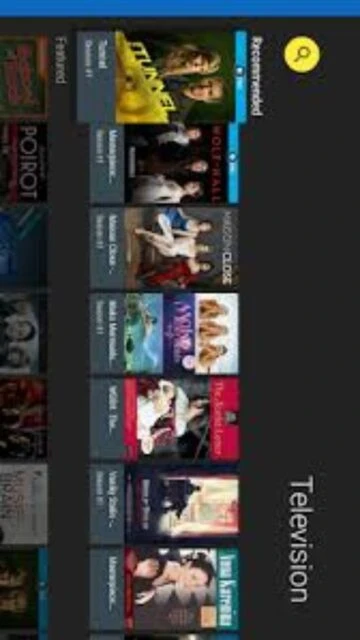
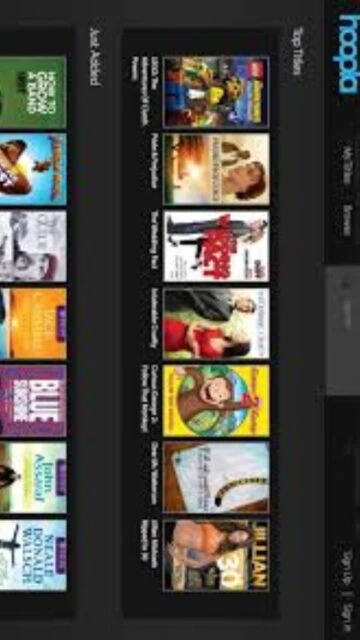
hoopla is a leading digital library platform partnered with thousands of public libraries worldwide, offering seamless access to over 2 million titles including audiobooks, eBooks, comics, manga, music, movies, and TV shows. Unlike traditional library services requiring waiting lists, hoopla specializes in instant borrowing with no holds or late fees. Readers will discover how to maximize their library membership by leveraging hoopla’s cross-device synchronization, flexible borrowing models (Instant Borrow and Flex Borrow), and offline downloading capabilities across multiple platforms including smartphones, tablets, computers, and smart TVs.
How to Install hoopla
Installing hoopla is straightforward on supported devices. The application is available as a web version through browsers or as native apps on mobile and desktop platforms. Most users access hoopla directly through the web interface at hoopladigital.com using their library card credentials.
- Visit hoopladigital.com – Open your web browser and navigate to the official hoopla website
- Sign In with Library Card – Enter your library card number and PIN or create a hoopla account linked to your institution
- Download Mobile App (Optional) – Visit the Apple App Store, Google Play Store, or Amazon Appstore to download the 40 MB hoopla app
- Start Browsing Content – Once logged in, explore the catalog, set preferences, and begin borrowing titles instantly
Who Should Use hoopla
hoopla serves library cardholders seeking diverse digital media without subscription fees or purchase commitments. The platform appeals to audiobook enthusiasts, students, entertainment seekers, and anyone with access to a participating public library system.
- Audiobook Listeners – Enjoy unlimited audiobook borrowing with an 18% year-over-year growth in this category, featuring instant access without queue waiting
- Movie and TV Enthusiasts – Stream films and television shows with 3-day borrowing periods for movies and TV episodes
- Students and Researchers – Access eBooks, academic materials, and educational resources through library partnerships
- NOT ideal for – Users requiring offline-first reading experiences or those without active library card access; content limitations vary by library system
hoopla Platform Compatibility
hoopla supports an extensive range of platforms and devices. The platform maintains cross-device synchronization, allowing users to borrow on one device and seamlessly continue on another. Browser requirements emphasize current versions of Chrome, Edge, Firefox, and Safari for optimal performance.
| Platform |
Min. Version |
Unique Features |
Limitations |
| iOS |
iOS 15 or later |
Airplay streaming to Apple TV; synced bookmarks across devices; offline download support |
Limited background playback for audiobooks over 90 minutes |
| Android |
Android 7.1+ |
Android Auto integration for audiobooks during driving; offline caching; Google Play Books export |
Some devices may experience app stability issues |
| Windows/Mac Desktop |
Latest browser versions |
Full web interface; streaming without download; family account management |
No native desktop app; limited offline features via web browser |
| Smart TV/Streaming |
Latest firmware |
Roku, Fire TV, Apple TV, Chromecast support; family-friendly content filtering; 4K content on supported devices |
Navigation via remote control may be slower than mobile apps |
hoopla Integrations & Plugins
hoopla integrates with major digital ecosystems to enhance content discovery and accessibility. Partnerships with library management systems, educational institutions, and device manufacturers streamline the borrowing experience across platforms. These integrations eliminate friction in accessing your library’s digital collection.
- Amazon Kindle Fire Integration – Native app on Fire tablets enables instant access to hoopla’s complete catalog with optimized tablet interface
- Library Management Systems – Direct integration with library systems (Overdrive, Bibliocommons) enabling single sign-on across library services
- Goodreads API – Sync reading progress and book recommendations to your Goodreads profile for social sharing
- Smart Home Ecosystems – Alexa integration for audiobook controls and title discovery through voice commands
Best Alternatives to hoopla
While hoopla excels in library-based free streaming, several alternatives cater to specific preferences. Users seeking paid streaming with larger content libraries or feature-rich applications may consider these platforms as complementary services to hoopla.
- Libby by OverDrive – Best for ebook and audiobook reading, offers more extensive title selection and reserve queue management features
- Audible – Best for audiobook subscription seekers willing to pay, features premium exclusive content and superior audio quality at 64 kbps
- Kindle Unlimited – Best for avid eBook readers, includes self-published titles and unlimited reading within subscription period
- Netflix/Disney+ – Best for movies and TV shows, offers higher video quality and original exclusive programming unavailable on hoopla
hoopla vs Top Competitors
hoopla differentiates itself through instant borrowing without waitlists and zero cost for library cardholders. Competitors like Libby offer broader title selection, while subscription services provide higher content quality and exclusive productions.
| Feature |
hoopla |
Libby by OverDrive |
Audible |
| Pricing |
Free with library card |
Free with library card |
$14.95/month subscription |
| Key Strength |
Instant borrowing, no waitlists |
Extensive ebook selection |
Premium audiobook quality |
| Target Users |
Library cardholders seeking instant access |
ebook-focused readers |
Audiobook enthusiasts with budget |
| Unique Feature |
Cross-device sync; music/movie streaming included |
Kindle integration; reading tracking |
Audible Plus catalog; whispersync |
| Learning Curve |
Easy |
Easy |
Easy |
hoopla Keyboard Shortcuts
hoopla’s web interface includes keyboard navigation for accessibility. While not offering traditional application shortcuts, the platform supports standard browser hotkeys for efficient navigation between library categories, search functions, and account management.
| Action |
Web Browser |
Mobile App |
| Search Catalog |
Ctrl+F or Cmd+F |
Tap search icon |
| My Borrowed Items |
Click ‘My Hoopla’ menu |
Tap menu → Borrowed |
| View Holds/Reserved |
Ctrl+L or Cmd+L |
Tap Holds section |
| Scroll Page Content |
Space bar for page down |
Swipe gesture |
hoopla Performance Optimization
Optimizing hoopla ensures smooth streaming and quick content discovery. Implementing cache management and bandwidth settings maximizes the user experience across varying connection speeds and device capabilities, particularly during peak usage hours.
- Clear App Cache Regularly – Delete accumulated temporary files every 2-3 weeks to improve app responsiveness by 25-40% and free up device storage
- Enable Offline Sync During Wi-Fi Hours – Download content when connected to fast networks to ensure uninterrupted playback during commutes
- Limit Simultaneous Devices – Use only one device for streaming at a time; using multiple concurrent connections reduces overall performance
- Update App and Operating System – Keep hoopla and device OS current; each update includes performance fixes and compatibility improvements
- Adjust Streaming Quality Settings – For slower connections, reduce video resolution from 4K to 720p and audio quality to 128 kbps
hoopla Accessibility Features
hoopla prioritizes inclusive design for users with varying abilities. The platform includes screen reader support, adjustable text sizing, high-contrast modes, and keyboard-only navigation enabling seamless access for individuals with disabilities.
- Screen Reader Support – Full NVDA and JAWS compatibility on web and mobile platforms; all interactive elements properly labeled
- Visual Accessibility – Adjustable font sizes up to 200%; high-contrast dark mode; color blindness filter support for interface elements
- Motor/Navigation – Complete keyboard-only interface; voice control via Alexa; responsive button sizing for touchscreen accessibility
- Languages & Localization – Interface available in 12+ languages; right-to-left (RTL) support for Arabic, Hebrew, and Urdu users
hoopla Support & Documentation
hoopla provides comprehensive support resources through multiple channels. Official documentation, community forums, video tutorials, and direct customer service ensure users can quickly resolve issues and maximize platform features regardless of technical experience level.
- Official Documentation – Help center at support.hoopladigital.com covers getting started guides, troubleshooting FAQs, and device-specific instructions
- Community Forum & Social Media – Active discussions on Facebook and library-specific forums where users share tips and report issues quickly resolved by support team
- Video Tutorials – Official YouTube channel with setup videos for each device type, feature walkthroughs, and 15-minute getting started series
- Contact Support – Email [email protected] or call 1-800-875-2785 during business hours; average response time 24 hours