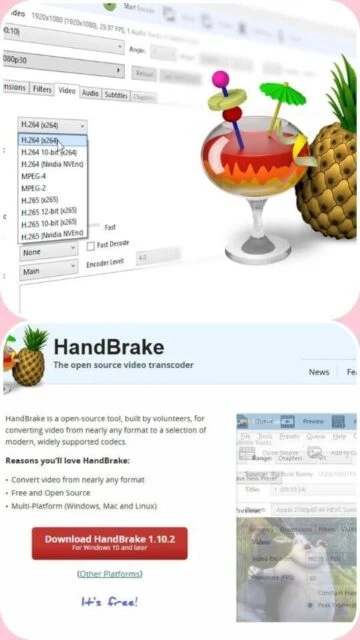
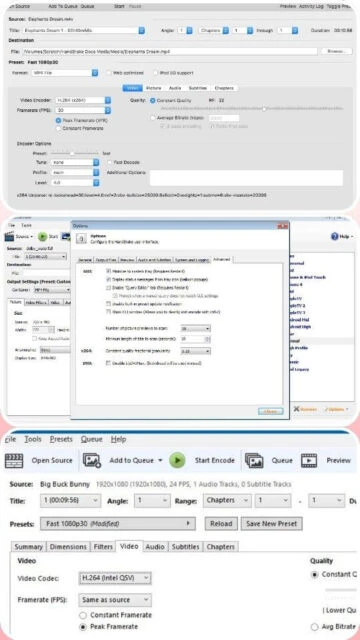
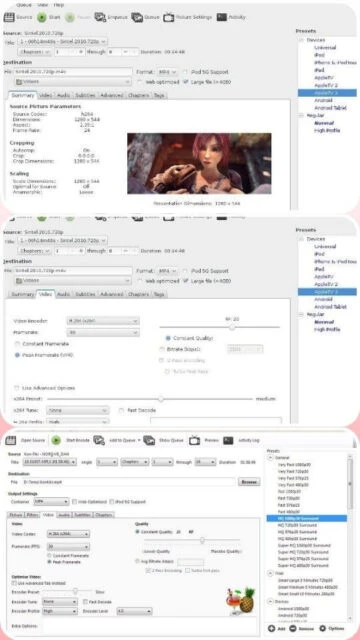
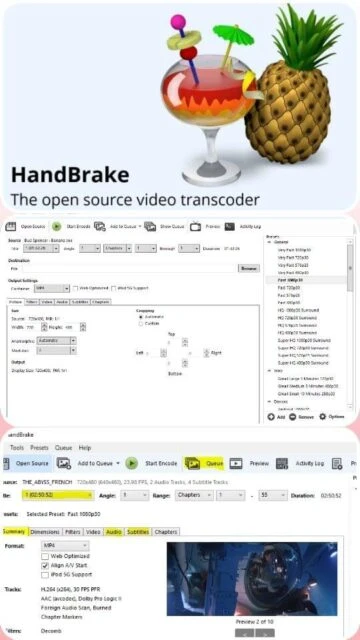
HandBrake is an open-source video transcoder developed by the HandBrake Team since 2003. Licensed under GPLv2, it enables users to convert videos between popular formats including MP4, MKV, and WebM. The software supports both Intel and Apple Silicon processors with universal binaries and provides comprehensive encoding options. HandBrake implements hardware acceleration through Intel Quick Sync, NVIDIA NVENC, and AMD VCE technologies, significantly reducing encoding time. Widely used by content creators, video professionals, and enthusiasts for archival and distribution purposes.
System Requirements
Operating System:Windows 10 (1909 or later) 64-bit, macOS 10.13 or later, Ubuntu 22.04 LTS or later
Processor:Intel Core i3 9th gen+, AMD Ryzen, Apple Silicon M1+
RAM:16 GB for standard/HD video, 32 GB for 4K video
Advanced audio processing: AAC, MP3, FLAC, AC3 codec support
Subtitle handling: Embedded and external subtitle support
Video filtering: Deinterlace, decomb, denoise capabilities
Batch encoding: Queue system for multiple file conversion
Preset templates: Optimized profiles for common devices
Pros & Cons
Pros
Free and open-source software with no licensing costs
Extensive codec and format support for universal compatibility
Efficient hardware acceleration reduces encoding time significantly
Active community support and regular security updates
Supports all major operating systems including Linux
Comprehensive documentation and user guides available
No advertisements or bloatware included
Fully functional without registration or account requirements
Cons
Steeper learning curve compared to consumer-focused applications
Limited batch processing capabilities without external scripting
No built-in video editing features beyond trimming
GUI complexity may overwhelm beginner users
Does not support copy-protected DVD or Blu-ray content
Changelog
Version 1.10.2 (September 6, 2025):
- Fixed crash with high depth video encoding
- Updated HarfBuzz to 11.4.5 for improved subtitle handling
- Updated SVT-AV1 to 3.1.2 for faster AV1 encoding
- Third-party library security updates
Version 1.10.1 (August 15, 2025):
- Performance improvements for hardware acceleration
- Minor bug fixes in audio stream detection
Version 1.10.0 (July 10, 2025):
- Added new AV1 encoding options
- Improved HEVC preset recommendations
Frequently Asked Questions
Is HandBrake truly free to use?
Yes, HandBrake is completely free and open-source under GPLv2. You can download, install, and use it forever without paying any fees or creating accounts. The software is maintained by community volunteers.
What video formats does HandBrake support?
HandBrake inputs most common formats including MP4, AVI, MOV, MKV, WMV, and can output to MP4, MKV, or WebM containers with various video codecs like H.264, H.265, VP8, and VP9.
How long does encoding take?
Encoding speed depends on file size, resolution, codec choice, and hardware. With hardware acceleration, typical videos encode 5-10 times faster. A 2-hour 1080p video might take 30-60 minutes on standard hardware.
Can HandBrake work with copy-protected DVDs?
HandBrake cannot decrypt copy-protected content. For protected DVDs or Blu-rays, you need separate decryption tools or applications like MakeMKV to create unprotected files first.
What's the difference between preset quality levels?
Faster presets prioritize speed with acceptable quality, Medium balances speed and quality, Slower presets maximize quality but increase encoding time. Choose based on your specific use case and available time.
Does HandBrake support batch conversion?
HandBrake includes a queue system for batch processing. Add multiple files to the queue, configure settings once, and let the software process them sequentially without manual intervention.
HandBrake is a versatile, open-source video transcoder that enables users to convert videos from nearly any format to MP4, MKV, and WebM. Supporting both software and hardware acceleration, it offers advanced encoding capabilities for creating optimized video content across devices. This guide covers HandBrake’s installation, platform compatibility, integration ecosystem, comparative advantages, keyboard shortcuts, and performance optimization techniques.
Installation & Setup
Visit the official HandBrake website and download the installer for your operating system (Windows, macOS, or Linux)
For Windows, ensure .NET Desktop Runtime 10.0.x is installed on your system
Execute the installer and follow the on-screen prompts to complete the installation process
Launch HandBrake from your applications menu or desktop shortcut
Configure video source by clicking ‘Open Source’ and selecting your video file or disc
Choose preset encoding profile or customize video/audio codec settings as needed
Set output destination folder and filename before clicking ‘Start Encode’
Platform Availability
Platform
Support Status
Key Features
Windows 11
Fully Supported
Hardware acceleration, all codecs
Windows 10
Supported (1909+)
Full feature set available
macOS 15 Sequoia
Supported
Universal binary, Apple Silicon native
macOS 14 Sonoma
Supported
Full compatibility maintained
Linux (Ubuntu 24.04)
Supported
Flatpak and source build options
Integration Ecosystem
FFmpeg – Backend engine providing codec support and transcoding foundation
VLC Media Player – Recommended for testing output files and compatibility
MakeMKV – Complementary tool for DVD and Blu-ray disc extraction
Subtitle Edit – External subtitle creation and synchronization application
AutoHotkey – Enables batch scripting and automation workflows
HandBrake vs Alternatives
Feature
HandBrake
Shutter Encoder
VidCoder
Cost
Free/Open-source
Free/Open-source
Free/Open-source
Hardware Acceleration
Yes
Yes
Yes
Output Containers
MP4, MKV, WebM
15+ formats
MP4, MKV, WebM
User Interface
Advanced/Complex
Very Advanced
Simplified/Beginner
Batch Processing
Limited
Full batch capability
Batch support
DVD Support
Non-protected only
Non-protected only
Non-protected only
Keyboard Shortcuts
Ctrl+O – Open video source file or folder
Ctrl+S – Save encode job to queue
Ctrl+L – Show activity log window
Ctrl+R – Remove selected item from queue
Spacebar – Start/pause video playback in preview
Shift+Enter – Start encoding with current settings
Performance Tips
Use hardware acceleration (Intel Quick Sync, NVIDIA NVENC) for 5-10x faster encoding on compatible systems
Enable two-pass encoding only when file size precision is critical, as it requires double processing time
Configure preset to ‘Faster’ for real-time uploads or ‘Slower’ for archive quality optimization
Disable filters and audio processing unless specifically required to reduce CPU/GPU load
Close background applications before encoding to dedicate system resources to HandBrake
User reviews and ratings for HandBrake
See what users think about HandBrake. Read honest reviews and ratings from real users.
4.6
★★★★★
4 reviews
Outstanding free video converter
by Marcus T.
★★★★★
2025-11-28
HandBrake saved me thousands in software licenses. The hardware acceleration works perfectly with my RTX GPU, cutting encoding time from hours to minutes. Fantastic tool for any video enthusiast.
Powerful but requires patience to learn
by Sarah K.
★★★★★
2025-10-15
Great functionality and completely free, but the interface intimidates newcomers. Once you understand presets and settings, it's incredibly capable. Support community is helpful and responsive.
Professional grade quality at zero cost
by James P.
★★★★★
2025-09-22
I use HandBrake professionally for film distribution. The encoding quality rivals commercial software costing thousands. Updates are regular and the open-source model ensures long-term reliability.
Does what it promises reliably
by Elena R.
★★★★★
2025-08-10
Steady performer for standard video conversion tasks. Hardware acceleration support is genuinely fast. Would benefit from better UI polish and more batch processing features.
Write a Review
HandBrake Screenshots & Photos
Browse through screenshots and photos of HandBrake to see how it looks and works.
HandBrake Videos
Watch videos to see how this software works and learn about its features.

 24
24