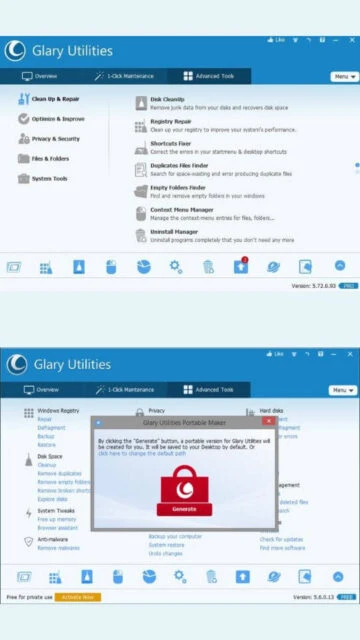
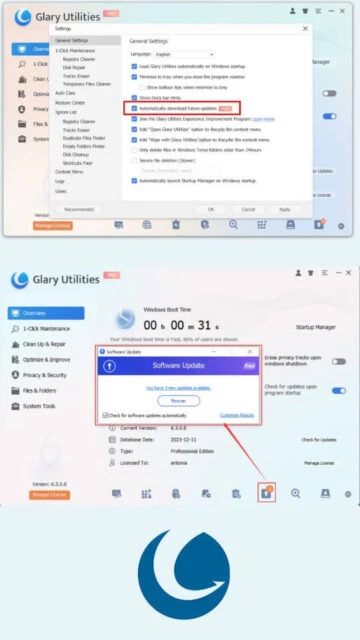
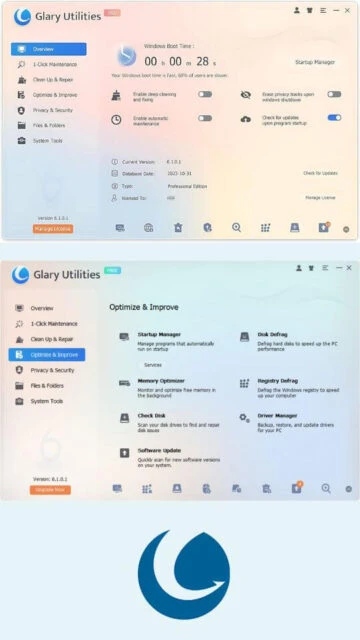
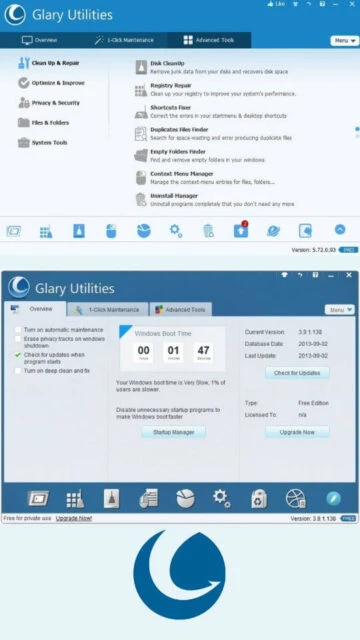
Glary Utilities provides comprehensive system maintenance with both automated and manual tools for Windows optimization. The software handles disk cleanup by removing junk data and recovering disk space, registry repair for improved performance, and shortcut fixing for menu errors. Features include duplicate file detection, empty folder removal, context menu management, program uninstalling, startup optimization, and disk defragmentation capabilities. The privacy protection component includes tracks eraser functionality to remove browsing history and cookies. Advanced tools like Process Manager, Disk Space Analyzer, and System Information provide detailed system insights. Registry backup and restore functions protect system stability during modifications.
System Requirements
Operating System:Windows 11, 10, 8, 7, Vista, XP (32-bit and 64-bit)
Processor:500 MHz or higher
RAM:256 MB
Disk Space:50 MB
Additional Requirements:Internet access recommended for updates and software checking
Features Of Glary Utilities
One-Click Maintenance: Automated scanning and fixing of common system issues with single button activation
Registry Cleaner: Scans and safely removes invalid registry entries with automatic backup before changes
Disk Cleanup: Removes junk files and recovers disk space from temporary data
Startup Manager: Lists and disables non-essential startup programs to accelerate boot time
Memory Optimizer: Monitors and optimizes RAM usage in real-time background operation
Disk Defragmentation: Defragments hard drives to improve data access speed and performance
Duplicate File Finder: Searches for and identifies duplicate files consuming disk space
Tracks Eraser: Removes browsing history, cookies, and traces of user activity for privacy
Driver Manager: Backs up, restores, and updates system drivers automatically
Software Update: Scans and checks for new versions of installed applications
Registry Defragmentation: Optimizes Windows registry structure for improved system speed
Empty Folder Finder: Locates and removes unnecessary empty directories
Pros & Cons
Pros
Intuitive interface suitable for users of all technical levels
Comprehensive toolkit addressing multiple system maintenance aspects
Free version provides most core functionality without cost
Automated one-click maintenance simplifies PC care
Automatic registry backups ensure system safety
Supports wide range of Windows versions including legacy systems
Minimal system resource consumption during operation
Scheduled maintenance available in Pro version
Cons
Pro version requires annual subscription ($19.97 to $39.95 annually)
Deep clean feature limited to Pro version only
Some advanced features have learning curve for beginners
Automatic updates can consume bandwidth
Windows Vista and XP support limited in newer versions
Changelog
Version 6.34.0.38 (Nov 18, 2025):
- Optimized Disk Cleaner with support for Windows updates
- Enhanced Tracks Eraser scanning algorithm for improved user experience
- Minor GUI improvements and refinements
- Bug fixes from previous version
Version 6.33.0.37 (Oct 27, 2025):
- Performance improvements for registry scanning
- Updated cleaning rules for latest software compatibility
- Enhanced user interface responsiveness
Version 6.32.0.36 (Sep 29, 2025):
- Added support for newer Windows applications
- Improved duplicate file detection algorithms
- Enhanced startup manager capabilities
Frequently Asked Questions
Is Glary Utilities safe to use?
Yes, Glary Utilities is safe when used correctly. The software automatically backs up your registry before making changes, allowing safe restoration if needed. Always review scanning results before applying fixes to avoid accidental deletion of important files.
What is the difference between free and Pro versions?
The free version provides core cleaning and optimization tools for non-commercial use. Pro version adds scheduled maintenance, automatic updates, privacy tracks erasure on logoff, deep clean functionality, and priority technical support for $19.97 annually.
Can I use Glary Utilities on multiple computers?
Pro version license covers up to three computers with one annual subscription. The free version is typically limited to single-computer use for non-commercial purposes.
Does Glary Utilities support my Windows version?
Yes, Glary Utilities supports Windows 11, 10, 8, 7, Vista, and even Windows XP in both 32-bit and 64-bit versions, making it compatible with most Windows installations.
How often should I run maintenance?
For optimal performance, run One-Click Maintenance weekly or enable Pro version scheduling for automatic weekly scans. Performance improvements depend on usage patterns and how much temporary data accumulates.
Does the software require internet connection?
Internet access is recommended for software updates and version checks but not strictly required for core cleaning and optimization functions to operate properly.
What is Glary Utilities?
Glary Utilities is an all-in-one system optimization suite designed for Windows that combines cleaning, repair, and maintenance functions in a single, easy-to-use dashboard. It offers both free and Pro versions, with the free edition providing most core functionality for non-commercial use. The software handles multiple aspects of PC maintenance including disk cleanup, registry repair, and system optimization tasks with minimal user interaction required.
Unmatched Power
The software delivers powerful capabilities through features like One-Click Maintenance for quick system optimization, advanced Registry Cleaner for removing obsolete entries, Startup Manager to accelerate boot times, and Disk Defragmentation to enhance hard drive performance. Additional tools include Memory Optimizer for background optimization, Tracks Eraser for privacy protection, duplicate file finder, and driver management. Users benefit from automatic backups before making system changes, scheduled maintenance options, and a comprehensive toolset that addresses both performance and security concerns.
Who Should Use It?
Glary Utilities appeals to both beginners and experienced users seeking comprehensive PC maintenance without complex technical knowledge. Home users wanting to improve system performance, remove junk files, and protect privacy benefit from its intuitive interface. IT professionals appreciate the advanced tools for system diagnostics and repair. Small business owners can leverage the Pro version’s scheduled maintenance features across multiple computers.
User reviews and ratings for Glary Utilities
See what users think about Glary Utilities. Read honest reviews and ratings from real users.
4.3
★★★★★
4 reviews
Extremely Comprehensive and Responsive Tool
by TechReviewer2025
★★★★★
2025-11-20
Glary Utilities impressed me with its comprehensive range of features and excellent responsiveness. The interface remains user-friendly despite handling complex system maintenance tasks. I recommend it highly for PC optimization.
Great Features But Could Use Better Support
by WindowsUser
★★★★★
2025-10-15
The software works well for cleaning and optimization with plenty of powerful tools. However, customer support responsiveness could improve, and pricing varies significantly by region which affects accessibility for international users.
Excellent for System Performance Improvement
by PCOptimizer
★★★★★
2025-09-28
After using Glary Utilities, my computer noticeably improved with faster boot times and smoother overall performance. The one-click maintenance is convenient and the registry backup feature provides peace of mind.
Good Free Version With Limited Advanced Features
by BudgetConsumer
★★★★★
2025-08-12
The free edition handles basic maintenance well, but advanced features like deep clean require the paid Pro version. Overall solid utility for system care with mostly positive results on my machines.
Write a Review
Glary Utilities Screenshots & Photos
Browse through screenshots and photos of Glary Utilities to see how it looks and works.
Glary Utilities Videos
Watch videos to see how this software works and learn about its features.