DaVinci Resolve – Hollywood-grade post production suite

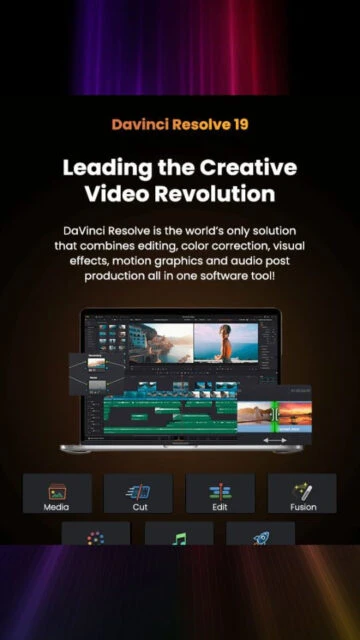
DaVinci Resolve unifies professional editing, color, VFX, motion graphics, and Fairlight audio into one powerful application optimized for modern Mac hardware.

About DaVinci Resolve

DaVinci Resolve is a full post-production platform that merges picture editing, color correction, visual effects, motion graphics, and Fairlight audio into one cohesive workflow. The interface is arranged into pages dedicated to specific tasks, letting editors, colorists, and mixers move between them instantly.

Version 20.3 strengthens performance on Apple silicon Macs, expands timeline backup controls, and refines AI-driven tools. Whether grading HDR, cutting social videos, conforming feature films, or mixing immersive formats, Resolve scales from solo creators to large, collaborative studios using Blackmagic Cloud.

System Requirements

  • Operating System: macOS 14.5 or later
  • Processor: Current model Mac with Apple silicon
  • RAM: 8 GB
  • Disk Space: 3.7 GB
  • Additional Requirements: 1440 x 900 or higher display, macOS 14 or later, internet access for Blackmagic Cloud collaboration, additional RAM recommended when using Fusion.

Features Of DaVinci Resolve

  • Unified post pipeline: Edit, color, Fusion, and Fairlight in one application
  • AI tools: Magic Mask, depth map, IntelliCut, and AI Audio Assistant accelerate repetitive tasks
  • Advanced color grading: Node-based pipeline with HDR wheels, curves, qualifiers, and tracking
  • Fusion compositing: 3D workspace with keying, particles, vector warping, and VR 180 support
  • Fairlight audio: Up to 2,000 tracks, immersive formats, dialogue matching, and loudness tools
  • High-resolution support: Edit and grade up to 32K on supported Apple M-series hardware
  • Collaboration: Blackmagic Cloud project libraries for remote, multi-user timelines
  • Extensive format support: Wide codec compatibility for camera originals, IMF, broadcast, and web
  • Timeline management: Dual timelines, named timeline backups, and customizable metadata columns
  • Delivery flexibility: Presets for broadcast, DCP, web platforms, and custom render pipelines

Pros & Cons

Pros

  • Industry-grade color and finishing tools in the free version
  • Single application replaces multiple separate post-production tools
  • Highly optimized for Apple silicon performance and efficiency
  • Robust collaboration features through Blackmagic Cloud
  • Scales from small YouTube projects to theatrical features
  • Frequent updates with meaningful new capabilities
  • Wide hardware and format compatibility across ecosystems

Cons

  • Steep learning curve for new editors and colorists
  • Hardware requirements can be demanding for complex projects
  • Some advanced features reserved for Studio paid version
  • Certain third-party panels and plugins unsupported in Mac App Store build
  • Interface density may overwhelm casual or occasional users

Changelog

Version 20.3 (2025-12-01):
- Added up to 32K resolution support on Apple M5 systems
- Improved Resolve FX noise reduction performance in Studio
- Introduced named timeline backup snapshots and enhanced metadata handling

Version 20.2.3 (2025-11-04):
- Up to 4x faster Magic Mask, Depth Map, and Super Scale on Intel GPUs
- Added Blackmagic RAW 5.1 support and numerous stability fixes

Version 20.2.2 (2025-10-14):
- Focused stability update improving playback, trimming, and Fairlight performance

Frequently Asked Questions

Is DaVinci Resolve completely free to use?

DaVinci Resolve is available as a fully featured free edition that includes professional editing, color, Fusion, and Fairlight. A paid Studio license unlocks additional AI features, advanced noise reduction, higher frame-rate and resolution options, plus more Resolve FX filters and collaboration tools.

Does DaVinci Resolve support Apple silicon Macs natively?

Yes, current versions are optimized for Apple silicon and distributed through the Mac App Store and Blackmagic's website. Resolve uses the GPU cores on M-series chips for accelerated processing, enabling demanding color, Fusion, and Fairlight workloads with significantly improved performance compared to older Intel-based systems.

What kind of projects is DaVinci Resolve best suited for?

Resolve is used for everything from YouTube channels and social content to high-end commercials, episodic television, and feature films. Its integrated toolset and precise color management make it especially strong for workflows that require accurate grading, complex visual effects, and multi-format mastering.

Do projects from the free version open in DaVinci Resolve Studio?

Yes, project libraries are compatible between the free and Studio editions of the same major version. You can start in the free version and later move to Studio without reconforming. However, any Studio-only grades or effects will not render correctly if a project is opened back in the free edition.

What hardware is recommended for smooth DaVinci Resolve performance?

For best results, use a recent Apple silicon Mac with ample unified memory, fast internal SSD storage, and an external monitor calibrated for color-critical work. Complex timelines with Fusion effects or high-resolution media benefit from higher RAM configurations and leaving sufficient free disk space for cache and render files.