Clipchamp – Easy AI-Powered Online Video Editor

Cloud-based video editor with AI-powered features, autocaptions in 140 languages, and templates for quick social media content creation.

About Microsoft Clipchamp

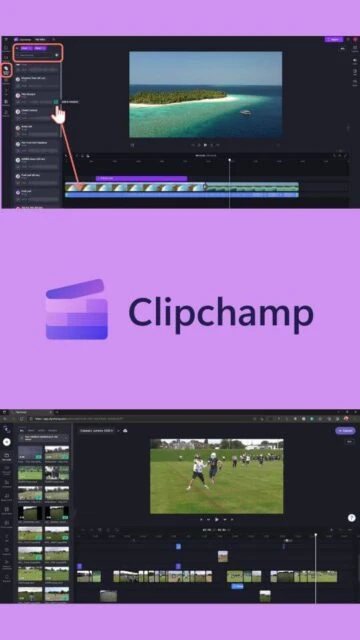
Microsoft Clipchamp revolutionizes video creation for everyone, from casual creators to professionals. Built on cloud infrastructure, it eliminates complex software installations while delivering Hollywood-quality results. The platform's 2025 updates introduced significant usability enhancements including dark and light modes, improved timeline precision with timestamp displays, and better asset organization. Clipchamp supports comprehensive video editing with AI-driven features, including smart background removal, voice clarity enhancement, and intelligent audio editing that removes filler words and unwanted pauses automatically.

System Requirements

  • Operating System: Windows 10 64-bit or Windows 11, macOS 10.15 or later, Linux via browser, Chromebooks, iOS 14 or later
  • Processor: Intel Core i5 or equivalent AMD processor
  • RAM: 8 GB minimum, 16 GB recommended
  • Disk Space: 500 MB free space for cache and temporary files
  • Additional Requirements: Dedicated graphics card recommended, stable internet connection required, modern browser (Chrome 64-bit or Edge 64-bit)

Features Of Microsoft Clipchamp

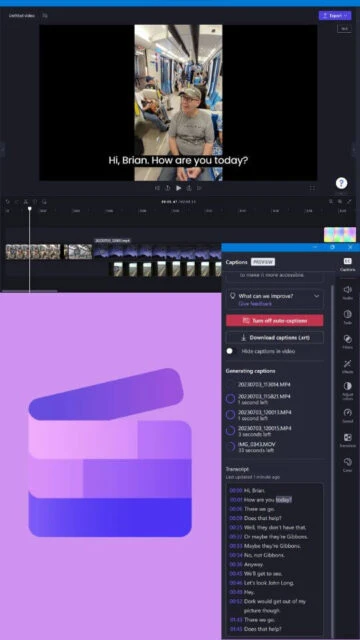
  • AI-powered autocaptions in 140 languages: Generate accurate subtitles automatically from video audio with smart voice detection technology.
  • AI text-to-speech with 170 voices: Create natural-sounding voiceovers in multiple languages and accents with customizable pitch and pace.
  • AI background noise removal: Enhance audio clarity by automatically removing background noise and unwanted pauses from videos.
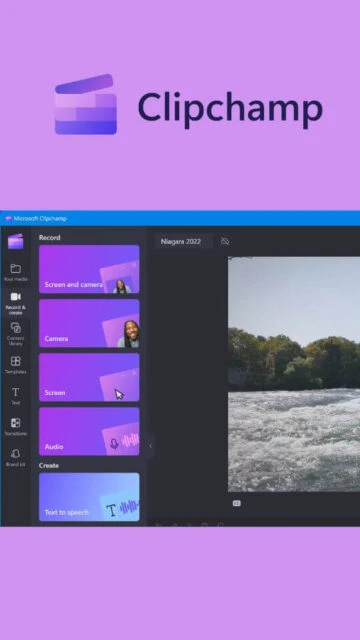
  • Screen and webcam recording: Capture full-screen, window-specific, or webcam content with system audio and microphone input simultaneously.
  • Stock library integration: Access millions of royalty-free videos, images, music, stickers, GIFs, and sound effects across curated collections.
  • Advanced color correction: Adjust exposure, contrast, saturation, brightness, and apply 3D LUT filters for professional color grading.
  • Brand kit customization: Save and apply custom fonts, colors, logos, and branding elements across multiple video projects automatically.
  • Video templates: Choose from professionally designed templates for social media, marketing, education, and business content creation.

Pros & Cons

Pros

  • Completely free for HD exports with no watermarks: Full access to core features without paying anything for 1080p video creation.
  • Intuitive interface suitable for beginners: Simple, clean design that doesn't require prior video editing experience or technical knowledge.
  • Powerful AI features that save time: Automated captioning, background removal, and audio enhancement reduce manual editing significantly.
  • Cloud-based with no installation required: Access directly from any modern web browser on Windows, Mac, or Linux systems.
  • Seamless Microsoft 365 integration: Premium features unlock automatically for Microsoft 365 subscribers at no additional cost.
  • Regular feature updates and improvements: Microsoft continuously adds new tools like dark mode, better timeline controls, and enhanced performance.

Cons

  • 4K exports require premium subscription: Watermark-free 4K video creation needs paid Essentials plan at additional monthly cost.
  • Cloud-based dependency requires stable internet: Projects save and process in cloud, making offline editing impossible without internet connection.
  • Limited advanced editing for complex projects: Professional features like advanced compositing or precise motion tracking are not available.
  • Performance issues with very long videos: Editing videos longer than 30 minutes may cause slowdowns or require compression beforehand.
  • Browser-based limitations: Relies on browser performance and may not be suitable for demanding hardware acceleration tasks.

Changelog

Version 4.4.10440.0 (December 2025):
- Improved dark and light mode with system preference detection
- Enhanced timeline precision with timestamp hover display
- Better asset grouping functionality for media organization
- Fixed performance issues with longer video projects
- Expanded AI voice options and accent support
Version 4.3.10040.0 (October 2025):
- Added full-screen playback mode for preview window
- Improved undo/redo action handling
- Enhanced aspect ratio changing functionality
- Fixed autocaption language detection accuracy

Frequently Asked Questions

Can I use Clipchamp completely free?

Yes, Clipchamp offers a fully functional free version with unlimited watermark-free HD (1080p) exports, access to basic stock assets, filters, and AI features like autocaptions. Premium 4K exports require a subscription.

What is the cost of Clipchamp Premium?

Clipchamp Premium (Essentials Plan) costs $11.99 USD per month or $119.99 per year for annual billing. It includes 4K exports, premium stock library access, and advanced filters. Microsoft 365 subscribers get Premium features included.

Do I need to download software to use Clipchamp?

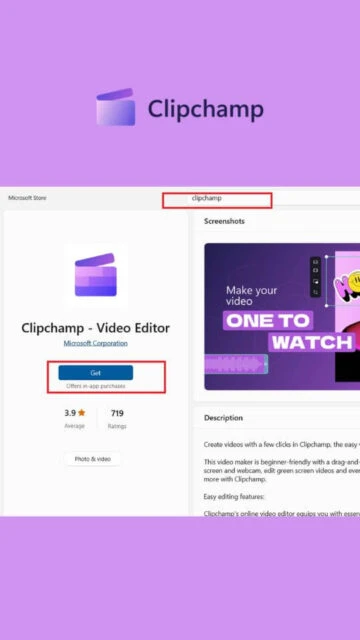
No, Clipchamp is entirely cloud-based. Simply visit clipchamp.com in your browser to start editing. A Windows app is available via Microsoft Store for convenience, but download is optional.

Can Clipchamp generate captions in my language?

Clipchamp's AI autocaption feature supports over 140 languages including English, Spanish, French, German, Chinese, Japanese, Arabic, Hindi, Korean, and many others for automatic subtitle generation.

Is my video data safe with Clipchamp?

Clipchamp uses Microsoft's secure cloud infrastructure with encryption. Videos are stored securely and accessible only to your account. Premium users get content backup functionality for additional protection.

What file formats does Clipchamp export?

Clipchamp exports primarily to MP4 format (H.264 codec). Free version exports HD quality, Premium supports 4K. Audio can be exported separately in MP3 format for podcast or voiceover projects.