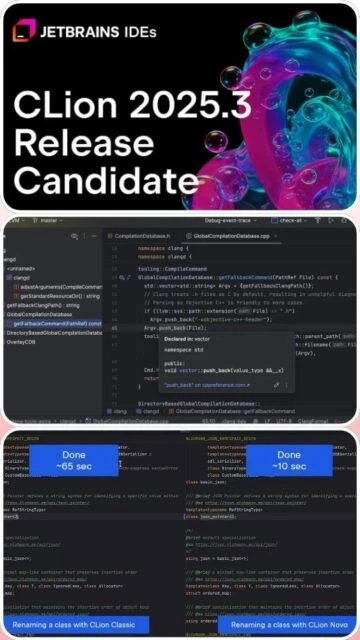
CLion 2025.3 represents the state-of-the-art C/C++ development environment, combining JetBrains’ renowned IntelliJ platform with specialized native development tools. Version 2025.3 introduces the CLion Nova language engine as default, delivering exceptional performance improvements alongside the revolutionary Constexpr Debugger for compile-time evaluation inspection. This IDE uniquely supports Debug Adapter Protocol, expanding debugger compatibility beyond traditional GDB/LLDB. The bundled CMake 4.1.2 integration streamlines build system management. This comprehensive guide reveals how CLion accelerates C/C++ development through intelligent coding assistance, powerful refactoring, and industry-leading debugging capabilities unavailable in competitors.
How to Install CLion 2025.3
CLion installation offers flexibility through direct downloads, JetBrains Toolbox App, or Linux snap packages. Installation takes five minutes, with automatic license activation through JetBrains Account login.
- Download from Official Source – Visit https://www.jetbrains.com/clion/download and select the installer for Windows (.exe), macOS (.dmg), or Linux (.AppImage, tarball, or snap). Alternatively, download Toolbox App which manages multiple JetBrains products.
- Execute Installation Wizard – Run the downloaded installer and follow setup prompts. Accept license terms and choose installation directory. Toolbox App automates installation and updates for all products.
- Configure Development Environment – Launch CLion and configure C/C++ compiler settings (GCC, Clang, MSVC), CMake executable path, and debugging tools (GDB, LLDB). Automatic detection usually succeeds on first launch.
- Activate License or Trial – Log in with JetBrains Account to activate subscription, free trial (30 days), or student license. Educational users qualify for free licenses through https://www.jetbrains.com/community/education/.
Who Should Use CLion 2025.3
CLion serves professional C/C++ developers and organizations requiring industrial-strength IDE capabilities. While expensive, its advanced features justify costs for serious native development.
- C/C++ Software Engineers – Professionals developing applications, systems software, or embedded systems requiring intelligent refactoring, advanced debugging, and enterprise build system support.
- Game Developers – Unreal Engine and game development professionals benefit from seamless C++ debugging, visual profiling, and Unreal Engine-specific plugins for live code editing.
- Embedded Systems Developers – Developers working with microcontrollers, RTOS, and nRF Connect SDK appreciate integrated debugger, improved West integration, and cross-platform compilation support.
- NOT ideal for – Solo beginners (expensive learning curve), web developers (overkill for web development), open-source maintainers on restricted budgets, or developers requiring other language focus.
CLion 2025.3 Platform Compatibility
CLion maintains consistent functionality across Windows, macOS, and Linux with platform-specific integrations for native development tools. Each platform receives identical feature set with optimized native debugging and compiler integration.
| Platform |
Min. Version |
Unique Features |
Limitations |
| Windows |
Windows 7 or later (10/11 recommended) |
MSVC compiler integration, Visual Studio toolchain compatibility, Windows Subsystem for Linux support, native Terminal integration |
Requires C++ compiler (MSVC, MinGW, or Clang) |
| macOS |
macOS 10.9 or later (12+ recommended) |
Xcode toolchain integration, LLDB debugger native support, Universal binary for Intel and Apple Silicon, native debugging on iOS simulator |
Requires Xcode Command Line Tools installed |
| Linux |
Ubuntu 18.04+, RHEL/CentOS 7+, Debian |
GDB integration, native package manager plugin support, Wayland display server support, remote development over SSH |
Requires GCC or Clang compiler installation |
| Remote |
SSH server 7.9+, 50 Mbps connection |
Remote development with synchronized file access, remote debugging capabilities, container support |
Requires separate CLion instance on workstation |
CLion 2025.3 Integrations & Plugins
CLion’s extensible architecture integrates with critical development tools and version control systems. Native integrations eliminate configuration overhead while plugin marketplace expands functionality for specialized workflows.
- CMake Build System – Bundled CMake 4.1.2 with intelligent configuration management, automatic detection, live editing validation, and new sysbuild support for nRF Connect SDK projects.
- Git and Version Control – Native integration with Git, GitHub, GitLab, Bitbucket, SVN, Mercurial, and Perforce with intuitive diff viewer, branch management, and local history preservation.
- Testing Frameworks – Native support for Google Test, Boost.Test, Catch, and Doctest with visual test runner UI, automatic code generation, and test result investigation tools.
- Remote Development – SSH-based remote compilation and debugging, container development support, synchronized file access, and Unreal Engine live code editing integration.
Best Alternatives to CLion 2025.3
While CLion dominates professional C/C++ development, alternative IDEs and editors serve different priorities. Evaluating alternatives clarifies trade-offs between cost, features, and learning curve.
- Visual Studio Community – Best for Windows C++ development with free edition for students and small businesses; comprehensive IntelliSense, integrated debugging, and massive plugin ecosystem but resource-hungry.
- Sublime Text 4 – Best for lightweight C++ editing with minimal overhead; supports build systems and external tools but lacks integrated debugging and language-specific analysis.
- Xcode – Best for macOS/iOS C++ development on Apple platforms; free with native integration but limited cross-platform support and inferior to CLion for pure C++.
- Code::Blocks – Best for open-source C/C++ development with GCC/MinGW; completely free and lightweight but less polished UI and fewer advanced features than CLion.
CLion 2025.3 vs Top Competitors
Comparing CLion against leading development environments reveals clear specialization. Each alternative excels in different domains, making selection dependent on platform, budget, and development focus.
| Feature |
CLion 2025.3 |
Visual Studio 2024 |
Xcode 16 |
| Pricing |
$99-229/year subscription, free for students/teachers |
Community: Free, Professional: $1199 lifetime, Enterprise: per-seat |
Free with Apple Developer account |
| Key Strength |
Constexpr debugging, CMake integration, cross-platform C++ |
IntelliSense, extensive C++ standards, Windows ecosystem |
Native Apple platform integration, Swift/Objective-C |
| Target Users |
Professional C/C++ developers, game developers, embedded systems |
Windows-focused enterprise developers, game studios |
macOS/iOS C++ developers, Apple ecosystem specialists |
| Unique Feature |
Constexpr debugger for compile-time evaluations, DAP protocol, Nova language engine |
Visual designers, WinForms/WPF builders, XAML support |
Interface Builder, Swift Playgrounds, simulator integration |
| Learning Curve |
Steep but rewarding |
Moderate |
Shallow for macOS developers |
CLion 2025.3 Keyboard Shortcuts
Strategic keyboard shortcut mastery accelerates development workflow in CLion. Muscle memory for common operations maintains flow state during intensive coding sessions.
| Action |
Windows |
macOS |
| Go to Declaration or Definition |
Ctrl+B |
Cmd+B |
| Quick Documentation Popup |
Ctrl+Q |
Ctrl+J |
| Run Selected Configuration |
Shift+F10 |
Ctrl+R |
| Debug Selected Configuration |
Shift+F9 |
Ctrl+D |
| Step Over During Debugging |
F8 |
F8 |
| Step Into During Debugging |
F7 |
F7 |
| Search Everywhere (Files, Classes, Symbols) |
Ctrl+Shift+A |
Cmd+Shift+A |
| Quick Fix or Show Intention Action |
Alt+Enter |
Option+Enter |
CLion 2025.3 Performance Optimization
Configuring CLion properly ensures responsive performance even on large C++ projects with thousands of files. Strategic settings adjustments balance indexing thoroughness against resource consumption.
- Nova Language Engine Tuning – Version 2025.3 defaults to CLion Nova for superior performance. Adjust indexing scope in Settings > Directories to exclude build, third-party, and generated code directories.
- Compiler Cache Optimization – Enable compiler caching and precompiled headers for large projects to reduce reindexing time. Configure CMake cache settings in Settings > Build, Execution, Deployment > CMake.
- Plugin Selective Loading – Disable unused language plugins (Rust, Python, JavaScript) in Settings > Plugins to reduce initialization time and memory footprint on pure C++ projects.
- Remote Development Configuration – For remote projects, configure local CMake cache and SSH settings properly to minimize round-trip delays between workstation and remote host.
- Memory Allocation Expansion – Increase heap size in clion.vmoptions for projects exceeding 100MB of source code; allocate 2-4GB additional RAM if available on workstation.
CLion 2025.3 Accessibility Features
CLion incorporates accessibility features benefiting users with diverse accessibility needs. Screen reader support and keyboard-first navigation ensure inclusive development environment.
- Screen Reader – Support for JAWS and NVDA screen readers; IDE announces menus, dialogs, and code issues. Support level varies across complex UI elements with improving compatibility across versions.
- Visual – High contrast themes, adjustable font sizes, color-blind accessible color schemes, customizable editor scheme with background color controls for reduced eye strain.
- Motor – Complete keyboard-only operation with configurable key bindings, Vim mode emulation, mouse gesture alternatives, and customizable shortcut profiles for accessibility.
- Languages – UI available in Chinese (Simplified), English, French, German, Japanese, Korean, Portuguese, Russian, Spanish supporting right-to-left text for mixed-language projects.
CLion 2025.3 Support & Documentation
Extensive official documentation and community resources ensure developers find solutions quickly. Professional support available for commercial subscribers provides enterprise-grade assistance.
- Official Documentation – Comprehensive guides at https://www.jetbrains.com/help/clion/ covering installation, configuration, debugging, CMake integration, and advanced IDE features with code examples.
- Community Forum – Active discussions at https://intellij-support.jetbrains.com with thousands of questions answered by JetBrains staff and experienced users within hours.
- Video Tutorials – Official JetBrains YouTube channel provides extensive tutorials on debugging, CMake, refactoring, and C++ workflow optimization; community creators supplement with specialized content.
- Contact Support – Commercial subscribers receive email support within 1-2 business days. Free tier users access community forums and documentation; educational institutions qualify for priority support.