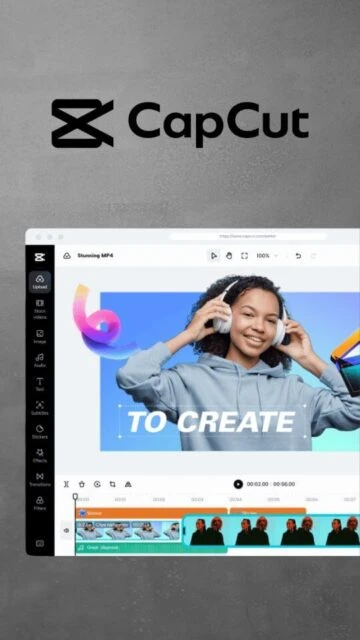
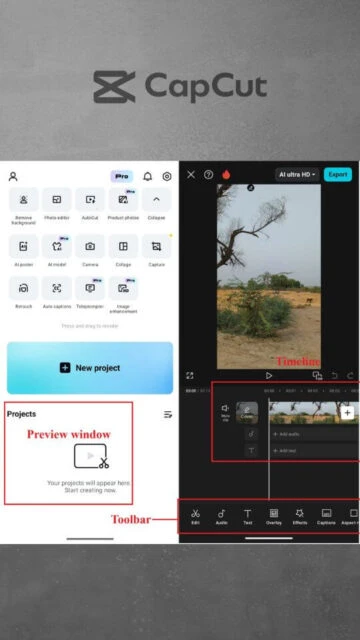
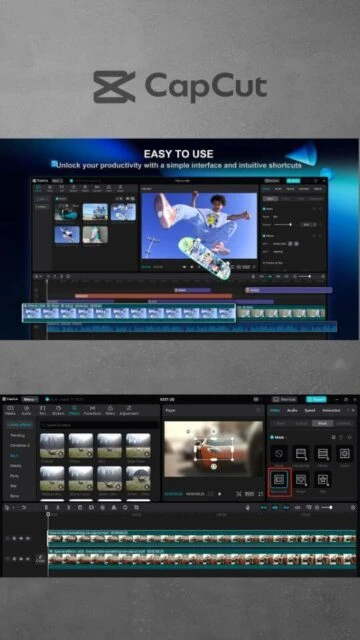
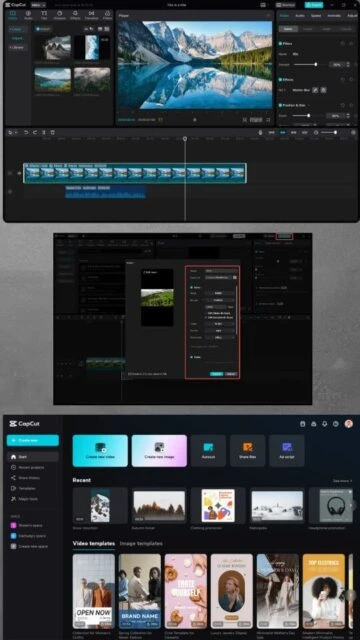
CapCut Desktop – AI-powered video editing for creators
AI-Powered Video Editing Made Simple
Free professional video editor with AI tools including auto-captions, video translation, upscaling, and intelligent editing features for social media content.
CapCut Desktop represents the cutting edge of accessible video editing, bringing TikTok-level professional features to creators worldwide. ByteDance's AI-first approach dramatically simplifies video production, automating tasks that normally require hours of manual work. The software gained massive popularity through its mobile app and now brings that same intuitive power to desktop platforms. Free users get 1080p exports with core editing tools and basic AI features, while Pro subscribers unlock 4K export, premium templates, full asset libraries, and advanced AI capabilities. CapCut's cross-platform availability and emphasis on social media optimization make it ideal for modern content creators.
System Requirements
Operating System:Windows 10 64-bit or later, macOS 11 or later
Processor:Intel Core i3 or equivalent AMD processor
RAM:4 GB
Disk Space:10 GB
Additional Requirements:Integrated GPU or 2GB VRAM minimum; internet connection required for cloud features and AI tools
Features Of CapCut Desktop
AI video maker converting scripts and ideas into complete videos
Auto-captions in multiple languages with one-click generation
AI video translator with natural lip-sync dubbing
Video upscaler fixing blurry footage and old recordings
Intelligent background removal with one-click processing
One-click face retouching and enhancement tools
Long-video-to-shorts conversion with AI highlight detection
Transcript-based editing through text modifications
Camera tracking keeping focus on moving subjects
Smart color correction for automatic lighting adjustment
Desktop screen recording capability
Picture-in-picture effect creation
Super slow-motion capture and adjustment
Pros & Cons
Pros
Completely free with generous features and no mandatory watermarks
AI tools dramatically reduce editing time compared to traditional software
Intuitive interface accessible to complete beginners
Excellent auto-captioning supporting numerous languages
Multi-platform support for Windows and macOS
Integrated copyright-free music library with AI recommendations
AI upscaling and restoration features unique among free editors
Seamless social media export with platform-specific optimization
Cons
Internet connection required for cloud-based AI processing
Pro features locked behind subscription paywall beyond free tier
Templates and premium assets limited in free version
Less control for advanced users preferring manual editing
Cloud storage limited on free plan
Some AI features may have usage limits or processing queues
Fewer keyboard shortcuts compared to professional editing software
Changelog
Version 5.7.0 (December 2025):
- Enhanced AI upscaling algorithms for clearer low-resolution footage
- Expanded translator language support with improved lip-sync
- New AI avatar styles for video hosting
- Improved auto-caption accuracy and styling options
- Performance optimizations for faster rendering
- Expanded royalty-free music library
Version 5.6.0 (Previous):
- Advanced AI color correction tools
- Camera tracking improvements for dynamic footage
- Enhanced transcript-based editing interface
Frequently Asked Questions
Is CapCut Desktop completely free?
Yes, CapCut Desktop offers a fully functional free tier with 1080p export, auto-captions, basic AI tools, and all core editing features. Pro plans ($7.99-$19.99 monthly) unlock 4K export, premium templates, and unlimited cloud storage for professional needs.
How does the AI video translator work?
CapCut's AI translator analyzes your video's audio, generates translations in selected languages, and creates natural-sounding dubbed audio while synchronizing lip movements to match the original speaker. It also generates matching subtitles automatically.
Can I use CapCut videos commercially?
Free tier videos require proper licensing disclosure. Pro plan ($74.99 annually) grants commercial-use rights. All royalty-free music within CapCut has cleared rights for commercial distribution.
What's the maximum video resolution I can export?
Free tier exports up to 1080p full HD. Pro subscribers can export 4K (3840x2160) and ultra-HD formats. Frame rates support up to 60fps with advanced codecs in Pro tier.
How does auto-captioning work and what languages are supported?
CapCut's AI auto-caption feature transcribes your video's dialogue and generates synced subtitles. It supports 20+ languages including English, Spanish, French, German, Japanese, Chinese, Korean, Arabic, Vietnamese, and more with high accuracy.
Do I need a powerful computer to use CapCut Desktop?
No, CapCut runs smoothly on entry-level systems with Core i3 processor and 4GB RAM. Cloud processing handles AI rendering, so even modest hardware delivers professional results. Recommended 8GB+ RAM for smoother 4K editing.
What is CapCut Desktop?
CapCut Desktop is a free, AI-powered video editing software developed by ByteDance available for Windows and macOS. It combines intuitive timeline controls with advanced artificial intelligence features that automate complex editing tasks. CapCut Desktop enables creators to produce professional-quality videos quickly without requiring extensive technical knowledge or expensive hardware.
Unmatched Power
CapCut’s AI toolkit transforms content creation through automatic captioning in multiple languages, intelligent video translation with lip-sync, background removal, video upscaling for blurry footage, and one-click face retouching. The AI video maker converts scripts into complete videos with scenes and music, while transcript-based editing allows modifications through text adjustments. Smart color correction automatically fixes lighting and color issues, and the long-to-shorts feature intelligently extracts highlights from extended videos for social media repurposing.
Who Should Use It?
CapCut Desktop suits content creators, social media managers, educators, and businesses needing rapid video production. Vloggers benefit from auto-captioning and stabilization, while marketing teams leverage AI tools for campaign videos. Freelancers appreciate the free tier with 1080p export, with optional Pro plans unlocking 4K and advanced features for professional deliverables.
User reviews and ratings for CapCut Desktop
See what users think about CapCut Desktop. Read honest reviews and ratings from real users.
4.6
★★★★★
4 reviews
AI tools changed everything for my channel
by Jessica Wong
★★★★★
2025-12-02
CapCut's auto-captions and video translator save me hours weekly. The AI upscaler fixed old footage that would have required re-shooting. Free version with these AI features beats paid competitors.
Incredibly intuitive for beginners
by Marcus Johnson
★★★★★
2025-11-18
My entire team now creates social media videos using CapCut without formal training. The interface feels natural and AI handles the technical complexity. This democratizes professional video production.
Great free tier but cloud dependency is annoying
by David Park
★★★★★
2025-10-25
Excellent features and AI tools, but every upscale or translation requires internet and processing time. Offline editing would be perfect. Still worth using despite these limitations for the cost savings.
Professional results without the learning curve
by Amanda Rodriguez
★★★★★
2025-09-12
Switched from traditional editors because CapCut delivers polished output in half the time. The one-click face retouching and color correction mean I spend less time adjusting and more time creating.
Write a Review
CapCut Desktop Screenshots & Photos
Browse through screenshots and photos of CapCut Desktop to see how it looks and works.
CapCut Desktop Videos
Watch videos to see how this software works and learn about its features.