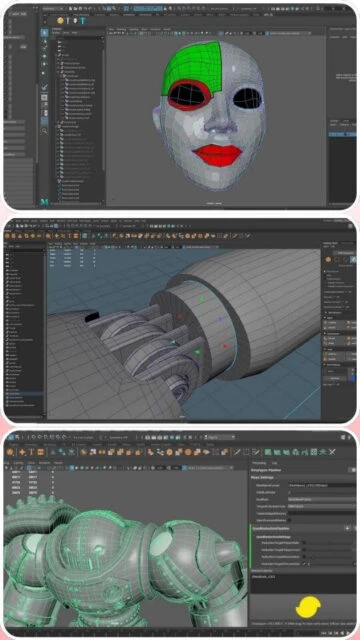
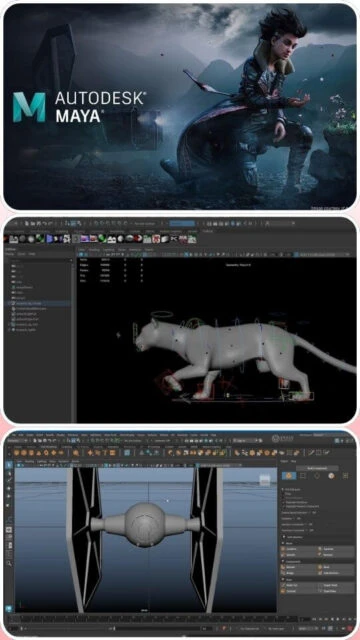
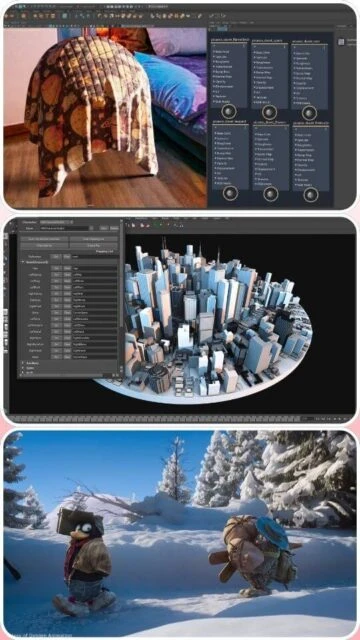
Autodesk Maya 2025 stands as the professional gold standard for character animation and visual effects workflows. This industry-adopted platform provides specialized rigging, deformation, and particle systems refined through decades of professional studio use. This guide covers installation, system requirements, and production pipeline integration essential for character animators, effects artists, and VFX specialists in film and game development.
How to Install Autodesk Maya 2025
Maya 2025 installation requires Autodesk account creation and subscription activation through their desktop installation application. The process includes license configuration and plugin initialization for rendering and asset integration.
- Create Autodesk Account – Register at autodesk.com and subscribe to Maya 2025 (30-day trial available for evaluation)
- Download via Autodesk Access – Use Autodesk Access desktop application to download and manage Maya 2025 installer for your platform
- Run Installation Wizard – Execute the installer selecting installation path and platform-specific configuration options
- Activate License – Launch Maya and authenticate using Autodesk account credentials; license validates automatically online
Who Should Use Autodesk Maya 2025
Maya 2025 serves professional character animators, VFX specialists, riggers, and game studios requiring advanced deformation and animation tools. The software excels in complex character rigging and motion capture integration workflows.
- Character Animators – Create compelling character animation using keyframe, nonlinear, and motion capture workflows with specialized deformation tools
- VFX Artists – Develop complex visual effects including particle systems, fluid dynamics, and cloth simulation with Arnold rendering
- Riggers – Build sophisticated character rigs using IK systems, muscle simulation, and procedural rigging with Bifrost
- NOT ideal for – Motion graphics professionals may prefer Cinema 4D’s procedural workflow and Mograph tools for broadcast animation
Autodesk Maya 2025 Platform Compatibility
Maya 2025 maintains comprehensive cross-platform support optimized for Windows, macOS, and Linux production environments. Each platform provides identical feature access with platform-specific performance optimizations.
| Platform |
Min. Version |
Unique Features |
Limitations |
| Windows |
Windows 10 (1809+) or Windows 11 |
DirectX 12 hardware acceleration, NVIDIA/AMD GPU optimization, Steam integration |
Requires SSE4.2 processor support; some legacy CPUs incompatible |
| macOS |
macOS 13.x, 14.x or 15.x |
Apple Silicon (arm64) and Intel x86 native support, Metal GPU rendering optimization |
Intel Mac performance lower than native Apple Silicon; GPU drivers may require updates |
| Linux |
Red Hat 8.7/9.3 or Rocky Linux 8.7/9.3 |
Production render farm compatibility, Docker containerization support, OpenGL optimization |
Limited GPU support; primarily CPU rendering on Linux |
| Web |
Not available |
No web version; desktop-only software |
Desktop installation required for all features |
Autodesk Maya 2025 Integrations & Plugins
Maya 2025 integrates with professional production pipelines through native Arnold rendering, Bifrost procedural framework, and extensive plugin ecosystem. USD support enables seamless asset interchange across production teams.
- Arnold Rendering – Native production renderer with ray tracing, subsurface scattering, and GPU acceleration for film-quality output
- Bifrost Graph – Procedural framework enabling visual node-based effects creation, crowd simulation, and advanced dynamics workflows
- OpenUSD Integration – Native support for Universal Scene Description enabling collaborative workflows with Cinema 4D, Blender, and other platforms
- Third-Party Plugins – Extensive ecosystem including V-Ray, Redshift, Houdini Engine, and specialized effects tools for custom pipelines
Best Alternatives to Autodesk Maya 2025
While Maya dominates character animation pipelines, alternative platforms offer distinct advantages for specific workflows and budget requirements. Selection depends on team experience and production focus.
- Cinema 4D 2026 – Best for motion graphics and procedural workflows with superior broadcast animation tools and Mograph system
- Blender 4.2 LTS – Best for cost-conscious teams seeking feature parity without licensing fees or subscription requirements
- Autodesk MotionBuilder – Best for motion capture workflows and real-time character animation with specialized performance capture tools
- Houdini 20.5 – Best for advanced procedural effects and technical animation with node-based architecture
Autodesk Maya 2025 vs Top Competitors
Maya 2025 competes directly in character animation and VFX markets while facing significant challenges from free Blender capabilities. Each platform maintains distinct advantages across specialized animation disciplines.
| Feature |
Autodesk Maya 2025 |
Cinema 4D 2026 |
Blender 4.2 LTS |
| Pricing |
Subscription: $680/year or $58/month |
Subscription: $649/year or $55/month |
Free and open-source |
| Key Strength |
Character animation and VFX rigging with industry standardization |
Motion graphics and procedural modeling excellence |
Complete free alternative with professional capabilities |
| Target Users |
Character animators, game studios, VFX professionals, animation studios |
Motion designers, broadcast professionals, VFX artists |
Independent artists, students, budget-conscious studios |
| Unique Feature |
Bifrost Graph, Machine Learning Deformer, MotionMaker AI, complex character tools |
Redshift native integration, MoGraph procedural tools, Take System |
GPU compositor acceleration, EEVEE real-time rendering, Extensions Platform |
| Learning Curve |
Steep |
Moderate |
Moderate to steep |
Autodesk Maya 2025 Keyboard Shortcuts
Mastering Maya 2025 keyboard shortcuts accelerates animation and modeling workflows by reducing menu navigation. Essential shortcuts for viewport control, animation, and tool selection optimize creative productivity.
| Action |
Windows |
macOS |
| Toggle Animation Playback |
V |
V |
| Frame Selected Objects |
F |
F |
| Insert Key Current Position |
S |
S |
| Toggle Select Mode |
Q |
Q |
Autodesk Maya 2025 Performance Optimization
Maximizing Maya 2025 performance requires RAM allocation, GPU optimization, and scene hierarchy management. These techniques maintain interactive viewport responsiveness during complex character animation and VFX development.
- GPU Configuration – Enable NVIDIA/AMD GPU acceleration in Display > Viewport 2.0 for real-time shadow and lighting preview
- RAM Management – Allocate 32+ GB RAM for complex character rigs; monitor memory usage in Window > Diagnostics > Performance Monitor
- Scene Hierarchy Optimization – Organize complex rigs in logical namespace structures improving render performance and object selection efficiency
- Plug-in Management – Disable unused plugins in Preferences reducing startup time and memory overhead for production workflows
- Arnold Sampling Optimization – Reduce AA samples for interactive viewport rendering; increase samples only for final production output
Autodesk Maya 2025 Accessibility Features
Maya 2025 incorporates accessibility options supporting diverse user needs including screen reader support, visual adjustments, and keyboard navigation. Autodesk continues expanding accessibility infrastructure for inclusive workflows.
- Screen Reader – NVDA and JAWS screen reader support for UI elements with dedicated accessibility reporting features
- Visual – High-contrast interface themes, customizable font scaling, colorblind-friendly viewport visualization options
- Motor – Complete keyboard-only navigation support with fully customizable hotkey assignment for mouse-free workflows
- Languages – Interface localized in 13 languages with RTL support for Arabic and Hebrew text rendering
Autodesk Maya 2025 Support & Documentation
Maya 2025 benefits from comprehensive Autodesk documentation, extensive tutorial libraries, and active professional community forums. Learning resources span beginner animation through advanced rigging and effects techniques.
- Official Documentation – Comprehensive Autodesk help portal covering all features with detailed animation tutorials and technical documentation
- Community Forum – Autodesk forums and Maya-specific communities facilitate user discussions, technique sharing, and peer-to-peer problem solving
- Video Tutorials – Official Autodesk YouTube channel and learning platforms offering professional animation and rigging tutorials
- Contact Support – Direct technical support available for subscription customers through Autodesk support portal and support ticketing system

 70
70