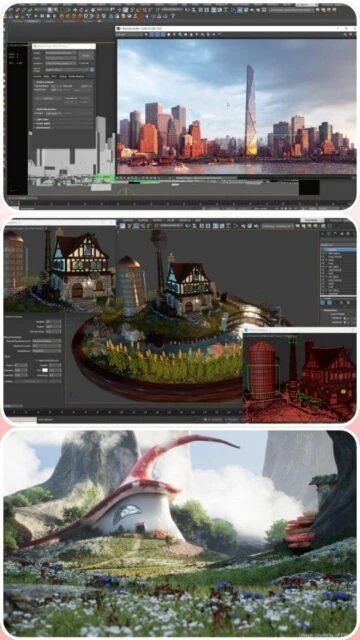
Autodesk 3ds Max stands as the preeminent choice for professional 3D modeling, animation, and rendering across games, film, and architectural visualization. This comprehensive guide explores installation, optimal usage, platform compatibility, integrations, and competitive alternatives for this powerful DCC application that has dominated the entertainment industry for over three decades.
How to Install Autodesk 3ds Max
Installing 3ds Max requires downloading from Autodesk’s official portal using your Autodesk Account or Autodesk Access (formerly Desktop App). The process involves downloading the installer file, launching the setup wizard, and activating your subscription license. Installation typically takes 20-30 minutes on modern systems.
- Download via Autodesk Account – Log into your Autodesk Account, navigate to your subscriptions, select 3ds Max, and choose your platform (Windows 11/10) and language before downloading the installer.
- Run the Installation Wizard – Execute the downloaded installer file and follow the setup prompts, selecting your installation directory and accepting the software license agreement terms.
- Configure System Components – The installer will set up required dependencies including DirectX, graphics drivers, and necessary runtime libraries for optimal viewport and rendering performance.
- Activate Your Subscription – Launch 3ds Max and sign in with your Autodesk Account credentials to activate your subscription license, which allows installation on up to three devices with single-user access.
Who Should Use Autodesk 3ds Max
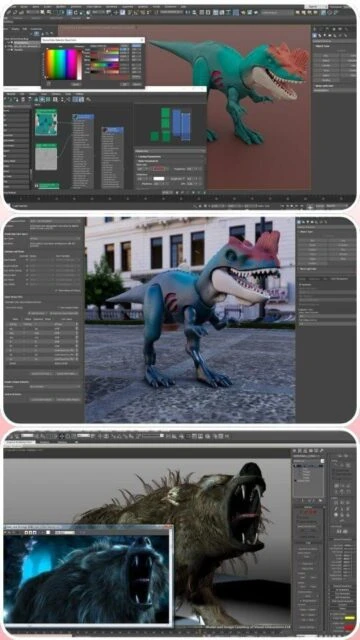
3ds Max serves diverse professional 3D artists across multiple industries. Game developers use it for environmental design and character rigging. VFX studios leverage its Arnold renderer and simulation tools. Architects visualize buildings with photorealistic rendering. Designers create product visualizations and marketing materials.
- Game Developers – Build expansive worlds, create detailed props, rig characters, and implement animation controllers for AAA and indie game titles.
- VFX and Animation Studios – Produce complex particle simulations, fluid dynamics, cloth simulation, and character effects for film and television productions.
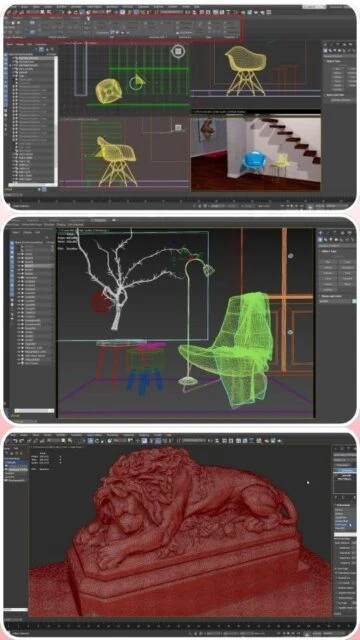
- Architectural Visualization Professionals – Generate photorealistic renders of buildings, interiors, and landscapes for client presentations and marketing.
- NOT ideal for – Users seeking open-source alternatives (consider Blender), those with Linux-only workflows, or creators on strict budgets requiring free software.
Autodesk 3ds Max Platform Compatibility
3ds Max is exclusively available for Windows operating systems, with robust support for Windows 11 and Windows 10. The software requires a 64-bit processor with SSE4.2 instruction set support and modern graphics hardware. Autodesk maintains a certified hardware list for optimal compatibility and performance with professional-grade graphics cards.
| Platform |
Min. Version |
Unique Features |
Limitations |
| Windows 11 |
Build 22H2 or later |
Full native support, optimized performance, DirectStorage integration |
None |
| Windows 10 |
Version 22H2 or later |
Complete feature parity with Windows 11, stable platform for production |
Slightly slower disk operations than Windows 11 |
| macOS |
Not Supported |
No native macOS version available |
Mac users must use virtualization or Bootcamp with performance penalties |
| Linux |
Not Supported |
No Linux build available |
Linux users must turn to alternatives like Blender or use Wine/Proton |
Autodesk 3ds Max Integrations & Plugins
3ds Max integrates seamlessly with popular third-party tools and game engines through industry-standard formats and dedicated plugins. The software supports USD (Universal Scene Description) for modern pipeline workflows. Arnold renderer integration enables fast iterations. FBX and glTF interchange formats ensure compatibility with Unreal Engine, Unity, and other DCC applications.
- Arnold Renderer – Integrated CPU and GPU rendering engine with five complimentary seats included, enabling photorealistic visualizations and fast iteration cycles.
- Unreal Engine Live Link – Real-time synchronization of assets between 3ds Max and Unreal Engine for game development pipelines and interactive visualization.
- USD Support – Native reading and writing of Universal Scene Description files for seamless collaboration with other applications in modern production pipelines.
- FBX and glTF Export – Industry-standard format support for transferring models, animations, and materials to game engines, other DCC applications, and web-based viewers.
Best Alternatives to Autodesk 3ds Max
While 3ds Max remains industry-dominant for game development and VFX, several alternatives offer distinct advantages. Blender provides free, open-source functionality with strong community support. Maya excels in character animation and film production. Cinema 4D offers intuitive motion graphics capabilities. Each alternative serves specific workflow preferences and budget constraints.
- Blender 5.0 – Best for budget-conscious studios and open-source advocates, offers powerful modeling and rendering completely free with strong community support.
- Autodesk Maya 2026 – Best for character animation and film production, includes native USD support, Bifrost simulation engine, and integrated Arnold rendering.
- Cinema 4D R25 – Best for motion graphics and broadcast design, features intuitive node-based workflow and strong MoGraph module for procedural animation.
- Lightwave 3D – Best for game artists preferring lightweight performance-focused tools, offers unique procedural modeling and powerful layout engine.
Autodesk 3ds Max vs Top Competitors
The 3D software landscape offers multiple professional solutions with different strengths. 3ds Max specializes in game development and architectural visualization. Maya excels in character animation and film pipelines. Cinema 4D dominates motion graphics. Blender provides cost-effective professional capabilities. Choosing the right software depends on project requirements, team expertise, and budget considerations.
| Feature |
3ds Max 2026 |
Maya 2026 |
Blender 5.0 |
| Pricing |
$1,945/year subscription |
$1,945/year subscription |
Free open-source |
| Key Strength |
Game development and VFX |
Character rigging and animation |
Total cost of ownership and flexibility |
| Target Users |
Game studios, VFX houses, architectural firms |
Character animators, film studios |
Freelancers, indie developers, educational institutions |
| Unique Feature |
Fastest polygon modeling with Poly modeling toolset |
Advanced character rigging with Maya Muscle |
Non-destructive geometry nodes, Cycles renderer |
| Learning Curve |
Steep |
Very Steep |
Moderate |
Autodesk 3ds Max Keyboard Shortcuts
Mastering keyboard shortcuts significantly accelerates your workflow in 3ds Max, reducing reliance on menus and toolbars. Essential shortcuts for modeling, animation, and rendering operations enable professional artists to work efficiently. Customizable hotkey sets allow teams to maintain consistent workflows across their studio pipelines.
| Action |
Windows |
macOS |
| Group Selected Objects |
Ctrl+G |
Cmd+G |
| Select All Objects |
Ctrl+A |
Cmd+A |
| Delete Selected |
Delete |
Delete |
| Clone Object |
Shift+Move |
Shift+Move |
Autodesk 3ds Max Performance Optimization
Optimizing 3ds Max performance is critical when working with complex scenes containing millions of polygons. Viewport performance, render times, and application responsiveness depend on strategic configuration of hardware resources and software settings. Professional studios implement specific optimization techniques to maintain productivity with heavy workloads.
- Enable Viewport Performance Mode – Reduce viewport shading quality and polygon display density to maintain real-time feedback on scenes with over one million polygons.
- Configure Background Optimization – Enable incremental rendering and background scene compilation to prevent UI freezing during complex viewport operations.
- Allocate GPU Memory Properly – Configure Arnold GPU settings to use available VRAM efficiently, offloading compute from CPU to dedicated graphics card for faster renders.
- Implement Viewport Caching – Use viewport display optimization features to cache frequently-viewed geometry, reducing redraw overhead during scene navigation.
- Optimize Modifier Stack Order – Arrange non-destructive modifiers efficiently to minimize recalculation overhead, placing display-only modifiers above deformation modifiers.
Autodesk 3ds Max Accessibility Features
Autodesk continuously improves accessibility features within 3ds Max to support artists with diverse needs. The software includes screen reader support, high contrast modes, and customizable interface scaling. Keyboard-only navigation provides complete access to all functionality without mouse input requirements.
- Screen Reader Support – Compatible with Windows Narrator and JAWS, providing audio descriptions of interface elements, dialogs, and status messages.
- Visual Accessibility – High contrast UI themes, customizable font sizes up to 200%, colorblind-friendly palette options, and adjustable interface scaling.
- Keyboard Navigation – All features accessible via keyboard shortcuts, customizable hotkeys, and full menu navigation without mouse dependency.
- UI Languages – 14+ interface languages supported globally with RTL (right-to-left) language support for Arabic and Hebrew users.
Autodesk 3ds Max Support & Documentation
Comprehensive support infrastructure ensures users can resolve issues and learn new techniques. Autodesk maintains extensive official documentation, video tutorials, and community forums where thousands of artists share techniques and troubleshoot problems. Direct support contact provides enterprise-grade assistance for production teams.
- Official Documentation – Complete online help covering every feature, with searchable interface documentation, tutorials, and scripting references updated with each release.
- Community Forums – Autodesk Forums host thousands of active users discussing techniques, sharing scripts, reporting bugs, and showcasing work with rapid community response times.
- Video Tutorials – Official Autodesk YouTube channel features step-by-step tutorials on modeling, animation, rendering, and pipeline integration for all skill levels.
- Contact Support – Autodesk Support Portal provides direct access to technical support team with priority response times for enterprise and active subscription holders.

 60
60