
 21
21
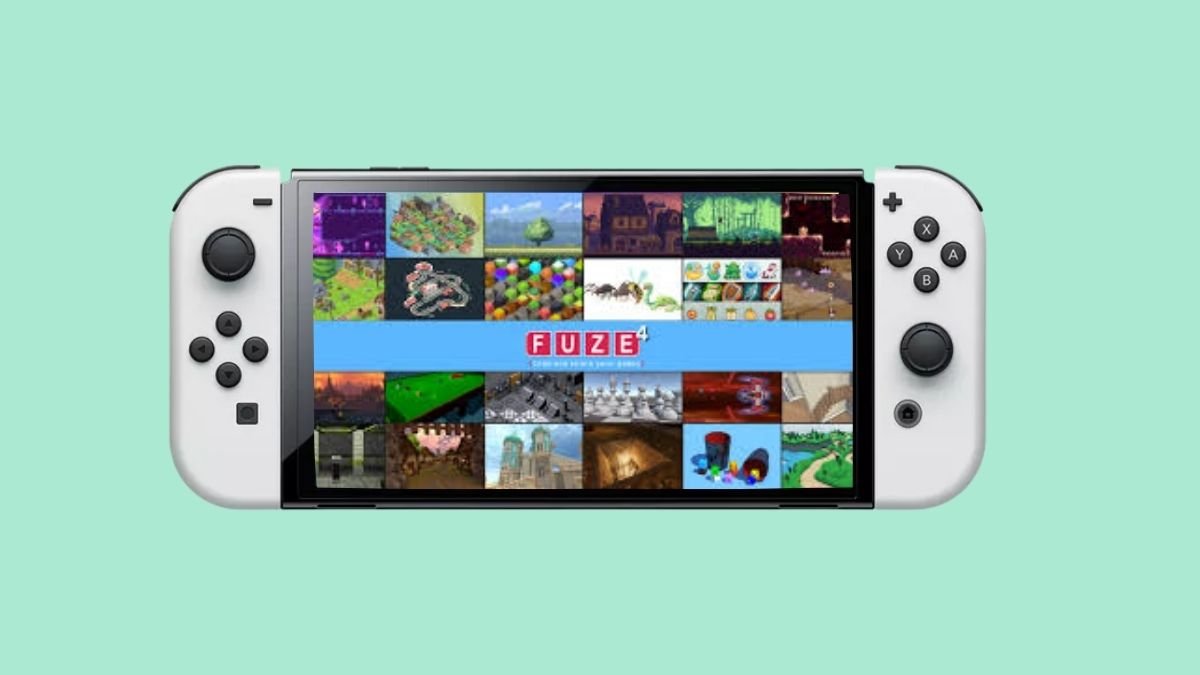
FUZE4 Nintendo Switch – Learn to Code Games
A powerful coding environment that transforms your Switch into a game development tool. For serious learners, FUZE4 delivers impressive 2D/3D capabilities with a steep learning curve. Rated 7.7/10 by critics.
Game Info
Verdict
Essential for aspiring developers; demanding but rewarding coding education on the Switch.
Pros
- Complete 2D and 3D game development environment on a handheld console
- Over 10,000 gaming assets included, worth $1,000+ if purchased separately
- Excellent performance with real-time compilation and frame rate monitoring
- Active community with code sharing and collaborative development features
- Incredibly affordable at $12.99 one-time purchase with no subscription
- USB keyboard support enables professional-speed development
- Skills transfer to real-world programming languages like Python and C++
Cons
- Steep learning curve requires genuine programming interest; not for casual players
- Documentation is extensive but dense; beginners need external tutorial resources
- Only available on Nintendo Switch; no PC or mobile standalone versions yet
- Small community compared to mainstream development platforms
- Limited built-in tutorial depth for absolute beginners with zero coding experience
Performance Notes
Exclusive to Nintendo Switch. Runs at stable 60 FPS in TV mode (1080p) and handheld mode (720p). Optimized interpreter handles 2D at 60 FPS easily; 3D scenes maintain smooth performance. 4.8 GB storage footprint. USB keyboard recommended for serious coding but not required.
FUZE4 Nintendo Switch is not a traditional game, but rather a full-featured coding development environment that puts professional game creation tools directly in your hands. Unlike consumer-friendly alternatives, FUZE4 targets learners willing to engage with actual text-based programming using a BASIC-inspired syntax. Since its 2019 launch, it has carved out a unique niche as the only handheld console offering genuine 2D and 3D game development capabilities alongside real-time compilation and immediate testing. This review explores whether FUZE4 justifies its position as a serious coder’s dream or remains a niche curiosity.
How to Play FUZE4 Nintendo Switch
FUZE4 operates as an integrated development environment where you write code using a responsive on-screen keyboard or connect a USB keyboard for faster typing. The workflow mirrors desktop programming environments but adapted for handheld play. You start by exploring tutorial sections that break down coding concepts into digestible chunks, then progress to modifying and creating your own projects using the built-in asset library.
- Controls – Navigate menus with Joy-Con buttons; use right analog stick to scroll code; F2 key on USB keyboards toggles execution; touch screen keyboard supports direct input
- Progression – Begin with tutorials, advance through demo projects, then create custom 2D shooters, 3D racers, and experimental games using the BASIC-like language
- Compilation – Code compiles instantly with performance counters showing frame rates and CPU/GPU load, allowing real-time debugging and optimization
- Tips – Invest in a USB keyboard for serious coding; explore the FuzArena community forums for tutorials and code samples; start by modifying existing projects rather than building from scratch
Who Should Play FUZE4 Nintendo Switch
FUZE4 demands a specific audience: individuals with genuine interest in learning programming fundamentals. This is not a tool for casual exploration but rather a commitment to understanding how games actually work under the hood. Educational value and technical challenge far outweigh entertainment in a traditional sense.
- Aspiring Game Developers – Anyone aged 13+ wanting a portable introduction to real coding before investing in professional tools like Unity or Unreal Engine
- Computer Science Students – Teachers and students seeking hands-on programming practice with immediate visual feedback and console-specific functions
- Seasoned Programmers – Experienced coders wanting a creative outlet for small projects and experimental ideas on the Switch
- Skip if – You expect traditional gameplay, instant gratification without study, or don’t want to invest several hours in learning syntax and debugging logic
FUZE4 Nintendo Switch Platform Performance
FUZE4 runs exclusively on Nintendo Switch hardware. The interpreted language performs surprisingly well, with developers consistently achieving 60 FPS in 2D projects and smooth performance in 3D scenes. Memory management is efficient; the entire environment with asset library consumes only 4.8 GB of storage. Television mode with an external monitor and keyboard is recommended for extended coding sessions, though handheld mode is fully functional.
| Platform | Resolution | Performance | Notes |
|---|---|---|---|
| Nintendo Switch (TV Mode) | 1080p | Stable 60 FPS | Recommended setup with USB keyboard for extended sessions |
| Nintendo Switch (Handheld) | 720p | Stable 60 FPS | Full functionality; touch keyboard adequate for shorter sessions |
| Nintendo Switch (Tabletop) | 720p | Stable 60 FPS | Practical for testing; limited keyboard options |
| PC/Mac (Not Available) | N/A | N/A | Switch-exclusive software; cross-platform support planned |
FUZE4 Nintendo Switch System Requirements
FUZE4 has minimal system requirements since it runs directly on Switch hardware. Memory footprint is light relative to its feature set. However, external peripherals significantly enhance the experience for serious development work.
| Component | Minimum | Recommended |
|---|---|---|
| Console | Nintendo Switch (any model) | Nintendo Switch with dock for TV mode |
| Storage | 4.8 GB digital space | SSD with additional 500 MB for projects |
| Input Device | Joy-Con controllers | USB keyboard (wireless Microsoft 3000 v2.0 confirmed compatible) |
| Display | Switch screen (3.5-6.3 inches) | External monitor 24+ inches for code readability |
| Connectivity | None required | Internet for FuzArena community and tutorials |
Similar Games to FUZE4 Nintendo Switch
Few legitimate competitors exist in the handheld programming space. Most alternatives require computers or tablets, lacking FUZE4’s integration with console-specific hardware like Joy-Con gyro and HD Rumble. Game Maker and Unity dominate professional development but aren’t portable. FUZE4’s nearest relatives are educational tools like Scratch or Petit Computer for DS, which offered less sophisticated 3D support and platform reach.
- Scratch (Web) – Free visual programming with larger community, but browser-based; lacks 3D and hardware integration; better for absolute beginners
- GameMaker Studio 2 (PC/Mac) – Professional 2D engine with extensive tutorials; requires computer; significantly steeper learning curve and yearly subscription
- Unity Personal (PC/Mac) – Industry-standard engine; overwhelming for beginners; free but demands substantial system resources and installation
- Petit Computer (Nintendo DS) – Spiritual predecessor with BASIC programming; limited 3D; much smaller asset library; harder to find and older tech
FUZE4 Nintendo Switch vs Competitors
FUZE4 occupies a unique position between casual educational tools and professional development engines. Its primary advantage is accessibility and portability; no installation, no subscription, complete toolset on a handheld console. Scratch offers wider adoption but remains visual-only. GameMaker costs more and restricts platform capabilities. Unity requires significantly more learning investment. FUZE4’s weakness is limited documentation and a niche community compared to mainstream platforms.
| Feature | FUZE4 | GameMaker Studio 2 | Unity Personal |
|---|---|---|---|
| Price | $12.99 (one-time) | $39/year (personal subscription) | Free (with limitations) |
| Platform | Switch only | PC/Mac/Linux/Web/Mobile | PC/Mac/Linux/Mobile/VR |
| Learning Curve | Moderate (text-based BASIC) | Moderate to steep | Steep (C# required) |
| 3D Support | Yes (full 3D engine) | Limited (2.5D only) | Yes (full 3D) |
| Asset Library | 10,000+ assets included | Separate marketplace | Separate Asset Store |
FUZE4 Nintendo Switch Story and World
FUZE4 has no traditional narrative. Instead, it provides a structured learning environment where included demo projects serve as interactive lessons. A 3D racing game, 2D platformers, and shoot-em-up templates showcase technical capabilities while remaining educational. The included assets span fantasy castles, space stations, medieval towns, and urban environments, giving creators a foundation for any themed project. The FuzArena community shares creations ranging from puzzle games to experimental audiovisual projects. Unlike story-driven games, FUZE4 values creative expression and technical mastery over plot. Your world is whatever you code into existence. This approach appeals to learners who find traditional gaming constraints limiting.
FUZE4 Nintendo Switch Multiplayer and Online
FUZE4 includes social and collaborative coding features uncommon in handheld development tools. Local multiplayer is possible through Joy-Con split control in user-created projects. The platform’s primary online component is project sharing with friends via the FuzArena community portal, allowing other users to examine, modify, and iterate on your code with permission.
- Friend Sharing – Upload complete projects to FuzArena and share with Switch friends; recipients can download and edit your code directly
- Community Gallery – Browse hundreds of user-created games and tools; play published creations and learn from open-source code
- Collaborative Coding – Friends can modify your shared projects and push updated versions, enabling true collaborative development
- Cross-Play – No cross-play with other platforms (Switch-exclusive); future versions planned for PC/Mac compatibility
FUZE4 Nintendo Switch DLC and Expansions
FUZE4 does not follow traditional DLC models. Instead, the development team regularly releases free updates that expand the development environment with new commands, asset packs, and tools. These updates are continuous post-launch support rather than monetized additions. Several free mini-games created by the FUZE team are available through the FUZE Player application, including titles like Super Funky Bowling made entirely with FUZE4.
- Free Asset Packs – Regular updates add new 2D sprite sheets, 3D models, and music tracks; all included in the base purchase
- FUZE Player Games – Spin-off application featuring 20+ games built with FUZE4 for $0.89; demonstrates platform capabilities
- Community Creations – No official DLC but constant community-created games and tools available free from FuzArena
- Language Updates – Periodic releases add new programming functions and hardware support (motion control refinements, new graphical effects)
FUZE4 Nintendo Switch Community and Support
Community support is strong within the niche developer community but lacks the scale of mainstream platforms. Official documentation is comprehensive though dense; learners benefit from external YouTube tutorials. The FuzArena forums host active discussion, code samples, and troubleshooting. Developer engagement is genuine, with the FUZE team actively answering questions and incorporating feedback. For absolute beginners without coding experience, community resources are essential supplements to in-app tutorials.
- Official FuzArena Forums – Developer-moderated community with code sharing, tutorials, and technical support at fuzearena.com
- YouTube Tutorials – Official FUZE channel and community creators provide video walkthroughs for beginners through advanced topics
- Programmer’s Reference Guide – Comprehensive PDF documentation covering all commands, syntax, and hardware integration details
- Update Roadmap – FUZE team publicly shares planned features including cross-platform support and enhanced asset tools