Zoho Writer – AI-Powered Word Processor & Collaborator

Free cloud-based word processor with real-time collaboration, AI writing assistance, offline access, and seamless MS Word document compatibility.

About Zoho Writer - Document Editor

Zoho Writer is a cloud-based word processor that combines collaborative features with AI-powered writing assistance. It enables users to create, edit, and share documents in real-time while maintaining compatibility with Microsoft Word formats.

The app excels at helping teams work together efficiently through instant sync, comment threads, change tracking, and version management. Powered by Zia AI, it provides grammar checking, style suggestions, content analysis, and multilingual translation capabilities to enhance writing quality and productivity.

Features Of Zoho Writer - Document Editor

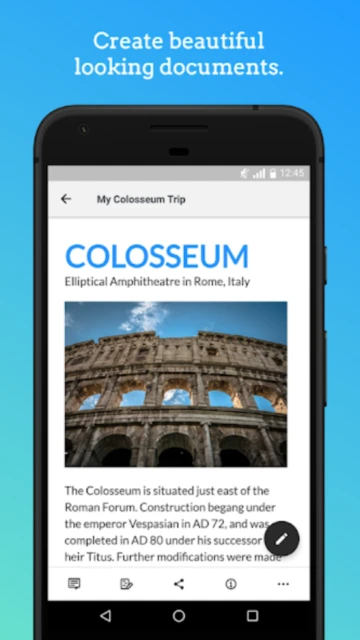
  • Create and format professional documents with images, tables, and rich text styling
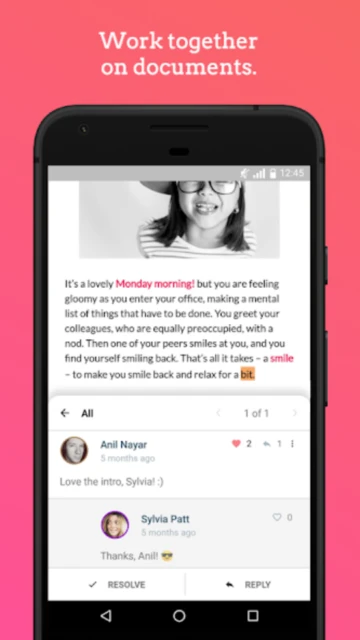
  • Real-time collaboration with multiple users working simultaneously on the same document
  • Zia AI writing assistant for grammar, spelling, style improvements, and content analysis
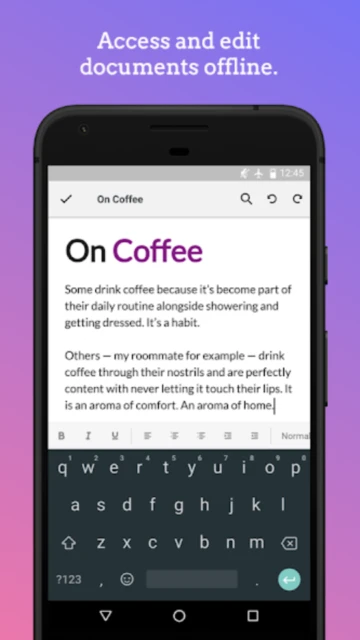
  • Offline editing mode with automatic sync when internet connection returns
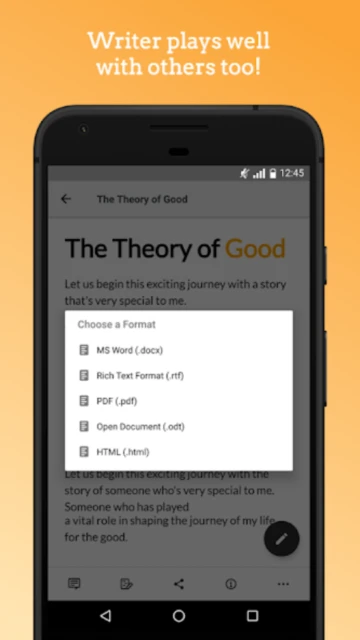
  • Seamless import and export of Microsoft Word DOCX, PDF, HTML, and plain text formats
  • Track changes feature to monitor edits and manage document revisions efficiently
  • Share documents with customizable access permissions and editing capabilities
  • Built-in translation tool supporting conversion into 70+ different languages

Premium Features in the Paid Plan

  • Document automation with mail merge templates for generating business documents
  • Automation add-on credits for creating dynamic invoices, letters, and proposals
  • Access to Zoho WorkDrive integration for centralized file storage and management
  • Advanced template creation with conditional logic and form field customization
  • Batch document generation with automated workflows and scheduled processing
  • Custom API access for embedding Zoho Writer functionality into external applications
  • Enhanced security options with document watermarking and permission controls
  • Priority customer support with dedicated assistance for enterprise users

Free with optional automation add-ons (200 free credits/month)

Free vs Premium Comparison

Feature Free Premium
Document Editing Full editing with formatting, images, and tables Advanced document automation and template creation with custom workflows
AI Writing Assistance Basic grammar and spelling checks available Enhanced Zia AI with advanced content analysis and generation capabilities
Collaboration Real-time collaboration with comments and change tracking Enterprise-level collaboration with advanced permission management
File Storage Access to free cloud storage with syncing Unlimited storage via Zoho WorkDrive subscription plans
Export Options DOCX, PDF, HTML, ODT, and TXT formats Additional format support with batch processing capabilities
Automation Credits 200 free automation credits per month Up to 2000 free credits for teams with additional purchase options
Device Sync Sync across all devices with offline editing Priority sync and advanced device management features
Customer Support Community support and basic help resources Priority email support with faster response times

Frequently Asked Questions

Is Zoho Writer completely free to use?

Yes, Zoho Writer is free to download and use for basic document creation and editing. You get 200 free automation credits monthly. Paid plans offer additional storage through Zoho WorkDrive and extended automation credits for document generation features.

Can I edit documents offline with Zoho Writer?

Absolutely. Zoho Writer supports full offline editing on both iOS and Android. Simply edit your documents without internet connection, and changes automatically sync when you reconnect online, keeping all your work safe and up-to-date.

Does Zoho Writer support real-time collaboration?

Yes, multiple users can collaborate in real-time on the same document. You can share documents with specific access levels, add comments with @mentions, track changes made by each user, and manage document versions efficiently within the app.

Is Zoho Writer compatible with Microsoft Word?

Yes, Zoho Writer fully supports Microsoft Word documents. You can open and edit DOCX files directly in the app, make changes, and export back to Word format. It also supports PDF, HTML, ODT, and plain text exports for maximum compatibility.

What is Zia and how does it help with writing?

Zia is Zoho Writer's AI-powered writing assistant. It provides instant grammar and spelling checks, content analysis, style suggestions, and writing improvements. Zia also translates documents into 70+ languages and works across multiple language inputs for enhanced writing quality.

How do I share documents with other users?

Use Zoho Writer's share feature to invite users by email. Assign specific permissions including view-only, edit, or comment access. Shared documents update in real-time for all collaborators, and you can monitor who's currently editing and track all changes made.