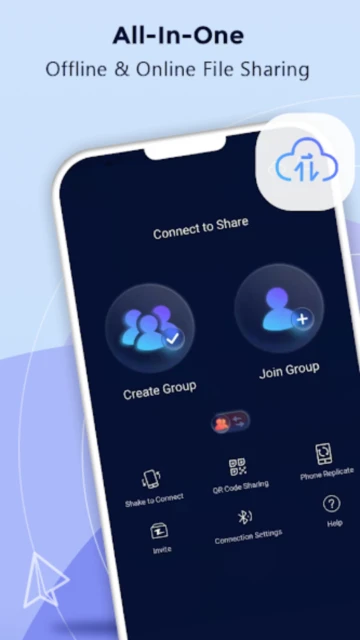
Zapya fundamentally reimagines file sharing by eliminating internet dependency entirely. Instead of relying on cloud servers or internet connectivity, Zapya creates local wireless networks between devices within 10-meter range, achieving speeds up to 10MB/s without data consumption. With 100+ million downloads, it serves students in bandwidth-limited regions, field professionals without reliable connectivity, and users seeking the fastest local transfers. This comprehensive guide covers initial setup, target audiences, platform-specific strengths, integration ecosystem, competitive positioning, and power-user optimization strategies.
How to Get Started with Zapya
Zapya’s minimal onboarding requires no registration or credentials. Install on source and destination devices, enable Wi-Fi (not necessarily internet), and choose from four connection methods: radar scanning, QR code, shake-to-connect, or group creation. Transfer begins within seconds.
- Install on Source and Destination Devices – Download Zapya from Google Play or App Store; no sign-up required. Desktop Windows/Mac versions available separately for larger file management.
- Enable Wi-Fi on Both Devices – Devices must connect to same network or use personal hotspot; internet connection not mandatory. Ensure Bluetooth disabled for optimal Wi-Fi hotspot performance.
- Select Connection Method – Radar scans for nearby devices automatically; QR code generation for sharing to multiple recipients; shake devices simultaneously to pair; or create named group for broadcasting.
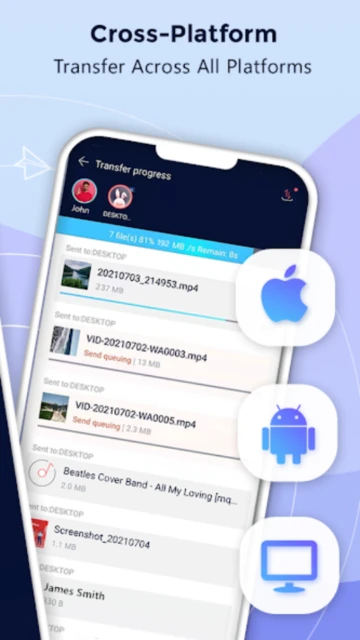
- Select Files and Initiate Transfer – Choose photos, videos, documents, or even APK files from device storage; tap send; receiving device accepts and transfer begins automatically with real-time progress indicator.
Who Should Use Zapya
Zapya excels for offline scenarios, speed-critical workflows, and users in regions with expensive data plans or unreliable internet. Best suited for students, travelers, remote workers, and creatives who frequently exchange media.
- Students & Budget-Conscious Users – Transfer assignments, study materials, and project files across dormitory devices without consuming mobile data; batch operations enable transferring entire folders instantly.
- Field Professionals & Travelers – Operate entirely offline using Wi-Fi hotspot from one device as access point for others; airport, train, and remote location transfers without relying on cellular connectivity.
- Photographers & Content Creators – Achieve sustained 6-8MB/s transfer speeds (faster than typical cloud uploads); batch photo operations add borders and watermarks; device replication simplifies setup on new devices.
- NOT ideal for – Users requiring end-to-end encryption, cross-platform consistency, or cloud backup; Zapya lacks encryption, has limited macOS/Linux support, and focuses on temporary transfers rather than storage.
Zapya Platform Compatibility
Zapya version 6.3.8 (November 2025) provides full-featured clients for Android and iOS mobile devices plus Windows and macOS desktop versions. Notably, native macOS app was discontinued in favor of web/desktop options, limiting seamless Mac integration compared to mobile platforms.
| Platform |
Min. Version |
Unique Features |
Limitations |
| Android |
Android 5.0+ |
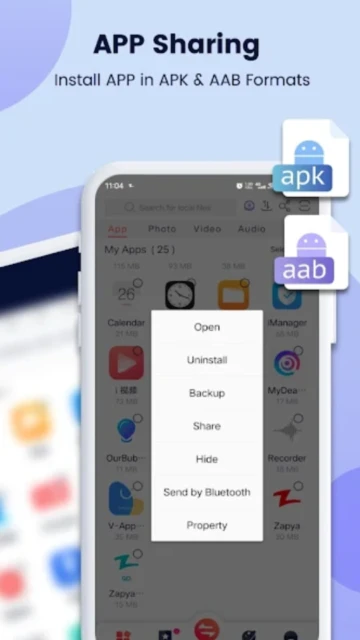
Wi-Fi hotspot access, USB stick direct file access, APK app sharing, device replication with full app backup, batch operations |
Requires Bluetooth toggle for discovery; Wi-Fi hotspot mode limits other network activities; heap memory constraints on budget devices |
| iOS |
iOS 11.0+ |
AirDrop alternative, Files app browsing, batch photo editing (borders, watermarks), offline group sharing, PeerCam remote control |
Cannot create hotspot directly from app; iPad sharing slower than iPhone due to larger file indices; AAB format support limited |
| Windows |
Windows 10+ |
Drag-and-drop folder transfers, device group management, connection history, folder watch for auto-sharing, USB backup/restore |
Occasional installer bundling issues (unwanted programs); connection drops if network changes; background service consumes ~30MB RAM |
| macOS |
Deprecated |
Web version available at zapya.com; desktop agent discontinued |
No native macOS app; web version slower than native clients; peer discovery inconsistent via browser |
Zapya Integrations & Ecosystem
Zapya’s ecosystem centers on device grouping and intra-app features rather than third-party integrations. USB backup, phone replication, and batch operations represent built-in value-adds; external API and third-party plugin support remain absent, limiting enterprise workflow integration.
- USB Stick Direct Access (Android) – Plug USB drive into Android device via USB-C adapter; Zapya mounts the drive and enables browsing/sharing files directly without intermediate copy step, simplifying media library management.
- Phone Replication & Backup – Transfer entire device contents (apps, contacts, photos, settings) to new device in single operation; selective restoration available; account login credentials require re-entry.
- Batch File Operations – Select multiple files/folders and apply watermarks, add borders, or perform bulk transfers simultaneously; reduces repetitive individual-file workflows for photographers and content teams.
- Device Group Broadcasting – Create named groups with up to 4 devices simultaneously connected; initiate transfer once and distribute to all group members in parallel; no central cloud service required.
Best Alternatives to Zapya
Alternatives serve different needs—cloud-based convenience, stronger encryption, cross-platform consistency, or enterprise features. Each competes on specific dimensions where Zapya prioritizes speed and offline operation over other factors.
- Send Anywhere – Best for encryption and cross-platform consistency; supports macOS/Linux natively; requires internet but offers 256-bit encryption and password-protected links for security-first scenarios.
- SHAREit – Best for budget Android devices; peer-to-peer transfers without internet; lacks encryption and modern interface compared to Zapya but supports older Android versions (4.0+).
- Mobilink – Best for enterprise encryption requirements; serverless P2P with comprehensive TLS and application encryption; steeper UI learning curve than Zapya.
- Syncthing – Best for continuous folder synchronization; decentralized open-source alternative; more complex setup but enables real-time file syncing across devices beyond one-time transfers.
Zapya vs Top Competitors
Zapya positions as the offline-first speed champion, competing primarily on absence of internet dependency and transfer velocity. WeTransfer emphasizes cloud convenience; Send Anywhere offers encryption; SHAREit targets ultra-budget devices. This comparison reveals distinct trade-offs.
| Feature |
Zapya |
Send Anywhere |
SHAREit |
| Internet Requirement |
Not required; pure offline hotspot operation |
Wi-Fi Direct on Android; internet fallback iOS |
Not required; peer-to-peer only |
| Transfer Speed |
6-8MB/s typical (peak 10MB/s) |
P2P: 80Mbps; server-based: 5-20Mbps |
5MB/s typical (slower than Zapya) |
| Encryption |
No encryption; local Wi-Fi only |
256-bit AES in-transit |
No encryption |
| File Size Limit |
Unlimited; batch transfer optimization |
Free: 10GB; Premium: 500GB per link |
Unlimited but throttled speeds |
| Offline Capability |
Full offline; one device acts as Wi-Fi hotspot |
Partial (Android Wi-Fi Direct only) |
Full offline without hotspot needed |
| Cross-Platform |
Android, iOS, Windows; no native macOS |
Android, iOS, Windows, macOS, Linux, Web |
Android, iOS only; minimal platform diversity |
| Device Replication |
Yes; full phone backup/restore included |
No; transfer-only focus |
No; file-only sharing |
| Batch Operations |
Yes; watermark, border, bulk transfer |
Limited to folder selection |
No batch features |
Zapya Privacy & Security Overview
Zapya operates entirely on local networks without cloud intermediaries, meaning files never traverse internet infrastructure. However, the tradeoff is absence of encryption—files transmit unencrypted over Wi-Fi, creating vulnerability if devices connect to untrusted networks. User location data collection occurs for device discovery but does not sync to servers.
| Security Aspect |
Implementation |
User Control |
| Data Encryption |
No encryption; local Wi-Fi transmission only; files unencrypted at rest |
No encryption toggles available; users responsible for network security (WPA2/WPA3 preferred) |
| Authentication |
Device proximity (radar/QR) or group membership; no user login required |
No authentication controls beyond device pairing within app; group access open to all connected devices |
| Data Collection |
Location data for device radar discovery; device identifiers and file metadata logged locally; no cloud sync |
Location can be disabled in system settings; app requests but does not mandate location permission |
| Third-Party Sharing |
Privacy policy states no third-party data sharing; DewMobile (Lindong Network Beijing) operates as sole data processor |
Users cannot opt-out of local logging; no granular permission controls in app; privacy policy offers limited transparency |
Zapya Accessibility Features
Zapya provides baseline accessibility through iOS VoiceOver and Android TalkBack support. Interface simplicity—large buttons, clear file listings, visual progress indicators—enables basic navigation for users with visual impairment, though advanced accessibility testing results unavailable.
- Screen Reader Support – TalkBack (Android 5.0+) and VoiceOver (iOS 11.0+) announce file names, sizes, and transfer status; control buttons read aloud; radar scanning visual requires alternative method (manual QR code or shake).
- Visual Accessibility – Dark mode available on both platforms; system font scaling respected; color contrast adequate for primary buttons but secondary controls lack WCAG compliance certification.
- Motor Accessibility – Gesture-based controls (shake-to-connect, swipe actions) lack voice control alternatives; file selection requires tapping individual items; bulk select checkbox available on devices with sufficient screen size.
- Languages – Supported in 20+ languages including English, Simplified Chinese, Japanese; right-to-left (RTL) support limited; Arabic and Persian users see left-to-right interface.
Power User Tips for Zapya
Experienced users maximize Zapya by configuring hotspot priority, leveraging device groups for broadcasts, optimizing batch operations, monitoring transfer logs, and managing USB access for external media workflow.
- Hotspot Configuration for Stability – Designate one device as permanent Wi-Fi hotspot host; disable Bluetooth to reduce interference; place hotspot device in central location within 10-meter radius; avoid 2.4GHz congestion by checking network analyzer for competing access points.
- Device Group Broadcasting for Team Workflows – Create permanent groups for recurring recipient sets (e.g., ‘Team Review’ with 4 tablets); initiate single transfer to group and all devices download simultaneously; reduces per-device setup overhead.
- Batch Watermark & Border Operations – Select 50+ photos; apply identical watermark (text overlay) or border via batch editor; saves hours versus individual image processing; exported files retain original quality without re-compression.
- USB Stick Workflow for Large Media Libraries – Connect USB-C drive containing movie files; Zapya reads files directly without copying to device storage; transfer to multiple devices from single USB source without depleting internal storage.
- Selective Phone Replication for Staged Migration – Copy specific app categories (games, productivity, media) rather than entire device; allows A/B testing app behavior on new device before full migration; restart requirement each transfer.
Zapya Support & Community
DewMobile provides email support and in-app feedback channels but lacks dedicated community forums or social media engagement. Response times exceed 48 hours; public knowledge base minimal compared to competitors, resulting in limited crowdsourced troubleshooting resources.
- Official Help Center – FAQ available at zapya.com/help covering basics (connection methods, transfer speeds, offline operation); limited depth compared to Send Anywhere; no searchable knowledge base.
- Community Forum – No official forum; minimal Reddit presence; community troubleshooting scattered across app store reviews; peer-to-peer advice variable quality and sometimes outdated.
- Social Media – Twitter account (@ZapyaApp) provides feature announcements but limited customer support engagement; Instagram focused on promotional content; response times unpredictable.
- Email Support – [email protected] for bug reports and feature requests; typical response 3-5 business days; escalation path unavailable; no phone support option available.
Zapya Latest Updates & Roadmap
Version 6.3.8 (August 2025) focused on iOS 18 compatibility and bug fixes. Version 6.3.7 (June 2025) and 6.3.6 (May 2025) continued incremental stability patches. DewMobile has not published formal public roadmap; development appears maintenance-focused rather than feature-intensive. Previous security issues (Trojan module in v6.3.3-6.4) were resolved by v6.4.1; current version 6.3.8 confirmed clean in third-party security audits conducted November 2025.