VN Video Editor is designed to be 'simple yet powerful,' catering to both amateur vloggers and professional editors. It features a clean, human-centric design that makes navigating complex timelines intuitive and frustration-free.
The app supports 4K resolution and 60fps exports, ensuring high fidelity. Its standout feature is the ability to import custom fonts, LUTs (filters), and music, giving creators complete control over their brand identity and visual style.
Features Of VN Video Editor & Maker
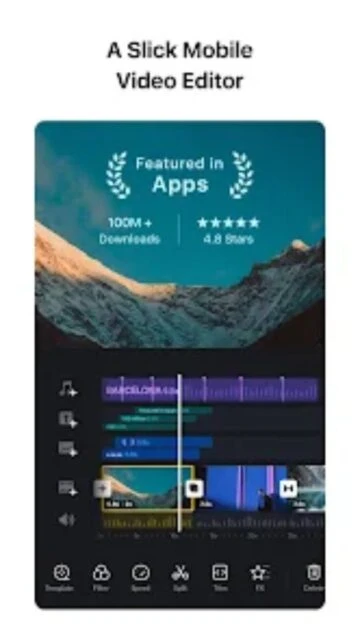
Multi-track video editing timeline
Curve speed shifting for smooth slow-mo
Green screen / Chroma key support
Keyframe animation for masks and video
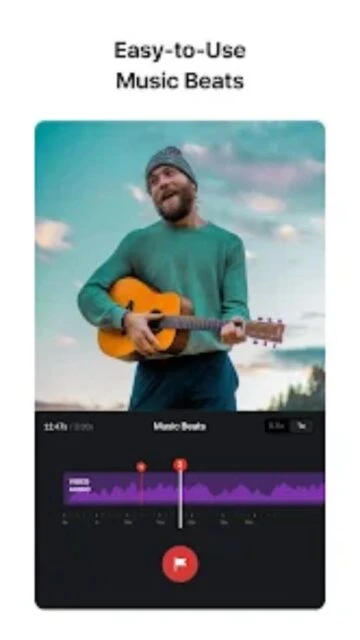
Beat detection for syncing music cuts
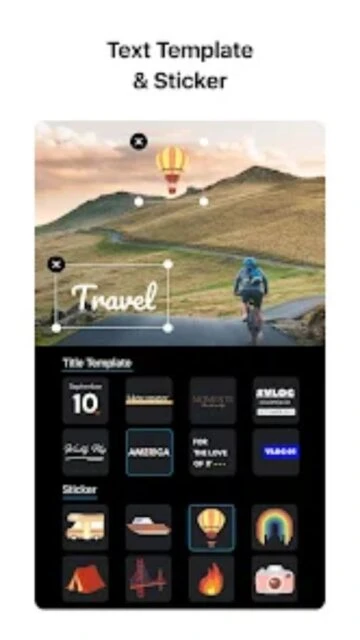
Subtitle library with customizable fonts
Import custom LUTs for color grading
Draft auto-save and project duplication
Picture-in-Picture (PIP) mode
No watermark on free exports
Premium Features in the Paid Plan
Advanced project sharing and collaboration
Unlimited use of premium templates
More advanced color grading tools
Cloud storage for project backups
Access to exclusive music library
Priority rendering speed on cloud
Ad-free experience in menu screens
Expanded export options and bitrates
Free / Pro $7.99/mo
Free vs Premium Comparison
Feature
Free
Premium
Watermark
None (Clean export)
None (Clean export)
Projects
100 active projects
Unlimited projects
Templates
Basic selection
Full premium access
Fonts/LUTs
Import supported
Import + Exclusive packs
Cloud Sync
Manual backup
Automatic cloud sync
Ads
Occasional startup ads
Completely ad-free
Frequently Asked Questions
Is VN really free without a watermark?
Yes, VN allows you to export videos without a watermark for free, which is rare for mobile editors.
Can I use my own music?
Absolutely, you can import music files, sound effects, and even extract audio from other video clips.
Does it support 4K 60fps?
Yes, VN supports exporting in 4K resolution at up to 60 frames per second on supported devices.
How do I save my project?
VN automatically saves your progress as a draft. You can also manually save or duplicate projects.
Can I share projects with others?
Yes, VN creates a 'VN Code' or file that you can share with other VN users to edit the same project.
VN Video Editor (VlogNow) has rapidly become a favorite for creators who want a clean, powerful, and watermark-free experience. Its modern interface hides a surprisingly deep engine capable of handling complex edits with ease.
Why Choose VN Video Editor?
VN stands out because it offers a genuinely usable free tier without intrusive watermarks. It combines the simplicity required for quick social cuts with advanced tools like curve speed ramping and keyframe animation usually found in paid software.
Curve Speed Shifting: precise control over video speed changes, essential for high-quality montages.
Multi-Track Timeline: Edit video, audio, and subtitles on separate, easily manageable layers.
No Watermark: Export clean, professional-looking video without forced branding even on the free plan.
How It Works
Open the app and import clips to the multi-track timeline. Use the ‘Split’ and ‘Trim’ tools for basic cuts, then apply ‘Curve’ presets for dynamic speed effects. Add music, sync beats with markers, and export directly to social platforms.
Who Should Use It?
Perfect for TikTok and Reels creators who need precise speed controls and beat syncing. It is also an excellent choice for beginners who want a powerful editor without an upfront cost.
User reviews and ratings for VN Video Editor & Maker
See what users think about VN Video Editor & Maker. Read honest reviews and ratings from real users.
4.6
★★★★★
3 reviews
Best free editor period
by Marcus T.
★★★★★
2025-11-20
I can't believe this app is free. The speed curve tool is exactly what I needed for my gym edits. No watermark is a huge plus.
Intuitive but crashes sometimes
by Jessica Lee
★★★★★
2025-10-14
The interface is super clean and easy to learn. It does crash occasionally when I have too many 4K layers, but auto-save saves the day.
Professional tools
by Alex Rivera
★★★★★
2025-08-30
The ability to import my own LUTs has changed my workflow. I can color grade on my phone just like I do on my PC.
Write a Review
VN Video Editor & Maker Screenshots & Photos
Browse through screenshots and photos of VN Video Editor & Maker to see how it looks and works.
VN Video Editor & Maker Videos
Watch videos to see how this app works and learn about its features.

 61
61