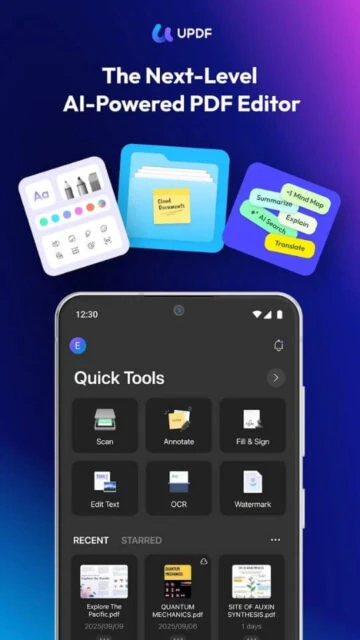
UPDF is a versatile PDF editor designed to simplify document workflows through a unified, visually appealing interface. Its core purpose is to provide desktop-level editing capabilities on mobile devices, allowing users to modify text, images, and pages on the go.
Beyond basic editing, UPDF integrates advanced AI tools that can summarize, translate, and explain document content, making it a powerful companion for research and study. Its seamless cloud synchronization ensures that a file edited on your phone is instantly available on your laptop.
Features Of UPDF - AI-Powered PDF Editor
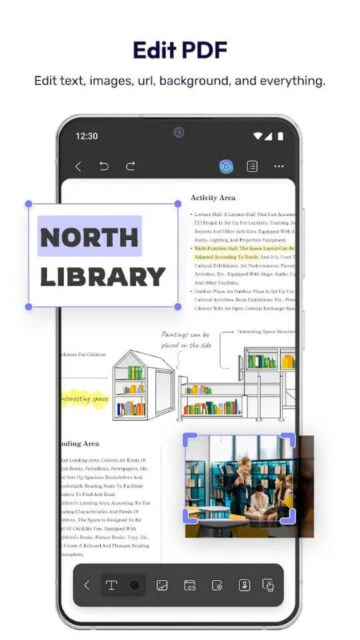
Edit original text and images directly in PDF files
Annotate documents with highlights, stickers, and shapes
Organize pages by rotating, extracting, or deleting them
Sign contracts with handwritten or electronic signatures
Read documents in dark mode or presentation mode
Scan physical documents to PDF with auto-cropping
Sync files across mobile and desktop via Cloud
Open multiple PDFs in split-screen mode on tablets
Premium Features in the Paid Plan
Unlimited AI usage for summarizing and translating text
Access across four devices (Windows, Mac, iOS, Android)
10GB of cloud storage for document synchronization
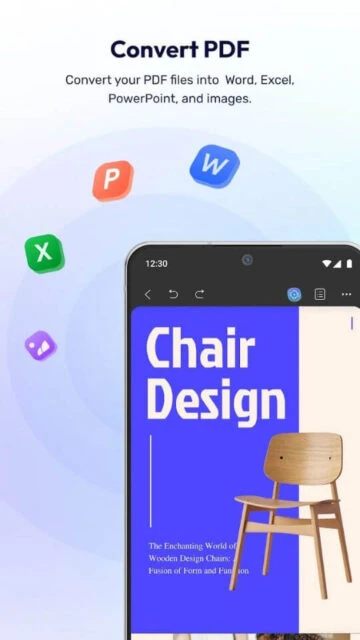
Convert PDFs to Word, Excel, PowerPoint, and images
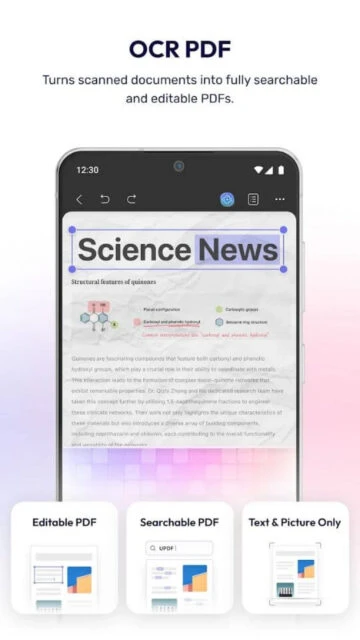
OCR technology to make scanned documents editable
Passcode security for sensitive app access
No watermarks on saved or exported documents
Priority customer support for technical issues
Free trial / Pro from $39.99/year
Free vs Premium Comparison
Feature
Free
Premium
Cross-Platform Use
Restricted
4 Devices (Desktop & Mobile)
Cloud Storage
1 GB Limit
10 GB Included
AI Assistant
Limited prompts
Unlimited analysis
Watermark
Applied to saves
No Watermark
PDF Conversion
2 files per day
Unlimited conversion
Page Management
Basic rotate/delete
Full extract/insert
Frequently Asked Questions
Does UPDF work on both my Mac and Android phone?
Yes, a single UPDF license allows you to use the premium features on Windows, Mac, iOS, and Android simultaneously.
Is the AI assistant included for free?
The AI features have a limited free trial. Unlimited access to summarization and translation requires a separate AI add-on subscription.
Can I edit existing text in a PDF?
Absolutely. You can modify the font, size, color, and content of existing text paragraphs just like a word processor.
How secure are my documents in UPDF Cloud?
Documents are encrypted in transit and at rest. You can also add a passcode to the app for local security.
Does it support OCR for scanned files?
Yes, the OCR feature converts scanned images into editable and searchable text, though it is primarily processed on the desktop version.
UPDF redefines the mobile PDF experience with its vibrant, user-friendly interface that makes document management feel modern rather than mundane. Unlike clunky legacy editors, it combines professional-grade editing tools with powerful AI capabilities to summarize and translate text instantly.
Why Choose UPDF?
This app stands out by offering a single license that covers all platforms—Android, iOS, Windows, and Mac—saving you money while keeping your workflow synchronized. It is significantly faster than competitors and includes advanced features like AI chat and cloud sync without the heavy price tag.
Cross-Platform Access: Use one account to edit and sync files across four different devices simultaneously.
AI Integration: Built-in AI helps you summarize long documents, translate languages, and explain complex terms.
Full Editing Suite: Edit text, images, and links directly on your mobile device just like you would on Word.
How It Works
Simply open any PDF from your device or cloud storage to start editing text and images immediately. You can use the intuitive toolbar to annotate, sign, or organize pages, and changes automatically sync via UPDF Cloud to your other devices.
Who Should Use It?
Ideal for students, freelancers, and professionals who work on multiple devices and need a cost-effective, all-in-one PDF solution with modern AI capabilities.
User reviews and ratings for UPDF - AI-Powered PDF Editor
See what users think about UPDF - AI-Powered PDF Editor. Read honest reviews and ratings from real users.
4.4
★★★★★
3 reviews
Better value than Adobe
by Marcus L.
★★★★★
2025-11-10
I was tired of paying monthly for Acrobat. UPDF offers a lifetime deal that pays for itself in months. The mobile app is surprisingly powerful for edits.
AI features are a game changer
by Sarah Jenkins
★★★★★
2025-10-22
The ability to summarize long research papers directly on my iPad saves me hours. The sync works perfectly between my MacBook and phone.
Good but needs internet
by David Chen
★★★★★
2025-09-15
The editing tools are great and the UI is beautiful. My only gripe is that the AI features need an active connection, which is expected but limiting on flights.
Write a Review
UPDF - AI-Powered PDF Editor Screenshots & Photos
Browse through screenshots and photos of UPDF - AI-Powered PDF Editor to see how it looks and works.
UPDF - AI-Powered PDF Editor Videos
Watch videos to see how this app works and learn about its features.

 40
40