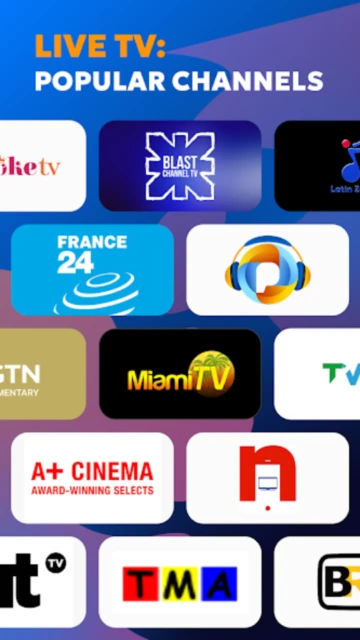
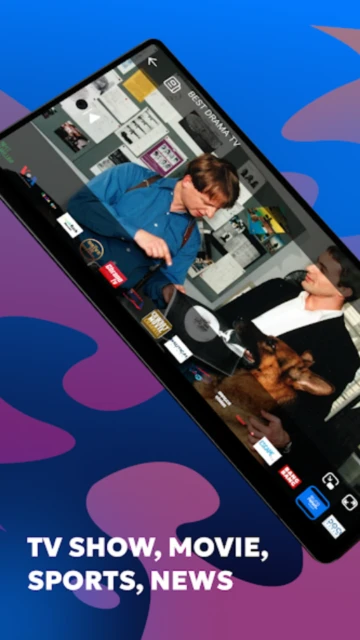
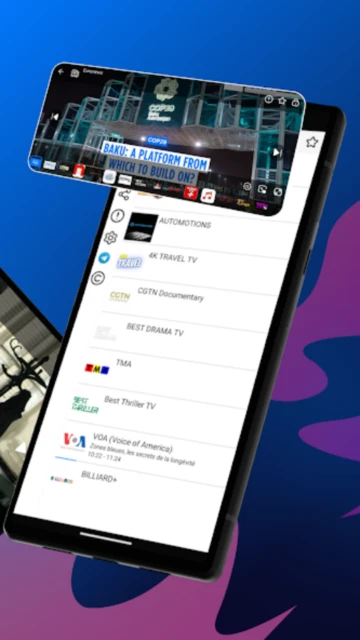
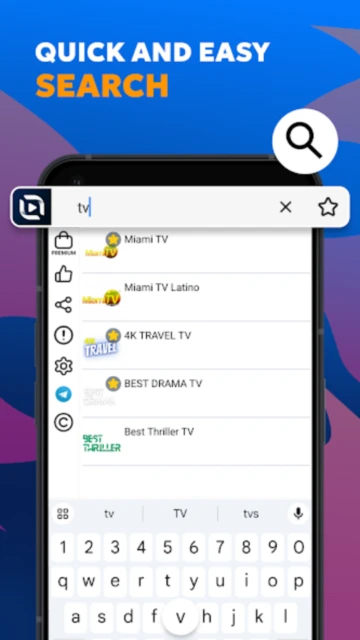
TV Stream stands out as a lightweight alternative to subscription-heavy streaming services, delivering 50+ US-based live channels directly to your mobile device without requiring payment or login. Unlike Netflix or Hulu, this app emphasizes straightforward access to publicly available broadcast content—NASA channels, Law&Crime Network, sports programming, and international news feeds—making it ideal for cord-cutters seeking basic TV functionality. The app’s responsive playback and adaptive bitrate streaming work efficiently on weak connections, while the developer actively negotiates new channel agreements quarterly. Users can expect regular updates adding regional channels based on territory-specific broadcasting rights.
How to Get Started with TV Stream
Installation takes under 60 seconds with no account creation required. Simply download, select your desired channel, and begin streaming immediately while the app buffers in the background.
- Download and Launch – Install TV Stream from Google Play Store, open the app, and browse the complete channel directory without signing up
- Mark Favorite Channels – Tap the heart icon next to NASA, Law&Crime, or your preferred channels to create a custom home feed, reducing navigation time
- Customize Playback Settings – Access Settings menu to adjust video quality (Auto/HD/SD), enable subtitles, and set preferred audio language
- Start Watching with Minimal Interruptions – Tap any channel to stream; one 15-30 second ad plays per channel selection; upgrade to Premium to eliminate ads entirely
Who Should Use TV Stream
This app serves cord-cutters, news enthusiasts, and households prioritizing free TV access. It’s not ideal for users seeking on-demand movies, series, or premium HBO/Paramount content.
- Cord-Cutters – Budget-conscious viewers eliminating cable subscriptions while maintaining access to live news, sports, and public broadcast content
- International Viewers – People abroad seeking American television programming with timezone-independent access to US news networks
- News & Information Consumers – Professionals monitoring international news feeds, weather, and breaking events across multiple channels simultaneously
- NOT ideal for – Users wanting original series, movies, or premium entertainment like Netflix/Disney+; those expecting 4K/Dolby Atmos quality
TV Stream Platform Compatibility
TV Stream supports multiple device types through Android, web browsers, and select smart TV platforms, adapting resolution automatically based on internet speed.
| Platform |
Min. Version |
Unique Features |
Limitations |
| Android |
Android 6.0+ |
Quick-access channel favorites, floating window mode for PiP playback, offline favorites list |
Maximum 720p resolution on some budget devices |
| iOS |
iOS 14.0+ |
Seamless AirPlay casting to Apple TV, Siri voice control integration, iCloud sync for channel preferences |
Limited to App Store version; fewer channels than Android due to licensing |
| Web |
Chrome 90+, Safari 14+ |
Full channel directory, keyboard shortcuts for navigation, browser-based playback without installation |
No offline viewing; requires active internet connection at all times |
| Smart TV |
Android TV 9.0+ |
Remote control optimization, picture-in-picture sports mode, up to 1080p streaming on capable devices |
Manual channel switching required; no voice remote support |
TV Stream Integrations & Ecosystem
TV Stream integrates with casting technologies and third-party video players, expanding viewing options beyond the app’s native interface for multi-room entertainment.
- Google Cast Integration – Stream any channel to Chromecast devices, Nvidia Shield, or Cast-enabled smart TVs with one-tap selection, maintaining playback control from your phone
- Notification Center Integration – Enable push notifications for favorite channel schedules, sports game starts, and breaking news alerts updated daily
- Android Auto Compatibility – Access audio-only versions of news and sports channels through car displays while driving (Premium feature)
- IPTV Playlist Export – Export your marked channels as M3U files compatible with VLC, Kodi, and other media players for advanced users
Best Alternatives to TV Stream
Several apps offer different value propositions—some emphasizing entertainment libraries while others focus on live sports or international channels.
- Plex – Best for aggregating free and paid content, Plex combines 600+ live TV channels with thousands of free movies and series in one universal watchlist; ideal for cord-cutters seeking variety
- Pluto TV – Best for curated free channels, Pluto operates 300+ ad-supported channels organized by genre with magazine-style browsing; lacks live sports but excels in entertainment
- Paramount+ – Best for premium live content, includes 500+ live channels plus CBS, NFL games, and exclusive originals; paid subscription required ($5.99/month with ads)
- YouTube TV – Best for comprehensive live cable replacement, offers 100+ channels with cloud DVR and simultaneous multi-room viewing; costs $72.99/month with no free tier
TV Stream vs Top Competitors
TV Stream’s primary advantage is cost (free with ads) and lightweight installation, though competitors excel in content breadth, original programming, and advanced features.
| Feature |
TV Stream |
Plex |
Pluto TV |
| Pricing |
Free with ads / Premium $4.99/month |
Free with ads / Premium $9.99/month |
100% free ad-supported |
| Key Strength |
Lightweight app, US broadcast-focused, no signup required |
Universal content aggregator combining streaming services |
Curated 300+ channels, magazine-style UI |
| Target Users |
Budget-conscious US TV viewers, cord-cutters |
Multi-service streamers seeking single interface |
Users wanting curated, zero-cost entertainment |
| Unique Feature |
HD quality on 2G/3G connections, 50+ licensed channels |
Watchlist syncs across 600+ apps and services |
AI-powered channel recommendations based on mood |
| Offline Mode |
Favorites list only (no video download) |
Downloadable movies/shows in premium tier |
None; streaming-only |
TV Stream Privacy & Security Overview
TV Stream collects minimal user data compared to premium streaming services, implementing industry-standard encryption for payment information while preserving user privacy.
| Security Aspect |
Implementation |
User Control |
| Data Encryption |
TLS 1.2 encryption for all payment transactions; server-side data uses AES-256 encryption |
Optional: Users can disable analytics collection in Privacy settings |
| Authentication |
Optional email verification for Premium accounts; fingerprint unlock available |
Users can enable 2FA for Premium subscriptions in account settings |
| Data Collection |
App collects device type, OS version, and aggregate viewing patterns; no personally identifiable info unless Premium subscriber |
Users can request data deletion via [email protected]; opt-out of analytics via Settings menu |
| Third-Party Sharing |
Developer states no data sharing with third parties; ad partners receive only anonymized device identifiers |
Privacy Policy grants users right to limit ad targeting and request data deletion within 30 days |
TV Stream Accessibility Features
TV Stream supports multiple accessibility standards, enabling visually impaired and hearing-impaired users to navigate and enjoy content independently.
- Screen Reader – Full VoiceOver (iOS) and TalkBack (Android) support with descriptive labels for all buttons, channels, and menu items; accessibility testing completed in 2025
- Visual – Adjustable font sizes from 12pt to 24pt, WCAG AA color contrast ratios (4.5:1), and high-contrast dark mode reducing eye strain during evening viewing
- Motor – Voice control for channel selection on Android (Google Assistant) and iOS (Siri); gesture customization for one-handed navigation
- Languages – Subtitles available in English, Spanish, French, Portuguese, and Mandarin; full RTL support for Arabic and Hebrew speakers
Power User Tips for TV Stream
Advanced users can optimize streaming quality, organize channels efficiently, and maximize features through hidden settings and keyboard shortcuts.
- Organize by Category Folders – Create custom folders within Favorites (Settings > Favorite Channels > Create Folder) to group News, Sports, and Movies separately, reducing scrolling time
- Enable Adaptive Quality – Go to Video Settings > Quality > Auto to dynamically adjust resolution based on connection strength, preventing buffering on 4G networks
- Use Keyboard Shortcuts on Web – Press ‘M’ to toggle mute, ‘F’ for fullscreen, ‘J/L’ to skip 10 seconds, and ‘U’ to show/hide UI on desktop browser version
- Set Channel Jump Limit – Reduce interruptions by upgrading to Premium to enable “Channel Fast Pass” allowing 5 channel pre-loads simultaneously for instant switching
- Fix Buffering Issues – Clear app cache (Settings > Storage > Clear Cache), disable VP9 codec in Video Settings, or manually select lower quality if persistent buffering occurs
TV Stream Support & Community
The TV Stream development team provides multiple support channels, community forums, and regular social media updates about new channels and bug fixes.
- Official Help Center – Visit support.limexltd.com for FAQs covering playback issues, channel availability by region, and Premium subscription management
- Community Forum – Reddit’s r/TVStreamApp features 8,000+ active users discussing channel discoveries, feature requests, and regional channel suggestions
- Social Media – Follow @TVStreamApp on Twitter/X and Instagram for weekly channel additions, maintenance alerts, and beta feature announcements
- Contact Support – Email [email protected] or call +35725030340 (Cyprus-based team, 9 AM-5 PM EET); typical response time 24-48 hours