TimeTree – Shared Calendar Easy Family Schedule Management

Collaborative calendar app loved by 65 million users worldwide for families, couples, and teams to share schedules effortlessly.

About TimeTree - Shared Calendar

TimeTree is a shared calendar application that simplifies schedule coordination for families, couples, workgroups, and friend circles. The app enables users to create multiple shared calendars, invite members, and maintain real-time synchronization across all devices. With 65 million active users worldwide, TimeTree has become the preferred solution for collaborative scheduling.

The platform integrates advanced features including in-event messaging for discussing details, photo attachments for visual planning, and multiple calendar views for comprehensive schedule overview. TimeTree supports syncing with Google Calendar and other existing calendars, allowing users to consolidate all their schedules in one accessible location. The app's dedication to group communication and schedule transparency makes it invaluable for household management, workplace coordination, and social event planning.

Features Of TimeTree - Shared Calendar

  • Unlimited shared calendars for families, couples, work teams, and group activities
  • Real-time event synchronization across Android, iOS, and web platforms
  • Color-coded calendars to distinguish between different people or event types
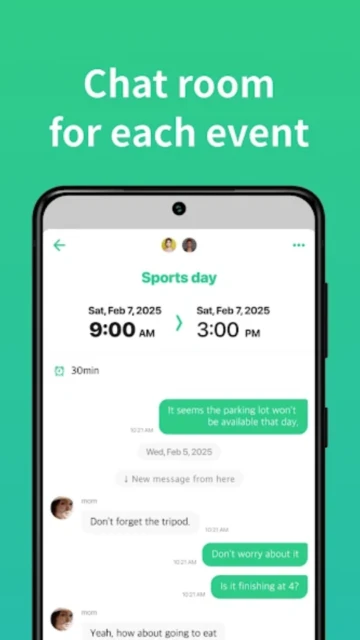
  • Integrated messaging within events for discussing details and logistics
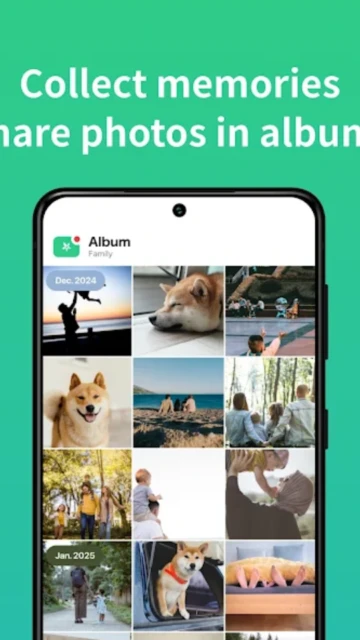
  • Photo attachments and memo sections for enhanced event information
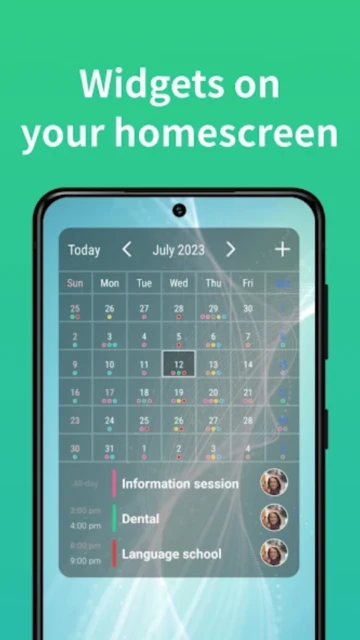
  • Widget support for quick access to daily schedules from home screen
  • Google Calendar sync and import for consolidating existing schedules
  • Customizable reminders and notifications for event updates
  • Monthly, weekly, and daily calendar views for flexible planning
  • Web-based access to manage schedules from any browser
  • Task and to-do list functionality integrated with calendar events
  • Multiple language support for global user base

Premium Features in the Paid Plan

  • File attachments up to 10MB including PDFs, documents, presentations, and spreadsheets
  • Event priority marking to highlight critical appointments and deadlines
  • Vertical hourly view displaying multiple days side-by-side for time slot analysis
  • Ad-free experience eliminating banner advertisements throughout the app
  • Dedicated priority support for premium subscribers
  • Advanced calendar customization options for personalized scheduling
  • Synced file attachments accessible across all devices simultaneously
  • Enhanced notification preferences for granular control over alerts
  • Theme customization allowing personalized visual appearance settings
  • Early access to new features before standard release dates

Free with in-app purchases; Premium: $4.49/month or $44.99/year

Free vs Premium Comparison

Feature Free Premium
Shared Calendar Creation Unlimited shared calendars with full access Unlimited shared calendars plus priority features
File Attachments Photos and images in event comments only Attach PDFs, documents, presentations up to 10MB each
Calendar Views Month, week, and day views available All standard views plus vertical hourly view for 3 days
Event Priority Standard event listing only Mark events as high priority for emphasis
Advertising Contains ads throughout interface Completely ad-free experience
Customer Support Community support available Dedicated priority support team access
Sync Features Google Calendar sync and device sync Enhanced sync with additional backup options
Customization Basic color coding and themes Advanced themes and appearance customization

Frequently Asked Questions

Can I use TimeTree without sharing calendars?

Yes, TimeTree works perfectly as a personal calendar with all core scheduling features. The sharing functionality is optional, allowing solo users to benefit from the intuitive interface, widgets, and Google Calendar integration without creating any shared calendars.

Is there a limit to how many people can share one calendar?

TimeTree allows unlimited members to share a single calendar. Families with multiple children, extended family gatherings, or large team projects can all add as many people as needed to view and contribute to shared calendar events.

How do I sync TimeTree with Google Calendar?

In app settings, navigate to Calendar Management and select Google Calendar integration. Grant TimeTree permission to access your Google account. Your existing Google Calendar events will import automatically, and new events sync bidirectionally between TimeTree and Google Calendar.

Does TimeTree work offline?

TimeTree functions in offline mode, allowing you to view existing events and create new entries. Changes automatically sync to all devices when your connection returns. However, some features like real-time notifications require an active internet connection.

Can I delete events from a shared calendar?

Calendar owners and administrators can delete events from shared calendars. Other members can only delete events they personally created unless the calendar owner grants additional permissions. This prevents accidental removal of important group events.

What happens if I cancel my Premium subscription?

You retain full access to all basic TimeTree features and your calendar data. Premium features like file attachments and ad-free experience become unavailable immediately. However, events and shared calendars remain intact, and you can reactivate Premium anytime.