Streamlabs – Live streaming for mobile content creators

Professional mobile streaming app enabling creators to broadcast games and IRL content to multiple platforms including Twitch, YouTube, and Facebook.

About Streamlabs: Live Streaming

Streamlabs is a professional-grade mobile streaming solution that empowers creators to broadcast gameplay and real-world content directly from their smartphones. The app supports streaming to leading platforms including Twitch, YouTube, Facebook, Instagram, and custom RTMP destinations with full quality control and analytics tracking.

With customizable overlays, real-time viewer alerts, tip collection systems, and multi-platform capabilities, Streamlabs provides all essential tools for content creators to build engaged communities and monetize their streams effectively.

Features Of Streamlabs: Live Streaming

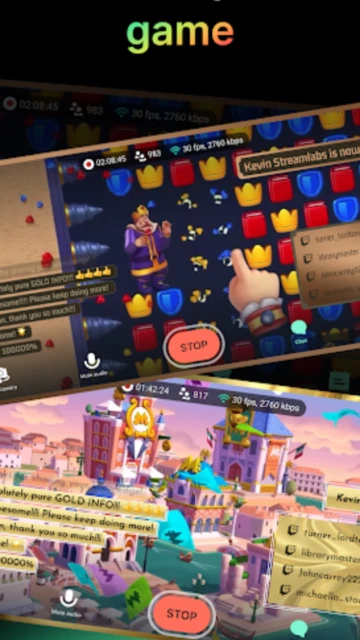
  • Stream mobile games with high-quality video output and audio control
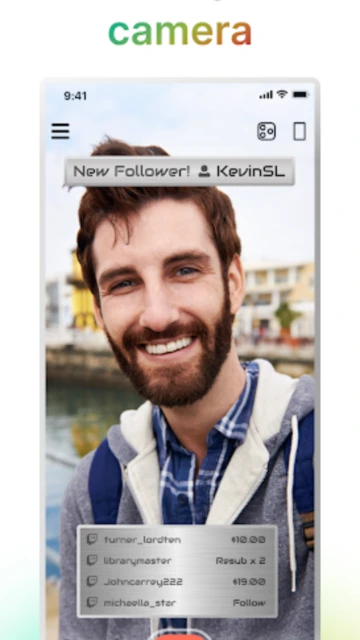
  • Switch between front and rear cameras mid-stream for dynamic content
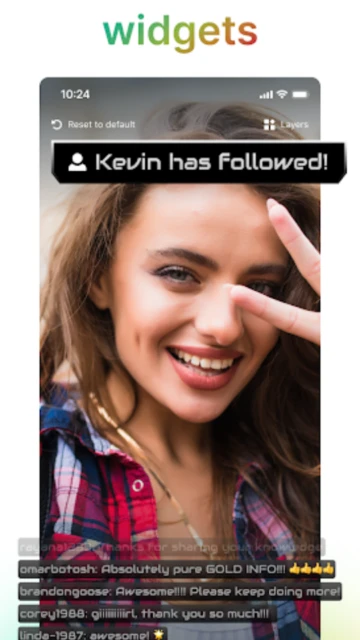
  • Customize overlays with logos, text, images, and theme templates
  • Real-time alert notifications for follows, tips, subscriptions
  • Integrated chat box supporting multiple streaming platforms
  • Monetize streams with tip page collection and on-screen alerts
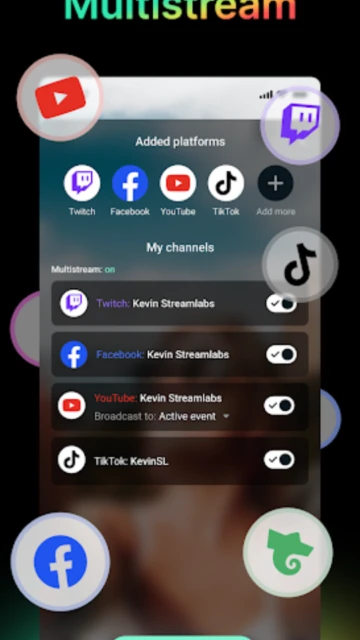
  • Multi-destination streaming with custom RTMP support
  • Disconnection protection ensures streams stay live if connection drops

Premium Features in the Paid Plan

  • Ultra subscription enables simultaneous broadcasting to multiple platforms
  • Advanced stream analytics with viewer engagement tracking
  • Priority customer support and technical assistance
  • Exclusive stream themes and professional overlay templates
  • Enhanced video quality settings and custom resolution options
  • Advanced moderation tools for chat management
  • Extended stream history and recording access
  • Priority feature updates and beta access to new tools

Free with Ultra subscription ($9.99-$27.99/month)

Free vs Premium Comparison

Feature Free Premium
Multi-platform streaming Single platform at a time Simultaneous multi-streaming to unlimited platforms
Overlay customization Basic themes and limited widgets Advanced customization with custom graphics and overlays
Viewer engagement Basic chat display Advanced alerts, tips, and interactive widgets
Stream analytics Limited viewer statistics Detailed metrics including engagement and growth analytics
Monetization Standard tip collection Enhanced tip tools and revenue optimization features
Streaming time limits Standard session limits Unlimited streaming duration
Video quality Up to 1080p Up to 4K streaming capability
Support priority Community support Priority customer support

Frequently Asked Questions

Can I stream to multiple platforms simultaneously with Streamlabs?

Yes, with the Ultra subscription you can broadcast to multiple platforms including Twitch, YouTube, Facebook, and custom RTMP destinations at the same time. The free version supports single-platform streaming.

What are the minimum phone requirements for Streamlabs?

For Android devices, you need Android 8.0 or later. For iOS, the app requires iOS 14.0 or later. Minimum 3GB RAM recommended for smooth streaming and stable performance.

How do I monetize my streams with Streamlabs?

Set up a Streamlabs Tip Page to collect tips from viewers. The app displays on-screen alerts for tips, and you can customize thank you messages. Connect to Twitch and YouTube features for subscriber integration.

Does Streamlabs provide streaming analytics?

Yes, Streamlabs offers viewer engagement metrics, peak viewing times, and audience statistics. Premium subscribers get advanced analytics including growth trends and audience demographics.

What if my internet connection drops during streaming?

With Ultra subscription, Disconnect Protection keeps your stream live for up to 30 seconds during connection issues. Free users experience standard connection handling without protection features.

Can I use custom overlays and alerts in Streamlabs?

Yes, you can add custom overlays, logos, text, and images to your stream. The app includes pre-made themes and alert templates. Ultra subscribers get access to advanced customization options and exclusive designs.

Is Streamlabs completely free to use?

Streamlabs is free to download and use for basic streaming. Ultra subscription unlocking multi-platform streaming starts at $9.99/month, with region-specific pricing variations available.