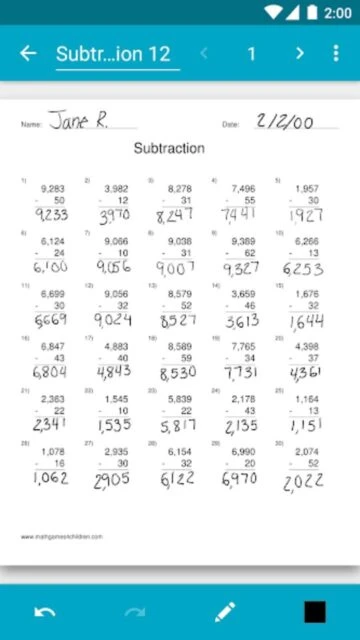
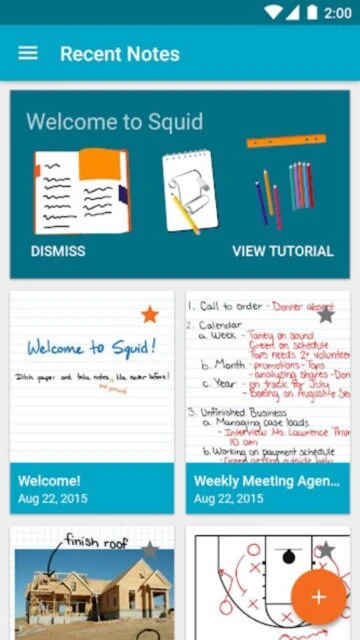
Squid transforms your Android device into a digital notebook by simulating the natural experience of writing on paper with pen or stylus. With over 10 million downloads and recognition as a Google Play Editors’ Choice app, Squid combines vector graphics technology with intuitive tools for creating handwritten notes, annotating PDFs, and organizing digital notebooks.
Why Choose Squid?
Squid stands out for delivering a responsive writing experience that closely mimics pen-on-paper interaction. The vector graphics engine ensures notes remain sharp and clear at any zoom level, while extensive customization options provide professional-quality output. Teachers appreciate its grading capabilities, students value PDF annotation features, and professionals use it for signing documents and conducting presentations.
- Natural Handwriting: Write with active pens on compatible devices or use finger on any device with responsive pressure sensitivity
- PDF Annotation: Import and markup PDFs for grading papers, filling forms, and signing documents seamlessly
- Versatile Organization: Create multiple notebooks, organize notes into folders, and export in various formats
How It Works
Install Squid and choose between blank, ruled, graph, or premium paper backgrounds. Write naturally using your finger, stylus, or active pen on compatible devices. Import PDFs to annotate directly with color pens, highlighters, or erasers. Organize notes into notebooks, set custom colors and pen weights, and export finished work as PDFs, images, or Squid Note format for backup or sharing.
Who Should Use It?
Ideal for educators grading assignments and annotating papers, students taking lecture notes during online classes, professionals signing contracts or conducting meetings with visual aids, and creative individuals sketching diagrams or technical drawings. Anyone seeking digital handwritten notes with professional annotation capabilities will find Squid indispensable.