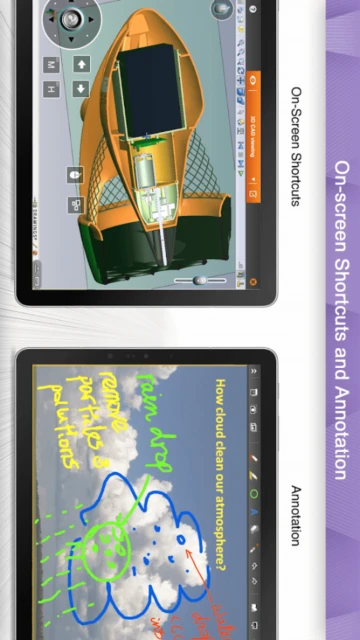
Splashtop Business delivers high-performance remote access for organizations seeking reliable, affordable solutions without compromising on functionality. With 30 million users worldwide and ratings of 4.8 stars on iOS and 4.7 on Android, Splashtop addresses critical gaps in traditional remote desktop solutions. This guide covers everything from initial setup to advanced configurations, competitive positioning, and practical optimization strategies for maximizing productivity across teams.
How to Get Started with Splashtop Business
Splashtop Business onboarding requires minimal technical expertise, with most users connecting to their first device within 10 minutes. The three-step setup process eliminates complex configurations that plague competing solutions, enabling immediate productivity.
- Sign Up for Free Trial – Visit splashtop.com/business and register with your email; no credit card required for the 7-day trial accessing Solo, Pro, or Performance tiers
- Deploy Streamer Software – Download Splashtop Streamer from splashtop.com/streamer on computers you want to control; Windows, Mac, and Linux versions available with automatic updates
- Configure Account Permissions – Within the Business app, add team members through the web portal and assign role-based access controls limiting which users can access specific computers
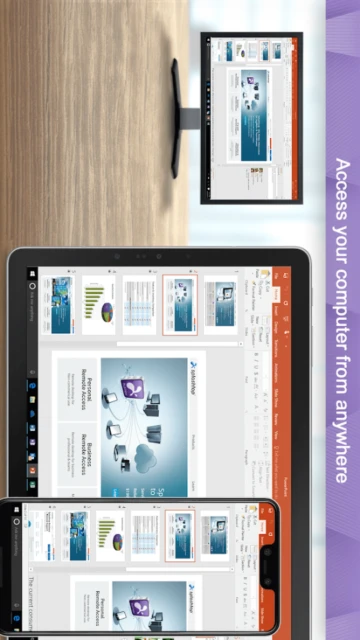
- Launch Remote Session – Open the app on your mobile device or tablet, select a computer from your device list, and establish a live session with 256-bit AES encryption throughout transmission
Who Should Use Splashtop Business
Splashtop Business serves distinct user segments with varying remote access requirements, from freelancers managing personal devices to enterprise IT departments supporting 500+ endpoints across multiple locations.
- Remote Workers – Professionals requiring seamless access to office desktops from home, cafes, or hotels with multi-monitor support and 4K streaming capabilities for graphics-intensive tasks
- IT Support Teams – Help desk technicians and system administrators managing client devices, automating patch deployment, and utilizing built-in chat for real-time troubleshooting during sessions
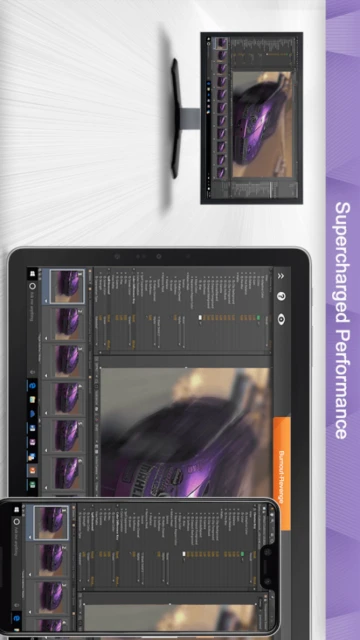
- Creative Professionals – Designers and video editors using the Performance plan (240 FPS, 4:4:4 color accuracy) to manipulate heavy files on remote workstations with zero perceptible lag
- NOT ideal for – Users requiring only occasional access to a single device may find Splashtop’s pricing excessive; Chrome Remote Desktop or basic VPN solutions may suffice for minimal use cases
Splashtop Business Platform Compatibility
Splashtop Business operates natively across Windows, macOS, Linux, iOS, and Android, with synchronized features ensuring consistent experiences regardless of client device. Version 3.8.0.0 (iOS) and 3.5.8.8+ (Android) represent the current stable releases as of November 2025.
| Platform |
Min. Version |
Unique Features |
Limitations |
| iOS |
iOS 16.0+ |
Magic Keyboard trackpad support, multi-monitor switching, file transfer (v3.7.4.2+), SOS invitation management, Xcode 16 dark mode |
iPad-only for multi-monitor preview; iPhone limited to single display view |
| Android |
Android 4.0+ |
Multi-monitor switching, key vs. text input modes, up to 4 live background sessions, multiple account switching, file transfer |
Background session limit (4); auto-cleanup on app closure |
| Windows |
Windows 7 SP1+ |
Patch management automation, scripting tasks, custom software deployment, credential management (v2.8.10.10+) |
Requires Streamer installation; UAC may prompt during setup |
| macOS |
macOS 10.12+ |
All Windows features, native M1/M2 support, patch management, credential management, file transfer |
Patch catalog smaller than Windows; Beta features limited to Performance tier |
Splashtop Business Integrations & Ecosystem
Splashtop integrations extend functionality into existing enterprise workflows, reducing context switching and enabling support teams to initiate remote sessions without leaving primary communication tools. Direct integrations with Microsoft Teams, Salesforce, and Freshworks streamline ticket management and customer support scenarios.
- Microsoft Teams Integration – Technicians use the Splashtop SOS app within Teams chat to provide remote support; Enterprise and SOS services only (Enterprise requires minimum 1 technician license)
- Patch Management Orchestration – Integrates with Windows Server Update Services (WSUS), macOS Software Update, and Ubuntu apt repositories for centralized security patching across 500+ endpoints simultaneously
- Third-Party App Patching – Automated updates for Google Chrome, Mozilla Firefox, Microsoft Edge, Adobe Acrobat Reader, Zoom, Slack, Webex Teams, and Dropbox through single dashboard
- API & Custom Integration – REST API endpoints enable custom app development, automated device assignment, and session logging for compliance auditing (Enterprise tier)
Best Alternatives to Splashtop Business
While Splashtop dominates performance-per-dollar metrics, specific use cases favor alternative solutions. Organizations prioritizing real-time collaboration, gaming support, or comprehensive endpoint management should evaluate competing platforms based on feature alignment and total cost of ownership.
- AnyDesk Remote Desktop – Best for lightweight performance and low-latency connections, offering 7.4.2 Android version with 24.67 MB install size and banking-grade AES-256 encryption for users prioritizing minimal CPU overhead
- TeamViewer Remote Control – Best for complex IT environments requiring multi-user sessions, comprehensive ITSM integrations (ServiceNow, Jira), and on-premises deployment options with full audit logging
- Chrome Remote Desktop – Best for free personal use requiring only Google Chrome installation on both devices; includes cloud backup of session history and simple PIN-based authentication for low-security scenarios
- RemotePC – Best for always-on unattended access with 4:4:4 color quality and multi-to-multi monitor viewing; emphasizes file transfer speed and cloud backup without performance degradation
Splashtop Business vs Top Competitors
Splashtop’s competitive positioning centers on affordability without feature sacrifice, making it attractive to small-to-mid enterprises managing 50-500 devices. Compared to enterprise solutions, Splashtop reduces licensing complexity and implementation timelines while maintaining security standards.
| Feature |
Splashtop Business |
AnyDesk Professional |
TeamViewer Premium |
| Starting Price |
$5/month (Solo), $8.25/user/month (Pro) |
Standard tier $99/year or €114/year with concurrent connection add-ons |
$1,295/year entry, $2,590/year standard |
| Key Strength |
4K streaming, 240 FPS capability, $13/month Performance tier with color accuracy and USB passthrough |
Lightweight 24.67 MB install, real-time codec ensuring responsive low-latency connections even over poor networks |
Comprehensive ITSM ecosystem, white-label customization, advanced Group Policies and on-premises deployment flexibility |
| Target Users |
Remote workers, IT teams, creative professionals managing 2-500 devices per license |
IT professionals seeking portable client and budget-conscious deployment with connection-based pricing |
Enterprise organizations requiring multi-tenant architecture, complex permission models, and regulatory compliance (HIPAA/GDPR) |
| Unique Feature |
Session recording (Pro+), multi-to-multi monitor display, 256-bit AES encryption, two-factor authentication built-in |
Custom client branding (Advanced+), private VPN tunnel creation between local and remote networks |
Conditional access controls, proactive device monitoring, automated remediation via custom scripts |
| Offline Mode |
Partial – queued tasks execute upon reconnection; scheduled patch jobs wait for device comeback |
No – requires active connection; mobile device management available only with active licensing |
No – Enterprise on-premises deployment requires continuous internal server connectivity |
Splashtop Business Privacy & Security Overview
Splashtop maintains banking-grade encryption and user control mechanisms, addressing security concerns from organizations handling sensitive intellectual property, customer data, or regulated information. No data is shared with third parties; users can request complete account deletion upon request.
| Security Aspect |
Implementation |
User Control |
| Data Encryption |
TLS and 256-bit AES encryption for all session traffic; encryption keys never stored on client devices |
Cannot disable encryption; always enforced for compliance |
| Authentication |
Email/password plus optional two-factor authentication via authenticator apps or SMS; single sign-on (SSO) with SAML 2.0 for Enterprise |
Users enable/disable 2FA in account settings; admins enforce 2FA organization-wide on Enterprise plans |
| Data Collection |
Session metadata logged (timestamp, user, device, duration); optional session recording feature (Pro+) creates local/cloud storage records |
Users can disable recording at organizational policy level; individual session recordings deletable from cloud storage |
| Third-Party Sharing |
Zero third-party data sharing; information retained only for performance optimization and security threat analysis |
Users can opt-out of anonymous usage analytics through account settings |
Splashtop Business Accessibility Features
Splashtop demonstrates commitment to inclusive design with VoiceOver support on iOS, TalkBack compatibility on Android, font scaling adjustments, high-contrast dark mode, and keyboard-only navigation alternatives for motor accessibility.
- Screen Reader – VoiceOver fully supported on iOS with proper UI element labeling; TalkBack compatible on Android 5.0+ with button hierarchy clearly announced
- Visual – Dynamic font scaling (100%-200%), high-contrast dark mode toggle, color-aware UI elements (avoids red/green dependencies), WCAG AA compliant contrast ratios
- Motor – Full keyboard navigation without touchscreen dependency; voice control integration on iOS 13+ and Android 11+ for hands-free operation; gesture alternatives available
- Languages – Supported in English, Spanish, German, French, Italian, Portuguese, Russian, Chinese (Simplified/Traditional), Japanese, Korean with right-to-left (RTL) support for Arabic and Hebrew
Power User Tips for Splashtop Business
Advanced users optimize Splashtop sessions for specific workflows by leveraging keyboard shortcuts, display configuration presets, batch automation, and conditional access patterns that maximize productivity while maintaining security boundaries across teams.
- Enable Key Mode for Password Entry – Switch input mode to “Key Mode” when typing sensitive credentials; prevents local keyboard prediction from interfering with remote authentication systems
- Configure Multi-Monitor Switching Hotkeys – Use in-session toolbar “monitor switch” icon to rapidly toggle between connected displays on remote machines; reduces motion on small screens
- Batch Deploy Agents via Group Policy – On Windows networks, deploy Splashtop Streamer via SCCM or Group Policy to 100+ endpoints simultaneously; reduces manual installation overhead by 95%
- Schedule Patch Windows During Off-Hours – Utilize Scripts and Tasks feature to queue patch jobs for 2:00 AM execution; devices automatically apply updates without blocking user sessions
- Monitor Vault Integration – Store frequently used device credentials in Splashtop credential manager (Enterprise); eliminates password reentry across sessions
Splashtop Business Support & Community
Splashtop provides tiered support aligned to subscription level, with Enterprise customers receiving dedicated account managers, telephone support, and guaranteed 4-hour response times for critical incidents.
- Official Help Center – support-splashtopbusiness.splashtop.com contains 2,000+ articles categorized by product (Business, SOS, Enterprise, Personal) with video tutorials for feature walkthroughs
- Community Forum – Reddit community at r/Splashtop with 15K+ active members discussing configuration challenges, workarounds, and feature requests; Splashtop staff actively participates in threads
- Social Media – Twitter (@Splashtop), LinkedIn company page, and YouTube channel with monthly update videos; official announcements include version releases, security patches, and roadmap previews
- Contact Support – Email [email protected] or submit tickets via my.splashtop.com portal; phone support available exclusively on Enterprise plans (Monday-Friday 8 AM-5 PM PT)
Splashtop Business Latest Updates & Roadmap
October 2025 enhancements introduced Windows 11 major version migration support, expanded macOS patch automation, and iOS file transfer capabilities (v3.7.4.2). Upcoming 2025 Q4 releases prioritize AI-powered vulnerability summaries, custom credential management workflows, and Android 15 optimization for devices running Android 15+ versions released by Google in September 2025.