Solid Explorer – Professional dual-pane file manager

Advanced file manager featuring dual-pane layout, cloud storage support, encryption, and root access for power users requiring professional-grade file organization.

About Solid Explorer File Manager

Solid Explorer is an enterprise-grade file manager delivering professional functionality through its innovative dual-pane architecture. The application excels at managing files stored across multiple locations including device storage, cloud services, and remote servers. Its powerful encryption system protects sensitive data while customizable interface options enable users to create personalized workflows. Support for advanced protocols and root access makes it suitable for technical users requiring complete file system control.

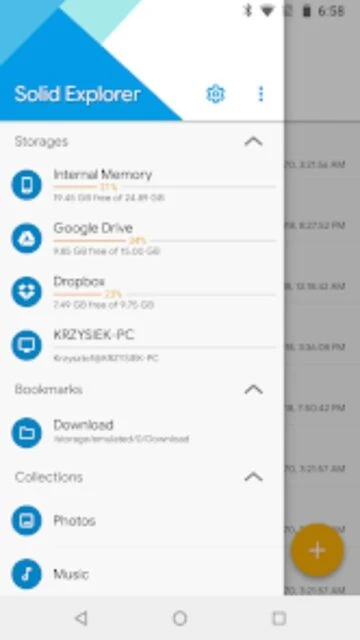
The app provides seamless integration with major cloud storage providers and network protocols, consolidating file management across dispersed locations. Archive format support eliminates the need for separate decompression utilities, streamlining file access. Built-in media players and viewers enable content preview without application switching. Organized collections automatically categorize files by type, while indexed search with advanced filtering enables rapid file discovery regardless of storage location.

Features Of Solid Explorer File Manager

  • Dual-pane file browser layout enabling simultaneous viewing of two independent directories
  • Cloud storage support for Google Drive, OneDrive, Dropbox, Box, OwnCloud, and SugarSync
  • Network protocol support including FTP, SFTP, SMB, and WebDAV for remote server access
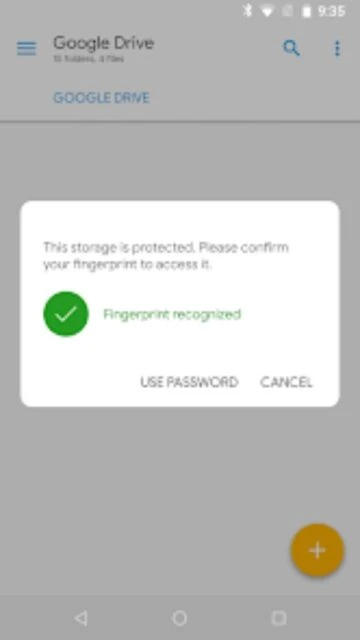
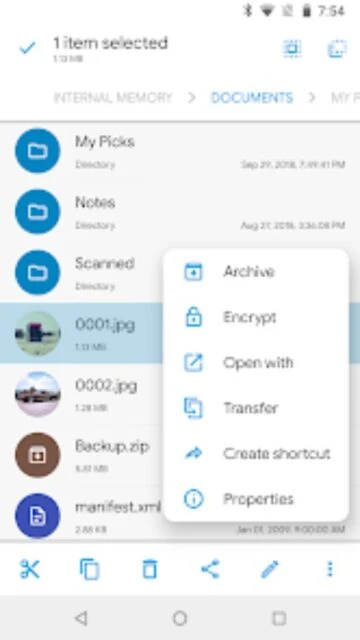
  • Advanced AES encryption with password and fingerprint authentication for file protection
  • Archive support for ZIP, 7ZIP, RAR, and TAR formats with direct access capabilities
  • Root explorer functionality for browsing system files on rooted Android devices
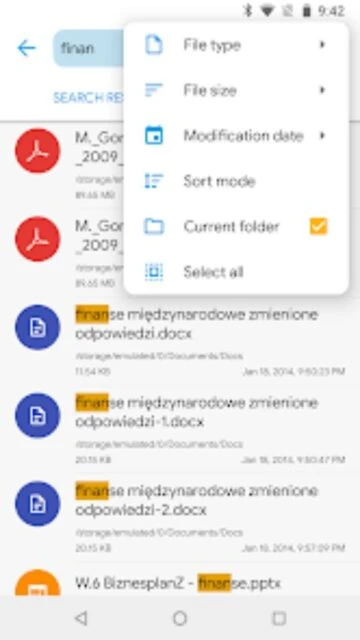
  • Indexed search with advanced filtering by file size, type, and modification date
  • Themes and customizable icon sets for complete interface personalization

Premium Features in the Paid Plan

  • Unlimited cloud storage connections with simultaneous remote location management
  • Advanced file encryption protecting data with military-grade AES standards
  • FTP server functionality enabling access from desktop computers
  • Batch rename operations supporting naming patterns and automated transformations
  • Recycle bin feature allowing file recovery before permanent deletion
  • Priority technical support from NeatBytes development team
  • Chromecast integration for streaming media to smart televisions
  • Multiple theme and icon customization packs expanding visual options

Free with 14-day trial, then $2.99-$4.99 one-time purchase

Free vs Premium Comparison

Feature Free Premium
File Browsing Single pane navigation available Dual-pane simultaneous browsing included
Cloud Storage Basic cloud access included Multiple simultaneous cloud connections
File Encryption AES encryption available Advanced encryption with fingerprint support
Archive Access ZIP format supported ZIP, RAR, 7ZIP, and TAR support included
Root Access Limited system file access Full root explorer functionality
FTP Server Not included FTP server feature available
Batch Operations Single file operations Batch rename and move operations
Technical Support Community forums only Priority developer support included

Frequently Asked Questions

What is the dual-pane layout and why is it useful?

The dual-pane layout divides the screen into left and right panels, each functioning as an independent file browser. This enables simultaneous viewing of two file locations, making drag-and-drop operations between directories incredibly efficient. Users can compare files, copy between locations, or move content with minimal navigation.

Is the trial version fully functional for 14 days?

Yes, the 14-day free trial includes all premium features without restrictions. Users can experience the complete functionality including dual-pane browsing, cloud integration, and encryption. After the trial expires, a one-time purchase of approximately $2.99-$4.99 (varies by region) unlocks permanent access to all features.

Which cloud storage services does Solid Explorer support?

Solid Explorer supports major cloud providers including Google Drive, OneDrive, Dropbox, Box, OwnCloud, SugarSync, MediaFire, and Yandex. Users can connect multiple cloud accounts simultaneously and manage files across all services from the single interface, plus network protocols FTP, SFTP, and SMB.

How does file encryption work in Solid Explorer?

Files can be protected using military-grade AES encryption with password or fingerprint authentication. Protected files become unreadable to other applications, and the encryption persists even after uninstalling Solid Explorer. Users set a separate unlock pattern different from device lock for additional security.

What archive formats does Solid Explorer support?

Solid Explorer supports reading and extracting ZIP, 7ZIP, RAR, and TAR archive formats. Users can browse archive contents directly without decompressing to disk first. This saves storage space and enables quick access to archived files from both local storage and remote cloud locations.

Can Solid Explorer access system files on rooted devices?

Yes, Solid Explorer includes root explorer functionality for browsing system files on rooted Android devices. This advanced feature allows experienced users complete file system access. The app handles system-level file operations safely while maintaining device stability.