Is Snapseed truly free with no hidden costs?
Yes, Snapseed is 100% free with no ads, watermarks, or in-app purchases. All 29 tools and features are available to every user without any subscription or premium tier.
 54
54

Complete professional photo editor by Google
Completely free professional photo editing app with 29 advanced tools, RAW support, and selective editing capabilities.
Snapseed is Google's flagship photo editing application offering professional-grade editing tools completely free and ad-free. The app provides extensive editing capabilities including RAW file support, 29 specialized tools, and advanced selective editing through Control Point technology.
Developed for serious photographers and enthusiasts, Snapseed delivers desktop-quality results on mobile with no subscription requirements or hidden costs, making professional editing accessible to all users regardless of budget.
Free, no ads or in-app purchases
| Feature | Free | Premium |
|---|---|---|
| Basic Editing Tools | All 29 tools included free | N/A - All free |
| RAW File Support | Full non-destructive RAW editing | N/A - All free |
| Selective Filters | Control Point technology unlimited | N/A - All free |
| Export Resolution | Full resolution export available | N/A - All free |
| Advertisement | Zero ads anywhere in app | N/A - All free |
| Watermark | No watermarks applied | N/A - All free |
| Filter Library | 15+ artistic filters included | N/A - All free |
Yes, Snapseed is 100% free with no ads, watermarks, or in-app purchases. All 29 tools and features are available to every user without any subscription or premium tier.
Yes, Snapseed fully supports RAW DNG files. You can open, edit non-destructively, and export RAW files as JPG or keep them in RAW format with preserved edits.
The Selective tool uses Control Point technology. Add up to 8 points on specific image areas and adjust exposure, saturation, brightness, or warmth for those specific regions. The algorithm blends adjustments naturally.
Yes, Snapseed functions entirely offline. No internet connection is needed for editing or exporting photos, making it perfect for airplane or remote editing sessions.
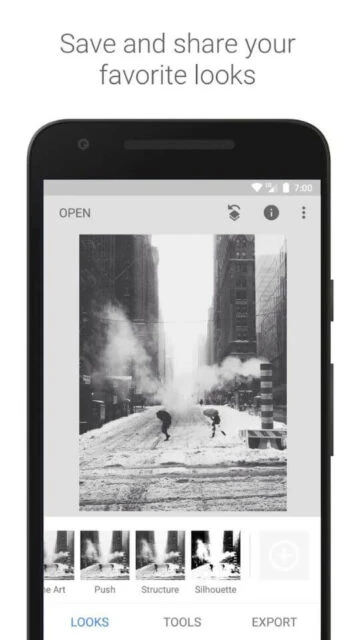
Yes, you can save your personal looks and editing combinations as presets. These saved presets can be quickly applied to new photos for consistent editing styles.
Snapseed supports JPG, PNG, and RAW DNG files. You can import from any source and export as JPG at various compression levels or keep as RAW with edits preserved.