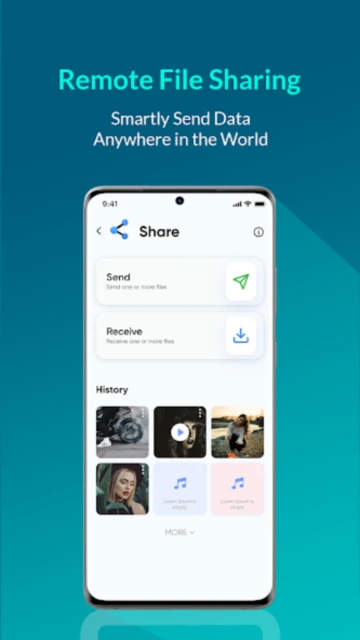
Smart Transfer serves as a comprehensive cross-platform file transfer solution for users switching devices or sharing large files across different operating systems without cloud intermediaries. This data migration app from Aomata LLC enables seamless phone cloning from any device to another, supporting Android-to-iOS conversions, iOS-to-Android transfers, and Android-to-Android migrations with automatic app installation assistance and WhatsApp backup transfer capabilities across all major smartphone platforms.
How to Get Started with Smart Transfer
The app streamlines the setup process through a guided transfer wizard that automatically detects your devices and establishes secure connections without requiring manual configuration or technical expertise.
- Install on Both Devices – Download Smart Transfer from Google Play Store on Android or equivalent iOS platform, then launch the application on both your old and new devices simultaneously
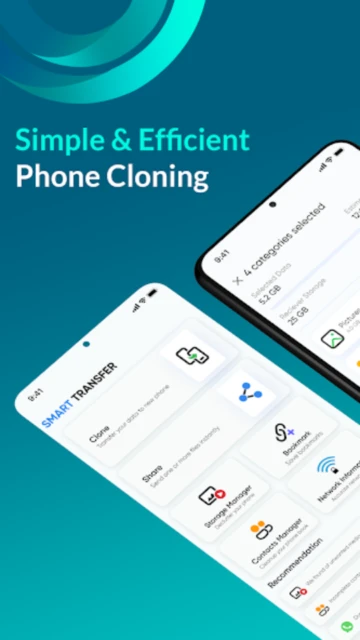
- Select Transfer Type – Choose between Clone (full phone duplication), Share (selective file transfer), or Backup (content preservation) from the main menu interface
- Establish Device Connection – Use WiFi hotspot connectivity by having one device create a mobile hotspot while the other connects directly, or scan the displayed QR code for automatic pairing
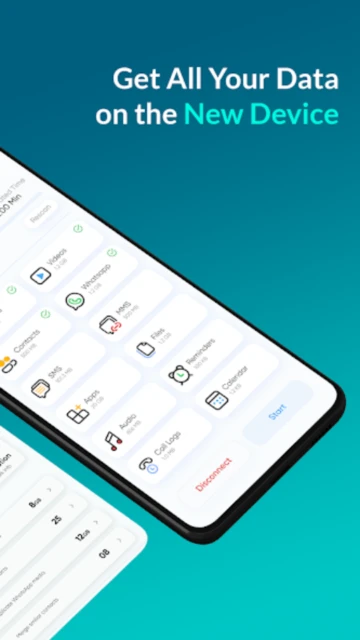
- Authorize Transfer Categories – Select which content types to migrate: contacts, photos, videos, calendars, apps, text messages, WhatsApp chats, and files from your old device
Who Should Use Smart Transfer
Smart Transfer targets users transitioning between different device brands and operating systems who need reliable cross-platform migration without data loss or cloud service dependencies.
- Android-to-iPhone Switchers – Users upgrading to iOS who need to preserve photos, contacts, calendars, and music from their Android devices without iCloud or iTunes complexity
- iPhone-to-Android Converters – Those switching to Android seeking to transfer messages, photos, documents, and app data from iOS devices without iTunes or Apple’s Move to Android app
- Device Cloners – Users creating complete backups of their entire phone setup including apps, settings, messages, and media to a new device of any brand
- NOT ideal for – Users primarily transferring large video libraries (better suited to cloud services), those requiring real-time synchronization, or users needing extensive cloud backup beyond offline transfer
Smart Transfer Platform Compatibility
Smart Transfer supports the widest range of Android devices and recent iOS versions, functioning across different device generations and manufacturers through WiFi connection technology.
| Platform |
Min. Version |
Unique Features |
Limitations |
| Android |
Android 5.0+ |
Full phone clone, app transfer with Play Store links, WiFi hotspot sharing, QR code pairing, SMS and WhatsApp transfer |
Apps must be manually installed on destination device; some enterprise apps may not transfer; Bluetooth transfers limited to smaller files |
| iOS |
iOS 12.0+ |
Receive transfers from Android, photo and contact import, calendar synchronization, limited app data transfer |
Cannot transfer all app data; iCloud integration required for full backup; fewer data types supported compared to Android source |
| Windows PC |
Windows 7+ |
Desktop-based transfers from mobile to computer, backup restoration capability, media import organization |
Desktop version offers limited functionality compared to mobile-to-mobile transfers |
| Mac |
macOS 10.12+ |
Mac data restoration, media file transfer, basic file sharing capability |
Mac compatibility less extensive than Windows; limited app transfer options |
Smart Transfer Integrations & Ecosystem
Smart Transfer connects with Google Play Store for app installation guidance and supports multiple cloud storage providers for optional backup, creating flexibility in transfer workflows and post-migration restoration.
- Google Play Store Integration – Automatically provides direct links to reinstall transferred Android apps on destination devices, eliminating manual app searching and download delays
- WhatsApp Transfer Support – Direct export of WhatsApp chat histories, media, and contacts from old devices to new ones, preserving conversation continuity and attached images
- Cloud Storage Options – Optional integration with Google Drive, Dropbox, or other cloud services for hybrid backup workflows combining wireless transfer with cloud redundancy
- Calendar and Contact Services – Seamless transfer of calendar events and contact information compatible with Google Contacts, iCloud Contacts, and standard vCard formats
Best Alternatives to Smart Transfer
While Smart Transfer excels in cross-platform transfer capabilities, alternative solutions serve specific needs such as cloud-based migration, operating system-specific transfer tools, or specialized large file handling.
- Google’s Move to Android – Best for switching from iPhone to Android with direct iCloud integration, automatic synchronization of contacts and photos, and official Apple-supported data migration
- Samsung Smart Switch – Best for Samsung device owners requiring seamless cloud-based transfer between Samsung phones, automatic app installation, and SmartThings integration
- Send Anywhere – Best for cross-device file transfers with support for up to 20 devices simultaneously, cloud backup options, and link-based sharing for large files
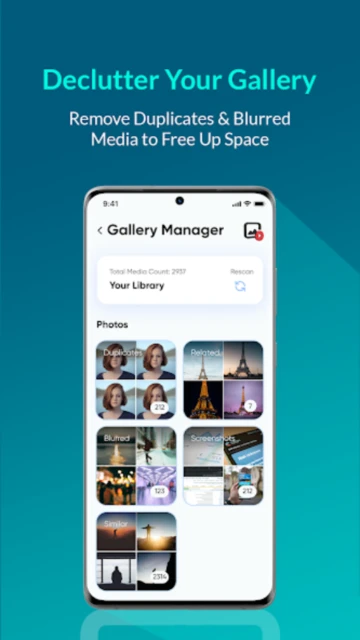
- SHAREit – Best for fast peer-to-peer sharing achieving up to 25% faster transfer speeds with improved device discovery and batch file operation capabilities
Smart Transfer vs Top Competitors
Smart Transfer differentiates itself through explicit cross-platform support and phone cloning capabilities, while competitors focus on single-platform optimization or cloud-based migration strategies.
| Feature |
Smart Transfer |
Move to Android |
SHAREit |
| Pricing |
Free with ads / Premium $3.99/month (ad removal) |
Free (Google official app) |
Free with optional premium $0.99/month |
| Key Strength |
Universal cross-platform support, phone cloning, WhatsApp transfer |
Official Apple-to-Android migration, iCloud integration |
Fastest transfer speeds (480 Mbps), batch operations, smart organization |
| Target Users |
Users switching between any device brands |
iPhone users specifically converting to Android |
Users prioritizing speed and multi-device sharing |
| Unique Feature |
Complete phone clone functionality preserving entire device state |
Native iCloud backup restoration to Android devices |
AI-powered file organization with duplicate detection |
| Offline Mode |
WiFi hotspot transfers work completely offline |
Requires Google account and internet for iCloud sync |
Offline transfers possible via WiFi Direct or hotspot |
Smart Transfer Privacy & Security Overview
Smart Transfer uses encrypted WiFi connections for local transfers and claims no third-party data sharing, though the free version displays advertisements funded by ad network partnerships requiring privacy awareness.
| Security Aspect |
Implementation |
User Control |
| Data Encryption |
WiFi encryption for local hotspot transfers, AES encryption protocols for data in transit |
Default encryption on all transfers, no option to disable encryption |
| Authentication |
QR code authentication between devices, optional password protection for backup files |
Users can create custom passwords for backup restoration, control device pairing |
| Data Collection |
Collects app usage analytics and transfer statistics for service improvement; targeted advertising based on device type and interests |
Opt-out of targeted advertising through device settings; limited control over analytics collection |
| Third-Party Sharing |
No explicit third-party data sharing reported; advertising partners receive device type and usage data |
Premium subscription removes all ads and reduces data collection for targeted advertising |
Smart Transfer Accessibility Features
Smart Transfer includes accessibility support through device-level features with variable implementation depending on Android version and target iOS compatibility.
- Screen Reader – TalkBack compatibility on Android with labeled buttons and navigation instructions; limited VoiceOver support on iOS due to app complexity
- Visual – Device dark mode support, adjustable text sizing through Android settings, high contrast button options for transfer category selection
- Motor – Voice command integration through Google Assistant for initiating transfers, large tap targets on all selection buttons, gesture alternatives for navigation
- Languages – Support for English, German, Spanish, Chinese (Simplified and Traditional), and Russian with additional language expansion planned
Power User Tips for Smart Transfer
Optimize cross-platform transfers through advanced techniques that bypass common issues, accelerate data migration, and preserve data integrity during complex multi-device scenarios.
- WiFi Hotspot Optimization – Create a mobile hotspot on the source device with a strong signal and connect the destination device directly for maximum transfer speeds without network congestion
- Selective Category Transfer – Deselect unnecessary categories before transfer to speed up the process; migrate photos and videos separately from contacts and messages to minimize total time
- App Backup Before Transfer – Apps don’t automatically install; note important app names before transfer, then manually install them via Google Play Store using the direct links Smart Transfer provides
- WhatsApp Preservation Strategy – Export WhatsApp backups through the app before transferring devices; restore from backup on destination device using the Google Drive backup function for seamless conversation continuity
- Text Message Verification – After transfer, verify SMS and MMS messages transferred completely; if issues occur, use SMS backup apps as backup for critical conversation history
Smart Transfer Support & Community
Aomata LLC provides email-based support with a dedicated help team responsive to transfer issues, technical problems, and feature requests from the user base.
- Official Support Email – [email protected] handles questions about transfer failures, device compatibility issues, and subscription billing inquiries with typical response within 24-48 hours
- Community Discussions – Google Play Store reviews serve as informal community support where users share transfer experiences and troubleshooting tips
- Social Media Presence – Monitor @SmartTransferApp updates on social platforms for new feature announcements and known issue notifications
- Blog & Resources – smarttransferapp.com maintains guides on data transfer strategies and platform-specific migration tips
Smart Transfer Latest Updates & Roadmap
The November 2025 version 3.8.1 introduced stability improvements for Android 14+ devices and enhanced WiFi connection detection for faster pairing. Recent updates focused on reducing transfer times for large photo libraries and improving app installation linking accuracy. Future roadmap includes iOS-to-iOS transfer capability, direct Windows Phone migration support, and cloud backup integration for hybrid transfer-backup workflows combining local speed with cloud redundancy options.