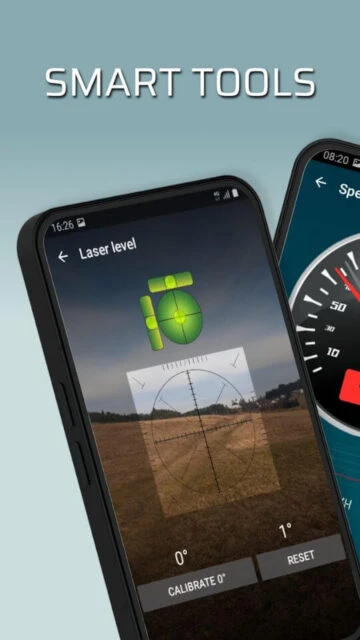
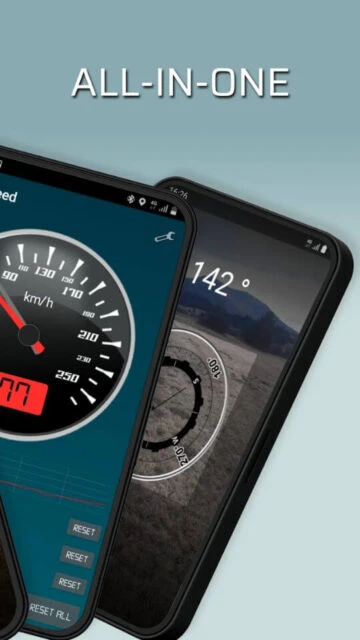
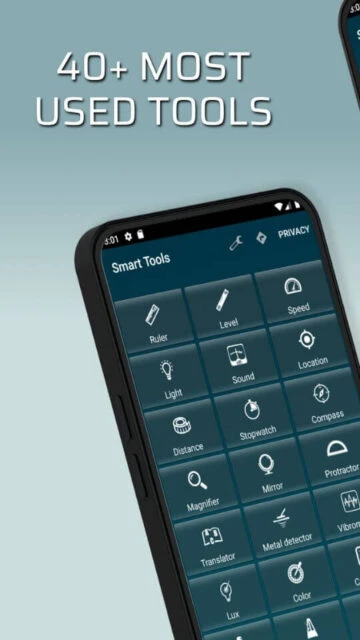
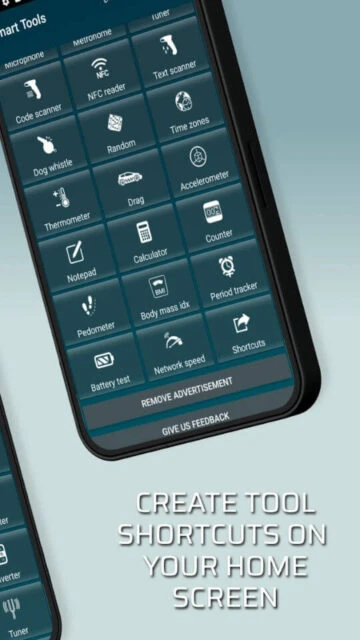
Smart Tools – All In One delivers over 40 interconnected utilities leveraging device sensors for measurement, construction, and conversion tasks. Unlike single-purpose tools, this consolidated platform eliminates app clutter while maintaining accuracy through device calibration options. The app serves professionals, contractors, and DIY enthusiasts who need rapid access to leveling, sound measurement, speed detection, and unit conversion without switching between applications. This comprehensive guide covers setup procedures, target audiences, platform compatibility, integrations, alternatives, security practices, and optimization tips for maximizing the toolkit’s functionality.
How to Get Started with Smart Tools – All In One
Smart Tools – All In One launches with a clean interface displaying all 40+ tools organized by category. Initial setup requires minimal configuration beyond granting sensor access permissions. The app runs immediately on Android 4.4+ or iOS 11.0+, with advanced measurement features available on devices with appropriate hardware sensors.
- Grant Sensor Permissions – Launch the app and approve location, camera, microphone, and accelerometer permissions required for measurement tools and scanner functionality
- Calibrate Measurement Tools – Navigate to individual measurement tools like bubble level or compass and use the in-app calibration option by placing your device on flat surfaces to ensure accuracy
- Create Quick Access Shortcuts – Tap the menu button and select “Create Shortcut” for frequently-used tools (laser level, compass, ruler) to launch directly from your home screen
- Explore Sensor-Dependent Features – Test tools requiring specialized sensors (thermometer, vibration meter, magnetic field detector) to confirm your device supports them before relying on measurements
Who Should Use Smart Tools – All In One
Smart Tools – All In One targets professionals and individuals requiring multiple measurement instruments for construction, home improvement, and technical diagnostics. The app balances accessibility for casual users with depth for specialized trades and engineering applications.
- Construction Workers & Contractors – Access bubble level, laser level, distance meter, and stud finder (metal detector) for on-site measurements without carrying physical equipment
- DIY Enthusiasts & Home Renovators – Use ruler, protractor, speedometer, and level tools for hanging artwork, checking wall angles, and monitoring installation accuracy
- Engineers & Technicians – Employ dB meter with frequency spectrum, vibration analyzer, luminosity meter, and battery tester for equipment diagnostics and environmental assessment
- NOT ideal for – Users requiring real-time GPS navigation (basic compass available but no full navigation features), professional surveying (lacks precision for formal land surveying), or those prioritizing ad-free experience on Android without premium upgrade
Smart Tools – All In One Platform Compatibility
Smart Tools – All In One maintains separate codebases optimized for each platform, resulting in feature parity differences and varying sensor availability. Android offers 40+ tools while iOS provides 31 specialized tools due to platform hardware constraints and app store guidelines.
| Platform |
Min. Version |
Unique Features |
Limitations |
| Android |
4.4+ |
40+ tools including drag racing, text scanner, NFC scanner, network speed test with full sensor integration across most brands |
Ad-supported experience without premium upgrade; not all tools supported on every device model depending on sensor availability |
| iOS |
11.0+ |
31 tools optimized for iPhone/iPad with cardiograph (heart rate meter), night vision, and specialized Apple sensor calibration |
Smaller tool set than Android; Mac version requires macOS 11.0+ with M1 chip or newer for native support |
| Web |
N/A |
No web version available; must use native mobile applications |
Cloud storage and cross-device sync not natively supported; user data stored locally on device |
| Desktop |
Chromebook compatible |
Android app runs on Chrome OS tablets and Chromebooks through Google Play; full feature parity with Android version |
Limited to devices with Google Play Store support; Windows and macOS desktop versions unavailable |
Smart Tools – All In One Integrations & Ecosystem
Smart Tools – All In One functions primarily as a standalone utility suite without direct third-party API integrations. The app’s strength lies in leveraging native device capabilities rather than external service connections, enabling offline functionality and immediate utility without account setup.
- Device Sensor Integration – Accesses accelerometer, magnetometer, gyroscope, camera, microphone, and ambient light sensors for 40+ specialized measurements without external hardware
- NFC Scanner – Reads NFC tags embedded in environment or products for quick information retrieval, useful for inventory tracking and asset tagging in professional settings
- QR & Barcode Scanner – Scans product codes and QR information without requiring separate scanner app, streamlining workflow for retail and warehouse operations
- Translator Integration – Built-in translation tool supports 50+ languages for quick text conversion without switching apps, particularly useful for international construction crews and multilingual workplaces
Best Alternatives to Smart Tools – All In One
Alternatives to Smart Tools – All In One vary by feature emphasis, from comprehensive toolkits to specialized single-tool applications. Selection depends on whether users prioritize breadth (all tools in one) or specialized accuracy for specific measurement types.
- iHandy Carpenter – Best for users prioritizing professional-grade bubble and laser levels with beautiful interface, offers paid version eliminating ads compared to Smart Tools’ freemium model
- Smart Kit 360 – Best for space-conscious users needing 32 tools in minimal storage footprint, claims smaller installation size than many individual utility apps
- Clinometer – Best for angle measurement specialists, open-source alternative providing free slope and incline calculations without ads or tracking
- My Measures App – Best for users requiring augmented reality (AR) measurement with photo annotation, PDF export, and integration with Leica DISTO hardware for construction documentation
Smart Tools – All In One vs Top Competitors
Smart Tools – All In One competes primarily on tool quantity and all-in-one convenience rather than specialized precision. Competing apps often excel in specific tool categories but require downloading multiple applications to match Smart Tools’ breadth.
| Feature |
Smart Tools – All In One |
iHandy Carpenter |
Smart Kit 360 |
| Pricing |
Free with ads / $2.99-$3.99 premium |
Paid upfront ($4.99-$9.99) |
Free with optional pro features |
| Total Tools |
40+ (Android) / 31 (iOS) |
5-7 specialized carpenter tools |
32 versatile utilities |
| Target Users |
General DIY to professional contractors |
Precision-focused construction workers |
Multi-purpose utility seekers |
| Bubble/Laser Levels |
Both included with basic calibration |
Professional-grade with advanced tuning |
Bubble level only with standard accuracy |
| Offline Mode |
Fully offline after initial download |
Fully offline (no internet required) |
Fully offline with most tools |
Smart Tools – All In One Privacy & Security Overview
Smart Tools – All In One declares data encryption in transit per Google Play security standards, though local data storage policies show users cannot delete stored measurements. The app collects location, app activity, and device identifiers for analytics purposes with limited user deletion options.
| Security Aspect |
Implementation |
User Control |
| Data Encryption |
TLS encryption for data transmitted during updates and analytics reporting |
Limited; encryption occurs automatically without user toggle options |
| Authentication |
No account login required; app operates with device-only authentication |
Full control; app requires no registration or password management |
| Data Collection |
Collects location coordinates from location tool, app usage statistics, device identifiers, and diagnostic information |
Location collection can be restricted via device settings; app-specific data deletion unavailable per policy |
| Third-Party Sharing |
App may share location and usage data with third-party analytics partners (Google Analytics implied) |
Limited options; users must restrict permissions via device settings to prevent location sharing |
Smart Tools – All In One Accessibility Features
Smart Tools – All In One demonstrates basic accessibility support through Android/iOS native frameworks, though specialized tool interfaces (dB meter visualizations, compass readings) lack dedicated screen reader optimization for visually impaired users.
- Screen Reader – Partial VoiceOver (iOS) and TalkBack (Android) support for navigation menus and settings, though measurement tool displays (frequency spectrums, gauge readouts) lack text alternatives
- Visual – System font scaling supported on both platforms; dark mode respects device system preference setting on iOS and newer Android versions; color contrast adequate for standard display but inconsistent across tool interfaces
- Motor – Gesture controls required for level calibration (tilt device) and compass navigation; voice control compatibility depends on device OS support but no app-specific voice commands implemented
- Languages – Supports 14+ languages (English, French, German, Hindi, Indonesian, Italian, Japanese, Korean, Portuguese, Russian, Simplified Chinese, Spanish, Turkish, Ukrainian); RTL language support available for Arabic and Hebrew on compatible devices
Power User Tips for Smart Tools – All In One
Advanced users maximize Smart Tools – All In One’s accuracy and efficiency through calibration refinement, sensor optimization, and workflow customization. These techniques eliminate common measurement discrepancies and accelerate access to frequently-used tools.
- Recalibrate on Uneven Surfaces – Place your device on verified flat surfaces (spirit level reference or surveyed floors) periodically; re-run bubble level and laser level calibration monthly for construction accuracy, as magnetometer drift occurs over time
- Create Per-Tool Shortcuts – Generate individual home screen shortcuts for your most-used tools (laser level, compass, distance meter); faster than accessing from full menu, particularly useful on job sites with gloved hands
- Test Device Sensor Compatibility First – Some tools require specific sensors; test thermometer, vibration meter, and magnetic field tools before committing to project measurements since older devices may lack required hardware
- Use Night Vision for Dark Site Surveying – The night vision tool (iOS-exclusive) amplifies minimal light for nighttime measurements; on Android, combine flashlight with standard tools for low-light work
- Combine Tools for Comprehensive Diagnostics – Use battery tester with power consumption awareness, network speed test alongside stopwatch for timing network operations, and dB meter with frequency spectrum for HVAC noise assessment
Smart Tools – All In One Support & Community
Support for Smart Tools – All In One channels through developer contact and store review systems. The app maintains minimal formal community infrastructure, relying on direct developer communication and user reviews for feedback and troubleshooting guidance.
- Official Help Center – No dedicated support website; in-app help accessible through menu settings directing users to developer contact for specific tool clarifications and technical issues
- Community Forum – No official forum; user discussions occur through Google Play Store and App Store reviews where experienced users provide workarounds and tips
- Social Media – Limited social media presence; developer (Matjaž Marolt) can be reached via email ([email protected]) for bug reports and feature requests
- Contact Support – Email [email protected] or in-app support button links to developer email; expect 48-72 hour response time for critical issues and feature inquiries
Smart Tools – All In One Latest Updates & Roadmap
Smart Tools – All In One received its last significant update on July 14, 2025, focused on bug fixes and stability improvements. The app maintains a steady release cycle with minor patches addressing user-reported sensor calibration issues and tool accuracy refinements. Planned features for 2025 include enhanced compass drift correction, expanded currency converter country coverage (currently limited per user feedback), and improved metronome stability to address occasional shutdown issues reported on iOS. The developer prioritizes reliability fixes over feature expansion, reflecting a mature app philosophy prioritizing core tool accuracy over novelty features.