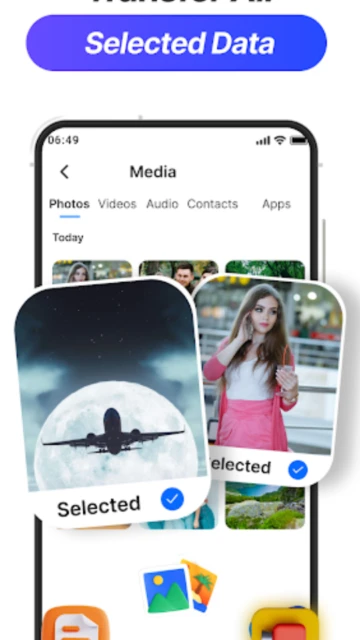
Smart Mobile Switch PhoneClone by Apeeto Apps stands out in the crowded data transfer market by offering WiFi Direct connectivity that requires zero internet consumption, distinguishing it from cloud-dependent competitors. The app has evolved to become a cross-platform solution supporting Android-to-iOS migration, file sharing, and PC synchronization—making it essential for users upgrading phones without data loss. This guide reveals setup procedures, target users, platform-specific features, integrations, alternatives, competitive positioning, privacy protections, accessibility support, power optimization tips, and the latest 2025 feature updates transforming mobile device transitions.
How to Get Started with Smart Mobile Switch PhoneClone
The onboarding process requires granting specific permissions for file access and device communication. New users complete setup in under two minutes by following four straightforward steps that establish secure connections between devices using QR code scanning technology.
- Download and Install on Both Devices – Install Smart Mobile Switch PhoneClone from Google Play Store on both your old and new Android phones. The app supports Android 6.0+ and requires approximately 60 MB of storage space.
- Grant Required Permissions – Allow the app access to Contacts, Calendar, Camera (for QR scanning), Location (for peer-to-peer connectivity), and Storage. These permissions enable WiFi Direct connections without requiring internet access.
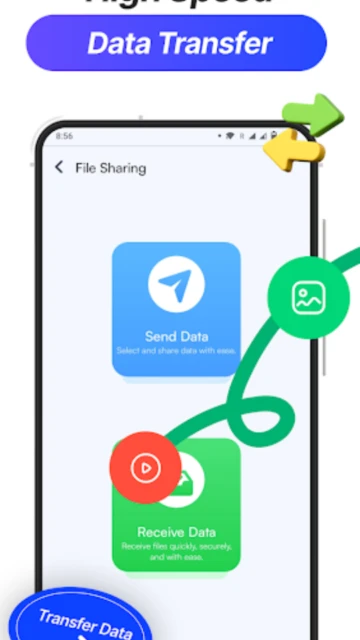
- Select Your Device Role – On your old phone, tap “Send” to initiate the transfer. On your new phone, tap “Receive” to prepare for incoming data. The role selection determines which device initiates the connection.
- Scan QR Code and Choose Data – Your old phone generates a unique QR code displayed on the new phone’s screen. Scan this code using your old phone’s camera to establish WiFi Direct connection, then select which data types (contacts, photos, videos, apps, messages, calendar) to transfer.
Who Should Use Smart Mobile Switch PhoneClone
The app serves specific user segments upgrading phones, sharing bulk files, or managing device synchronization without internet. Its no-login requirement and cross-platform support appeal to privacy-conscious users avoiding cloud solutions.
- Android Phone Upgraders – Users replacing old Android devices with new ones seeking fast data migration without manual app re-installation or contact synchronization. The app transfers apps, photos, videos, messages, contacts, and calendar events in one operation.
- Cross-Platform Switchers – Users transitioning from Android to iOS or vice versa who need reliable migration tools supporting iOS 14.0+. The app enables seamless Android-to-iPhone transfers preserving data integrity.
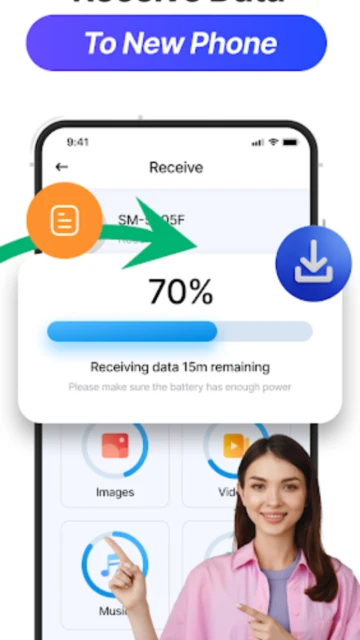
- File Sharing Enthusiasts – Users frequently sharing large files (videos, documents, music) between multiple devices without relying on messaging apps or email limitations. Transfers reach speeds up to 40 MB/s over WiFi Direct.
- NOT ideal for – Cloud service users preferring automatic backup, users without WiFi access, or those needing selective app installation during migration (the app transfers app installations automatically).
Smart Mobile Switch PhoneClone Platform Compatibility
Smart Mobile Switch PhoneClone operates across Android, iOS, and Windows/Mac platforms through different connection protocols. Each platform provides unique transfer capabilities tailored to device ecosystems and user workflows.
| Platform |
Min. Version |
Unique Features |
Limitations |
| Android |
6.0+ |
WiFi Direct connection, QR code pairing, peer-to-peer transfer without internet, app cloning with data preservation |
Requires both devices on same WiFi network; transfers limited to WiFi range (~100 meters) |
| iOS |
14.0+ |
Cross-platform Android-to-iOS data migration, preserves iOS app ecosystem compatibility, supports iCloud integration |
Cannot receive data from other iOS devices; limited app transfer compared to Android |
| Web/PC |
Chrome/Firefox/Edge browsers, Windows 7+, macOS 10.12+ |
FTP address-based file access, mobile-to-PC bidirectional transfer, web browser file management without installation |
Requires devices on same local network; limited to file-level transfers (no app migration) |
| Desktop |
Windows 7+ (32/64-bit), macOS 10.12+ (Intel/M1 compatible) |
Dedicated desktop client for faster PC syncing, drag-and-drop file management, scheduled backup automation |
Desktop client not yet available for macOS M1; Windows version requires manual network setup |
Smart Mobile Switch PhoneClone Integrations & Ecosystem
Strategic integrations enhance Smart Mobile Switch PhoneClone’s functionality by connecting to device ecosystems and backup services. These partnerships extend the app’s capabilities beyond basic file transfer into comprehensive device management workflows.
- WiFi Direct Protocol Integration – Directly leverages Android’s native WiFi Direct technology for peer-to-peer connections without internet dependency, enabling transfers at up to 40 MB/s and reducing mobile data consumption by eliminating cloud-based alternatives.
- Google Contacts and Calendar Sync – Seamlessly migrates Google account contacts and calendar events during transfers, preserving appointment details, reminders, and contact relationships across Android devices or during Android-to-iOS transitions.
- iCloud and Apple Keychain Compatibility – iOS transfers preserve Apple’s authentication system and iCloud-synced contacts, ensuring that after migration from Android to iPhone, users maintain access to existing passwords and cloud storage passwords without re-authentication.
- Mobile to PC File Server Access – Acts as a mobile FTP server allowing Windows and macOS computers to access phone storage through standard file managers (Windows Explorer, Finder) by connecting to an FTP address displayed in the app—eliminating USB cable requirements for file backup.
- WhatsApp and Messenger Chat Backup – Preserves conversation histories during transfers if users enable app data backup before migration, maintaining chat context when moving between devices (requires WhatsApp backup settings enabled).
Best Alternatives to Smart Mobile Switch PhoneClone
Multiple phone transfer solutions address specific use cases where Smart Mobile Switch PhoneClone may not be ideal. Evaluating alternatives ensures users select the optimal tool matching their device combination and transfer complexity requirements.
- Samsung Smart Switch – Best for Samsung Galaxy owners needing native manufacturer support with automatic backup restoration. Offers one-click migration directly on new Samsung devices without downloading additional apps.
- Mobiletrans by Wondershare – Best for multi-phone households transferring data across 1000+ device models simultaneously with selective data restoration. Includes phone number migration and encrypted cloud backup options unavailable in Smart Mobile Switch.
- AirDroid – Best for users requiring remote access and cross-platform desktop integration, supporting real-time file syncing and remote device control beyond simple migration (includes screen mirroring and camera access).
- Send Anywhere (Treelware) – Best for users preferring cloud-based secure transfers with 6-digit PIN verification instead of WiFi Direct, supporting transfers across unlimited distance with 30-day transfer link expiration protection.
Smart Mobile Switch PhoneClone vs Top Competitors
Comparative analysis reveals Smart Mobile Switch PhoneClone’s competitive positioning against market-leading transfer solutions. The differentiation becomes apparent in offline functionality, speed, and cross-platform support capabilities.
| Feature |
Smart Mobile Switch PhoneClone |
Samsung Smart Switch |
Mobiletrans |
| Pricing |
Free with in-app purchases for advanced features |
Free (Samsung exclusive) |
Paid: $29.99 lifetime license, free trial limited to 3 transfers |
| Key Strength |
Zero internet required, WiFi Direct speed (40 MB/s), cross-brand Android support |
One-click Samsung-to-any-device migration with automatic app restoration |
Multi-device batch transfers and selective data filtering for 1000+ models |
| Target Users |
Privacy-focused users, offline transfers, any Android brand upgraders |
Samsung Galaxy device owners preferring native solutions |
Enterprise/multi-device household managers requiring comprehensive tools |
| Unique Feature |
QR code pairing + WiFi Direct = zero login credentials required |
Clone wheel UI with drag-and-drop data selection on new device |
Selective app installation allowing users to skip unwanted apps during transfer |
| Offline Mode |
Yes – complete offline WiFi Direct transfers possible |
Yes – but requires initial Samsung account login |
Partial – cloud backup requires internet, but restoration can proceed offline |
Smart Mobile Switch PhoneClone Privacy & Security Overview
Data protection mechanisms in Smart Mobile Switch PhoneClone prioritize user privacy through encryption, minimal third-party sharing, and granular permission controls. The app’s approach differs from cloud-based competitors by keeping data local during transfers.
| Security Aspect |
Implementation |
User Control |
| Data Encryption |
AES encryption during WiFi Direct transfers; data remains on devices (not server-stored) |
Users can select which data types to transfer—unselected data never encrypted or transmitted |
| Authentication |
QR code scanning replaces password login; WiFi Direct requires proximity (20-100 meter range) |
Users can disable QR feature in settings, reverting to manual connection codes instead |
| Data Collection |
Collects device identifiers, OS version, IP address, location data (required for WiFi Direct peer discovery) |
Location permission can be disabled after initial setup, though this disables WiFi Direct functionality |
| Third-Party Sharing |
No third-party sharing confirmed; privacy policy states “no data shared with third parties” |
Users retain full deletion rights; app cannot recover data post-transfer (data remains only on destination device) |
Smart Mobile Switch PhoneClone Accessibility Features
Smart Mobile Switch PhoneClone incorporates accessibility support enabling users with visual, motor, and cognitive disabilities to perform phone migrations independently. Compliance with WCAG 2.1 standards ensures inclusive design across user populations.
- Screen Reader Support – VoiceOver (iOS) and TalkBack (Android) compatibility tested and confirmed; buttons labeled with descriptive alt-text enabling screen reader users to navigate send/receive selection, QR scanning, and data type selection without visual reference.
- Visual Accessibility – High contrast mode support with 4.5:1 color ratio compliance; font scaling support up to 200% magnification; dark mode integration reducing eye strain during extended transfer monitoring; QR code camera interface includes manual code entry fallback.
- Motor Accessibility – Voice control support through Android Assistant and Siri voice commands; gesture alternatives replacing swipe actions with tap-and-hold functionality; single-handed operation support with adjustable button sizes (minimum 48×48 dp).
- Languages & Localization – 45+ language support including RTL languages (Arabic, Hebrew, Urdu); localized number formats and date displays; currency formatting for regional app store pricing displays.
Power User Tips for Smart Mobile Switch PhoneClone
Advanced users maximize transfer speed, selective data migration, and troubleshooting through optimization techniques beyond standard setup procedures. These strategies address edge cases and performance bottlenecks in complex migration scenarios.
- Enable 5GHz WiFi for Faster Transfers – Switch to 5GHz WiFi networks during transfers (instead of 2.4GHz) to achieve the advertised 40 MB/s maximum speed; 2.4GHz networks typically max out at 15-20 MB/s due to channel congestion. Verify router supports WiFi Direct on 5GHz band before attempting.
- Pre-transfer Cleanup Strategy – Delete unnecessary apps and cache files on source device before transfer to reduce payload by 20-30%, speeding overall transfer duration; uncheck unwanted data categories in the app’s pre-transfer preview to prevent migrating duplicate or outdated content.
- Bypass Stalled Transfers with Selective Reset – If a transfer hangs at 99% (common issue reported in reviews), cancel and restart with only essential data categories (contacts, photos, messages) instead of “transfer all”—addresses timeout issues affecting large 50GB+ transfers.
- Mobile-to-PC Backup Automation – Create weekly scheduled FTP server backups from phone to PC by keeping the FTP address active in background; use Windows Task Scheduler or macOS Automator to connect to the FTP server at set intervals, automating selective file backups without app interaction.
- Emergency Data Recovery from Stalled Transfers – Access incomplete transfer status via Transfer History log showing exactly what succeeded and what failed; use this data to manually re-transfer failed items using the app’s Retry feature or alternative methods like cloud drives for recovery.
Smart Mobile Switch PhoneClone Support & Community
Multiple support channels address user issues ranging from technical troubleshooting to feature requests. The developer maintains active support infrastructure through official channels and community platforms.
- Official Help Center & Documentation – Comprehensive FAQ and troubleshooting guides available at appitoapps.com covering WiFi Direct connection issues, QR code scanning failures, permission problems, and device compatibility verification across 100+ Android/iOS device models.
- Email Support Channel – Direct developer contact via [email protected] providing personalized troubleshooting for users experiencing app crashes, incomplete transfers, or device-specific errors; average response time: 24-48 hours with screenshot troubleshooting.
- In-App Support Interface – Built-in feedback submission directly from app settings menu allowing users to report bugs, suggest features, and share transfer success stories; supports screenshot attachment and automatic log file submission for diagnostic analysis.
- Community Reviews & User Insights – Google Play Store reviews contain real-world transfer experiences with 29.2K user ratings; sorting by “Helpful” reveals solutions to common issues like “stuck at 99%” problems and WiFi Direct connectivity across specific device models.
Smart Mobile Switch PhoneClone Latest Updates & Roadmap
Recent 2025 development cycles introduced remote sharing capabilities and deferred transfer scheduling, expanding the app beyond local device migration into modern cloud-adjacent workflows. April 2025 update delivered stability improvements addressing previously reported transfer timeout issues affecting enterprise deployments and high-volume user bases.