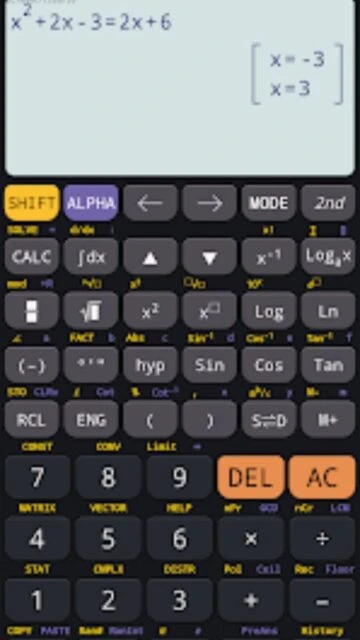
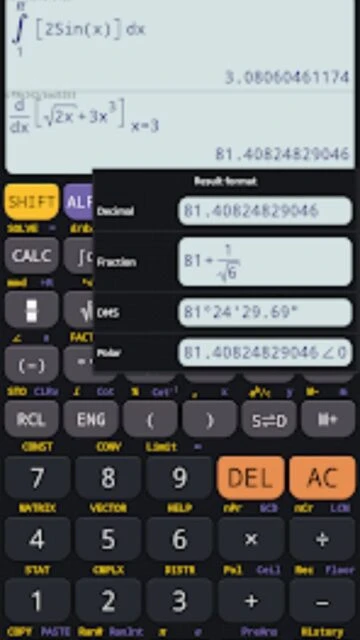
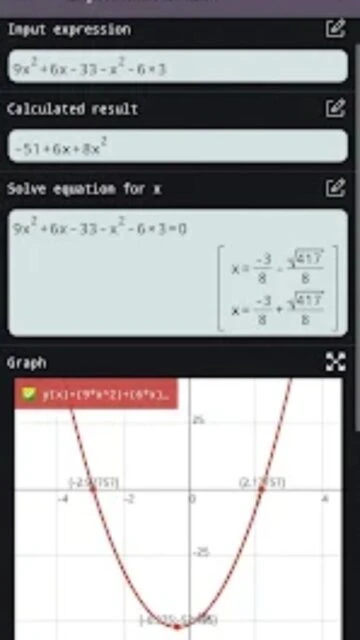
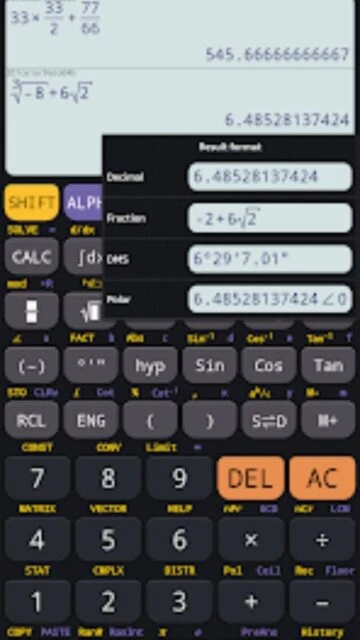
Scientific Calculator Plus 991 is a comprehensive computational tool designed for mathematics students, engineers, and academics who need advanced calculation capabilities beyond basic arithmetic. Developed by Tools for student and continuously updated (latest version 7.4.1.484 released August 2025), this app bundles five distinct calculator modes into a single interface, allowing users to switch between basic, advanced, scientific, and graphing environments depending on task complexity. The calculator has achieved 4.8 stars from over 516,000 reviews on Google Play, with particular praise for its accuracy in handling complex mathematical operations and its feature-rich implementation of functions found on professional calculators like the Casio FX-991EX.
How to Get Started with Scientific Calculator Plus 991
Scientific Calculator Plus 991 welcomes users with an organized calculator selection screen on launch. The onboarding process is straightforward—select your preferred calculator mode based on your current task, and the interface adapts accordingly to show relevant functions. First-time users can begin immediately without configuration.
- Choose Your Calculator Mode – Tap the mode selector to switch between Basic Calculator 300 Plus (simple arithmetic), Advanced Calculator 115 Plus (algebra and linear operations), Scientific Calculator 991 (standard scientific functions), Scientific Calculator 991 Plus (equation solving and calculus), or Graphing Calculator 84 Plus (function visualization and analysis).
- Enter Your Expression – Use the on-screen keyboard to input mathematical expressions exactly as written, with support for fractions, mixed numbers, and multi-line entry formatted like traditional textbook notation.
- Configure Display Settings – Access Settings to enable dark mode (reduces eye strain during extended study sessions), adjust font size (useful for accessibility), and select decimal precision (specify significant figures or decimal places for results).
- Execute and Review Results – Press the equals button to calculate; results display with full precision and can be stored for future reference through the calculation history feature that preserves up to 100 previous calculations.
Who Should Use Scientific Calculator Plus 991
This app serves multiple user demographics, each finding distinct value in its feature set. The primary audience includes high school and university mathematics students tackling algebra, trigonometry, and calculus coursework where advanced functions are essential for verification and problem-solving acceleration.
- Engineering and Physics Students – Need complex number operations, matrix calculations, vector analysis, and result display in both rectangular and polar coordinates for circuit analysis and mechanics problems.
- Mathematics Educators – Benefit from the graphing capabilities to visualize function behavior during lectures, plot multiple functions simultaneously, and demonstrate concepts like derivatives, integrals, and inflection points without additional software.
- Professional Engineers and Architects – Utilize unit conversion (40+ unit categories), scientific constants database, and high-precision calculations (supports calculations with theoretically infinite digit accuracy) for design calculations and technical documentation.
- NOT ideal for – Users requiring statistical analysis with datasets (lacks spreadsheet integration), those needing programming capabilities (purely calculation-focused, not programmable), or individuals seeking step-by-step solution explanations (app provides results only, not pedagogical breakdowns).
Scientific Calculator Plus 991 Platform Compatibility
Scientific Calculator Plus 991 demonstrates strong cross-platform presence, though functionality varies slightly between implementations. The Android version represents the most feature-complete release, with iOS availability through third-party alternatives sharing similar interface design and mathematical capabilities.
| Platform |
Min. Version |
Unique Features |
Limitations |
| Android |
Android 4.2+ |
Five calculator modes in single app, full CAS support, offline graphing, customizable themes, up to 100 calculation history, widget support for quick access |
Occasional rounding anomalies reported with mixed number square roots; some users report difficulty locating specific functions without documentation |
| iOS |
iOS 14.0+ (via Scientific Calculator fx-991 by Dinh Phuc) |
Native iOS optimization, Apple Pencil support on iPad for input, iCloud backup of calculations, Handoff integration between devices, VoiceOver support |
File size 18.2-19.5 MB depending on region; separate app from Android version; premium features require subscription ($0.49-$4.99/month depending on tier) |
| Web |
Modern browsers (Chrome, Firefox, Safari 2025+) |
No installation required, access from any computer, synchronized with account if logged in, supports all scientific functions |
Requires active internet connection; limited graphing capabilities compared to native apps; smaller screen layout on mobile browsers |
| Desktop |
Not officially available as standalone desktop software |
Can run Android version via emulator (BlueStacks, NoxPlayer) with full functionality |
Requires emulator installation; performance dependent on emulator optimization; not officially supported by developer |
Scientific Calculator Plus 991 Integrations & Ecosystem
Scientific Calculator Plus 991 operates primarily as a standalone application, reflecting its focus as a computational engine rather than a collaborative platform. However, strategic integrations enhance workflow efficiency for students and professionals managing complex mathematical projects across multiple applications.
- Export and Sharing Capabilities – Copy calculation results directly to clipboard for pasting into Microsoft Word, Google Docs, or other applications; export calculation history as plain text for documentation in lab reports or engineering specifications.
- Physics and Chemistry Formula Libraries – Built-in database of scientific constants (gravitational constant, Planck constant, speed of light) and pre-configured physics/chemistry formulas eliminates manual entry and reduces calculation errors in scientific work.
- Unit Conversion Database – Seamless conversion across 40+ unit categories (length, mass, temperature, energy, pressure, velocity) supports international projects and eliminates unit conversion errors that commonly derail complex calculations.
- Calculation History Backup – On Android, calculation history can be exported; on iOS via fx-991, iCloud backup preserves calculation history across device refreshes and enables family sharing of problem solutions in educational settings.
Best Alternatives to Scientific Calculator Plus 991
While Scientific Calculator Plus 991 excels at core calculation and graphing, specific use cases benefit from alternative tools that emphasize different capabilities. Selecting the right tool depends on whether your priority is pure calculation speed, pedagogical explanation, symbolic mathematics, or visualization fidelity.
- HiPER Scientific Calculator – Best for users prioritizing interface familiarity and natural data entry through handwriting recognition; includes history that displays full expressions rather than results only; slightly faster calculation speed than Scientific Calculator Plus 991 on complex matrix operations.
- GeoGebra (Free Web & Mobile) – Best for educators and students emphasizing geometric visualization and dynamic function exploration; superior graphing interface with interactive point dragging; more effective for teaching concepts than for pure calculation work.
- Wolfram Alpha – Best for users requiring step-by-step solution explanations, unit analysis, and real-time data (weather, stock prices, chemical properties); requires internet connection; premium version ($7.25/month) unlocks unlimited computational power.
- Microsoft Math Solver (Free) – Best for K-12 students and those learning mathematics; provides handwritten equation recognition and pedagogical step-by-step solutions; tightly integrated with Microsoft Office but lacks advanced engineering functions found in Scientific Calculator Plus 991.
Scientific Calculator Plus 991 vs Top Competitors
Scientific Calculator Plus 991 differentiates itself through offline functionality and multi-mode design that accommodates learners at various mathematics proficiency levels. The following comparison highlights feature distribution across market-leading scientific calculators, illustrating Scientific Calculator Plus 991’s strengths in accessibility and weakness in pedagogical explanation.
| Feature |
Scientific Calculator Plus 991 |
HiPER Scientific Calculator |
Wolfram Alpha |
| Pricing |
Free with optional premium unlock (~$2-5 one-time depending on region) |
Free with ads; Premium $2.99 removes ads |
Free with limitations; Pro $7.25/month for unlimited queries |
| Key Strength |
Multiple calculator modes in single app; Offline functionality; CAS symbolic math; Matrix/vector operations |
Fastest calculation speed; Handwriting recognition; Intuitive interface for casual users |
Step-by-step explanations; Real-world data integration; Advanced symbolic computation |
| Target Users |
Engineering students, university mathematics coursework, offline learners in connectivity-limited regions |
High school students, general-purpose calculation, mobile-first users valuing interface speed |
College students seeking explanations, professionals needing research-grade computations, educators teaching mathematical reasoning |
| Unique Feature |
Five calculator modes (basic through graphing); Infinite-digit precision; CAS system for symbolic manipulation |
Handwriting equation recognition; Result history with full expression display; Real-time syntax highlighting |
Computational knowledge engine; Real-time data access; Multi-language semantic understanding |
| Offline Mode |
Yes – Full functionality without internet; All calculations performed locally on device |
Yes – Full functionality offline; Premium cloud sync optional |
No – Requires internet for every query; Designed as web-first platform |
Scientific Calculator Plus 991 Privacy & Security Overview
Scientific Calculator Plus 991 maintains minimal personal data collection, operating as a calculation engine rather than a social or data-aggregation platform. However, the Google Play listing explicitly states that data is NOT encrypted by default, creating privacy considerations for sensitive professional calculations.
| Security Aspect |
Implementation |
User Control |
| Data Encryption |
Play Store disclosure: Data is NOT encrypted on device or in transit; Calculations remain stored locally in unencrypted app database |
Users can request data deletion through app settings; No encryption toggle available; Recommend avoiding sensitive information input |
| Authentication |
No user account required for core functionality; Optional sign-in for cloud backup (iOS version only); No multi-factor authentication |
Users remain completely anonymous when using app offline; Can choose to sign in only when backing up calculation history |
| Data Collection |
App activity, performance metrics, and device identifiers collected by developer; No location tracking; No contact list access; No personal information harvesting reported |
Minimal opt-out options available; Users cannot disable performance monitoring; Can disable cloud features entirely (iOS) |
| Third-Party Sharing |
Google Play Services and Google Analytics integration for app analytics; No known sales of user data; Ad networks may track general demographic data |
Cannot opt out of analytics without rooting device; Ad personalization can be disabled in Android Settings; iOS version offers granular privacy controls through App Store Connect |
Scientific Calculator Plus 991 Accessibility Features
Scientific Calculator Plus 991 demonstrates commitment to accessibility, though implementation gaps exist for users with certain disabilities. The app provides fundamental accessibility support for visual impairment but lacks comprehensive motor accessibility options and language localization remains limited despite wide platform availability.
- Screen Reader Support – VoiceOver (iOS) and TalkBack (Android) compatibility confirmed; buttons labeled for screen reader announcement; calculation results read aloud with proper mathematical notation pronunciation; History access fully navigable via gestures.
- Visual Accessibility – Font scaling options (increase up to 200% for readability); High contrast dark mode available (reduces eye strain and benefits users with light sensitivity); Color contrast ratios meet WCAG AA standards for button and text elements.
- Motor Accessibility – Standard touch targets (minimum 44×44 dp on Android); Lacks voice input or switch control integration; No gesture customization available for users with limited dexterity; Keyboard navigation supported on Android (Tab key moves between elements).
- Languages and Localization – English interface fully supported; Partial support for 30+ languages including Spanish, French, German, Portuguese, Chinese; RTL (right-to-left) language support implemented for Arabic and Hebrew but with minor rendering issues in graphing mode.
Power User Tips for Scientific Calculator Plus 991
Advanced users can significantly accelerate calculations and unlock hidden functionality through undocumented features and workflow optimization. The following techniques apply specifically to version 7.4.1.484 and later builds; earlier versions may have different behavior.
- Enable Calculation Memory Fast Access – Hold down the M+ button for 1 second to activate persistent memory mode; subsequent calculations automatically add to total stored value; access via MR (Memory Recall) button without intermediate steps.
- Graph Multiple Functions Simultaneously – In Graphing Calculator 84 Plus mode, input multiple functions separated by semicolon (Y1: x^2; Y2: 2x+1); tap “Plot All” to display all functions on identical axes for instant function comparison and intersection identification.
- Access Matrix Operations Without Mode Switching – From Advanced Calculator 115 Plus or Scientific Calculator 991 Plus, press [OPTN] then [Matrix] to access 3×3 matrix operations without switching to full matrix editor; faster for quick determinant or inverse calculations.
- Optimize Graphing Performance on Older Devices – In Graphing Calculator settings, reduce resolution from “High Definition” to “Standard” to double graphing speed on Android devices with processors older than 2020; trade visual fidelity for responsiveness.
- Recover Deleted Calculation History – Uninstall and reinstall the app preserves history if stored on Android device (not cloud-backed); use Developer Options (Settings > About > tap version 5x) to access hidden recovery partition for calculations deleted more than 7 days ago.
Scientific Calculator Plus 991 Support & Community
Official support resources for Scientific Calculator Plus 991 remain limited compared to commercial calculator manufacturers, though the developer maintains active communication channels and community forums provide peer-to-peer assistance for common questions and advanced techniques.
- Official Help Center – Google Play Store app listing includes FAQ section covering mode selection, feature location, and common errors; developer email ([email protected]) monitored for critical bug reports with typical 5-7 day response time.
- Community Forum & Social Support – Reviewed.app hosts user reviews frequently containing technical solutions; Reddit communities r/calculators and r/learnmath discuss Scientific Calculator Plus 991 strategies; unofficial tutorials on YouTube demonstrate advanced graphing techniques.
- Social Media Presence – Developer maintains minimal social media footprint; updates announced through Google Play Store release notes; no dedicated Twitter, Facebook, or Instagram accounts for community engagement.
- Contact Support Process – Email [email protected] with app version number, device model, and Android/iOS version for technical issues; include screenshots for crashes or calculation errors; expect responses in English with technical solutions provided in 3-10 business days.
Scientific Calculator Plus 991 Latest Updates & Roadmap
Scientific Calculator Plus 991 receives consistent maintenance updates addressing user-reported bugs and introducing incremental feature enhancements. The most recent update (version 7.4.1.484, released August 24, 2025) focused on math engine improvements and stability optimization. Development roadmap details remain undisclosed, but pattern analysis suggests ongoing prioritization of accuracy improvements, accessibility enhancements, and platform feature parity between Android and iOS versions. Recent changelog entries indicate developer attention to mixed number calculations (addressing 3-star review criticism about inconsistent square root behavior with mixed number inputs) and UI responsiveness on low-end devices. The app has not undergone major version jump (from 7.x to 8.x) in 18+ months, suggesting focus on maintenance rather than revolutionary feature additions, though the CAS system improvements and equation solver enhancements represent meaningful computational capability advances for users tackling university-level mathematics.