SaveMyTime – Effortless 24/7 Time Tracking Productivity

Track your activities automatically throughout the day without manual timers. Discover how you spend your time and build better habits with intelligent time tracking.

About SaveMyTime - Time Tracker

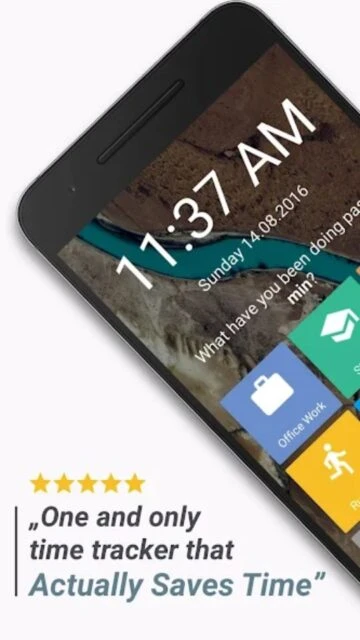
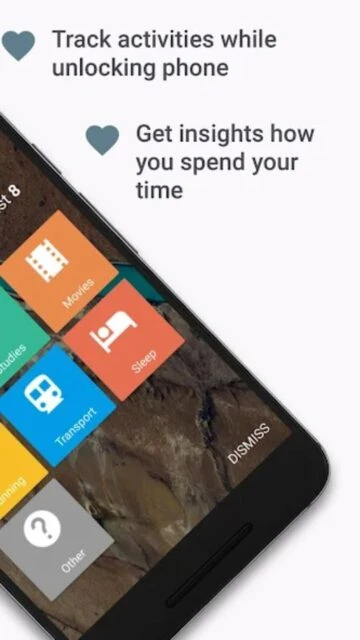
SaveMyTime is an intelligent time tracking app that automatically captures your daily activities without manual timer management. It replaces your lock screen to ask what you've been doing when you unlock your phone, building a comprehensive picture of your time investment across work, learning, leisure, and other categories.

Designed for remote workers, students, and individuals with ADHD, SaveMyTime provides detailed analytics showing work-life balance, productivity patterns, and time-wasting habits. The app tracks 24/7 insights without disrupting your workflow, making it effortless to understand and improve how you spend time.

Features Of SaveMyTime - Time Tracker

  • Automatic lock screen replacement asks about activities when unlocking phone
  • Customize activity names, icons, and colors to match your tracking needs
  • Split time between multiple activities within single tracking session
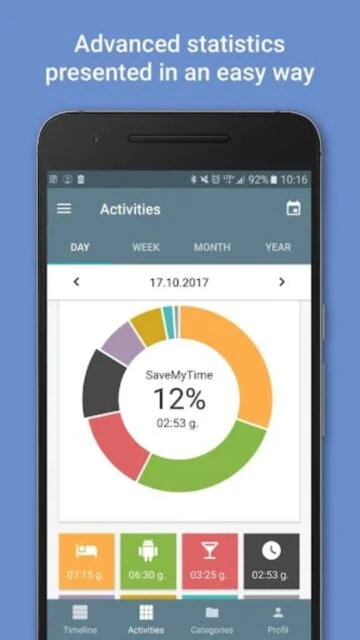
  • Detailed statistics showing daily, weekly, monthly, and yearly time distribution
  • Timeline view displays chronological activity log editable for corrections
  • Work-life balance metrics compare productive time versus leisure activities
  • Professional export functionality saves data as CSV for external analysis
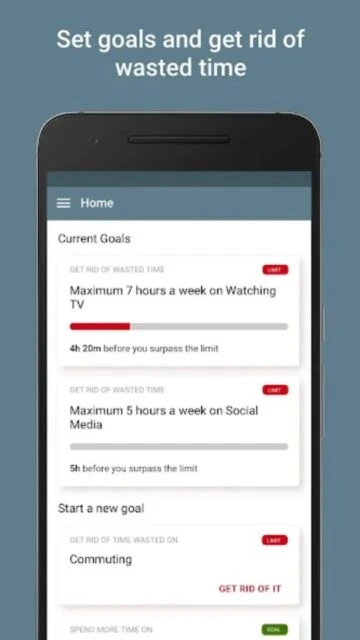
  • Goal tracking feature helps maintain resolutions and focus on priorities

Premium Features in the Paid Plan

  • Unlimited number of activities and categories for comprehensive tracking
  • Unlimited statistics history dating back years for trend analysis
  • Calendar integration displays activities as timeline across different time spans
  • Custom date picker allows analyzing specific days, weeks, or months in past
  • Advanced filtering uncovers insights about specific activity types
  • Performance comparison shows best and worst performing days automatically
  • Lock screen widget for quick activity tracking without opening app
  • Detailed breakdowns reveal time investment patterns by category or activity

Free with Pro subscription: $9.99/month or $59.99/year

Free vs Premium Comparison

Feature Free Premium
Activity Categories Up to 9 activities Unlimited activities
Statistics History Limited time data Unlimited stats history
Data Export Not available CSV export for analysis
Calendar Integration Basic tracking Full timeline calendar view
Custom Analysis Standard reports Custom date picker tool
Icons & Colors Basic set 140+ icons and 40 colors
Goal Setting Not available Full goal tracking feature
Lock Screen Widget Available Enhanced widget features

Frequently Asked Questions

How does SaveMyTime track time automatically?

SaveMyTime replaces your lock screen and asks what you've been doing each time you unlock your phone. Since users check phones about 120 times daily, the app captures frequent activity snapshots without requiring manual timer management. You can split time between multiple activities if you were doing several things simultaneously.

Can I edit my tracked time after recording?

Yes, SaveMyTime includes a timeline view where you can review your chronological activity log and edit entries as needed. You can adjust timestamps, split activities, or correct categorizations. All changes are reflected in your statistics calculations automatically.

What data does SaveMyTime collect and store?

SaveMyTime collects activity names, timestamps, categories, and duration data to build your statistics. The app encrypts data in transit and allows users to request deletion anytime. Premium users can export all data as CSV files for personal analysis or backup purposes.

Is the free version sufficient for basic time tracking?

Yes, the free version supports up to 9 activities and provides basic statistics across different timeframes. Most casual users find this sufficient. Premium unlocks unlimited activities, CSV export, and calendar integration for more advanced analysis and data portability.

Does SaveMyTime work offline?

SaveMyTime operates primarily on your device and works offline for tracking activities. However, syncing data between devices and accessing certain premium features may require internet connectivity. Basic tracking functions remain available without an active connection.

Can I view my time tracking data on my computer?

Premium users can export their data as CSV files which can be imported into spreadsheet applications or analysis tools on any computer. This allows detailed analysis, visualization, and archival of your time tracking history on desktop platforms.