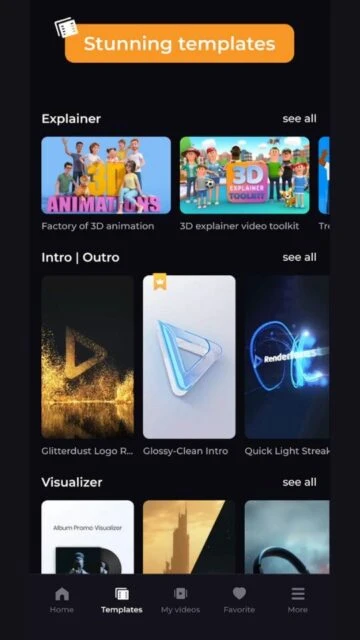
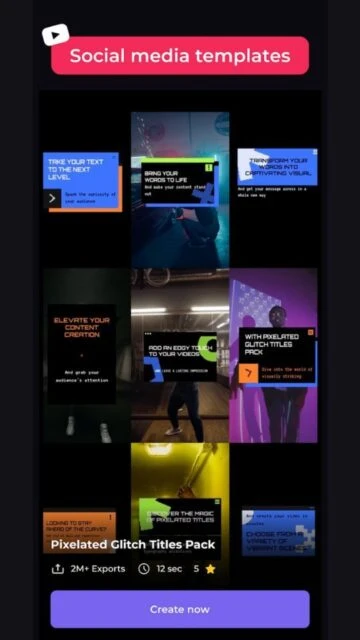
Renderforest serves as an all-in-one AI-powered platform for creating videos, logos, mockups, websites, and graphics without needing advanced design skills. It positions itself as a time-saving tool for non-professionals by combining templates, stock assets, and generative AI models like Sora 2 and Veo 3 to produce studio-quality content quickly. Born from the need to make professional visuals accessible, Renderforest emerged to help small teams and individuals bypass expensive agencies or complex software, filling a gap in affordable, browser-based creation for marketing and branding in 2026.
The platform’s ecosystem emphasizes speed and versatility, supporting everything from explainer animations to social media clips through an intuitive editor and AI generators. This focus on hybrid AI-template workflows sets it apart in a crowded market, enabling users to iterate projects in minutes while maintaining commercial viability.
How to Get Started with Renderforest
Renderforest’s onboarding is straightforward and browser-centric, guiding new users through account creation, project selection, and preview rendering without downloads. You land on a dashboard highlighting AI tools and templates; pick a category, customize, and export in under five minutes, with free tiers showing watermarks to nudge upgrades.
- Create Account – Sign up via email, Google, or Facebook on the Renderforest homepage; expect instant access to the dashboard with tutorial prompts highlighting video, logo, and website makers.
- Choose Project Type – Select from categories like Logo Maker or Video Templates; the AI suggests options based on keywords, loading previews to show real-time edits.
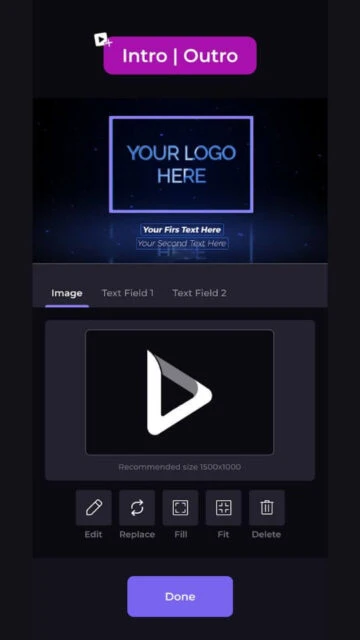
- Customize Template – Drag elements, input text, or use AI generators for scenes; changes update live, with stock music and voiceovers auto-matching your theme.
- Preview and Render – Hit preview to simulate output, then render; free exports include watermarks, while paid plans deliver HD downloads immediately.
Who Should Use Renderforest
Renderforest targets creators seeking quick, professional visuals without deep expertise, from solopreneurs to marketing teams who value AI acceleration over granular control. Its template-driven AI suits users prioritizing output speed in dynamic content needs like social media or ads.
Ideal Users
- Small business owners crafting logos and promo videos; they gain polished branding fast, skipping hire designers.
- Social media managers producing weekly clips; AI templates handle trends, freeing time for strategy.
- Educators making animated explainers; simple tools turn lessons into engaging visuals without software learning curves.
- Freelance marketers testing ad variants; rapid iterations via AI generators boost campaign agility.
Not Ideal For
- Professional animators needing keyframe precision; Renderforest’s template limits exceed custom rigging.
- Enterprise teams requiring team workflows; lacks advanced collaboration beyond basic sharing.
- Budget-conscious hobbyists shunning subscriptions; free tier watermarks hinder serious sharing.
Renderforest Platform Compatibility
Renderforest operates primarily as a web app, accessible on any modern browser without native mobile or desktop installs, though PWAs enable app-like use on devices. This cloud focus ensures seamless syncing but demands stable internet, limiting offline work across platforms.
| Platform |
Minimum Version |
Unique Features |
Limitations |
| iOS |
Safari 14+ or PWA |
Touch-optimized editor; AI logo gen on mobile |
No native app; heavy renders drain battery |
| Android |
Chrome 90+ or PWA |
Responsive templates; quick social exports |
Internet required; no offline saves |
| Web |
Chrome 100+, Firefox 90+ |
Full AI suite incl. Sora 2; unlimited storage |
None major; best on desktop viewport |
| Desktop |
Any modern browser |
Keyboard shortcuts; multi-monitor previews |
No dedicated app; relies on browser perf |
Renderforest Integrations and Ecosystem
Renderforest builds a compact ecosystem around exports and embeds, focusing on delivery rather than deep imports, with AI tools pulling from internal stock libraries.
- Export Options – Supports MP4, GIF, PNG, HTML; direct uploads to YouTube, TikTok, Instagram streamline sharing.
- Stock Assets – Integrates millions of royalty-free videos, images, music via partnerships like Epidemic Sound.
- AI Partnerships – Leverages Sora 2, Veo 3 for gen video; no Zapier yet, but API previews for custom flows.
- Website Builder – Embeds videos/logos into hosted sites; connects with Google Analytics for traffic tracking.
Best Alternatives to Renderforest
Users explore Renderforest alternatives when needing more customization, offline access, or specialized AI avatars, as the platform’s template rigidity and web-only nature prompt switches for pro workflows. These options vary in focus, from video-centric to design suites.
- InVideo – Suits marketers with script-to-video AI; offers heavier text editing than Renderforest’s visuals-first approach.
- Canva – Ideal for graphic-heavy teams; vast free templates outpace Renderforest in static design volume.
- HeyGen – Excels in avatar videos; talking heads feature trumps Renderforest’s generic animations for personalized content.
- Adobe Express – Fits quick edits with premium stocks; mobile apps provide offline flexibility absent in Renderforest.
- CapCut – Targets TikTok creators; free effects and beats enable mobile-first cuts beyond browser limits.
Renderforest vs Top Competitors
Comparisons here zero in on AI versatility, cost efficiency, mobility, edit flexibility, and output specs; these decide fits for quick creators versus specialists in 2026’s AI video scene. Data pulls from latest plans.
| Feature |
Renderforest |
InVideo |
HeyGen |
Canva |
| AI Capabilities |
Hybrid templates + Sora 2/Veo 3 gen |
Script-to-full video automation |
Realistic AI avatars + lip-sync |
Elemental AI for images/clips |
| Entry Pricing |
$9/month (Lite, 3min/mo) |
$20/month (10min credits) |
$29/month (15min avatars) |
Free tier; Pro $15/month |
| Offline Access |
None (web-only) |
Partial via mobile app |
None |
Partial mobile edits |
| Edit Flexibility |
Template drags + text swaps |
Deep script/timeline tweaks |
Avatar custom faces/voices |
Layered graphics powerhouse |
| Output Options |
HD/4K exports (paid only) |
1080p free, 4K paid |
4K avatar-focused |
Unlimited resolutions free |
Renderforest Privacy and Security Overview
Renderforest prioritizes GDPR-aligned practices with end-to-end safeguards, encrypting assets during AI processing and offering granular consents. This setup reassures creators handling branded content, though reliance on external AI models like Sora introduces shared-risk layers.
| Security Aspect |
Implementation |
User Control |
| Data Encryption |
AES-256 rest, TLS 1.3 transit |
Toggle private mode; bulk deletes |
| Authentication |
OAuth + mandatory 2FA on paid |
Session logs; multi-device auth |
| Data Collection |
Minimal for AI training (opt-out) |
Privacy dashboard; data portability |
| Third-Party Sharing |
Assets only, no PII sales |
Block specific integrations |
Renderforest Accessibility Features
Renderforest supports core web accessibility via WCAG 2.1 guidelines, with keyboard nav and screen reader compatibility aiding diverse users, though AI previews lag in dynamic alt-text generation. This makes it viable for inclusive teams, but pros tweak outputs externally for full compliance.
- Keyboard navigation covers editor tools and timelines; arrow keys swap elements seamlessly.
- Screen reader integration reads templates and text inputs; focus indicators highlight active layers.
- High-contrast mode activates via browser flags; scales UI for low-vision without quality loss.
- Color-blind palettes in assets; AI gens prompt inclusive prompts for diverse outputs.
Power User Tips for Renderforest
Advanced users leverage Renderforest’s AI layers and shortcuts to scale production, chaining generators across projects for efficiency in 2026 workflows. These tactics cut render times while maximizing output polish.
- Chain AI tools by exporting logo SVGs into video intros; preserves scalability across formats on web.
- Use custom fonts via upload on desktop browsers; pair with Veo 3 prompts for branded animations.
- Batch renders overnight on paid plans; schedule via API previews for marketing queues.
- Keyboard combos like Ctrl+Z for multi-edits speed mobile PWA sessions; test exports early.
- Prompt engineer Sora 2 with specifics like “corporate explainer, blue tones”; refines gens faster than templates.
Renderforest Support and Community
Renderforest provides round-the-clock live chat and email support, prioritizing paid subscribers with hour-long responses, backed by an extensive knowledge base on AI tools and exports. Free users rely on self-serve forums and video guides.
Support Channels
- Live chat resolves template issues instantly; escalates AI bugs to specialists.
- Email tickets handle billing, custom requests; expect 24-hour turnarounds.
- Knowledge base details Sora 2 prompting, export troubleshooting.
Community Resources
- YouTube channel drops weekly tutorials on Veo 3 workflows.
- Facebook groups enable template swaps among 50K+ creators.
- Discord previews beta features; active for prompt-sharing threads.

 56
56