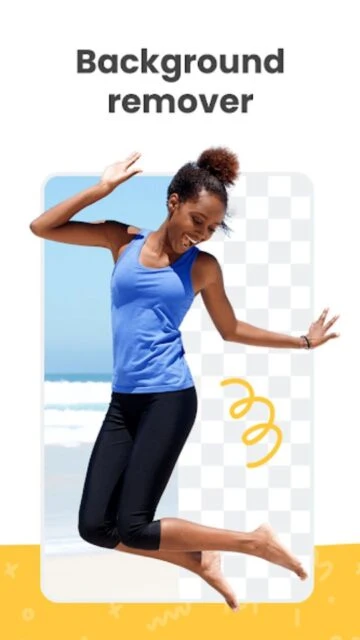
Remove.bg is an AI-powered tool that quickly removes backgrounds from photos. It streamlines editing for both beginners and professionals in seconds. Key strengths include handling tricky edges and offering batch processing, making image prep easy and reliable for creative projects.
Features Of Background remover - remove.bg
Fast AI background removal for photos
Handles detailed edges like hair
Batch processing for multiple images
Instant PNG export
Customizable replacement backgrounds
Direct sharing to social
Lightweight and easy to use interface
Works offline for basic features
Premium Features in the Paid Plan
High-res image exports
Extended batch processing limits
Access to premium background templates
Unlimited API credits for businesses
Custom AI enhancement for accuracy
Priority support for subscribers
Watermark-free output
Advanced edge detection customization
Free with optional premium credits
Free vs Premium Comparison
Feature
Free
Premium
AI Removal
Standard resolution
High resolution, more accurate
Batch Processing
Limited batch
Extended bulk support
Background Templates
Basic set
Full premium library
Export Options
PNG only
PNG, JPG, high-res
Edge Detection
Basic
Enhanced AI
Watermark
With watermark
Watermark-free
Frequently Asked Questions
Is Remove.bg free to use?
You can use Remove.bg for free with standard resolution images. High-res and more advanced features require credits or Pro subscription.
Can I batch process images?
Yes, batch processing is available. Free users get limited batch size, while premium plans increase batch capabilities.
Does it work offline?
Basic features can work offline for previously saved photos, but advanced AI requires internet connection.
Is my photo data secure?
Remove.bg processes images using AI. It deletes most uploads after processing and complies with privacy protection policies.
Can I export in different formats?
Yes. Free version exports PNG while premium allows exporting PNG, JPG, or high-resolution formats.
Remove.bg instantly deletes photo backgrounds with advanced AI technology, letting users edit images fast and easily. Trusted by millions, it works for both personal fun and professional products. Effortless background cut-outs make designing photos, ads, or social posts easy—no complex skills required.
Why Choose Remove.bg?
Save time with automatic, precise background removal. Remove.bg handles complicated edges like hair with ease and lets you customize backgrounds for eye-catching results. The simple workflow and professional output make it the go-to for quick edits and batch processing.
Key benefit: Instant AI-powered cut-outs
Another benefit: Handles tough edges and details
Third benefit: Batch processing on mobile
How It Works
Upload your image, let Remove.bg’s AI erase the background in seconds, and download the new transparent PNG. You can replace or change backgrounds and share instantly with one tap.
Who Should Use It?
Perfect for designers, e-commerce sellers, photographers, or anyone creating ads, product shots, or social media graphics needing fast background removal.
User reviews and ratings for Background remover - remove.bg
See what users think about Background remover - remove.bg. Read honest reviews and ratings from real users.
3.7
★★★★★
3 reviews
Gets the job done quickly and well
by Sophie
★★★★★
2025-11-19
Remove.bg made editing product photos much faster for my online store. Clean results most of the timeu2014even with complicated subjects.
Good, but could be better for pros
by Nick
★★★★★
2025-11-05
It's easy for basic edits, but wish the free version supported higher resolutions. Still, fast batch processing helps a lot.
Decent but some bugs in update
by Jack
★★★★★
2025-10-18
After a recent update, the app sometimes freezes, but overall it removes backgrounds well enough. Handy for quick edits.

 49
49