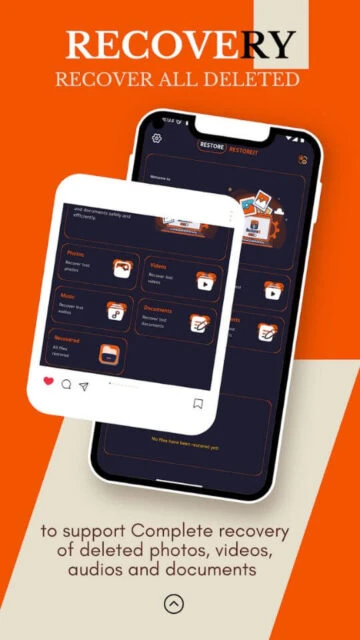
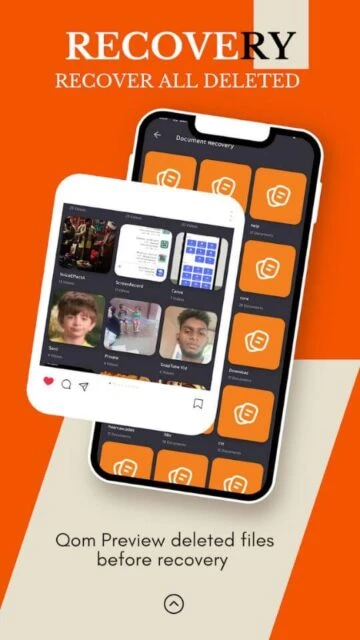
Recuva file recovery is an Android application designed for efficient recovery of deleted files from mobile devices. The app utilizes fast scanning technology and supports recovery of photos, videos, music, documents, and other file types from internal storage and SD cards.
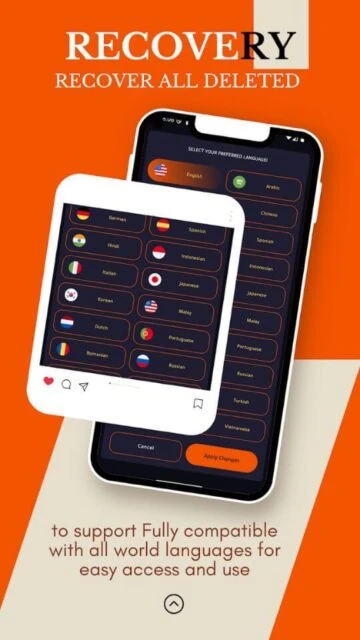
With its multilingual interface supporting 15+ languages, elegant design, and no-root-required approach, the app makes professional-grade file recovery accessible to all users. Battery-optimized scanning ensures minimal impact on device performance.
Features Of Recuva file recovery
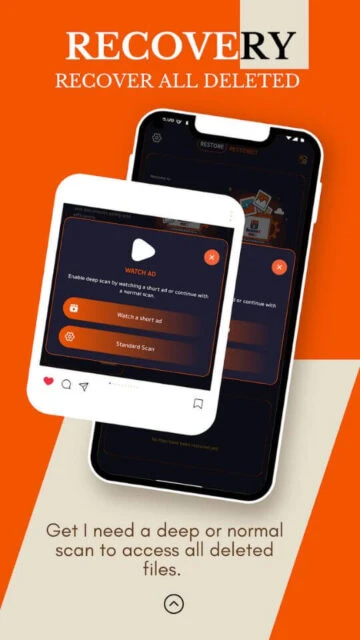
Quick scan mode for recovering recently deleted files rapidly
Deep scan technology for locating files deleted long ago
Support for JPG, PNG, RAW photos and MP4, AVI, 3GP videos
Audio file recovery for MP3, WAV and other formats
Document recovery including PDF, DOC and XLS files
Preview deleted files before recovery commitment
Multilingual interface with 15+ language support
No root access required for basic recovery operations
Premium Features in the Paid Plan
Extended file type support beyond free version capabilities
Advanced deep scan with custom filter options by file size
Batch recovery processing for multiple files simultaneously
External storage and SD card recovery functionality
Recovery history and previous scan result retention
Enhanced recovery algorithms for corrupted file reconstruction
Direct cloud storage export for recovered files
Priority technical support and recovery consultation
Free
Free vs Premium Comparison
Feature
Free
Premium
Scan Modes
Quick and Deep scan
Advanced Custom scans
File Types
Common formats
All formats plus recovery
Language Support
15+ languages
25+ languages
Storage Access
Internal storage
All storage types
File Preview
Limited preview
Full media preview
Batch Operations
Single file
Batch recovery
Cloud Integration
Local saving
Cloud export
Performance
Standard scanning
Optimized scanning
Frequently Asked Questions
Does this app work on all Android devices?
The app works on Android 5.0 and newer devices. Compatibility varies by manufacturer and device specifications. Check device requirements before installation to ensure compatibility.
Will recovery work after factory reset?
Recovery chances depend on how much new data has been written since factory reset. Immediate recovery after reset has higher success rates than delayed recovery operations.
What is the difference between quick and deep scan?
Quick scan targets recently deleted files and completes rapidly. Deep scan examines entire storage thoroughly and takes longer but recovers files deleted long ago.
Can I recover files from formatted SD cards?
Yes, the app can scan and recover files from formatted SD cards when properly mounted. Recovery success depends on formatting method and time elapsed since formatting occurred.
Is this app safe and does it collect personal data?
The app operates locally on your device and doesn't transmit data to external servers. No personal data collection occurs during file recovery operations.
How much battery does scanning consume?
The app is battery-optimized for minimal power consumption. Quick scans use minimal battery while deep scans may require connected charging for extended operations.
Recuva file recovery is a comprehensive data recovery solution for Android devices that helps users retrieve accidentally deleted or permanently removed files. With intelligent scanning algorithms and an elegant user interface, this app makes file recovery simple and accessible for all device users.
Why Choose Recuva file recovery?
This app excels with its dual scanning approach offering both quick and deep recovery modes. The lightweight design ensures minimal battery drain and processing power usage during recovery operations. Support for over 15 languages makes it accessible to global users. The app specifically handles scenarios including accidental deletion, formatting, and factory resets with impressive success rates for various file types.
Dual Scan Modes: Quick scan for recent deletions and deep scan for comprehensive recovery
File Preview: Examine deleted files before recovery to ensure correct selection
Lightweight Design: Battery-friendly operation with minimal system resource consumption
How It Works
Download and install Recuva file recovery then launch the application. Select your desired scan mode based on recovery needs. The app scans storage locations systematically and displays discovered files organized by category. Preview any file to confirm it matches your needs. With a single action, restore selected files to your device or choose an alternative destination for recovered content.
Who Should Use It?
This app suits anyone experiencing accidental file deletion on Android phones and tablets. It’s ideal for users who need emergency data recovery, photographers managing photo libraries, professionals seeking document recovery, international users preferring non-English interfaces, and anyone seeking reliable lightweight recovery solutions.
User reviews and ratings for Recuva file recovery
See what users think about Recuva file recovery. Read honest reviews and ratings from real users.
4.1
★★★★★
3 reviews
Excellent recovery of deleted photos
by Ahmed Hassan
★★★★★
2025-11-20
Retrieved family photos I thought were lost forever. App worked quickly and efficiently. Simple interface made recovery straightforward for non-technical user.
Very useful lightweight app
by Lisa Chen
★★★★★
2025-10-03
Successfully recovered documents and videos. App doesn't consume much storage or battery. Only minor issue is occasional delay during deep scanning operations.
Fast and reliable recovery solution
by Carlos Rodriguez
★★★★★
2025-09-15
Best file recovery app I've used. Recovered files complete factory reset scenario. Multilingual support and user-friendly design make it perfect for international users.
Write a Review
Recuva file recovery Screenshots & Photos
Browse through screenshots and photos of Recuva file recovery to see how it looks and works.

 36
36