Does RadioG Online work without internet?
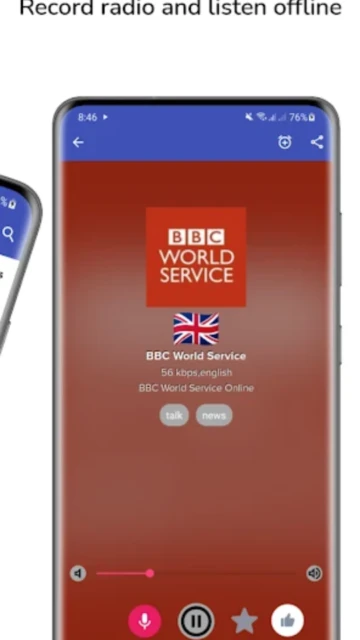
No, streaming requires active internet connection. However, you can record stations and listen offline later. Download recorded broadcasts to your device storage for playback without connectivity.
 42
42

Radio streaming and recording app
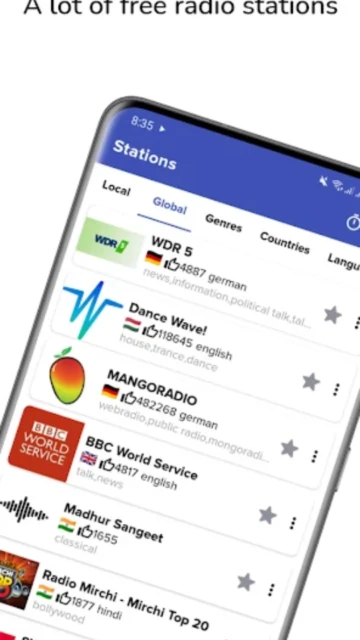
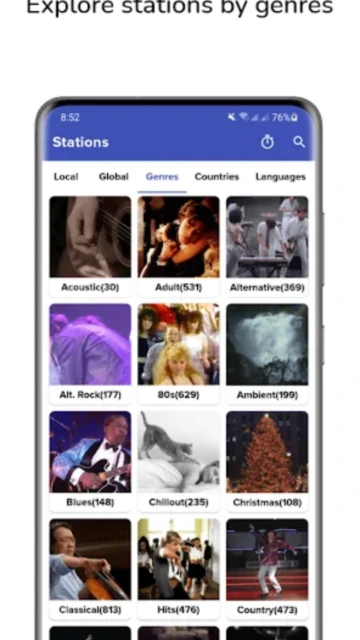
Listen to over 32,000 radio stations from 210 countries in 283 languages with built-in recording capabilities and offline playback.
RadioG Online provides access to 32,000+ internet radio stations spanning 210 countries and 283 languages through a free streaming platform. The app integrates radio-browser.info's crowdsourced station database enabling users to discover stations, contribute new listings, and customize recommendations.
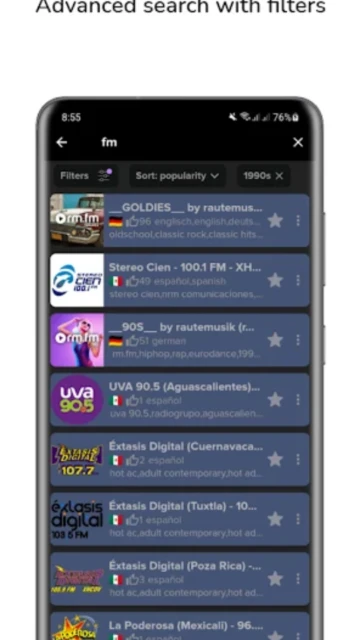
Core capabilities include professional audio recording for offline playback, customizable favorites organization with drag-reorder functionality, and comprehensive station search. Sleep timer automation, alarm integration, and home screen shortcuts enhance daily convenience while dark theme support and responsive UI deliver modern listening experience.
Free with in-app purchases
| Feature | Free | Premium |
|---|---|---|
| Station Library | 32,000+ stations available | 32,000+ stations with priority updates |
| Recording Feature | Basic recording included | Unlimited recordings with advanced options |
| Advertisements | Contains ads throughout app | Complete ad-free experience |
| Offline Playback | Save recordings for offline | Enhanced offline capabilities |
| Station Customization | Basic favorites list | Advanced sorting and filtering |
| Audio Quality | Standard streaming quality | High-quality encoding available |
| Background Recording | Limited functionality | Full background recording support |
| Scheduled Recording | Manual recording only | Schedule recordings in advance |
No, streaming requires active internet connection. However, you can record stations and listen offline later. Download recorded broadcasts to your device storage for playback without connectivity.
Yes, recording duration is limited only by available device storage space. Free version includes basic recording; premium unlocks advanced encoding options and scheduled recording capabilities.
RadioG saves recordings as audio files compatible with standard Android media players. Recordings are stored in device Audio folder for easy access and sharing with other applications.
Currently, the app supports home screen shortcuts for favorite stations but lacks a full widget. Users can add individual station shortcuts for quick-launch access directly from home screen.
Android's audio system supports only one active source. Other audio apps using microphone or media playback will interrupt RadioG recordings. Minimize concurrent app usage during recording sessions.
Currently, favorites sync only within single device. Premium version enables export functionality for backup and manual transfer to other devices via file sharing.
Contact developer ATFDev directly at [email protected] for technical support, feature requests, or bug reports. In-app feedback feature also connects users with development team.