Prequel – AI Photo and Video Editing Filters

Prequel is a free aesthetic photo and video editor with 800+ Hollywood-quality filters, effects, and AI tools for creating cinematic content on social media.

About PREQUEL AI Filter Photo Editor

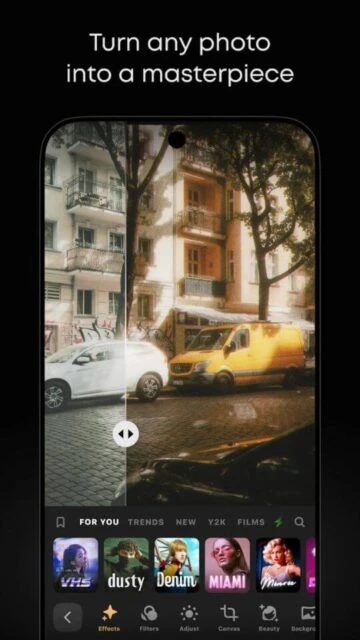
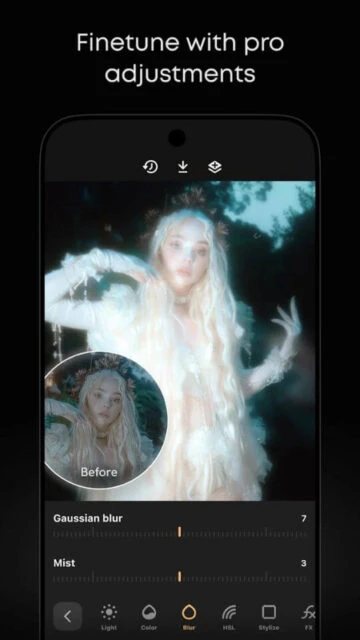
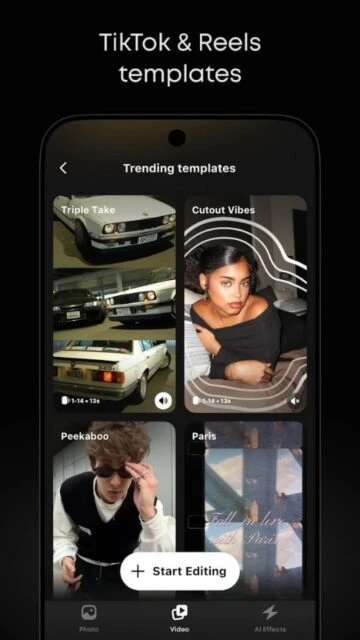
Prequel is a free aesthetic photo and video editing application offering over 800 Hollywood-quality filters and effects for social media content. It provides users with vintage, retro, anime, Y2K, and trend-inspired visual styles combined with AI-powered beauty tools and advanced adjustment capabilities. The app serves content creators seeking professional editing results without technical expertise.

With features like batch editing, custom preset saving, background replacement, and real-time adjustments, Prequel enables users to maintain consistent visual branding across Instagram, TikTok, and other platforms. The app integrates over 30 custom fonts, 250+ hand-designed stickers, and 60+ texture overlays for complete creative expression.

Features Of PREQUEL AI Filter Photo Editor

  • 800+ aesthetic filters spanning vintage, film, retro, Y2K, anime, and trending styles
  • AI-powered face and body editing with natural skin smoothing and reshaping
  • Batch editing up to 10 photos at once with synchronized adjustments
  • Custom preset creation and saving for consistent aesthetic across posts
  • Background replacement tool for precise and quick image transformation
  • Over 30 custom fonts for text overlay with text animation effects
  • Real-time color and light adjustments including DOF, HDR, and blurs
  • Unlimited texture overlays and hand-designed stickers for personalization

Premium Features in the Paid Plan

  • Unlimited access to all 800+ effects and filters without restrictions
  • Advanced editing toolkit with full color grading and professional adjustments
  • Removal of watermarks from exported content for clean social media sharing
  • Priority cloud storage for saving unlimited custom presets and projects
  • Early access to new filters and trending effect packs before free tier users
  • High-resolution export options up to 4K for professional photo projects
  • AI style transfer and advanced beauty mode with refined enhancement options
  • Background blur and advanced composition tools for cinematic photo effects

Free with in-app purchases; Prequel Gold from $4.99/week or $34.99/year

Free vs Premium Comparison

Feature Free Premium
Filter Library 300+ free filters with limited variations available Unlimited access to all 800+ filters with full customization options
Export Quality Up to 1080p HD resolution with watermark included Up to 4K UHD resolution with no watermark on any exports
Beauty Tools Basic face retouching with limited adjustment options Advanced face and body editing with natural skin smoothing and contouring
Text Animation Static text with basic font selection only 200+ text animations with motion graphics and subtitle effects
Custom Presets Save up to 5 custom presets for reuse Unlimited preset storage and cloud backup for all custom edits
AI Features Limited basic AI adjustments available Full suite of AI tools including style transfer and advanced beauty mode
Background Removal Not available Unlimited background replacement with smart edge detection
Download Speed Standard export processing time Priority processing for faster export and sharing to social media

Frequently Asked Questions

Is Prequel free to use?

Yes, Prequel offers a free version with over 300 filter variations and basic editing tools. Premium features are available through Prequel Gold subscription at $4.99 weekly or $34.99 annually. A 3-day free trial of premium features is available for new users.

Can I save my edited photos without a watermark?

Watermarks appear on free tier exports. Prequel Gold subscribers can save high-resolution content without watermarks. The Premium subscription also enables 4K export quality for professional-grade output suitable for commercial use.

What devices does Prequel support?

Prequel is available on both iOS and Android. iOS requires iOS 15.0 or later, compatible with iPhone, iPad, and iPod touch. Android requires Android 10.0 or higher. The app size is approximately 236 MB on iOS and varies on Android.

How do I cancel my Prequel Gold subscription?

You can manage your subscription through your device settings. For iOS users, go to Settings > [Your Name] > Subscriptions and select Prequel to modify your subscription. Android users access subscriptions through Google Play Store settings. Cancellation takes effect at the end of your current billing cycle.

Does Prequel work offline?

Most editing features work offline once filters are downloaded. However, some advanced AI features and cloud storage functionality require internet connectivity. Background removal and online preset sync require an active internet connection.

Can I batch edit multiple photos with the same filter?

Yes, Prequel offers batch editing for up to 10 photos simultaneously. Select multiple photos, apply your chosen filter or adjustments, and export all at once. Custom presets can be saved and reused across editing sessions for consistent aesthetic branding.

What are the system requirements for Prequel?

Prequel requires iOS 15.0 or later for Apple devices and Android 10.0 or higher for Android devices. A minimum of 236 MB storage space is needed. For optimal performance, a device with adequate RAM and recent processor is recommended for smooth real-time editing.