PowerDirector – Fast AI mobile video editor

PowerDirector is a powerful AI-driven mobile video editor for creating polished social content, vlogs, and professional clips in minutes.

About PowerDirector - Video Editor

PowerDirector is a mobile video editor designed to combine powerful features with an approachable interface. It focuses on helping users turn everyday clips into polished, shareable stories using timelines, templates, and AI automation, all optimized for phone-based editing workflows.

The app offers multi-track editing, keyframing, green screen, AI background removal, and auto captioning that streamline complex edits. Integration with stock libraries and export presets for major platforms makes it useful for creators, businesses, and casual users who want professional-looking results without desktop software.

Features Of PowerDirector - Video Editor

  • AI auto edit quickly assembles highlight reels from selected clips and photos
  • Multi-track timeline supports layering video, photos, titles, and audio precisely
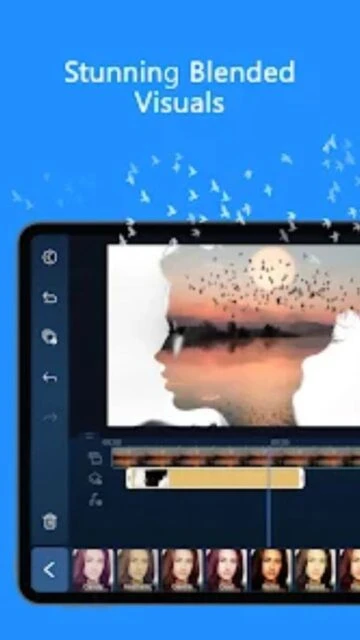
  • Chroma key green screen removes backgrounds for creative compositing and virtual scenes
  • AI background removal isolates subjects without manual masking for faster edits
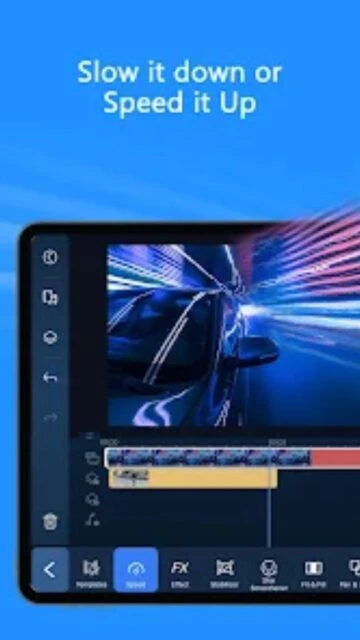
  • Speed controls create slow motion, timelapse, and ramped transitions for dynamic pacing
  • Stabilization reduces shaky footage, improving handheld or action camera recordings
  • Color and lighting tools adjust brightness, contrast, saturation, and tone accurately
  • Export presets optimize resolution, bitrate, and aspect ratios for social platforms
  • Built-in templates simplify creating intros, outros, and themed content packages
  • Voiceover recorder lets you narrate tutorials, vlogs, and explainer videos directly
  • AI auto captions generate on-screen subtitles, improving accessibility and engagement
  • Stock media integration adds royalty-free music, footage, and sounds to projects

Premium Features in the Paid Plan

  • Access exclusive filters, transitions, and motion titles updated regularly for subscribers
  • Unlock higher export quality options and advanced encoding profiles for cleaner videos
  • Use an expanded royalty-free stock library of photos, footage, sounds, and music tracks
  • Remove watermarks from exported videos for professional publishing and client delivery
  • Enjoy an ad-free editing workspace focused entirely on your timeline and tools
  • Gain extra AI effects such as enhanced portraits, stylistic filters, and anime transforms
  • Increase cloud storage capacity for syncing and backing up multiple editing projects
  • Access premium templates designed for business promos, social ads, and branded content

Free with in-app purchases and subscription options

Free vs Premium Comparison

Feature Free Premium
Export quality Exports with limited resolutions and potential watermark on some outputs Unlocks higher resolutions, cleaner encoding, and watermark-free exports
Stock media access Includes a small collection of basic stock clips, sounds, and music Opens a large Getty Images-powered library for broader creative options
AI effects Provides core AI tools like auto captions and simple enhancements Adds advanced AI styles, art filters, and enhanced portrait processing
Advertising Displays occasional ads within the interface and between actions Removes ads entirely for uninterrupted editing sessions
Templates and titles Grants basic templates and a limited set of animated titles Unlocks premium packs with branded, cinematic, and social templates
Cloud storage Offers minimal cloud space suitable for a few active projects Expands cloud quota, enabling multiple large projects across devices
Commercial usage rights Restricts some assets from commercial use or monetized content Provides clearer licensing and assets approved for commercial projects
Support priority Standard support response times and community resources Improved response priority and more detailed troubleshooting assistance

Frequently Asked Questions

Does PowerDirector work well on lower-end or older phones?

PowerDirector runs on many mid-range and older Android devices, but performance depends on processor speed and available memory. High-resolution projects, multiple layers, and AI effects may require newer hardware for smooth playback and faster exporting, especially when editing longer or more complex videos.

Can I use PowerDirector to create content for YouTube and TikTok?

Yes, PowerDirector includes aspect ratio presets and export settings tailored for YouTube, TikTok, Instagram, and other platforms. You can create vertical, square, or widescreen projects, add captions and music, then export optimized files ready for direct upload from your phone or tablet.

Do I need a subscription to use basic editing tools?

No, you can access core features such as trimming, splitting, adding music, applying basic effects, and exporting without paying. However, some advanced tools, premium templates, higher export quality, and expanded stock libraries require an optional subscription or individual in-app purchases to unlock fully.

Can projects be synced between mobile and other devices?

Projects created with PowerDirector mobile can be saved to the cloud when logged into your CyberLink account. This allows accessing drafts on supported devices, backing up important edits, and restoring work if you change phones. Availability of cross-device workflows may vary by platform and subscription level.

Is PowerDirector suitable for beginners with no editing experience?

PowerDirector is designed so beginners can start quickly using templates, guided tools, and AI automation. Simple drag-and-drop controls and presets help build polished videos without technical knowledge, while more advanced features like keyframing and green screen remain available as skills grow and needs become more complex.