How do I create and share custom filters?
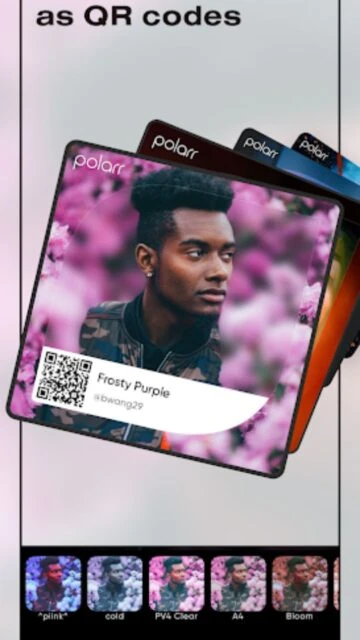
Edit a photo and customize all adjustments to your preference. Save as a custom filter in the app. Share via QR code with friends, or publish to the community filter marketplace for millions to discover.
 34
34

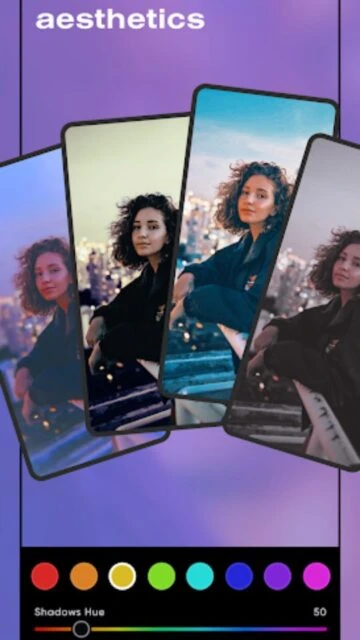
Endless aesthetics and professional photo editing
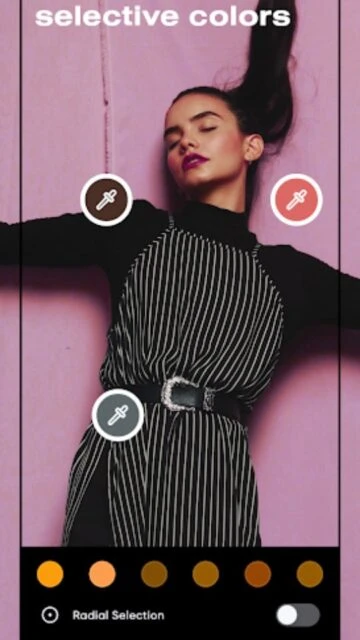
Advanced AI-powered photo editor with selective adjustments, filters, and professional editing tools for creative photography.
Polarr is an advanced photo editing application featuring AI-powered selective adjustment tools and an extensive filter marketplace. It provides professional-grade features including face retouching, selective masks for specific edits, global color adjustments, and batch processing capabilities. Available on iOS and Android with synchronization across platforms through user accounts.
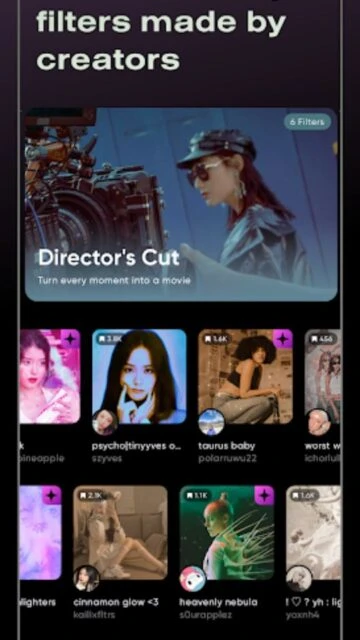
The app emphasizes intelligent editing with AI object detection, color matching, and automated adjustments while maintaining user control through manual masking and adjustment layers. Its community-driven filter ecosystem enables users to create, share, and discover editing styles.
Free with ads / Lite $1.99/month or Studio $3.99/month
| Feature | Free | Premium |
|---|---|---|
| AI Tools | Limited AI features | Full AI object detection |
| Face Retouching | Basic tools | Advanced Face HD tools |
| Adjustment Layers | Global only | Advanced layers |
| Filters | Free filters only | All filters available |
| Batch Export | Single export | Batch processing |
| Watermark | Watermark applied | Remove watermark |
| Cloud Sync | Limited | Full sync |
| Ads | Contains ads | Ad-free |
Edit a photo and customize all adjustments to your preference. Save as a custom filter in the app. Share via QR code with friends, or publish to the community filter marketplace for millions to discover.
Lite ($1.99/month) includes basic AI tools and selective masks. Studio ($3.99/month) adds advanced features like Tone Curve, Gradation Map, batch processing, and priority support.
Yes, with a Polarr account, your custom filters and presets sync across iOS, Android, and web versions. Studio subscription enables full cloud synchronization.
Yes, the free version provides comprehensive editing tools including selective masks, global adjustments, and access to community filters. Ads are displayed, and some premium features require subscription.
Batch editing is available with Studio subscription. Select multiple photos and apply consistent adjustments or filters to all images simultaneously for efficient workflow.
AI Color Match analyzes your photo's exposure and colors, then applies consistent grading. This ensures similar photos maintain matching color tones without manual adjustment.